

A Guide to Understanding Post-Downgrade Billing Issues
Note
Many users—especially those subscribed through Shopify—continue to see charges after downgrading to the free Basic plan. This article explains why and how to fix it.Click here to start dropshipping now with DSers
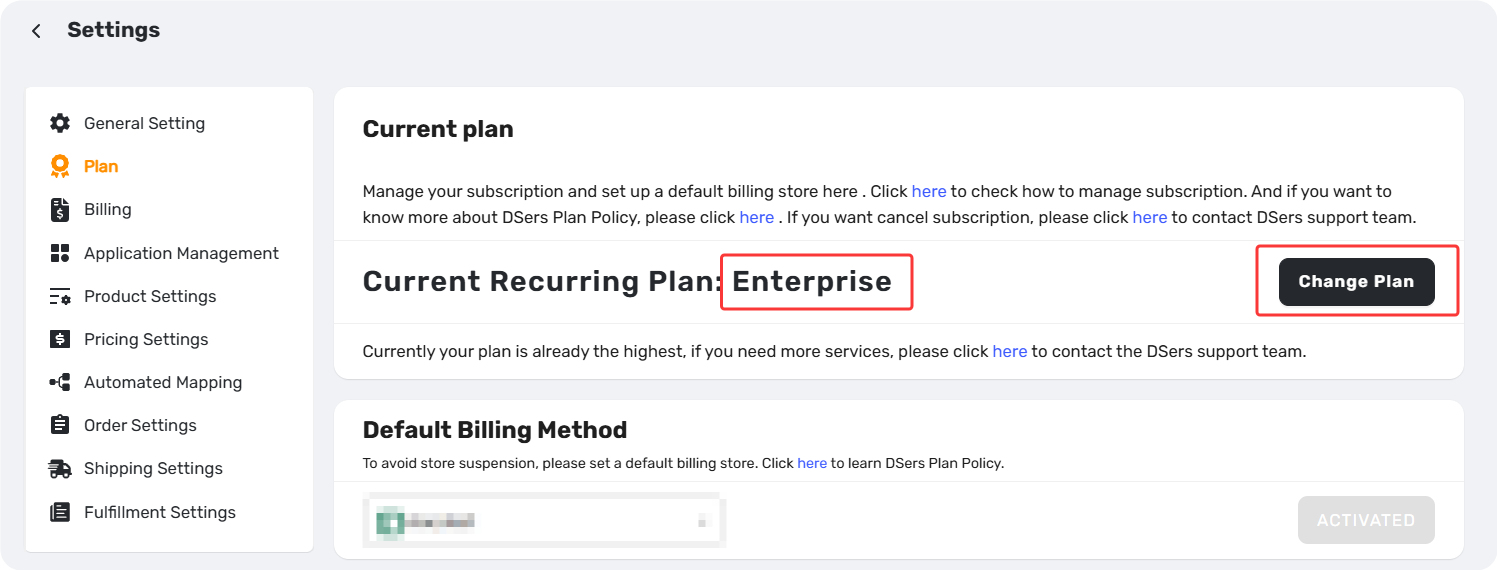
Before You Begin: Confirm Your Current Plan
First, log in to your DSers-Settings-Plan-Current Plan and check your current subscription status. If you're still on a paid plan and need to downgrade, follow the steps in [Upgrade, Downgrade & Cancel Subscription: Step-by-Step Guide] before proceeding with the troubleshooting below.
Find Your Scenario
| If you... | And... | Go to |
|---|---|---|
| Downgraded during a 14-day free trial | You've used a free trial before, or changed plans mid-trial | Scenario 1 |
| Downgraded mid-cycle, but still got charged on Shopify's monthly billing date | The charge date is after your DSers cycle started | Scenario 2 |
| Downgraded in DSers, but your platform still charges you | Your store connection was or is disconnected | Scenario 3 |
Scenario 1: You Downgraded During the 14-Day Free Trial
Why:
Two possible reasons:
- Trial ends on plan change. If you start a trial on the 1st and upgrade or downgrade on the 5th, your trial ends on the 5th. You're billed for New Subcription from the 5th onward.
- One trial per account. If you've used a free trial before, billing begins from the upgrade date.
How to fix:
For Shopify users:
To use the remaining days of your paid plan, upgrade back to the same paid plan you were on.
To avoid being charged for the next cycle, downgrade to Basic Plan before your next billing circle start.
Scenario 2: Billing Cycle Mismatch (Shopify Users)
The situation:
| Event | Date |
|---|---|
| DSers cycle starts | April 1 |
| You downgrade to Basic | April 15 |
| Shopify charges you for DSers | April 20 |
Why:
The charge is due to the difference between your Shopify billing date and your DSers cycle start date:
- Your Shopify store has a fixed monthly billing date (e.g., the 20th).
- Your DSers cycle starts on your subscription date (e.g., April 1).
- Shopify charges third-party apps on your store's next billing date—not on the day your DSers cycle starts.
Your invoice for the April 1–30 cycle was generated prior to the April 20 charge date. Because of this, any cancellation submitted before April 20 will take effect for the next cycle, while the current charge remains scheduled for April 20.
Scenario 3: DSers Shows "Basic," But Charges Continue
The fix depends on your platform:
Shopify Users
Why this happens:
You downgraded to Basic but are still being charged. This is usually due to one of two reasons:
- Your store was frozen and reactivated — the subscription never stopped, so billing resumed at the original plan level.
- You disconnected from DSers before canceling — the cancellation couldn't sync to Shopify.
How to fix:
- Store was frozen: Reconnect DSers and downgrade to Basic again to stop future charges.
- Disconnected before canceling: Contact Shopify Support to manually cancel your subscription.
Wix Users
Why:
Wix requires you to manage your subscription on both platforms. Downgrading in DSers alone isn't enough—Wix has no record of the change and continues billing you.
How to fix:
- Go to Wix > Apps > Manage Apps.
- Locate DSers and complete the downgrade there.
- Charges will stop once both DSers and Wix reflect the Basic plan.
Still Having Subscription or Billing Issues?
If none of these scenarios apply, or you have questions about your specific charges, contact DSers Customer Support for details.
For invoice and policy information, see [DSers Billing and Refunds: How to Check Your Invoices and Refund Policy].
Related Articles
- DSers Plans and Billing: A Complete Overview
- How to View Your DSers Plan and Subscription Details
- Upgrade, Downgrade & Cancel Subscription: Step-by-Step Guide
- DSers Plan Subscription Errors: Troubleshooting and Solutions
- DSers Billing and Refunds: How to Check Your Invoices and Refund Policy
FAQ Section
Quick answers to the most common questions about DSers billing, downgrades, and plan changes.

Get Started Now to Grow Your Online Business with the DSers!