


AliExpress Authorization for DSers: A Step-by-Step Guide
Note
Before order processing, you'll first need to connect your AliExpress buyer account. This guide walks you through the preparation steps, where to find the connection settings and how to complete the authorization.Click here to start dropshipping now with DSers
Preparations Before Authorization
1. Create an AliExpress Buyer Account
You'll need a standard AliExpress buyer account to connect to DSers. If you don't have one yet, head over to aliexpress.com and create one for free — it takes just a couple of minutes.
2. Log In to the Correct Accounts
Make sure you're logged into both in the same browser:
- Your DSers account — the one connected to your store
- Your AliExpress buyer account — the one you'll use to place orders
If you're logged into the wrong AliExpress account during authorization, the connection will link to that account instead. Double-check before proceeding.
Steps to Connect
Getting connected takes less than a minute. Here's where to go:
- Log in to your DSers dashboard.
- Navigate to Settings →Application Management→ Suppliers in the left sidebar.
- Click the Add accounts button on the AliExpress line.
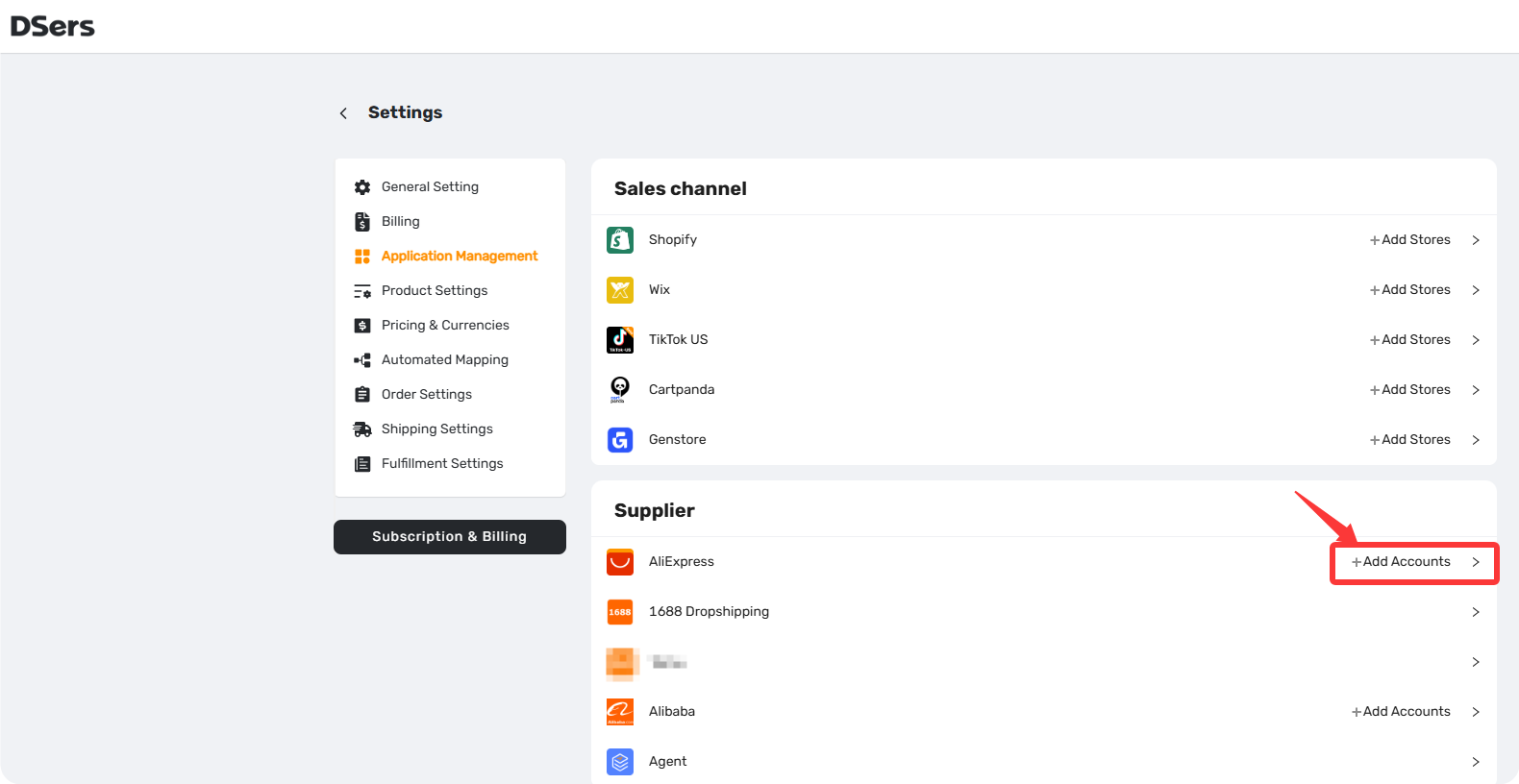
A new window will open, prompting you to log into AliExpress. Enter your credentials, review the permissions.
That's it. Once authorized, DSers can place orders, sync order statuses, and update tracking information automatically.
Tips: If no AliExpress account is connected to DSers, you'll be prompted to link one when placing the AliExpress order.
The authorization expires every 90 days — you'll receive a re-authorize pop-up on your DSers dashboard.
FAQ Section
Everything you need to know about connecting your AliExpress account and managing supplier connections in DSers.

Get Started Now to Grow Your Online Business with the DSers!


 Company
 Why Choose DSers
 Blog
Blog
 Help Center


