

A clear guide to finding your DSers invoices and understanding our refund policy
Note
See a charge on your account and need to review the invoice? Or have a billing question?Click here to start dropshipping now with DSers
Below, we show you how to find your DSers subscription invoices based on your payment method, followed by a clear summary of our refund policy.
How to Check Your DSers Billing Invoices
Where you view your DSers subscription invoices depends on how you signed up and paid for your plan.
1. For Shopify Users
If you subscribed to DSers via the Shopify App Store, your subscription is billed through Shopify.
To view your DSers invoices:
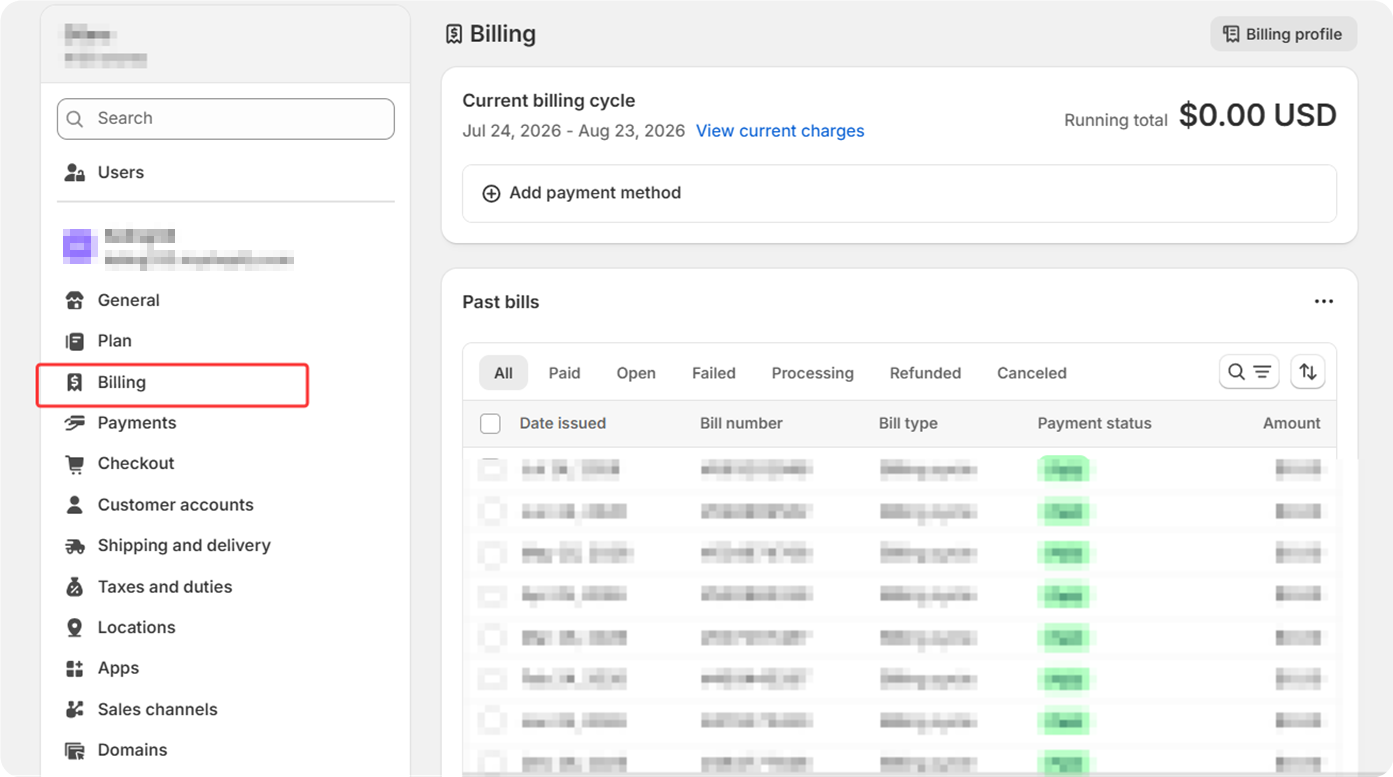
- Log in to your Shopify admin.
- Go to Settings > Billing.
- You'll find a history of all your app charges, including your DSers subscription, in the Billing section. Click on any invoice to view or download it.
2. For Wix Users
If you purchased DSers through the Wix App Market, your billing is managed by Wix.
To view your DSers invoices:
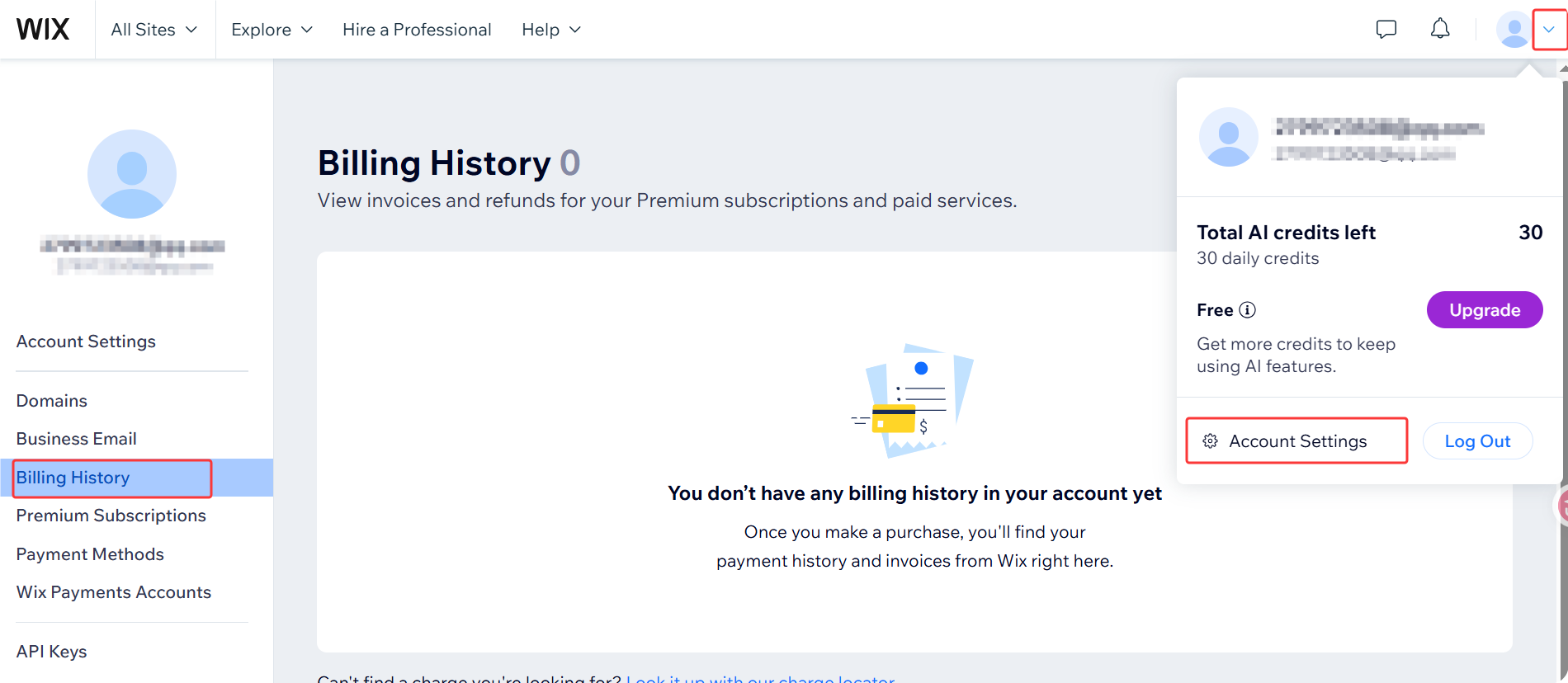
- Log in to your Wix account and go to Account Settings.
- Navigate to your Billing History page.
- Use the filters for All Sites or All Dates, or search for "DSers" to locate your charges.
- For more details on a specific charge, click More Actions > Additional Information.
3. For PayPal and Stripe Users
If you subscribed to DSers directly via PayPal or Stripe, your invoices are available in your DSers dashboard.
To find your invoices:
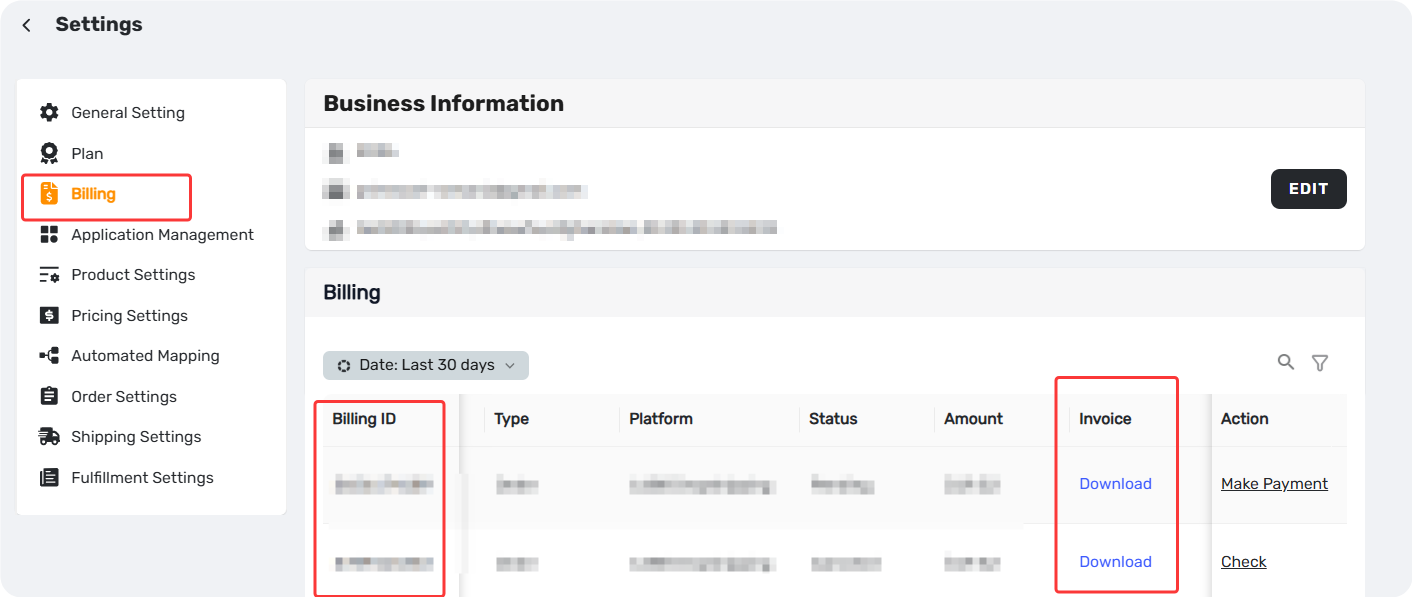
- Log in to your DSers account.
- Go to DSers-Settings-Billing.
- In the Billing part, you'll see a list of all your past invoices, which you can view and download.
Tip: If you're on a Shopify or Wix subscription, your invoices won't appear here. Please refer to the relevant sections above. Related: [How to View Your DSers Plan and Subscription Details]
DSers Refund Policy
Per our Terms of Service (Sections 4.8 and 4.10), refunds for subscription fees are generally not offered.
If you have any billing disputes, please contact our customer support team via live chat or email with the following information:
- Your DSers account
- Your store domain
- The subscription invoice
Our team will review your case and assist you accordingly.
Related Articles
- DSers Plans and Billing: A Complete Overview
- How to View Your DSers Plan and Subscription Details
- Upgrade, Downgrade & Cancel Subscription: Step-by-Step Guide
- DSers Plan Subscription Errors: Troubleshooting and Solutions
- Billing and Refunds: Why Am I Still Being Charged and How to Resolve It
FAQ Section
Quick answers to the most common questions about DSers billing, invoices, and refunds.

Get Started Now to Grow Your Online Business with the DSers!