

Your all-in-one browser companion for product sourcing, price comparison, and coupon-applied ordering.
Note
The DSers Chrome Extension is a free browser tool. This article provides a high-level overview of its core features.Click here to start dropshipping now with DSers
For step-by-step instructions, check the detailed guides linked at the end.
Before You Start: Install & Log In
- Install the extension: Click here to install the DSers Chrome Extension.
- Refresh your browser. You'll see the DSers icon in your toolbar, and an "Add to DSers" button will appear on AliExpress product pages.
- Make sure you're logged into your DSers account — the extension needs this to sync with your data.
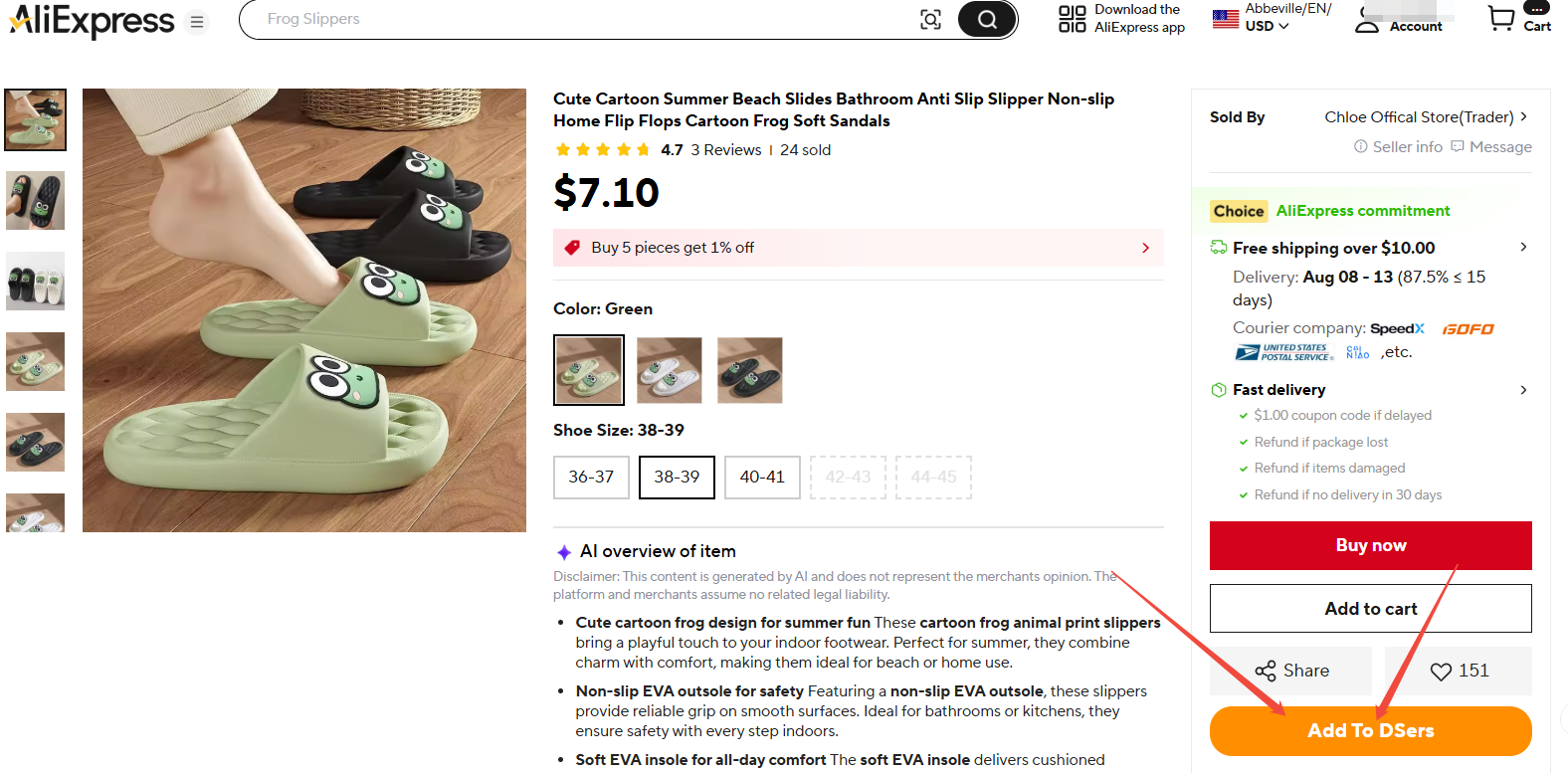
1. Fast Product Sourcing & Price Insight
📖 Full guide: [DSers Chrome Extension: Sourcing and Product Import Tools Guide]
- One-Click or Bulk Import — Add products individually or in bulk from search results.
- Real Cost Visibility — View stable API-backed prices and actual shipping fees directly on product pages.
- Smarter Supplier Search — Use image search or compare prices across AliExpress and Alibaba to find the best supplier.
2. Customize Your Preferences (Optional)
📖 Full guide: [DSers Chrome Extension: Placing orders and Syncing Tools Guide]
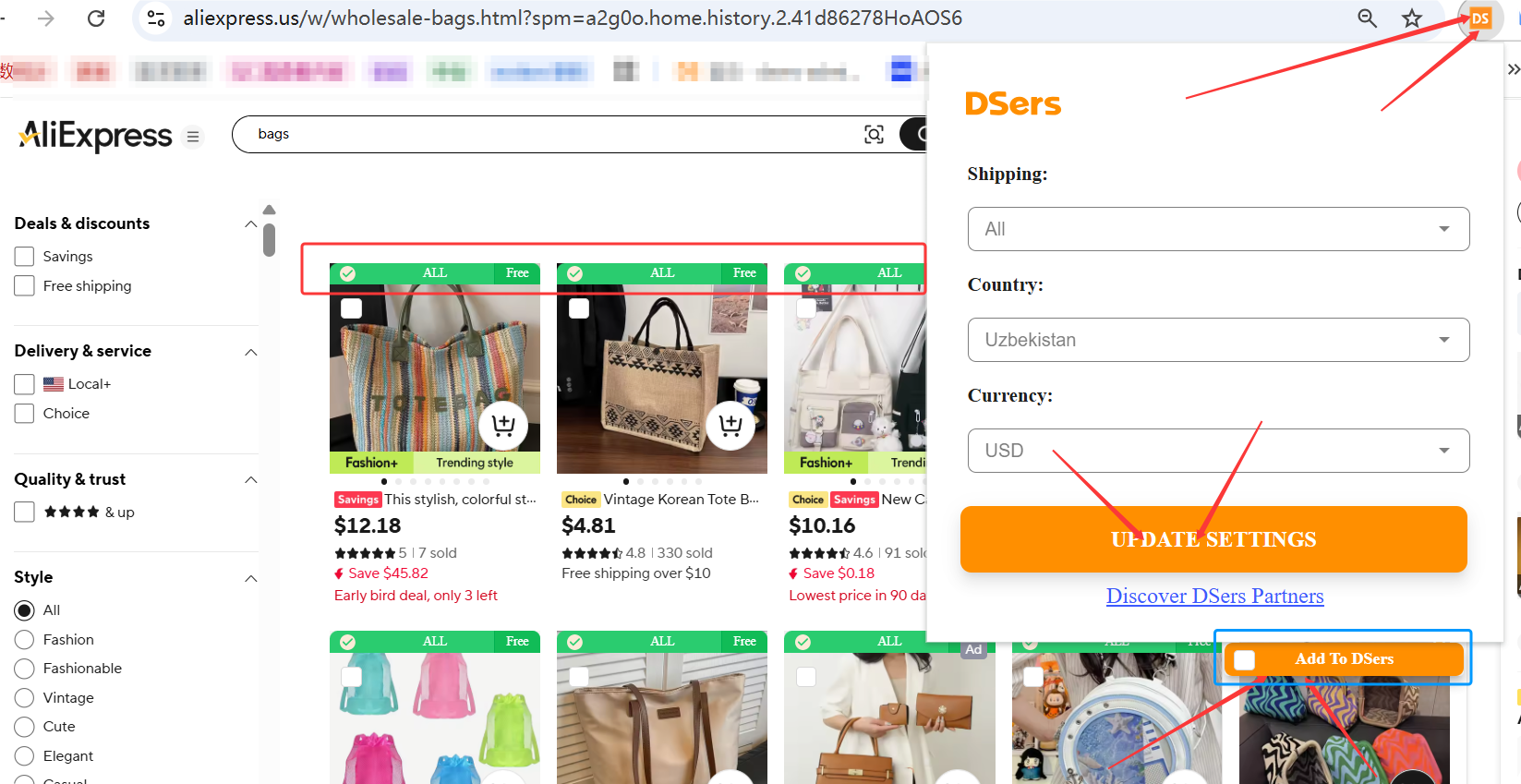
Adjust default payment method, display currency, region/language settings, and multilingual import via Options in the extension menu. Defaults work fine for most users.
3. Save Money with Coupon-Automated Ordering
This is the most valuable feature of the extension — it automatically applies your collected AliExpress coupons so you don't have to enter them manually.
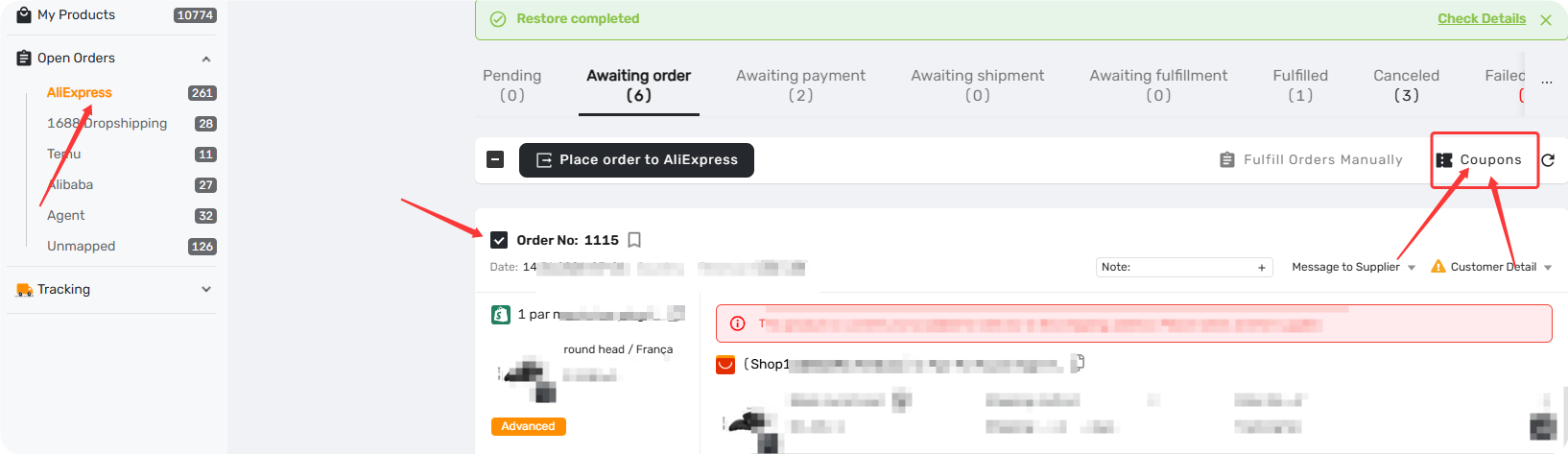
📖 Before you place your first order, make sure you've grabbed all available coupons: [AliExpress Coupon AutoGrab: Save Money on Every Order]
📖 For a complete step-by-step guide on placing orders via the extension, see: [How to Place Orders Using DSers Chrome Extension]
📖 For the full order fulfillment and payment process from start to finish, refer to: [Fulfilling Customer Orders: How to Place & Pay for Supplier Order]
Related Articles
- How to Set Your Default "Price for Ship to Country"
- Supplier Optimizer: How to Find the Best Suppliers Using DSers Plugin
- How to Import Products in Multiple Languages
- DSers Chrome Extension: Features and Capabilities Overview
- DSers Chrome Extension: Placing orders and Syncing Tools Guide
- Manually Updating Tracking Numbers via the DSers Chrome Extension
- Import Errors: Why Can't I Import Products from AliExpress?
FAQ Section
Everything you need to know about the DSers Chrome Extension and how to import products from AliExpress.

Get Started Now to Grow Your Online Business with the DSers!