

Fulfill your 1688 Dropshipping orders without leaving DSers—no Chinese-language navigation, no separate payment on 1688.com.
Note
Once a customer buys a product you’ve mapped to 1688 Dropshipping, the order appears in your DSers account. This article walks you through the full fulfillment flow: from placing the order and paying for it inside DSers, to how your store and customer are updated after payment. If you haven’t set up 1688 Dropshipping yet, see [1688 Dropshipping: What It Is and How to Get Started on DSers] first.Click here to start dropshipping now with DSers
Part 1: How to Place a 1688 Dropshipping Order
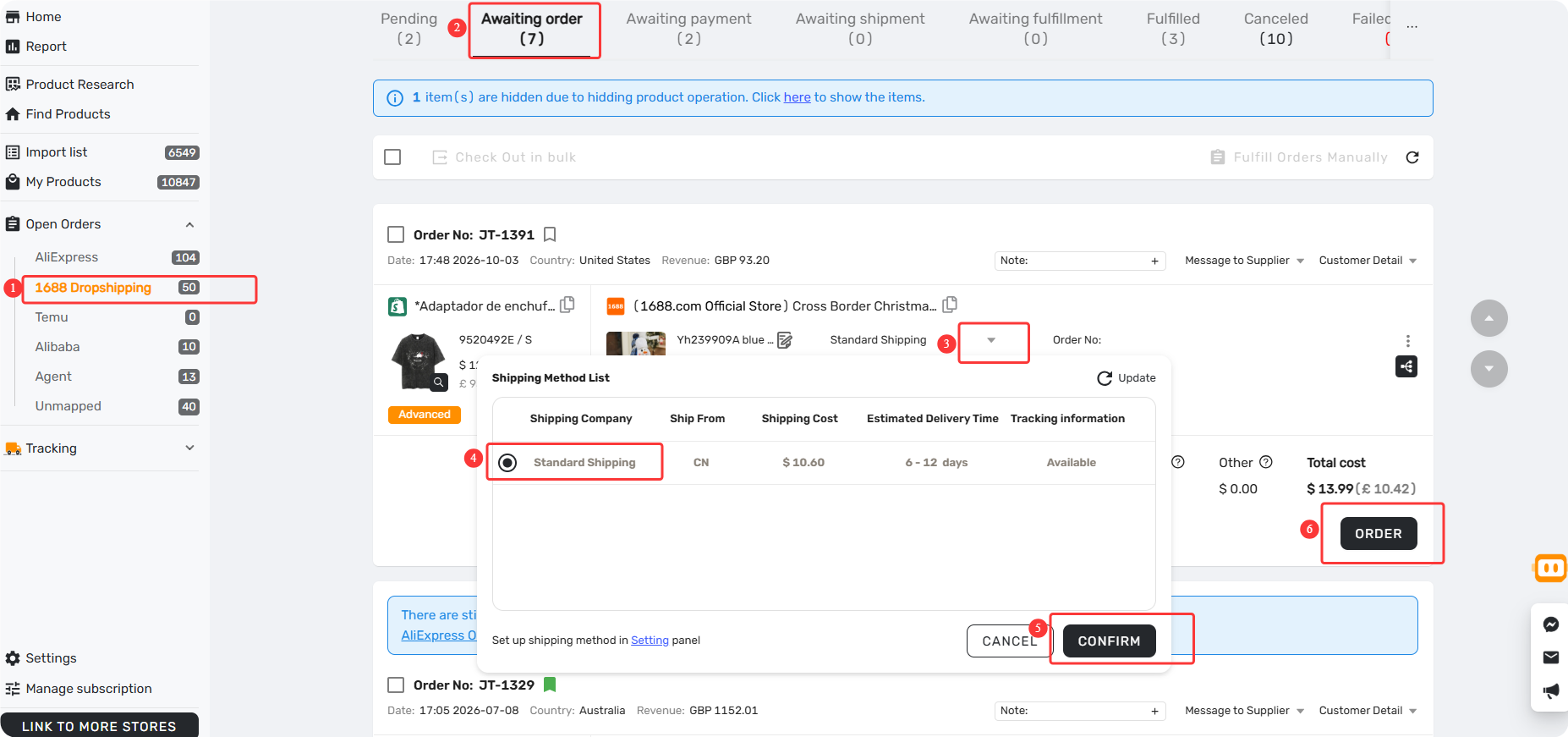
- Open the Order: Go to Open Orders → 1688 Dropshipping and select the Awaiting order tab.
- Select Shipping: Choose your preferred shipping method provided by the supplier.
- Place Order: Click Place Order. DSers will send the details to the 1688 supplier and move the order to the Awaiting payment tab.
Part 2: How to Pay for 1688 Dropshipping Orders
Unlike traditional sourcing, you don’t need to jump to 1688.com to pay. The entire payment process is handled directly within DSers.
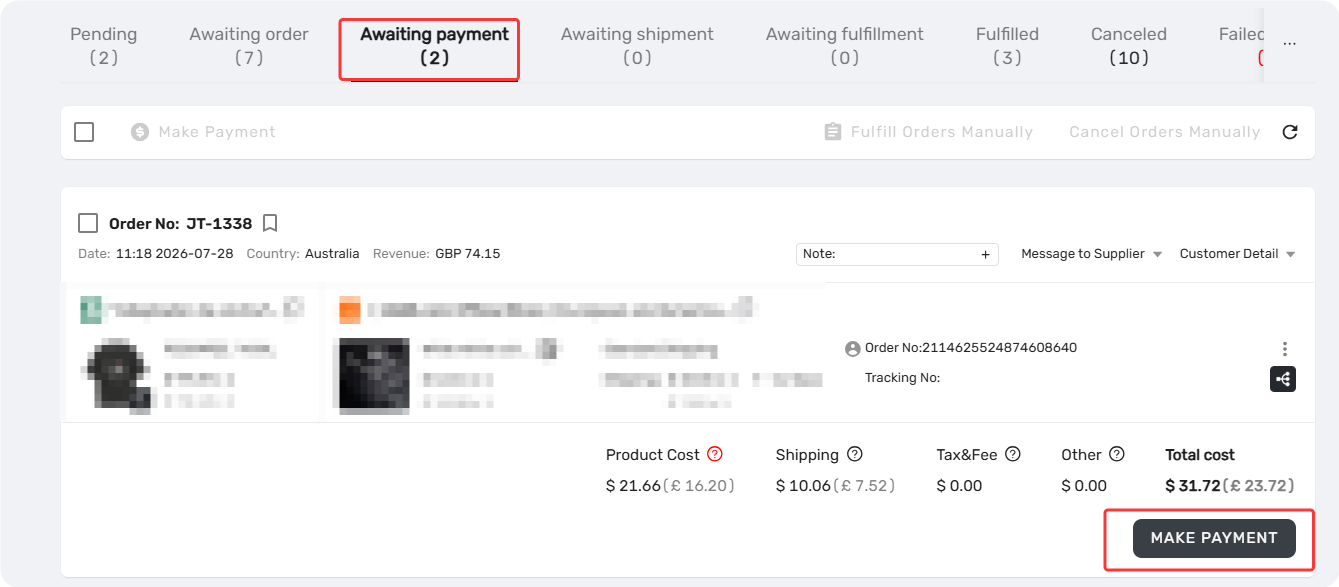
- Find the Order: Go to the Awaiting payment tab under Open Orders → 1688 Dropshipping. Locate the order you want to pay for and click Make Payment.
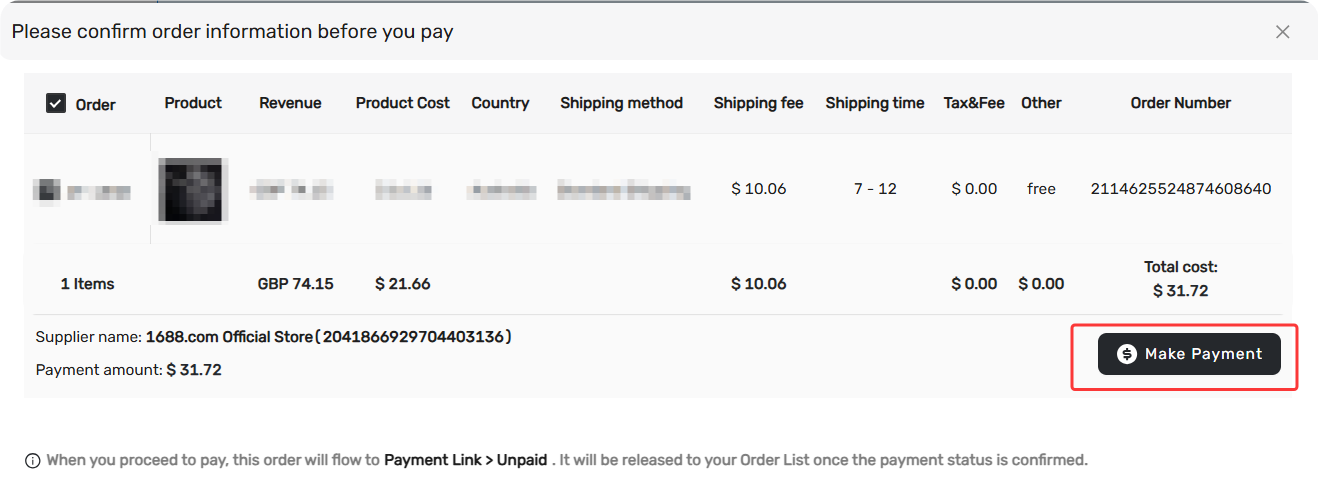
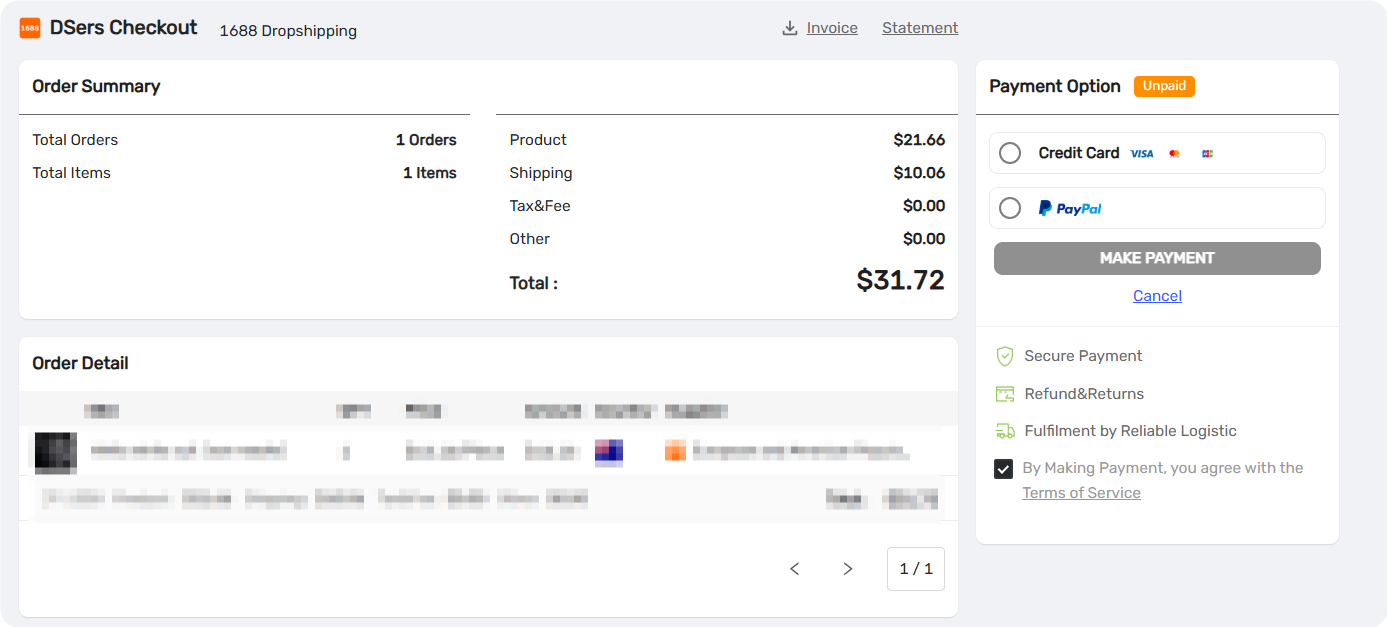
2. Review Details: On the DSers Checkout interface, review the order summary (product cost, shipping fee, total cost).
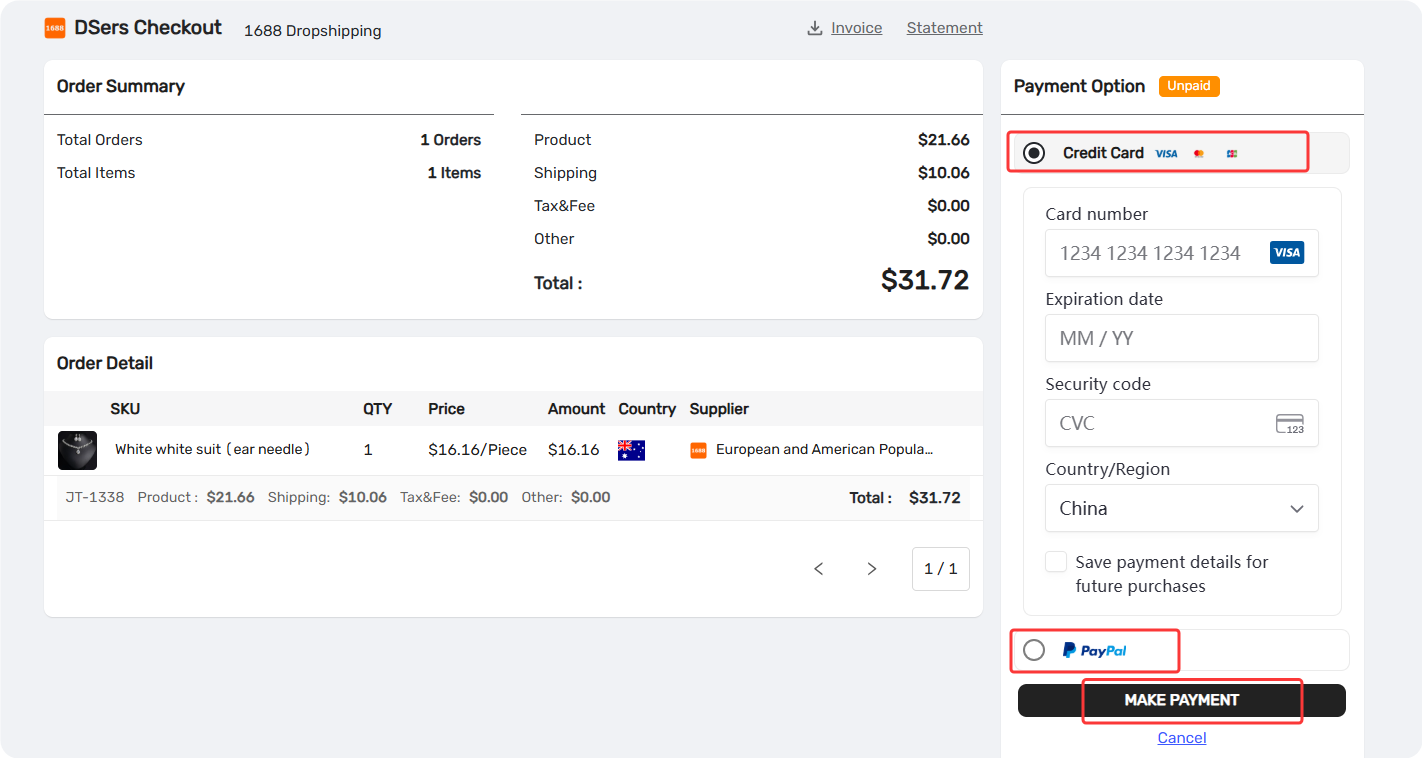
3. Complete Payment: Select your preferred payment method (e.g., Credit Card or PayPal) and click MAKE PAYMENT.
Part 3: What Happens After You Pay
Once your payment is successfully confirmed, DSers handles the rest of the fulfillment automatically. You do not need to do anything else:
- ✅ Supplier Shipping: The 1688 supplier is notified and ships the package directly to your customer.
- ✅ Tracking Sync: DSers syncs the tracking number back to your storefront (typically within minutes of the supplier shipping).
- ✅ Storefront Update: Your storefront marks the order as Fulfilled.
- ✅ Customer Notification: A tracking email is triggered and sent to your customer automatically.
💡 Tip: Make sure this notification feature is supported and enabled in your platform's settings.
Part 4: Handling Unfinished or Canceled Payments
Since payment is a manual step, you might need to step away. Here is what happens depending on your action:
Scenario A: You closed the payment page without finishings
If you leave the checkout page before completing the payment, the order will remain unpaid.
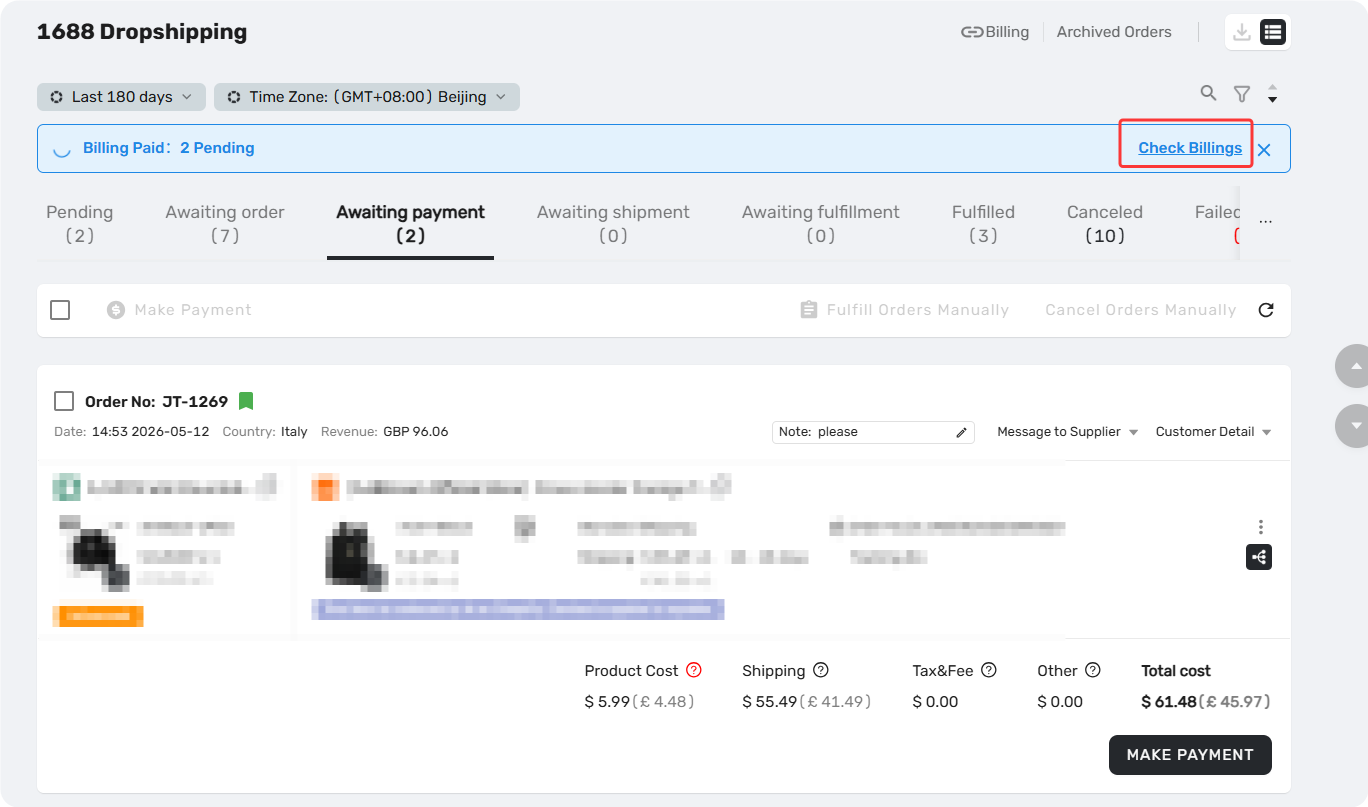
- Go to Open Orders → 1688 Dropshipping and click Check Billing (this will redirect you to the Settings → Billing page).
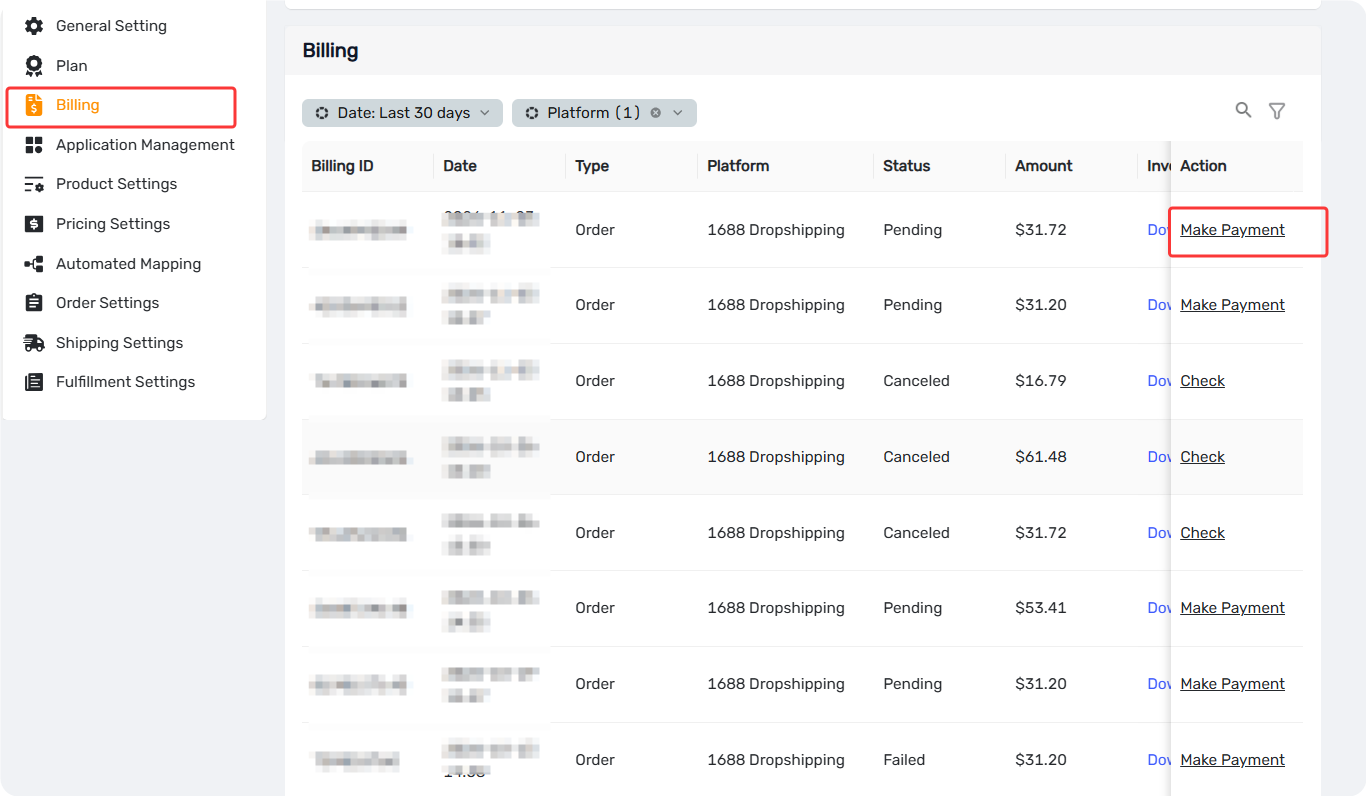
2. Find the unpaid order in the list and click Make Payment.
3. You will be redirected back to the DSers Checkout interface to complete the payment. Once paid, the supplier will proceed with shipping as normal.
Scenario B: You clicked "Cancel" on the Checkout page
If you actively click the Cancel button on the DSers Checkout page, the payment process is aborted and the order is canceled.
- Refresh the page.
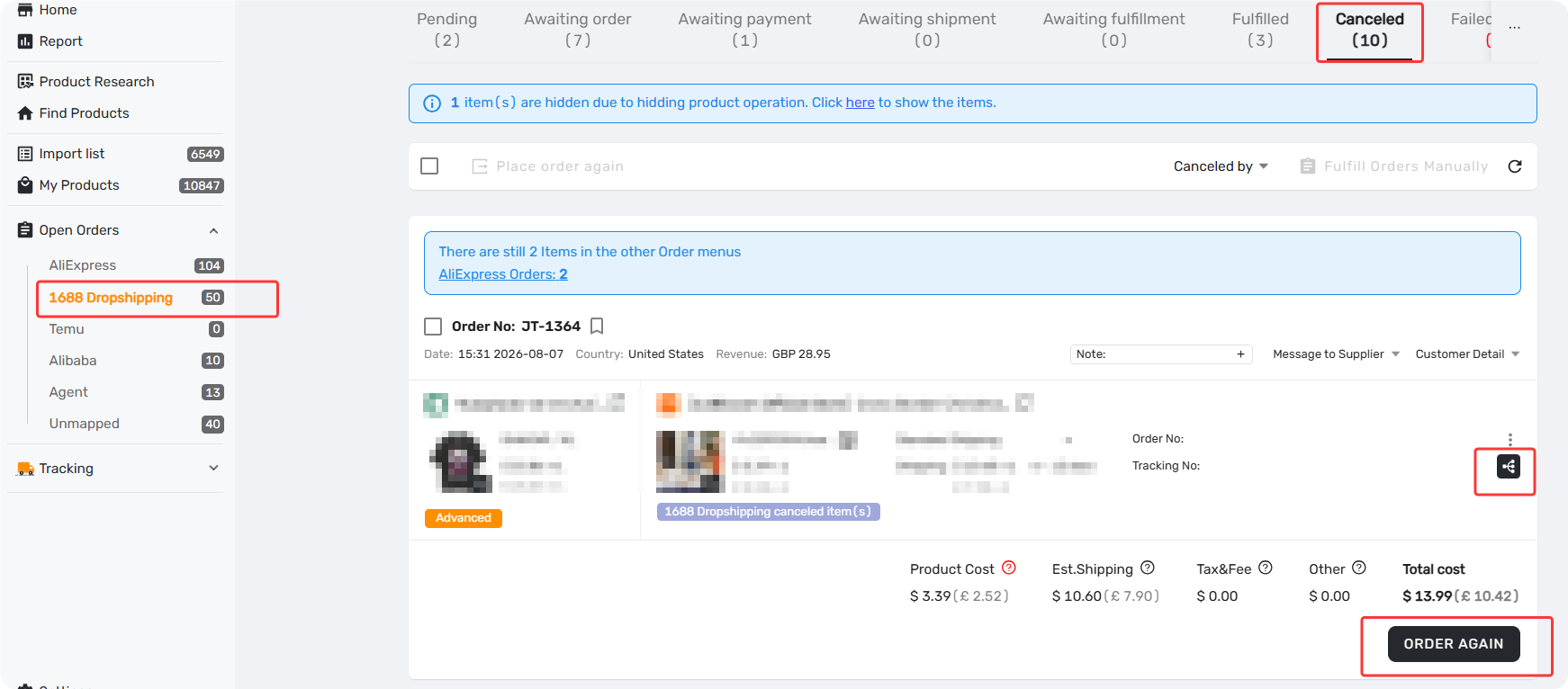
- Go to Open Orders → 1688 Dropshipping → Canceled tab. You will find this order listed there.
- From there, you can choose to place a new order for the product or proceed with other actions as needed.
Related Articles
- 1688 Dropshipping: What It Is and How to Get Started on DSers
- 1688 Wholesale on DSers: Sourcing, Ordering, and Fulfillment Overview
- Place and pay for a 1688 Wholesale order
- How to Get a Refund for 1688 and Agent Orders on DSers: Policy and Steps
FAQ Section
Here are some common questions about placing and paying for 1688 Dropshipping orders in DSers.

Get Started Now to Grow Your Online Business with the DSers!