

A complete overview of the Plan Manage and Billing Manage sections in your DSers account
Note
After subscribing to a DSers plan for a while, you might forget which plan you're on or feel uncertain about the details shown in the Settings-Plan page.Click here to start dropshipping now with DSers
This article covers everything you need to know about viewing and managing your plan and billing details.
How to Check Your Current Plan
You can access your subscription details in two ways:
- Go to DSers Dashboard > Manage Subscription
- Go to DSers > Settings > Plan
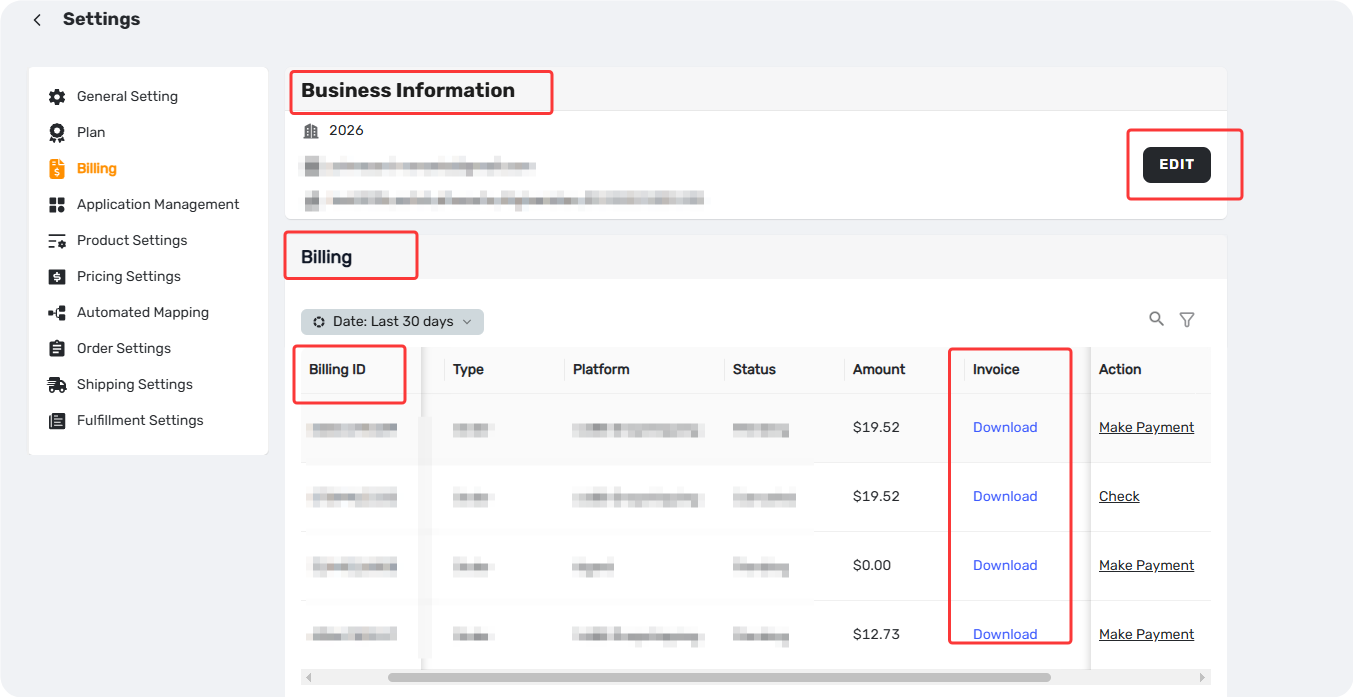
- Go to DSers > Settings > Billing
Your current plan is displayed in the Current plan section.
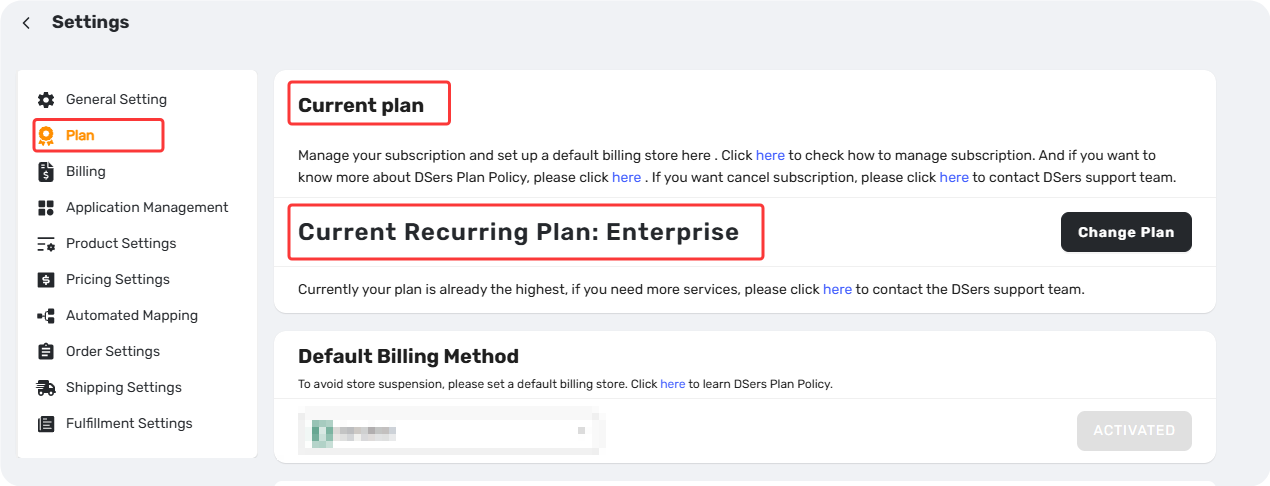
Tip: If you're on a 14-day free trial, you'll see a message showing your trial period, e.g., "The free trial period is from [start date] to [end date]."
There are two settings about subscriptions. Let's walk through each.
Plan Manage
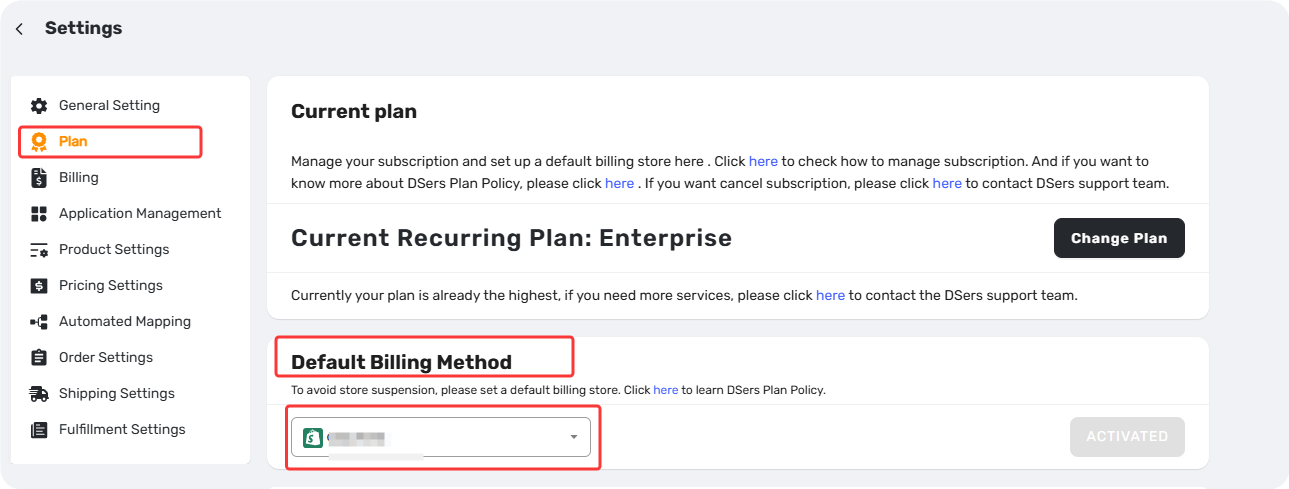
Default Billing Method
Shows your payment method—Shopify, Wix, PayPal, or Stripe. For Shopify/Wix users, the connected store name appears with an ACTIVATED status.
Store Management
Lists all connected stores as Active or Inactive. Stores become inactive when you downgrade to a plan with fewer store slots (e.g., Advanced's 10 stores → Basic's 3). From here, you can:
- From this section, you can also access options to reactivate, reconnect, or disconnect stores.
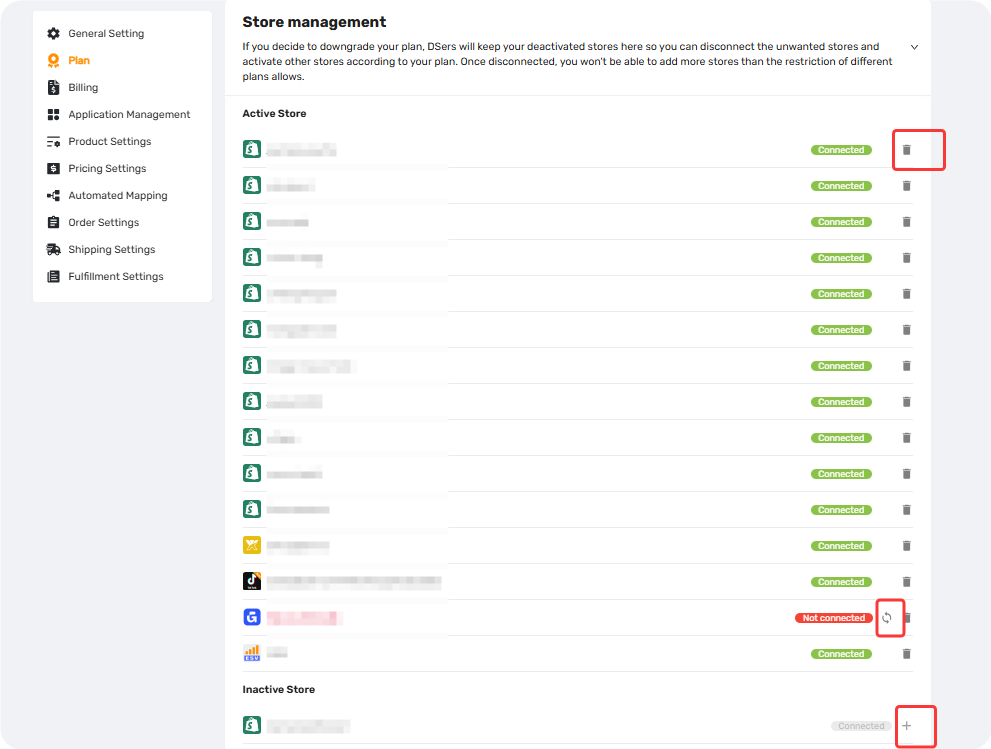
Important: Disconnecting a store permanently removes all DSers data—including product mapping and order history. Inactive stores retain their data until you disconnect them.
Stores Product Limits
Store Products Limit – counts all product cards in My Products across all stores.
- This count includes hidden products and products only deleted from your sales channel.
- Reaching this limit prevents you from pushing new products to stores. Upgrade your plan to increase it.
Supplier Products Limit – counts unique AliExpress product links in Import List and My Products.
- Reaching this limit prevents you from adding new products to the Import List, creating new mappings, or adding suppliers. Upgrade your plan to increase it.
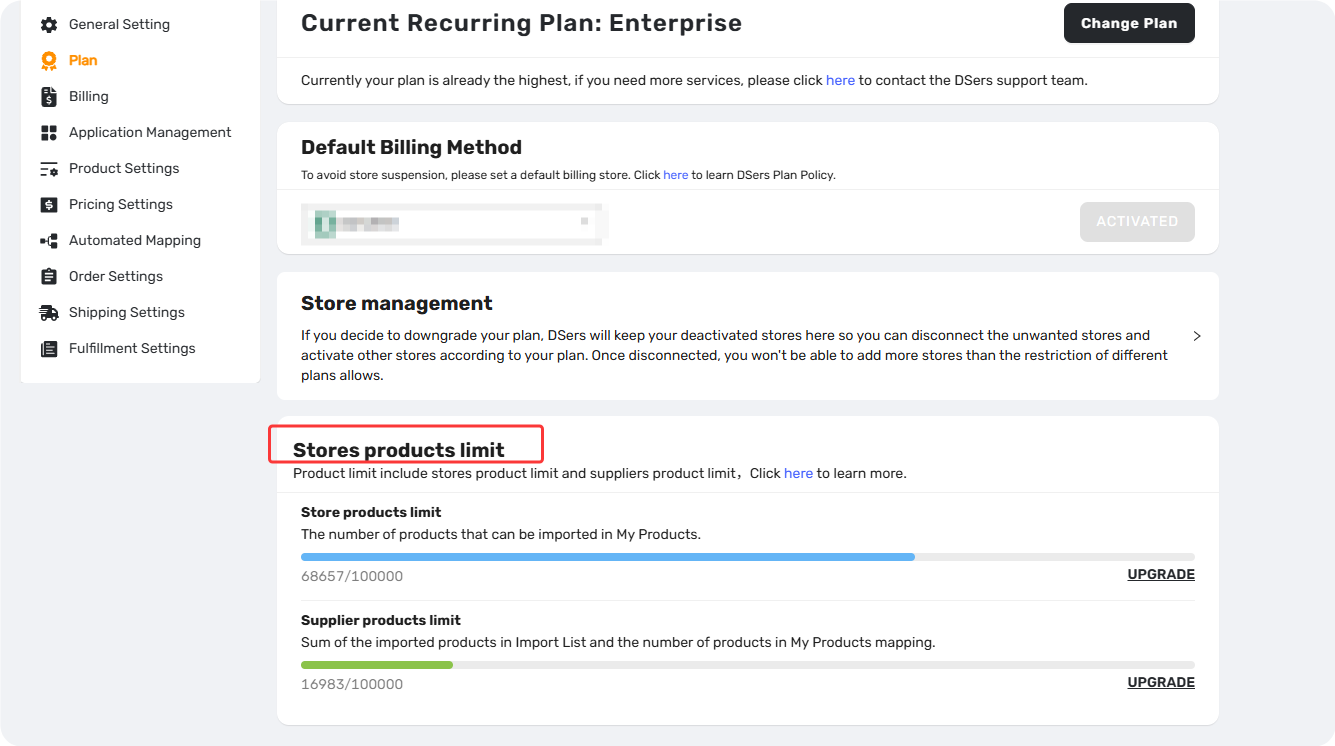
Tip: You can view your current usage and total limit in real time on the Plan Manage page.
Billing Manage
Business Information
Set your name, business name, email, country, and address. This information appears on all billing statements.
Billing
Access and download historical invoices here. Invoices are available only after payment is completed.
Tip: The sections above apply to users who subscribed via PayPal or Stripe. If you subscribed through Shopify or Wix, your billing information and invoices are managed by the platform—please refer to the respective platform for details.
Related Articles
- DSers Plans and Billing: A Complete Overview
- Upgrade, Downgrade & Cancel Subscription: Step-by-Step Guide
- DSers Plan Subscription Errors: Troubleshooting and Solutions
- DSers Billing and Refunds: How to Check Your Invoices and Refund Policy
- Billing and Refunds: Why Am I Still Being Charged and How to Resolve It
FAQ Section
Quick answers to the most common questions about DSers plan details, product limits, store slots, and invoices.

Get Started Now to Grow Your Online Business with the DSers!