

Find, filter, and fix product alerts—all from one place
Note
You’ve turned on your Settings - General Settings - Notification to catch price drops, stockouts, and cancellations—but where do you actually see them all?Click here to start dropshipping now with DSers
This guide shows you how to use the Notification Center’s search and filter tools to turn a flood of alerts into a clear, actionable workflow.
What is the Notification Center?
The Notification Center is your central hub for all product and order updates. Click the bell icon on the top navigation bar to access it. Your alert history is stored for up to 30 days.
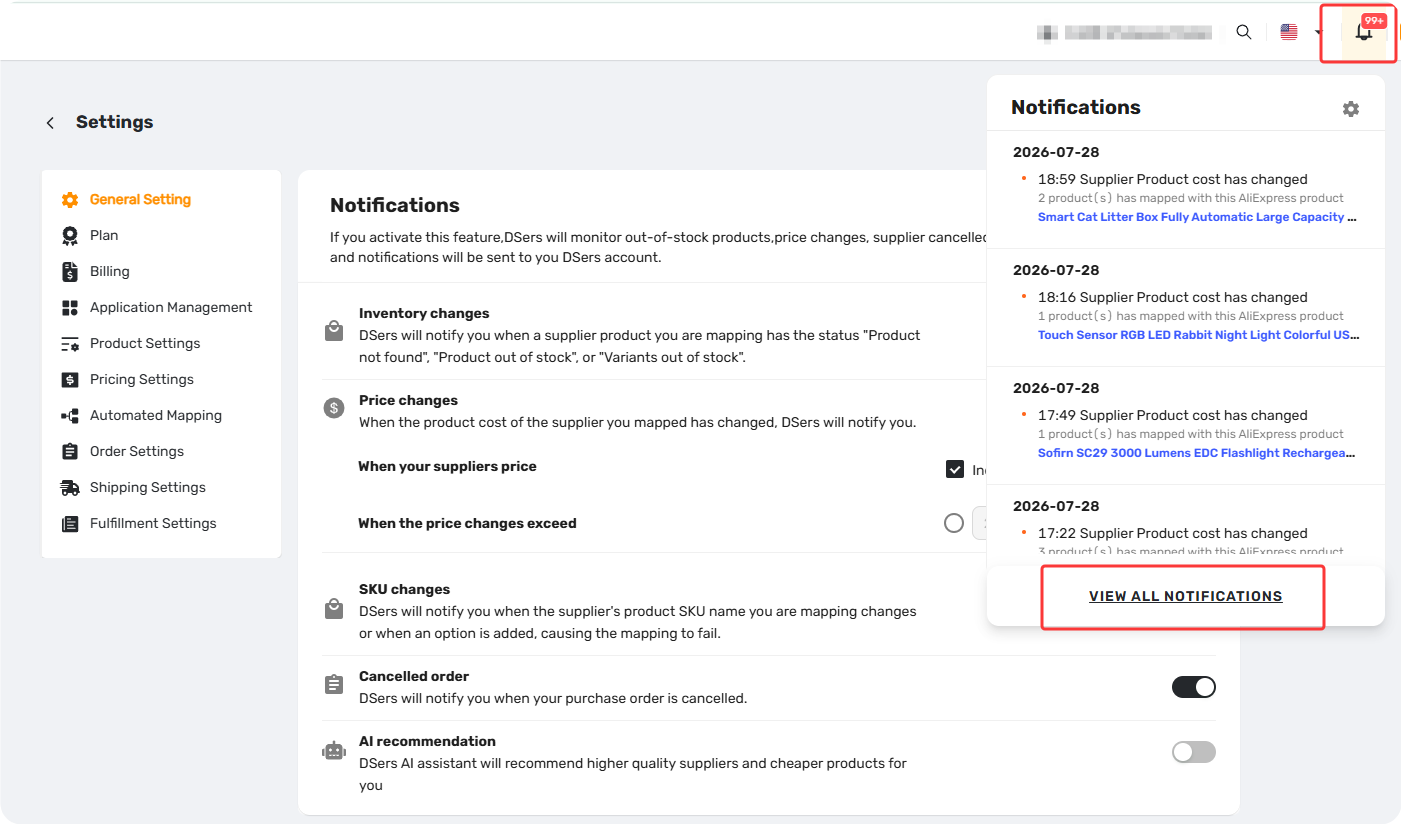
How to Find and Manage Your Notifications
🔍 Search by Product Name
Search by Store Product or Supplier Product name to instantly locate specific alerts.
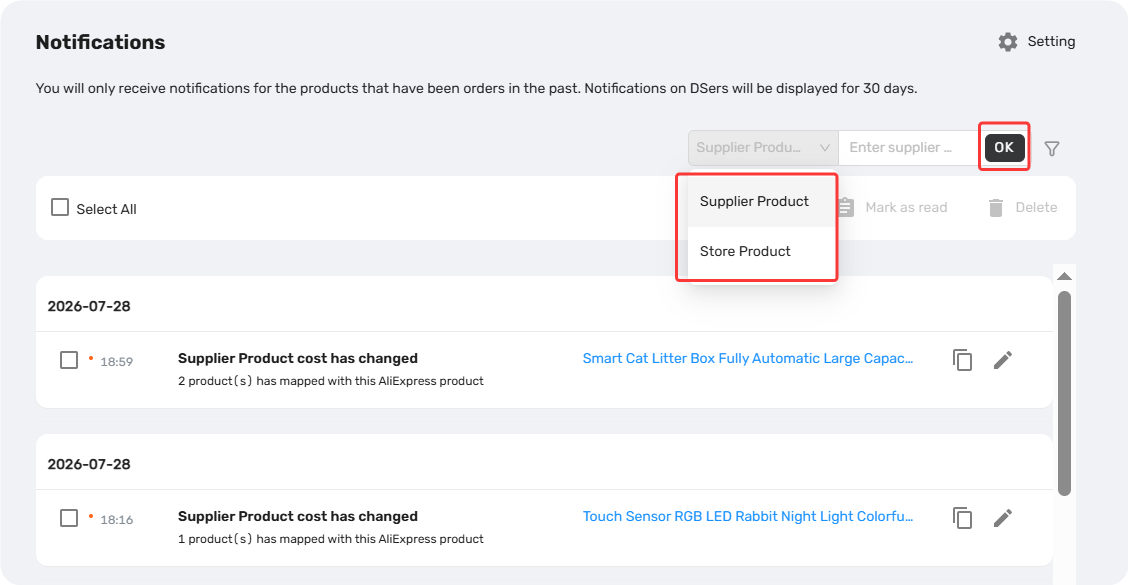
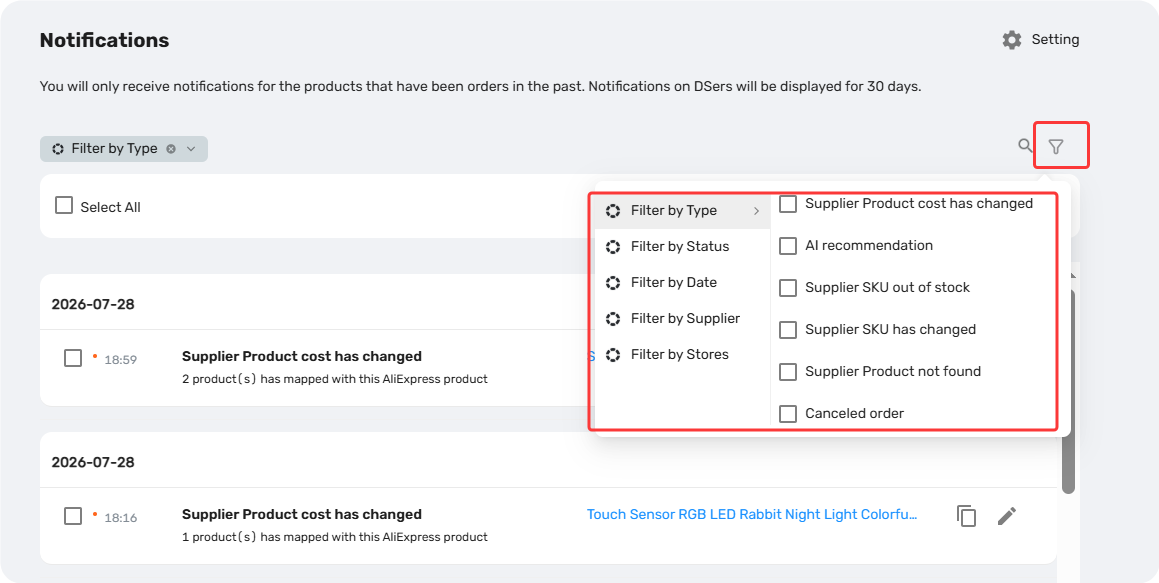
🎯 Filter Your Notifications
Click the filter button to narrow down your alerts. You can combine multiple filters for more precise results.
| Filter By | Options |
|---|---|
| Type | Supplier Product cost has changed, AI recommendation, Supplier SKU out of stock, Supplier SKU has changed, Supplier Product not found, Canceled order |
| Status | Read, Unread |
| Date | Today, Last 7 Days, Last 30 Days (Default), Custom |
| Supplier | AliExpress, 1688 Dropshipping, Alibaba, Agent |
| Store | (Your connected store name(s)) |
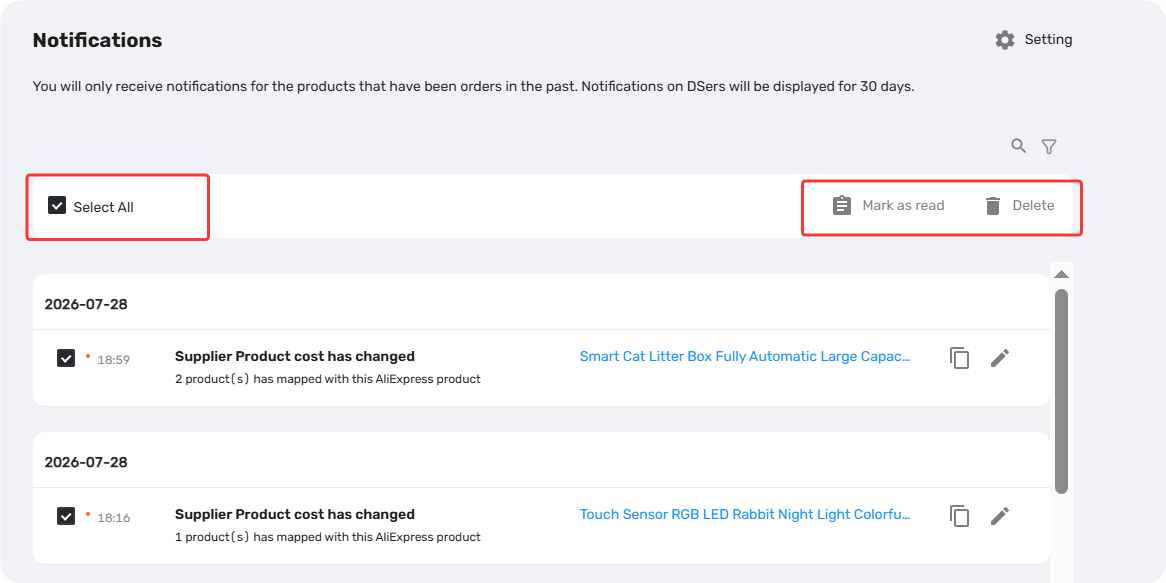
✅ Bulk Actions
After filtering or searching, you can process multiple notifications at once:
- Check the box next to individual notifications, or click Select All to choose all notifications on the current page.
- Click Mark as Read or Delete to apply the action to all selected notifications.
Tip: Notifications sync with the status badges on your My Products list. Resolving an alert in one place (e.g., clicking a product card badge) will automatically mark it as Read in the other.
Related Articles
- Notification Frequency: Get Alerts When You Need Them
- Inventory Changes Notification: What to Do When a Product Goes Out of Stock
- Price Changes Notification: What to Do When Supplier Costs Change
- SKU Changes Notification: What to Do When Variant Mapping Fails
- Cancelled Order Notification: How to Handle Supplier Cancellations
- AI Recommendation Notification: How to Find Better Suppliers
FAQ Section
Quick answers to the most common questions about DSers Notification Center.

Get Started Now to Grow Your Online Business with the DSers!