

Learn how to split multi-variant AliExpress products into separate listings before pushing to your store — and choose the right method for your catalog strategy
Note
When you import a product from AliExpress, it often comes with multiple variants like colors or sizes. DSers offers three ways to split variants into separate products before pushing to your store in Import List.Click here to start dropshipping now with DSers
The original product stays in your list, and split products appear as new, independent listings.
What Does Split Product Do?
The Split Product feature breaks one AliExpress product with multiple variants into multiple separate products. You can split by option (e.g., all colors), by individual variant, or by a custom selection.
Common use cases:
- Sell only your bestselling colors or sizes
- Set different prices per color (e.g., premium for popular shades)
- Reduce variant overload on product pages
- Expand your catalog without finding new suppliers
Choosing Your Split Method
| Method | What It Creates | Best For |
|---|---|---|
| Split by Variant | 1 product from your selected combinations | Selling only a few specific variant combos |
| Split by Option | Multiple products — one per value under your chosen option | Pricing each color/size as a standalone listing |
| Custom Split | Individual products for every variant combo you select | Full control over exactly which variants become separate products |
How to Split (Common Steps)
For any split method, the workflow is the same:
- Go to Import List → More Actions → Split product
- Choose your split method (see detailed instructions below)
- Make your selections based on the method you chose
- Toggle Keep unselected Variant images (optional, enabled by default):
- Checked (default): All variant images from the original product are retained as additional images in the split product(s)
- Unchecked: Only the images belonging to the selected variants are kept
5. Select your Product Language from the dropdown (defaults to the product's current language)
6. Click CONFIRM
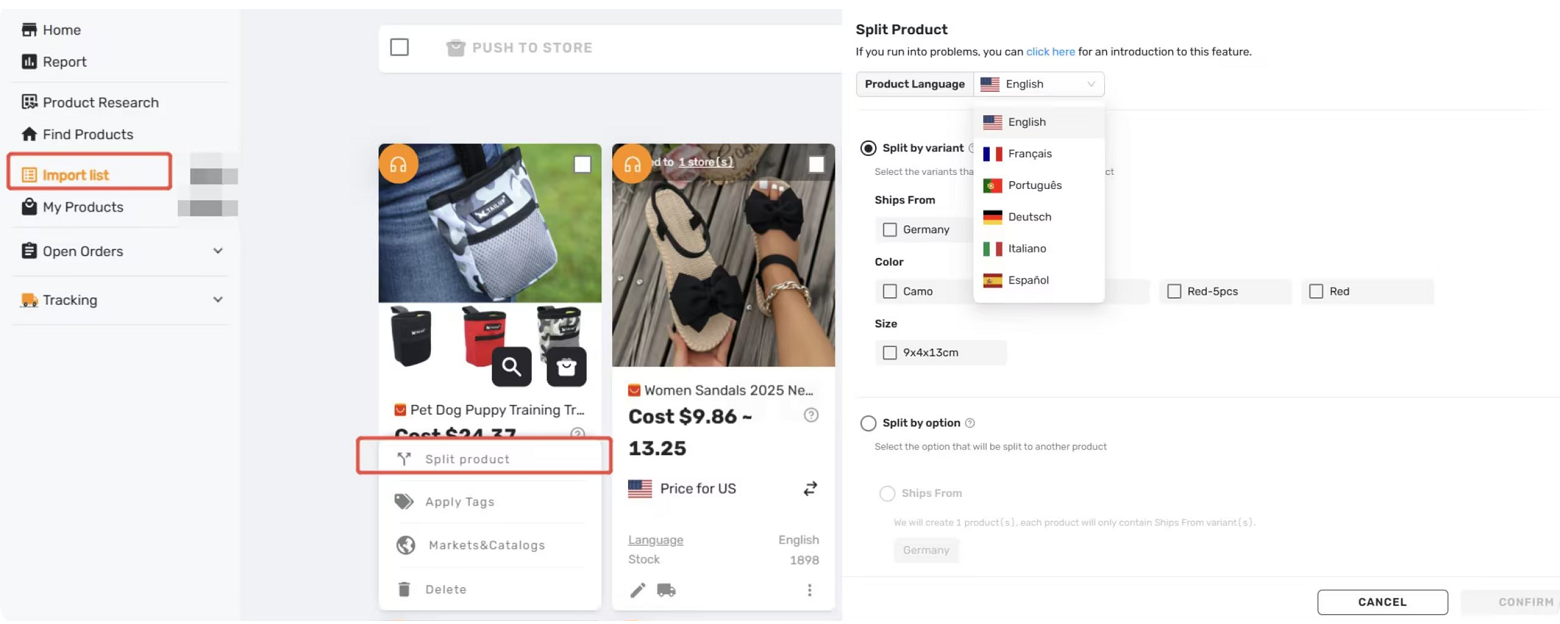
Method 1: Split by Variant
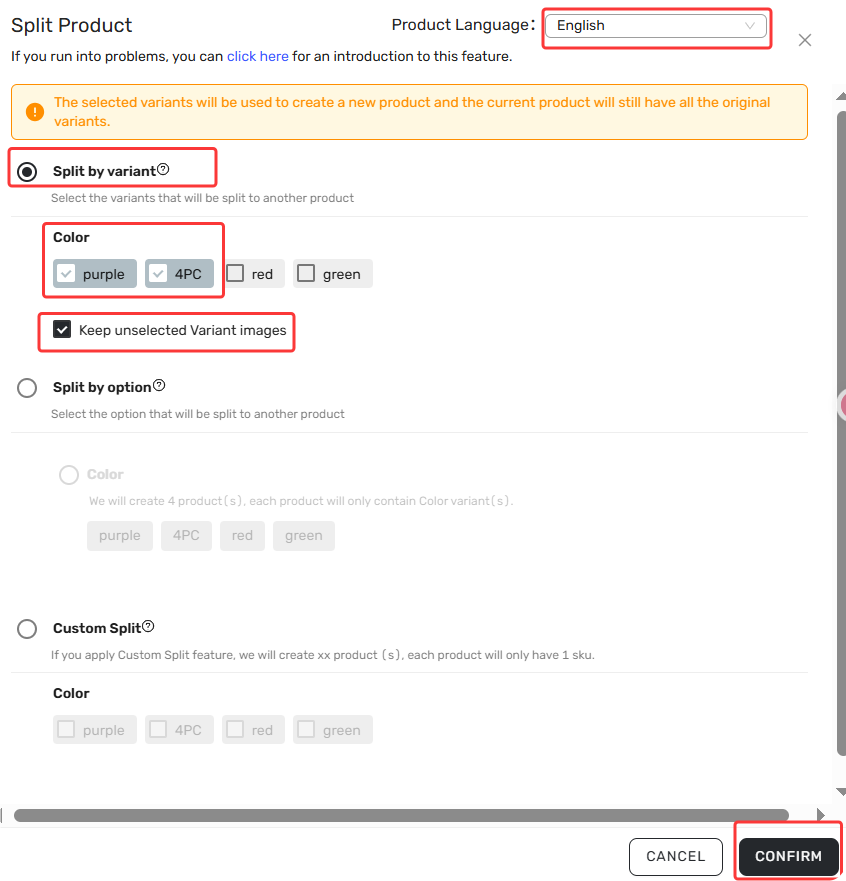
Creates 1 product from your selected combination of option values.
When to use: You want to narrow down to a few specific variants instead of selling everything.
Your only task: Choose at least one value from each option.
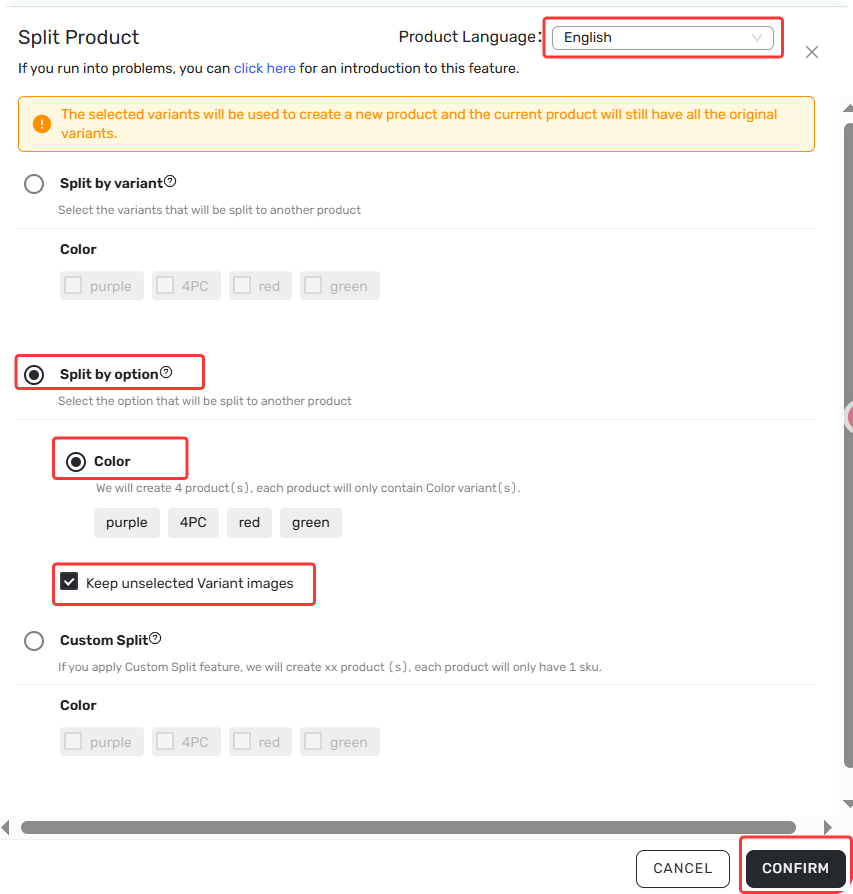
Method 2: Split by Option
Creates multiple products—one for each value under your chosen option, each containing all values from the other option(s).
When to use: You want to price each color or size as a standalone listing.
Your only task: Choose which option to split on (e.g., Color).
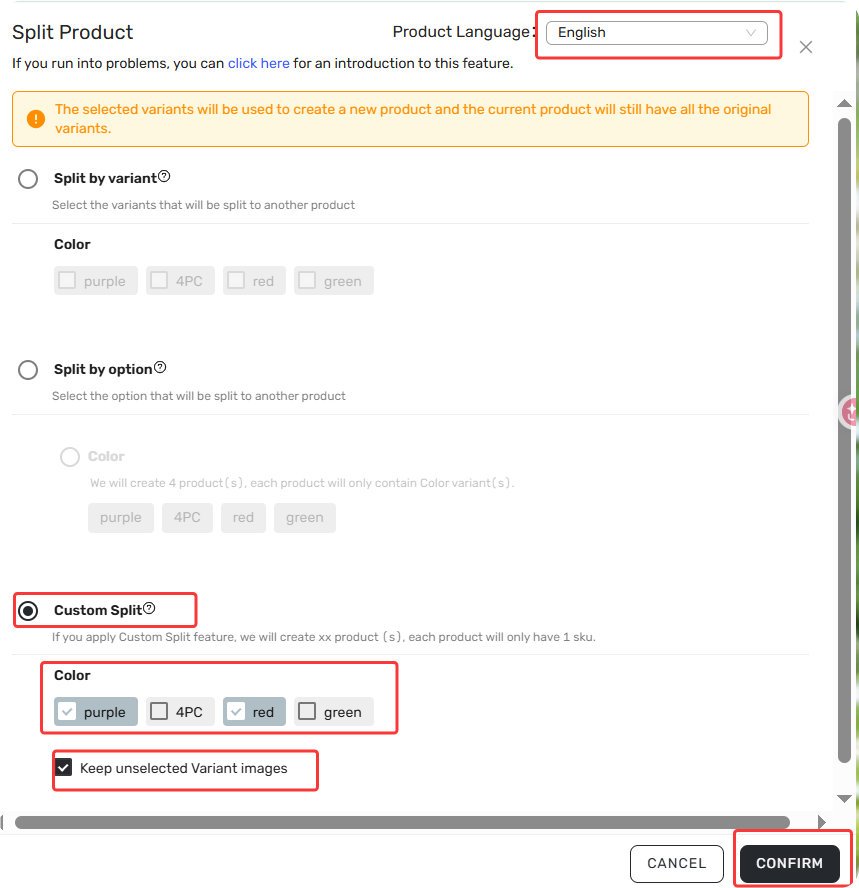
Method 3: Custom Split
Creates individual products for every variant combination you select.
When to use: You want full control over exactly which variants become separate products.
Your only task: Check the values you want from each option (at least one per option).
What Happens After Splitting
Split products appear at the top of your Import List
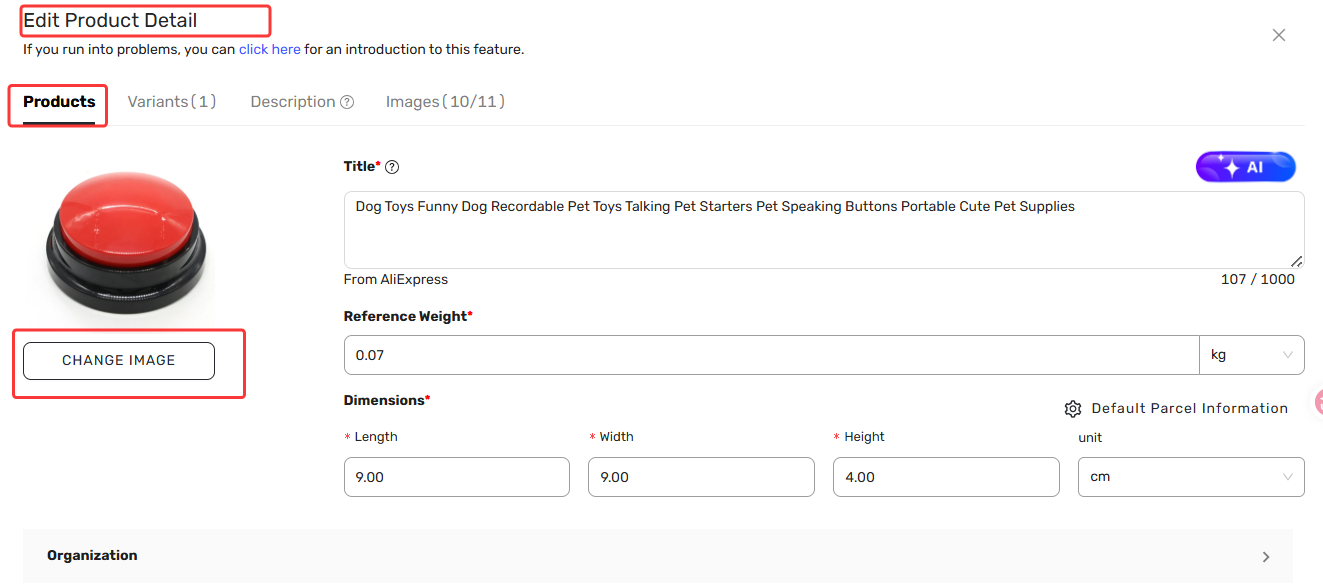
Primary image uses the variant image, or the original main image if none exists. You can change it later via Import List → Edit products → Change Image.
Original product stays in the list with a "Parent Product" green icon.
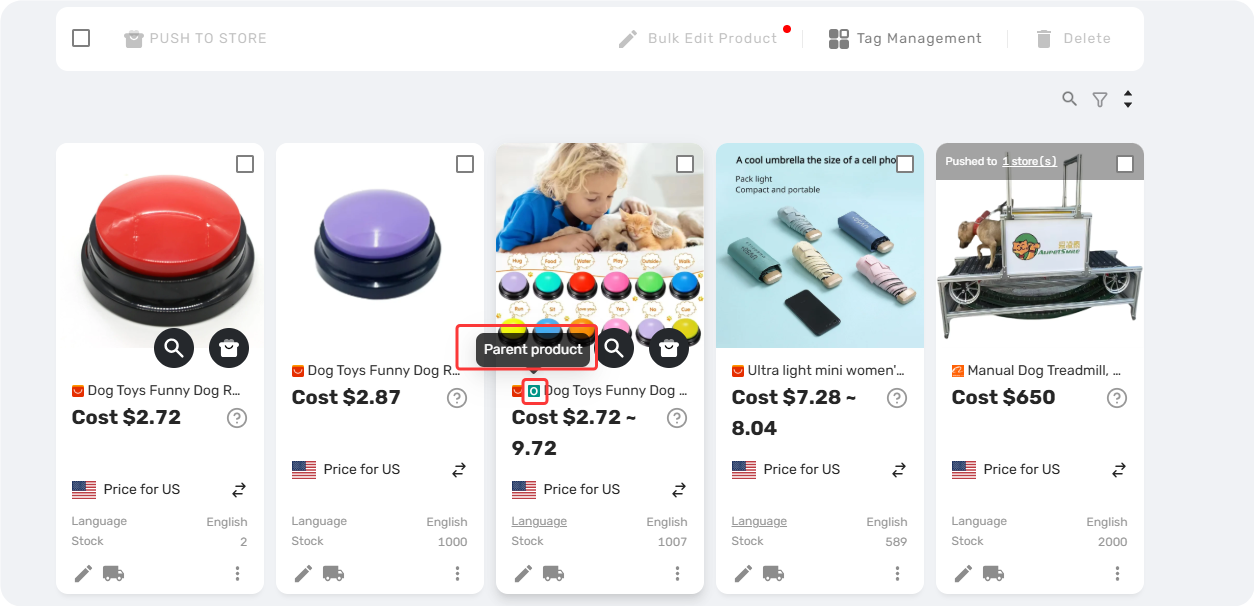
Cost and Stock update to reflect only the variants included in each new product
Tags (DSers and Shopify product tags) carry over to all split products
Related Articles
- Importing: How to Bring Products from AliExpress
- Edit & Push: Customize Products Before Publishing
- Bulk Import & Edit: Add Products in Batches
- How to set your default "Price for ship to country"
- How to Organize Your Import List Using Custom Tags
- How to Quickly Find Products with Advanced Filters
FAQ Section
Quick answers to the most common questions about DSers Split Product feature.

Get Started Now to Grow Your Online Business with the DSers!