

Source from China's wholesale marketplace without the wholesale complexity—right inside DSers.
Note
Want to sell 1688 products but not sure how to get them into your store? DSers 1688 Dropshipping is built for exactly that. This article explains what the channel is and walks you through the full flow—from importing your first product to handling orders as they come in.Click here to start dropshipping now with DSers
What Is 1688 Dropshipping?
1688 is China's largest domestic wholesale marketplace, where factories and first-tier suppliers list products at prices typically lower than what you see on export-focused platforms.
1688 Dropshipping on DSers is a curated product pool inside DSers that lets you import and sell 1688 items one order at a time—no minimum quantities, no Chinese-language navigation, no separate agent needed.
You get the sourcing advantage; DSers handles the operational layer.
How to Get Started
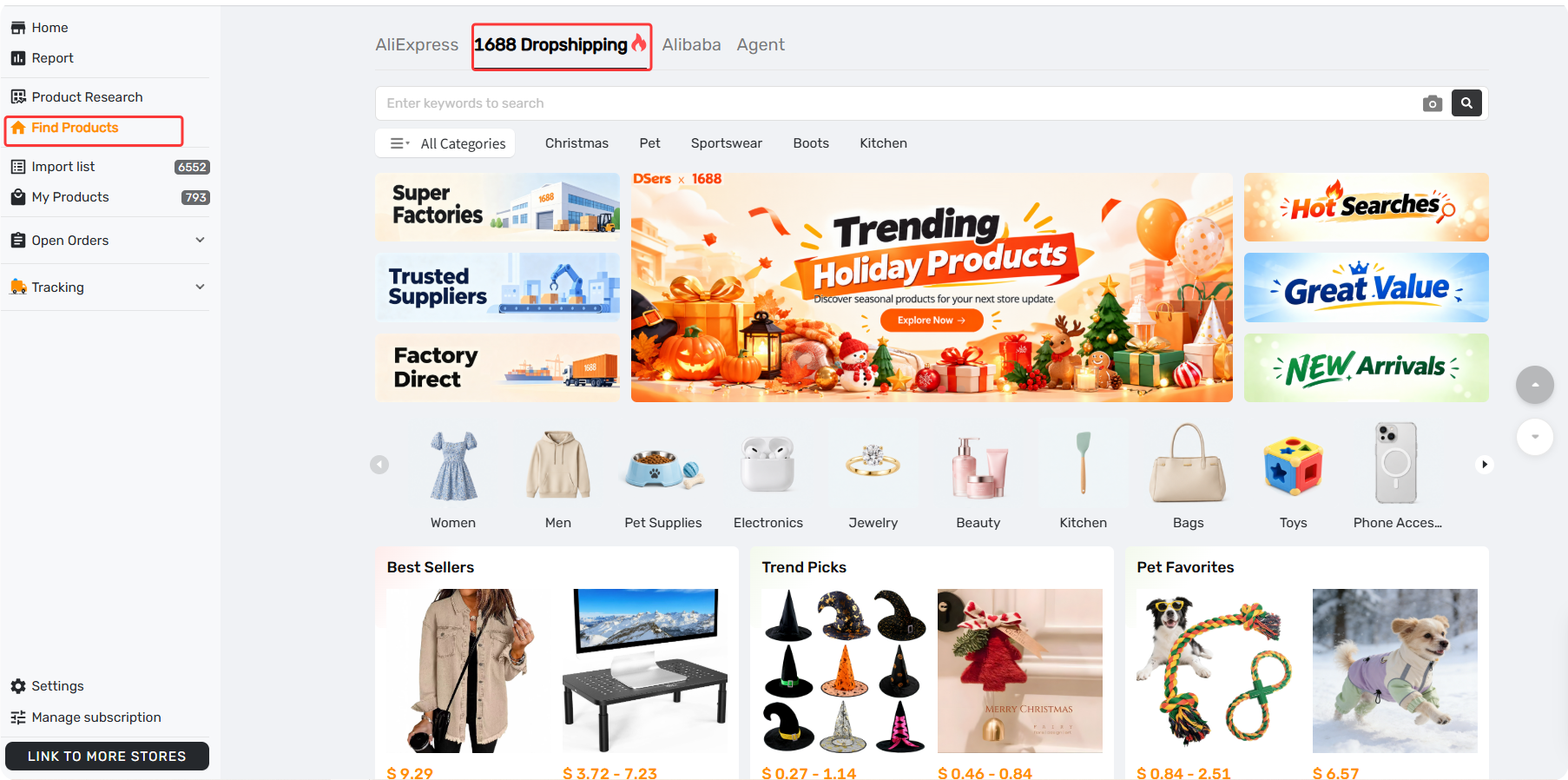
Step 1: Open Find Products
In your DSers dashboard, go to Find Products and select the 1688 Dropshipping tab. No separate account connection is required—the channel is available immediately.
Step 2: Import Products
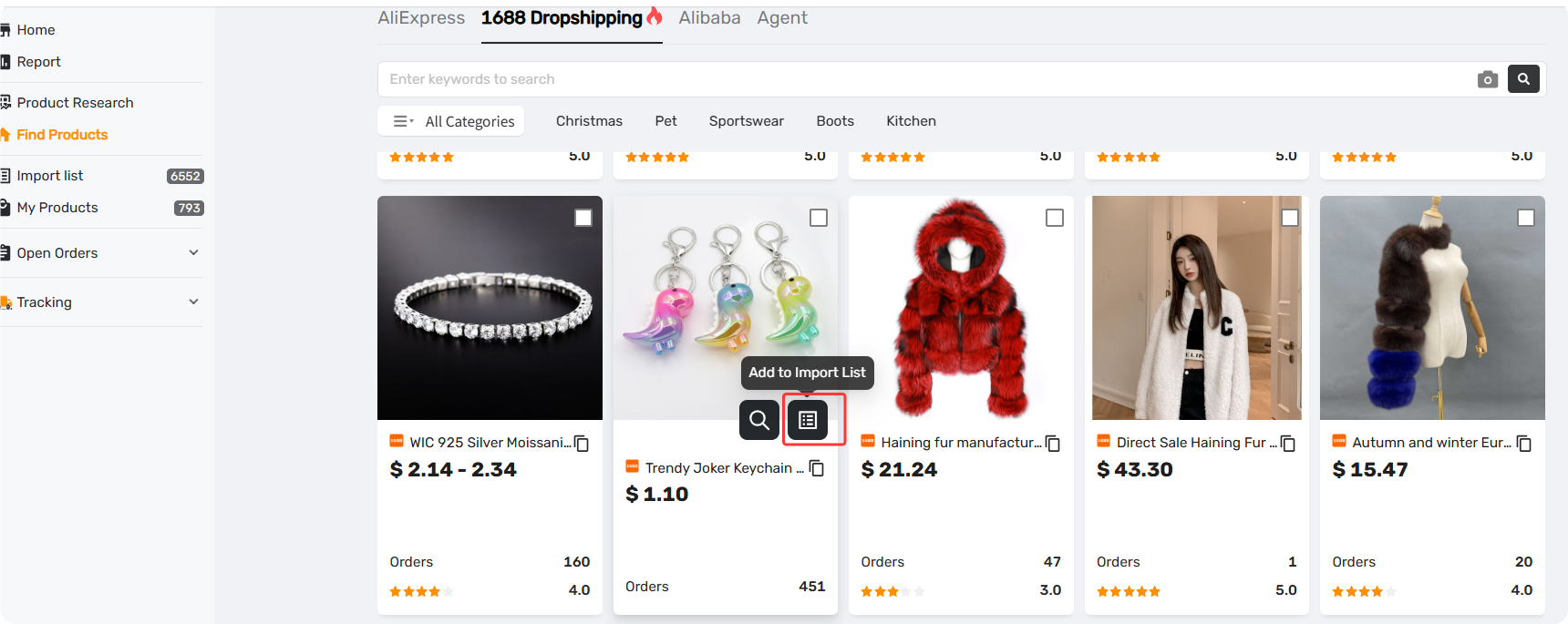
Browse the pool and click Import on the products that fit your niche. Selected items are added to your Import List, where you can review them before publishing.
Step 3: Edit Your Listings
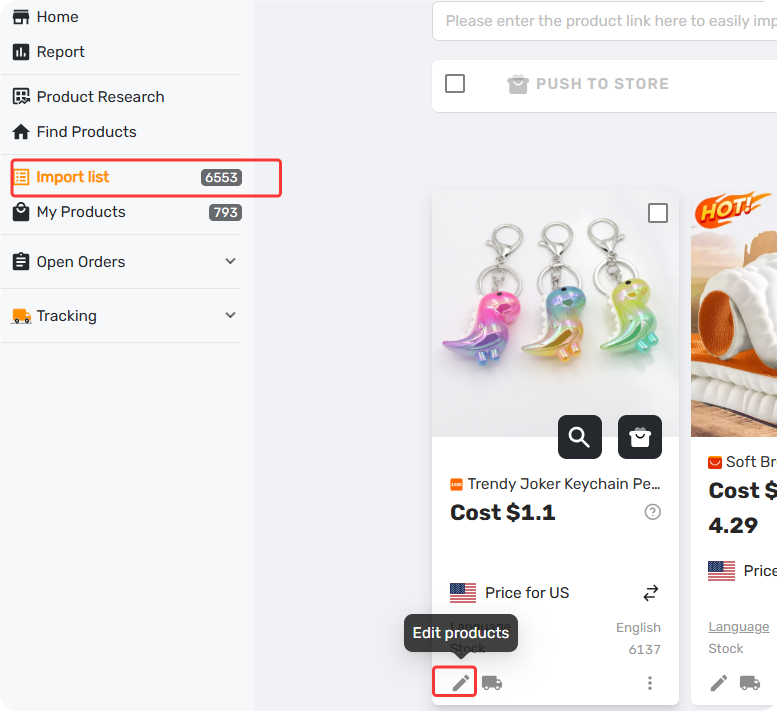
In your Import List, open each product to adjust the title, images, variants, and pricing if needed.
Step 4: Push to Store
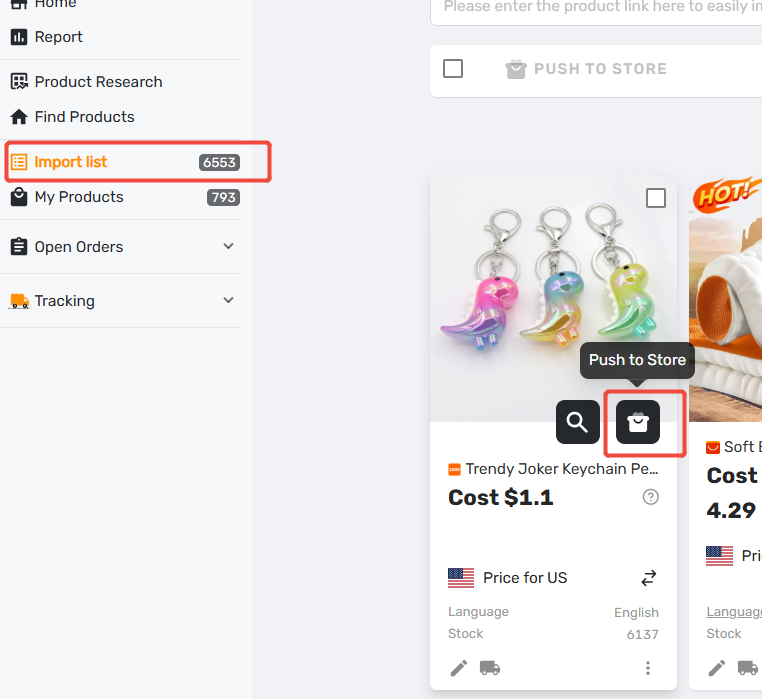
Select your finished listings and click Push to Store. Your products go live on your connected storefront.
Step 5: Fulfill Orders
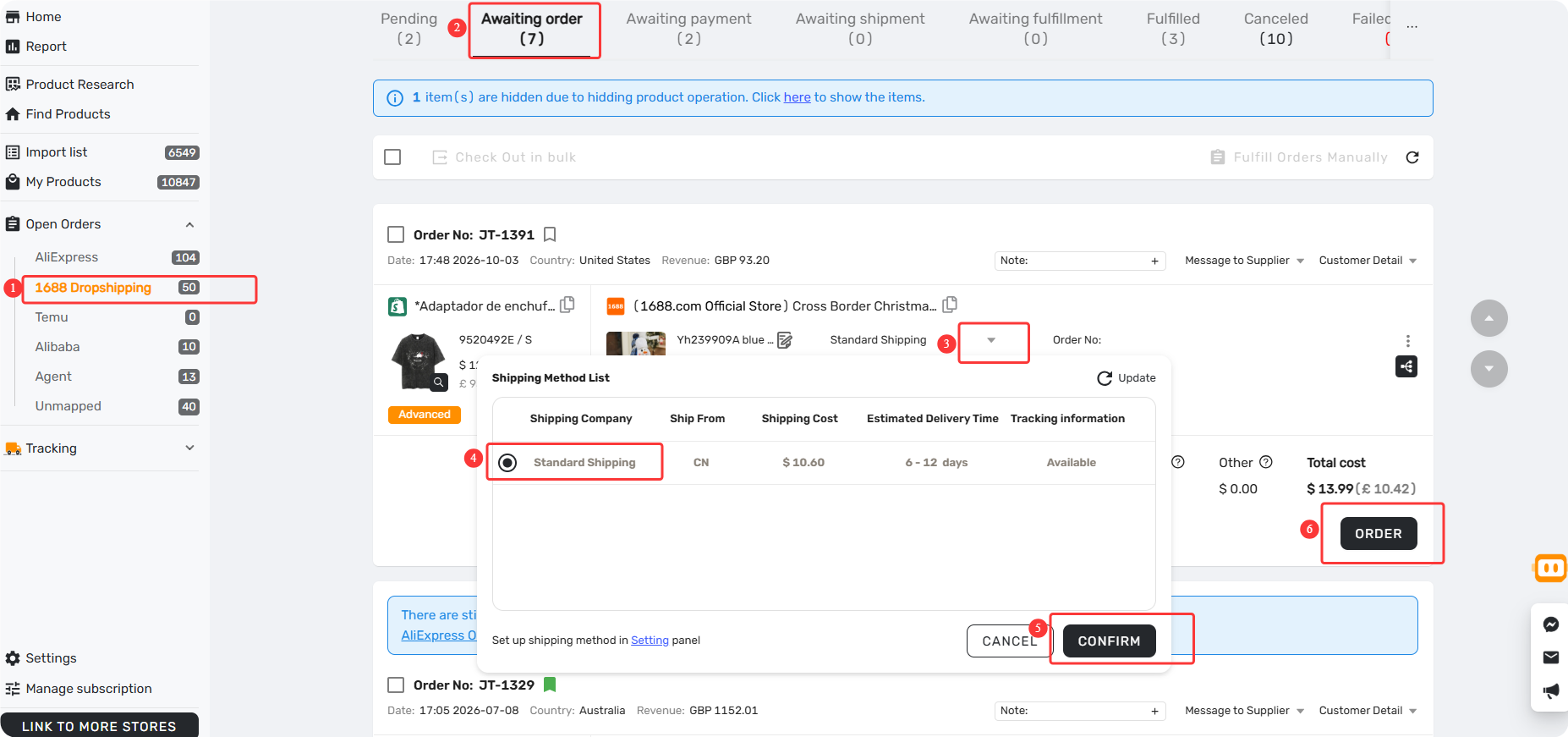
When a customer orders a mapped 1688 Dropshipping product, it appears under Open Orders → 1688 Dropshipping, where you can submit and pay for it. Tracking syncs back to your store automatically.
For the full walkthrough, see [How to Place and Pay for 1688 Dropshipping Orders on DSers].
Related Articles
- 1688 Wholesale on DSers: Sourcing, Ordering, and Fulfillment Overview
- Create and Pay for a 1688 Wholesale orders
- How to Get a Refund for 1688 and Agent Orders on DSers: Policy and Steps
FAQ Section
Common questions about 1688 Dropshipping on DSers, from importing products to fulfilling orders.

Get Started Now to Grow Your Online Business with the DSers!