

A quick-start guide to buying in bulk from 1688 on DSers — who it's for, how to switch modes, and how sourcing, ordering, and fulfillment work.
Note
This article is for DSers users who want to source products in bulk — by the tray, carton, or truckload — directly from 1688 Chinese manufacturers, instead of purchasing single items for standard dropshipping.
Important: 1688 Wholesale and DSers Dropshipping are completely independent modes. To perform any bulk sourcing or ordering, you must first switch your account to 1688 Wholesale Mode.
What Is 1688 Wholesale?
1688 is a leading B2B wholesale marketplace in China, connecting global buyers directly with local factories and trading companies. On DSers, 1688 Wholesale is a dedicated mode that acts as your purchasing agent for this bulk procurement. It is built entirely for volume buying rather than one-off fulfillment.
It's designed for buyers who:
- Buy in volume — by the tray, carton, or truckload.
- Want the lowest possible price — close to factory ex-works price, with tiered price breaks by quantity.
- Resell through their own channels — wholesale markets, supermarket chains, or other e-commerce platforms.
- Are comfortable with MOQs — and actively look for suppliers with tray or carton minimums.
- Ship to the United States — the current supported destination for this mode.
If that sounds like you, this mode is for you.
How to Switch to 1688 Wholesale Mode
Since these are two independent modes, you'll need to use the mode switcher at the top of your dashboard to access the 1688 Wholesale environment.
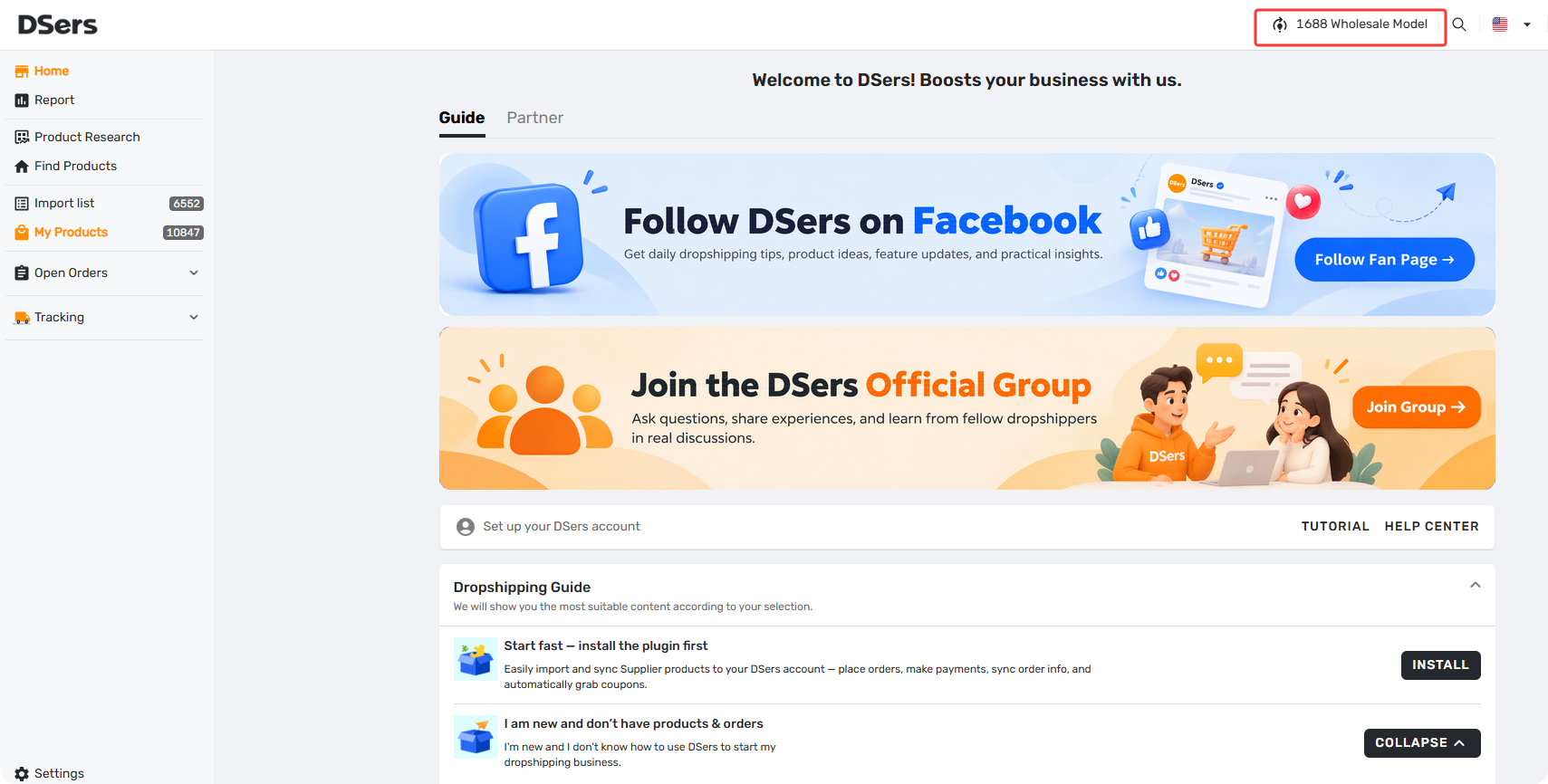
Look at the top bar of your DSers dashboard. You will see a button that displays the mode you are currently not in.
- If you are currently in Dropshipping mode, click the Switch to 1688 Wholesale model button. Your interface will instantly refresh.
- To switch back at any time, simply click the Switch to Dropshipping model button.
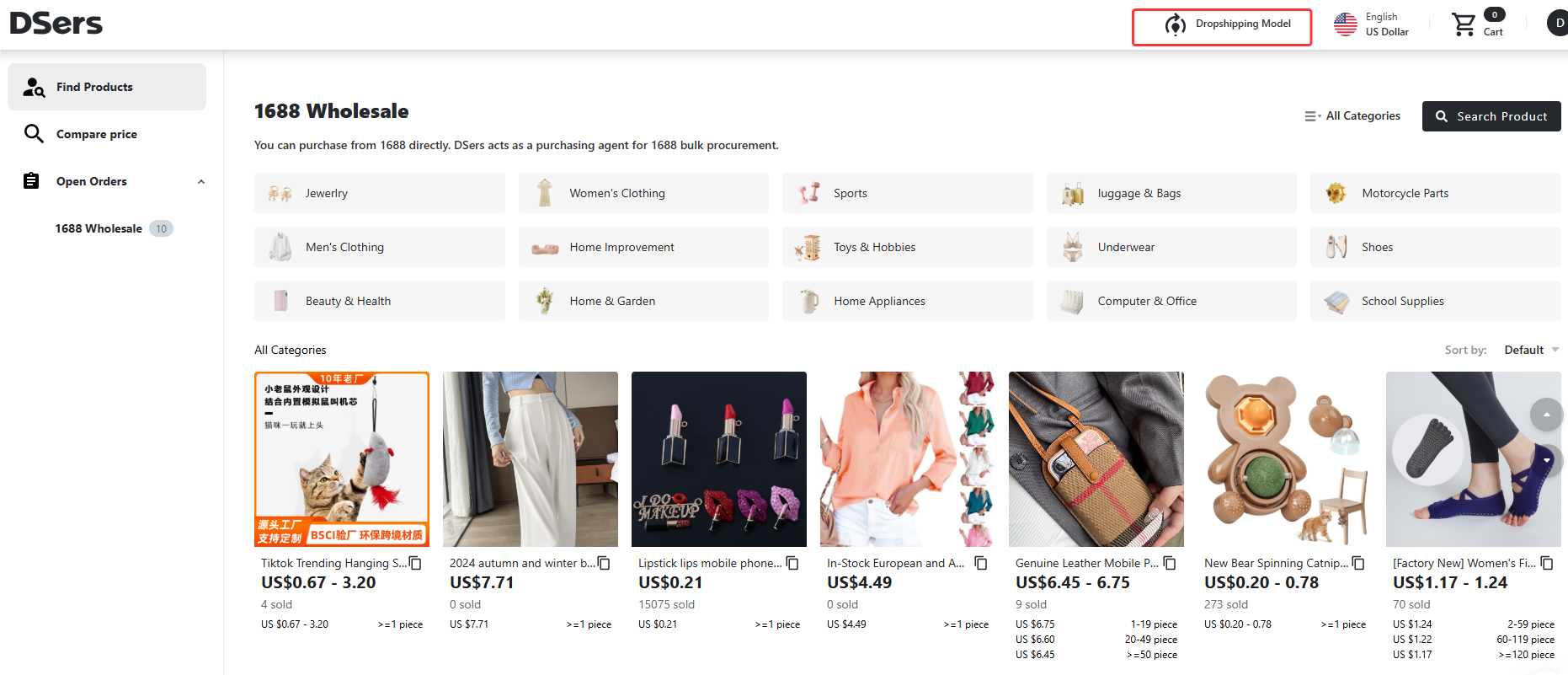
Once you have switched to the 1688 Wholesale model, all your bulk sourcing, ordering, and order management will take place in this dedicated workspace.
Sourcing: Finding Products
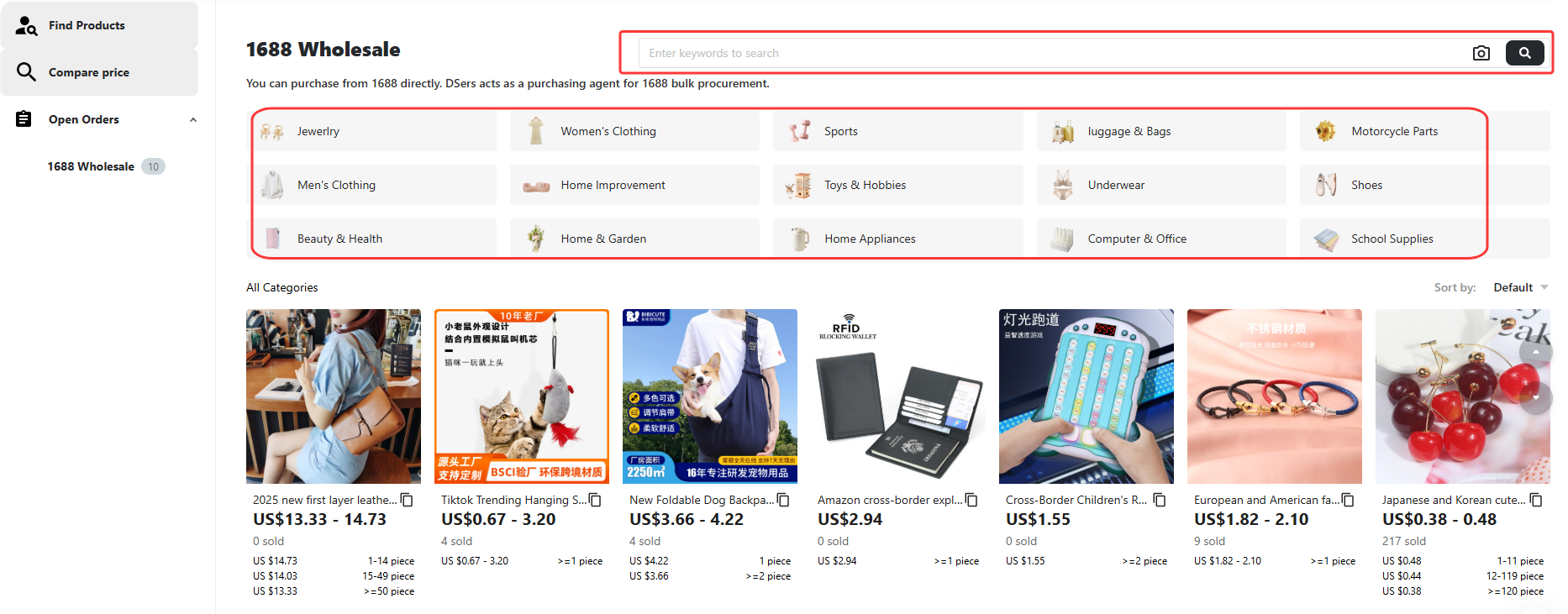
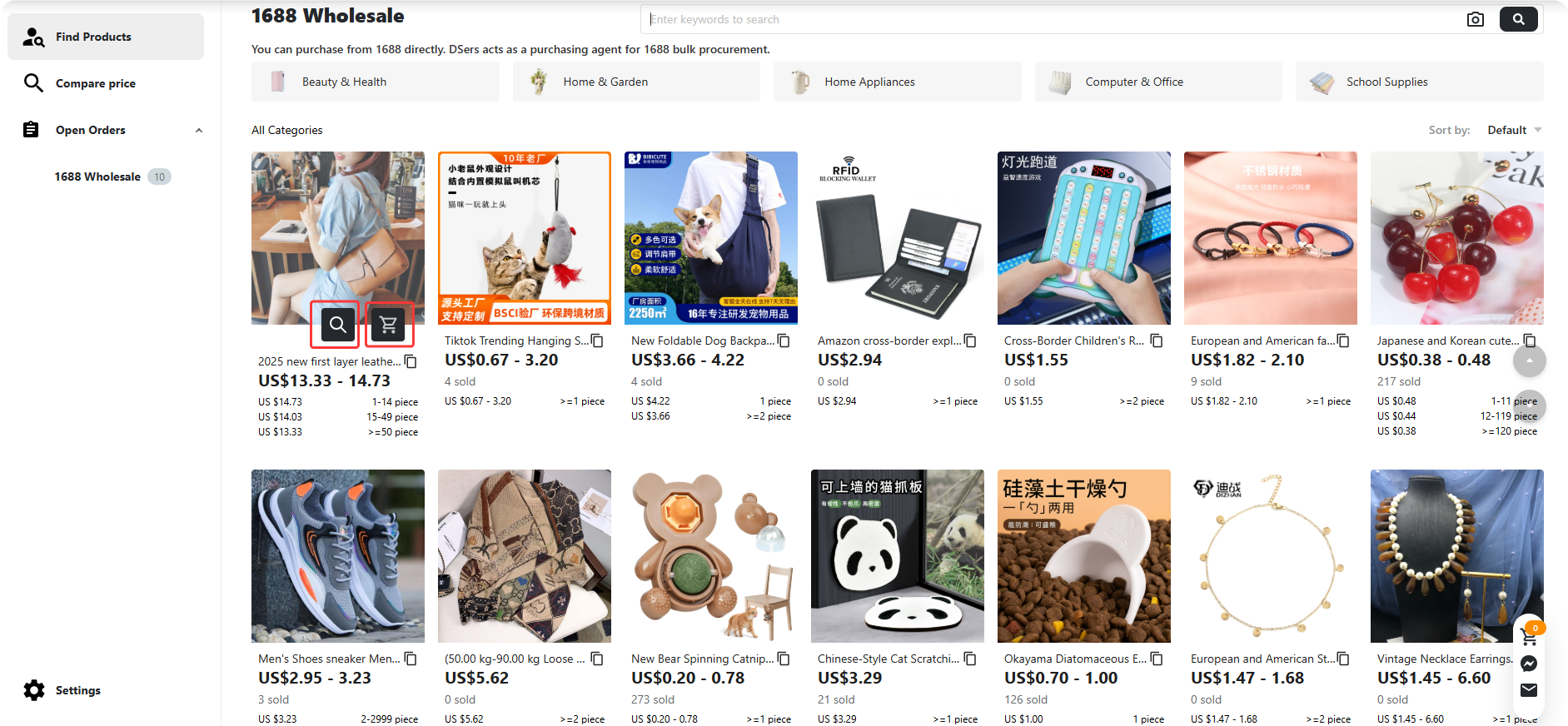
In 1688 Wholesale model, open Find Products → 1688 Wholesale to browse the product pool. Use the category banners or the search bar to find specific items.
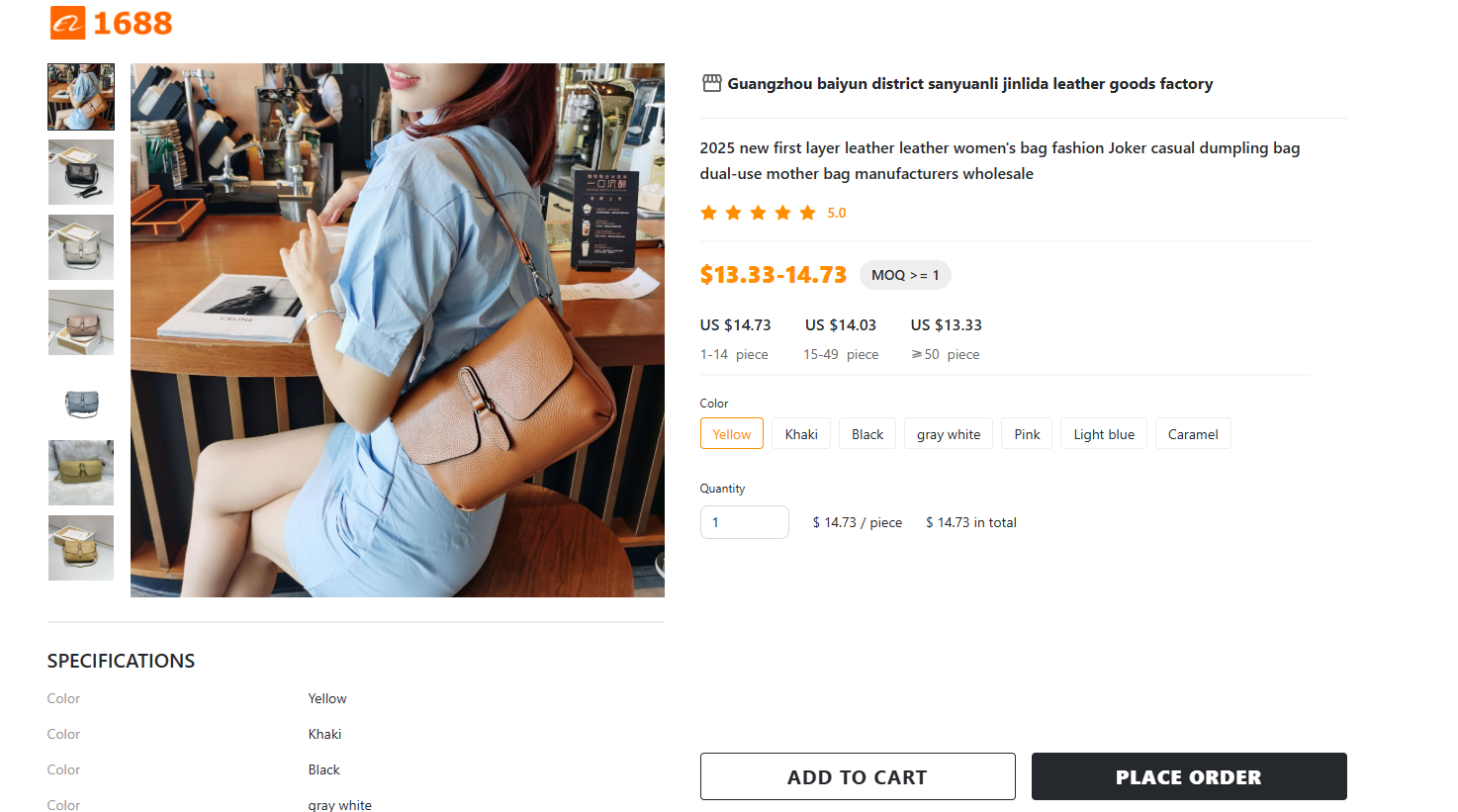
- Click the product image or title to open the detail page for variants and tiered pricing.
- Hover over the product image to reveal the Supplier Optimizer and Add to cart icons.
Getting Ready: Settings Before Ordering
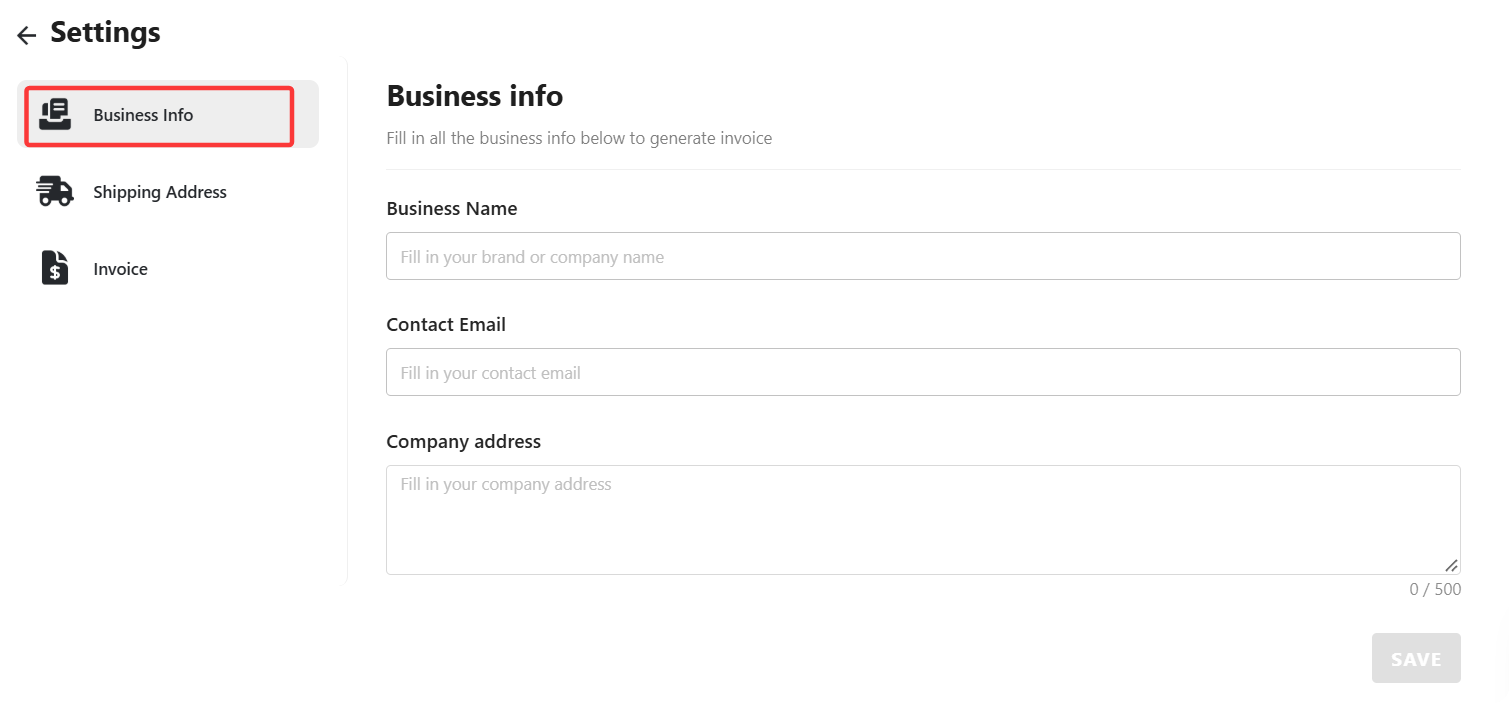
Before you can place an order, you must set up your shipping destination and business information. Click Settings at the bottom left corner of your dashboard:
Business Info: Fill in your Business Name, Contact Email, and Company Address. (This is required to generate your invoices later).
Shipping Address: Click Add Shipping Address and enter your valid US receiver information.
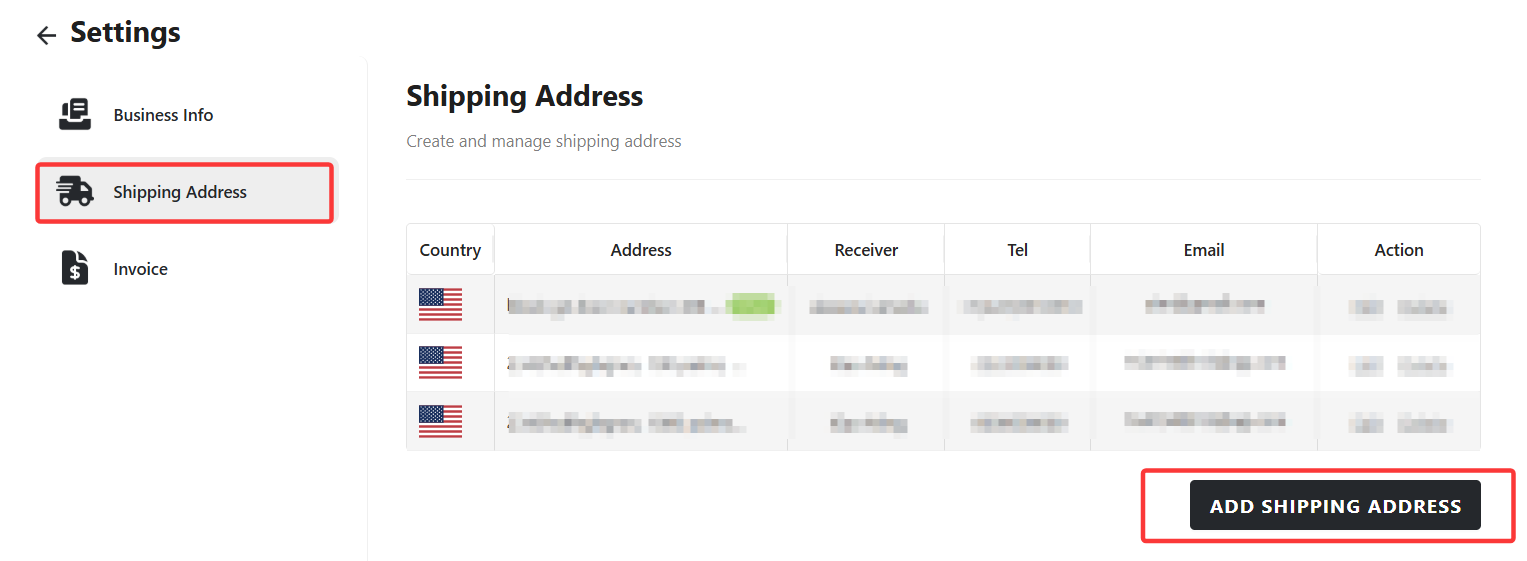
Tip: You must set up a valid shipping address here before you can check out. Without it, you won't be able to proceed with your order.
Ordering: Placing Your Bulk Order
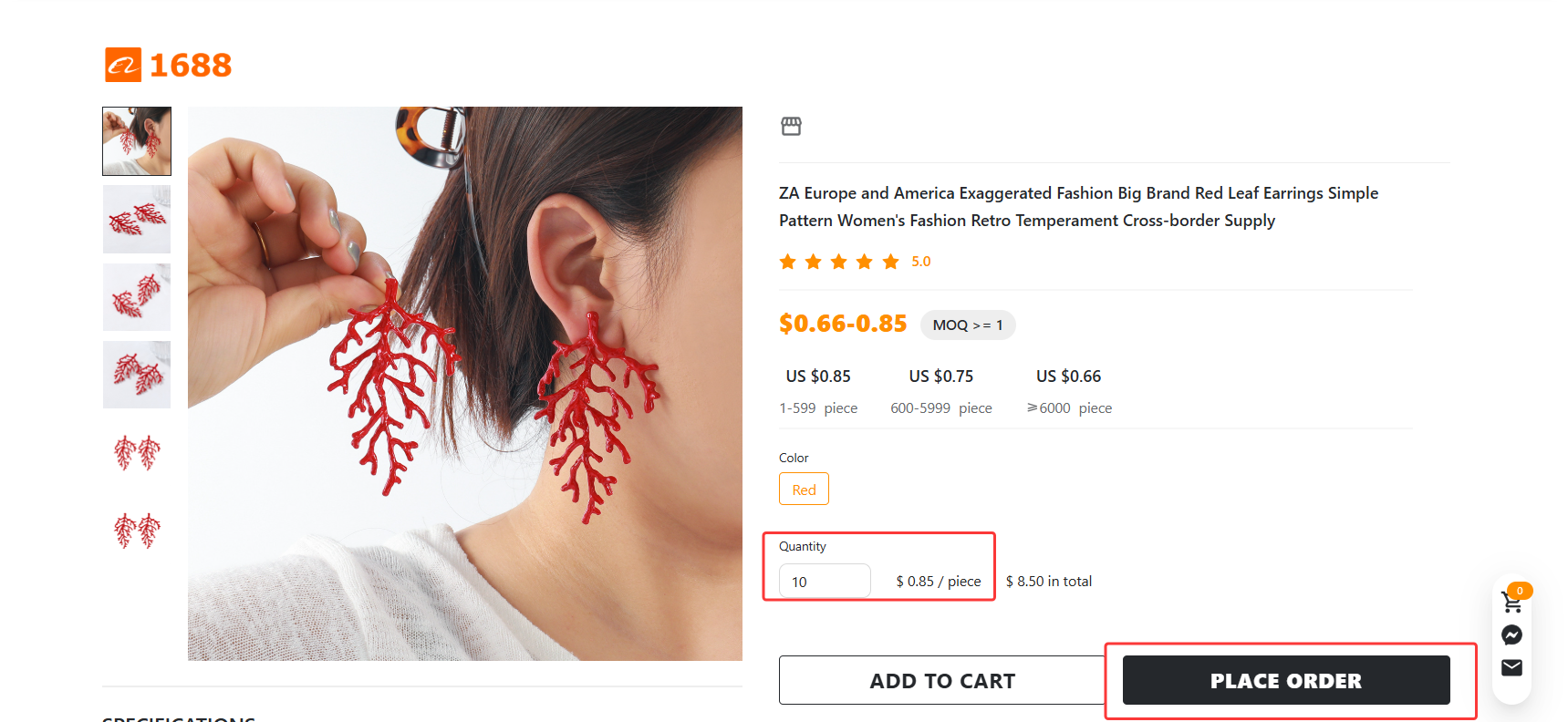
1. Select variants and quantity
Click Add to cart on a product. Enter the quantity for your desired variants and click Go next.
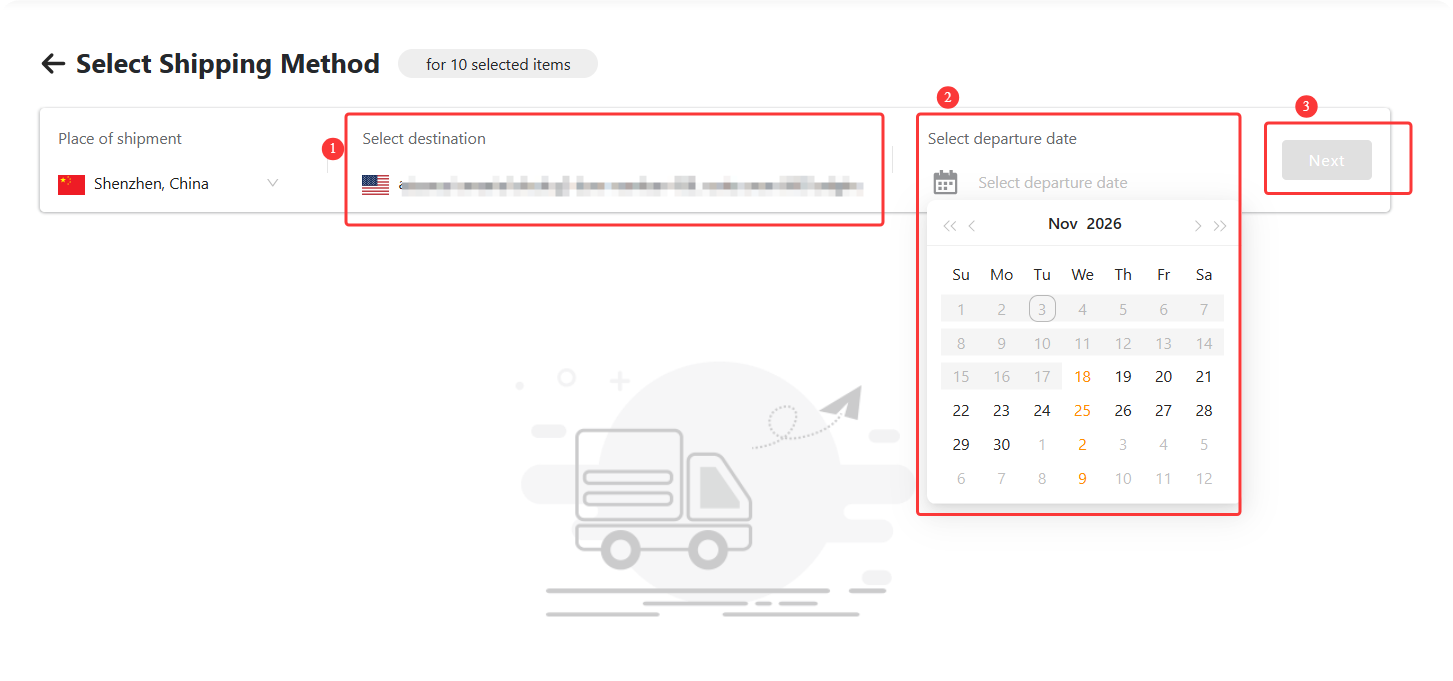
2. Select destination and date
Confirm your shipping destination and departure date, then click Next.
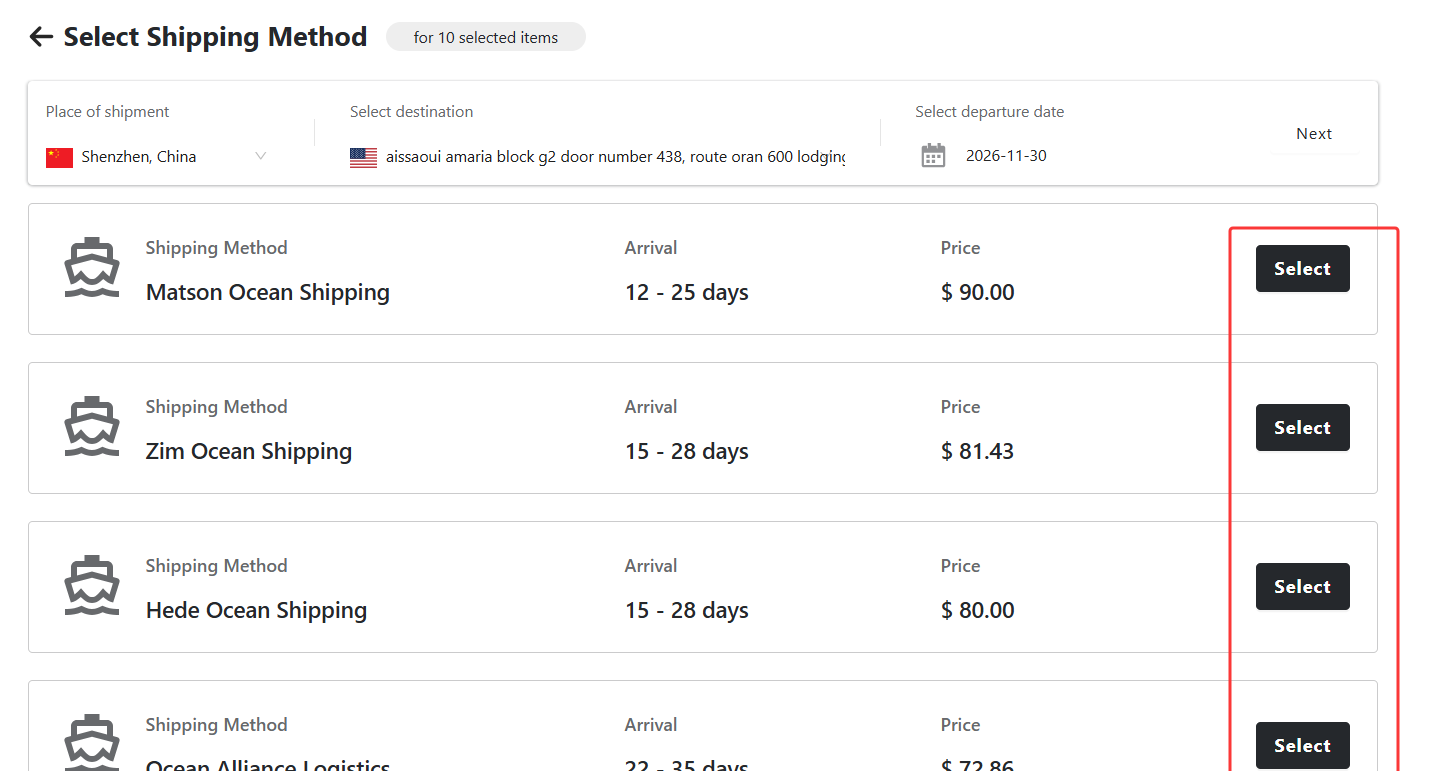
3. Select a shipping method
Review the available options, estimated arrival times, and prices. Click Select next to your preferred method.
4. Review and submit
Review your Order Summary and Order Details on the confirmation page. Click Submit Order.
5. Make payment
Complete your payment on the generated order page.
Tip: If you are not ready to place the order immediately, you can simply add the items to your cart. When you are ready, find the items in your Shopping Cart and follow the same checkout steps above.
Fulfillment: What Happens After You Order
- Your order is passed to the supply side as a purchasing order.
- A 1688 purchase order is generated and synced to the warehouse.
- The warehouse picks, packs, and ships your goods via your selected shipping method.
- Tracking numbers are added to your order (a single order may have multiple parcels and tracking numbers).
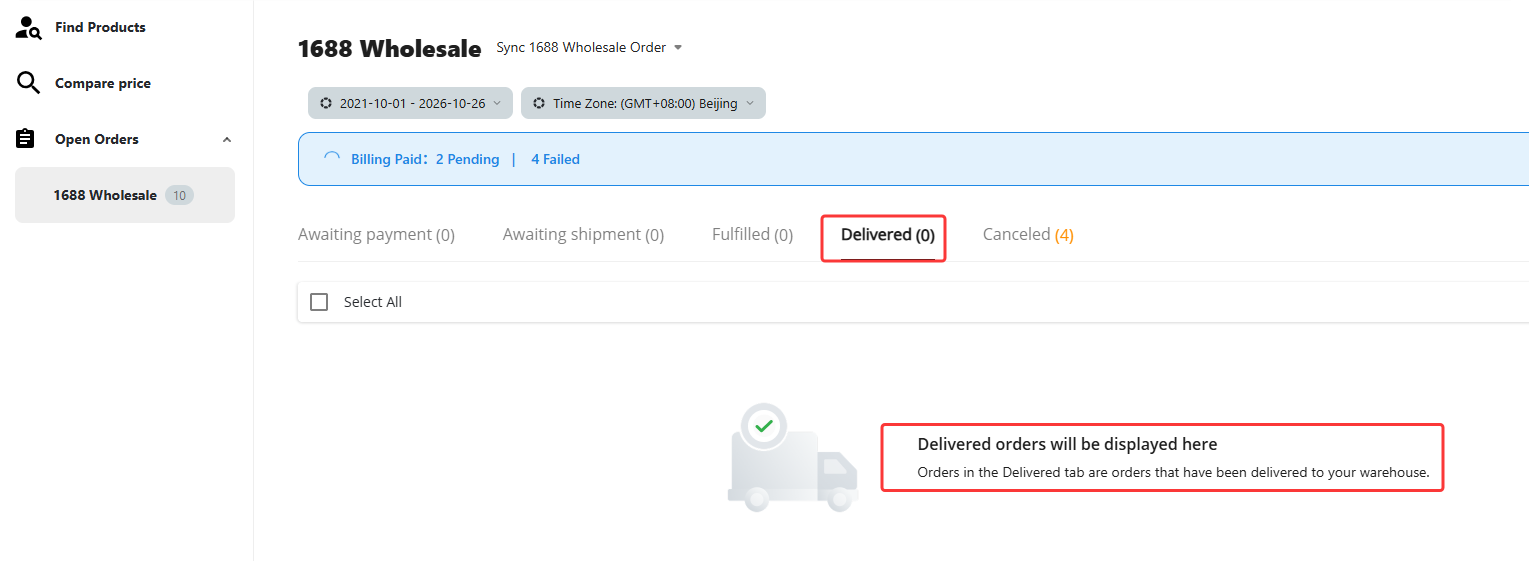
- Your order moves to Delivered once the shipment arrives.
Related Articles
- Create and Pay for a 1688 Wholesale orders
- 1688 Dropshipping: What It Is and How to Get Started on DSers
- How to Get a Refund for 1688 and Agent Orders on DSers: Policy and Steps
FAQ Section
Common questions about 1688 Wholesale mode in DSers, from switching modes to placing and tracking bulk orders.

Get Started Now to Grow Your Online Business with the DSers!