


Stop mapping products one by one. Create reusable Basic Mapping templates and apply them to hundreds of variants in seconds.
Note
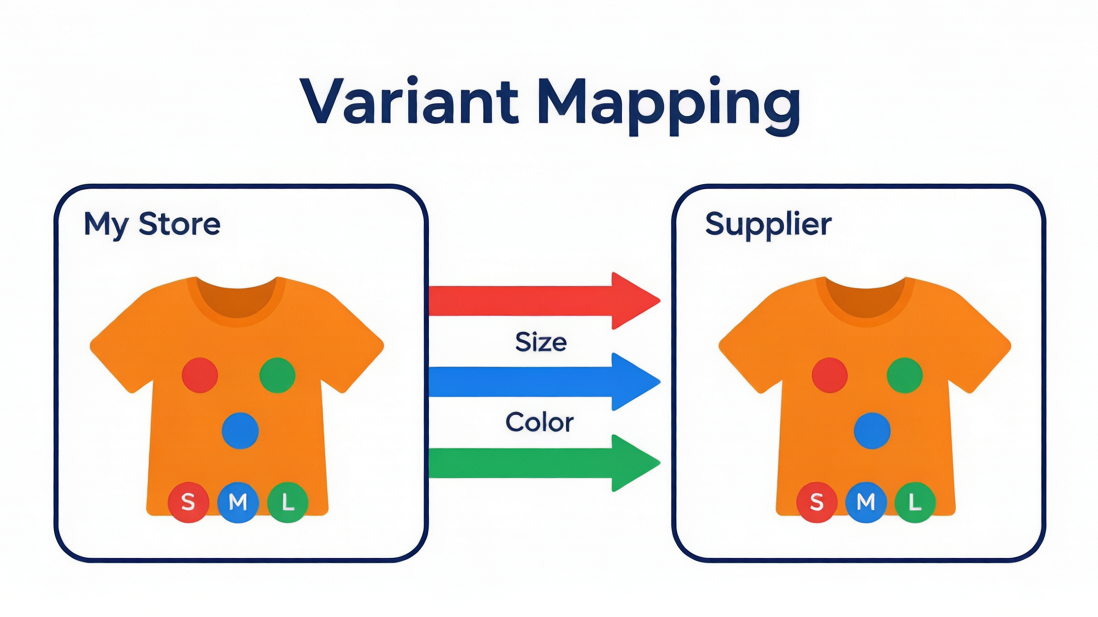
Basic Mapping connects your store products to suppliers by matching option names (e.g., "Large" → "Large"). It's fast — but repetitive when you scale.
Variant Mapping Templates let you save your Basic Mapping rules once and apply them to any product with the same structure. In bulk.Click here to start dropshipping now with DSers
What Is Basic Mapping?
Basic Mapping matches your store product to a supplier product by option names — one default supplier + one backup.
Best for: T-shirts, mugs, phone cases. Beginners. Single-country selling.
Step-by-Step Setup Guidance
Step 1: Import a Supplier
Click the mapping icon
 → Select a supplier platform → Paste the supplier link → Click OK

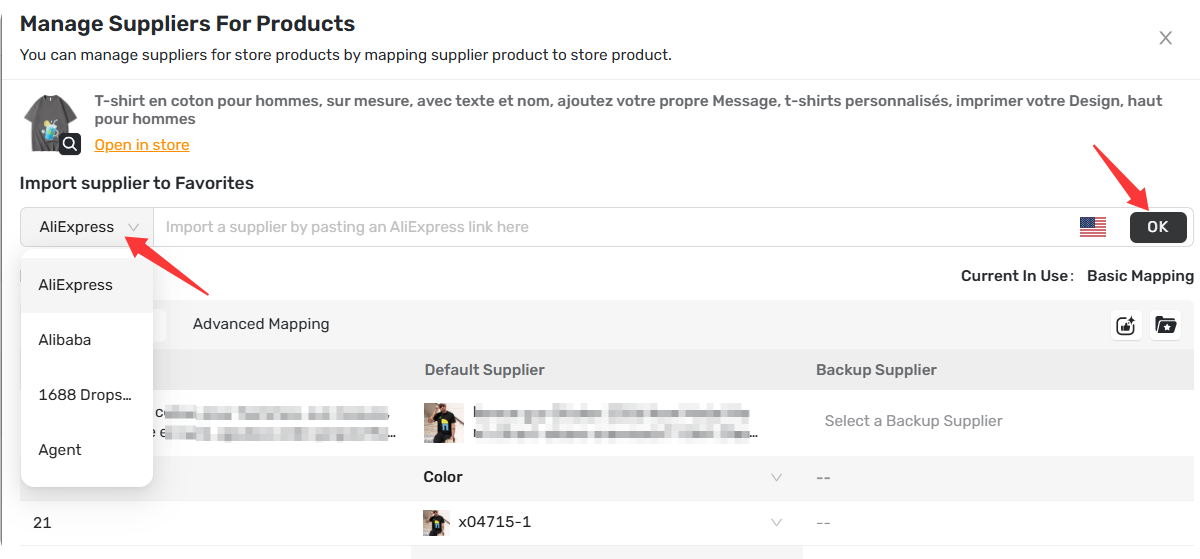
Tip: If you do not have the suitable supplier, you can
- Select one from the DSers Recommendation list, then click Select & Import
to add it directly
- Or search for suppliers using the Supplier Optimizer
feature
Step 2: Choose Mapping Method (First Time Only)
If you've never mapped this product before, select Basic Mapping.
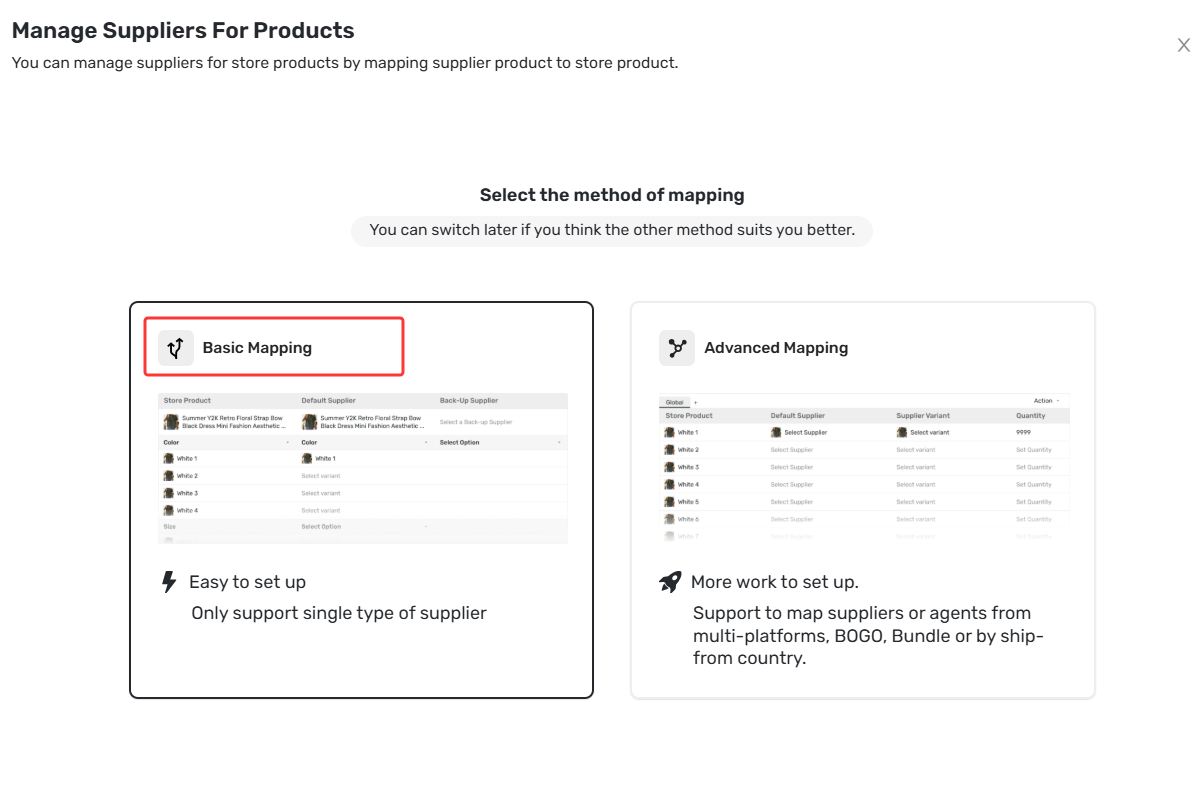
Tip: Check "Skip this for 30 days" to save time later.
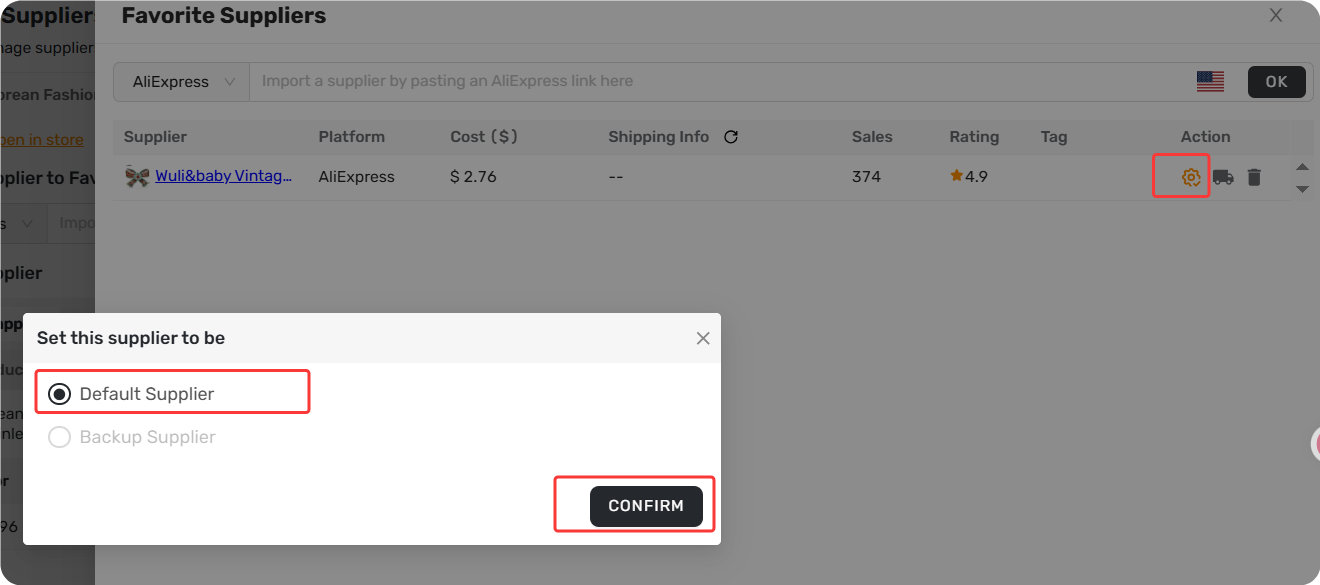
Step 3: Set as Default
In the Favorite Suppliers
 drawer, click the gear icon
 → Set as Default Supplier → CONFIRM
 .
.
Step 4: Match Options
Click each cell in the Default Supplier column → Select the matching supplier option (e.g., "M" matches "Medium").
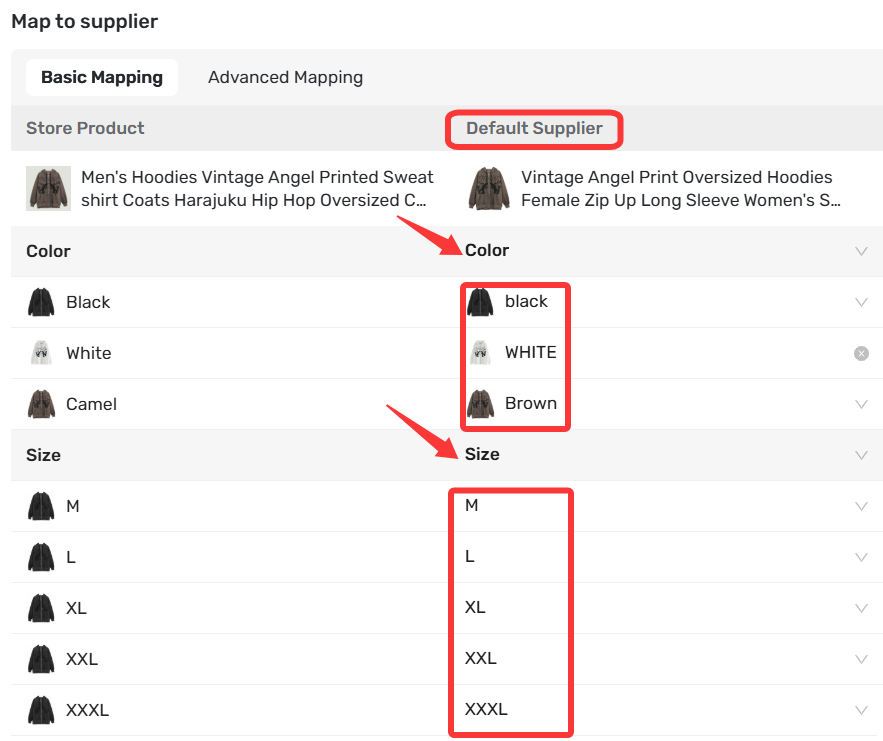
Tip: Turn on Automated Mapping in settings to auto-match options for you.
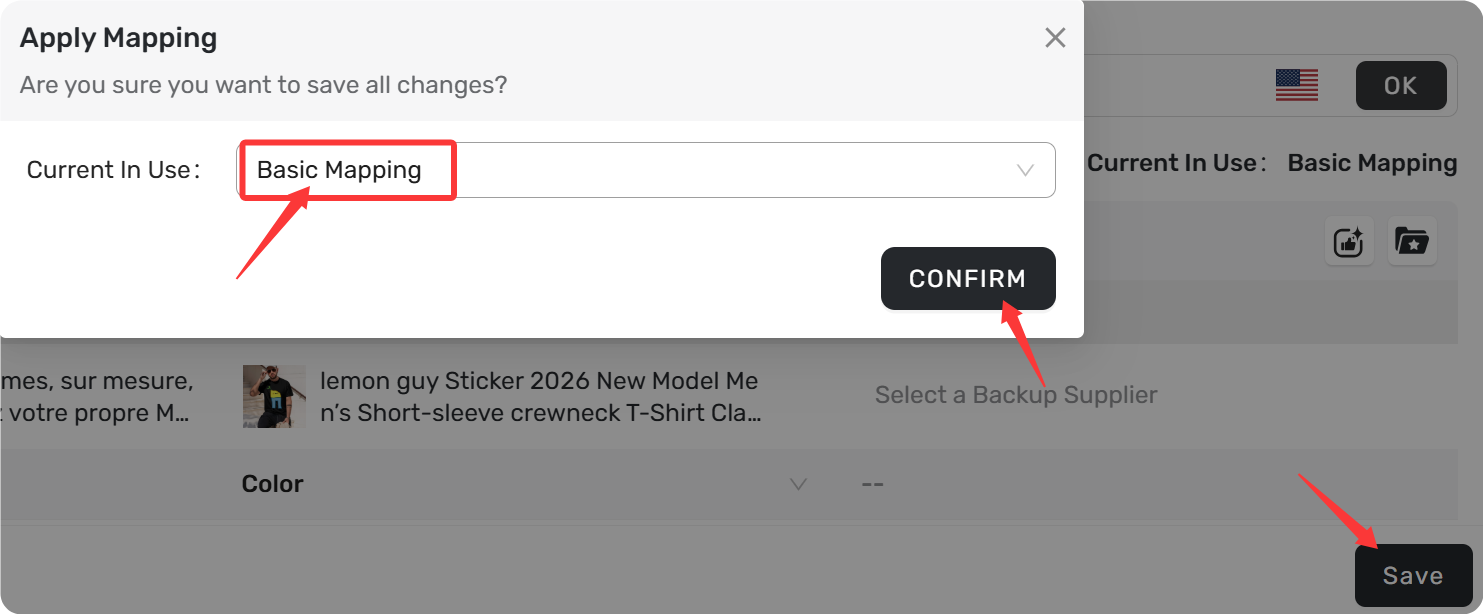
Step 5: Save
1. Click Save
 at the bottom of the page
2. In the pop-up, confirm Basic Mapping is selected as the method
3. Click CONFIRM
to save
If Basic Mapping doesn't meet your needs, try Advanced Mapping to link multiple suppliers per variant, route orders by country, or set up BOGO and Bundle offers.
Related Articles
- How Variant Mapping Works
- Basic Mapping: How to set Backup Suppliers
- Advanced Mapping: Route Orders to the Right Supplier by Country
- BOGO & Bundle Mapping: Sell More with Product Combinations
FAQ Section
Everything you need to know about Basic Mapping and how to match your store products to supplier products.
| Get Started Now to Grow Your Online Business with the DSers! |



 Company
 Why Choose DSers
 Blog
Blog
 Help Center


