

A supplier cancellation can disrupt your fulfillment. Here's how to spot it and resolve it fast
Note
When a supplier cancels your purchase order, you won't know unless you check Supply platform. The Cancelled Order Notification alerts you instantly in DSers—but only through the bell icon at the top of your dashboard.Click here to start dropshipping now with DSers
Ignoring it risks unhappy customers and lost sales. This guide shows you how to respond based on where your order was placed (AliExpress/Alibaba, 1688, or Agent).
How to Enable This Notification
This notification is enabled by default.
To confirm or change your settings, go to Settings > General Settings > Notifications and toggle Cancelled order ON.
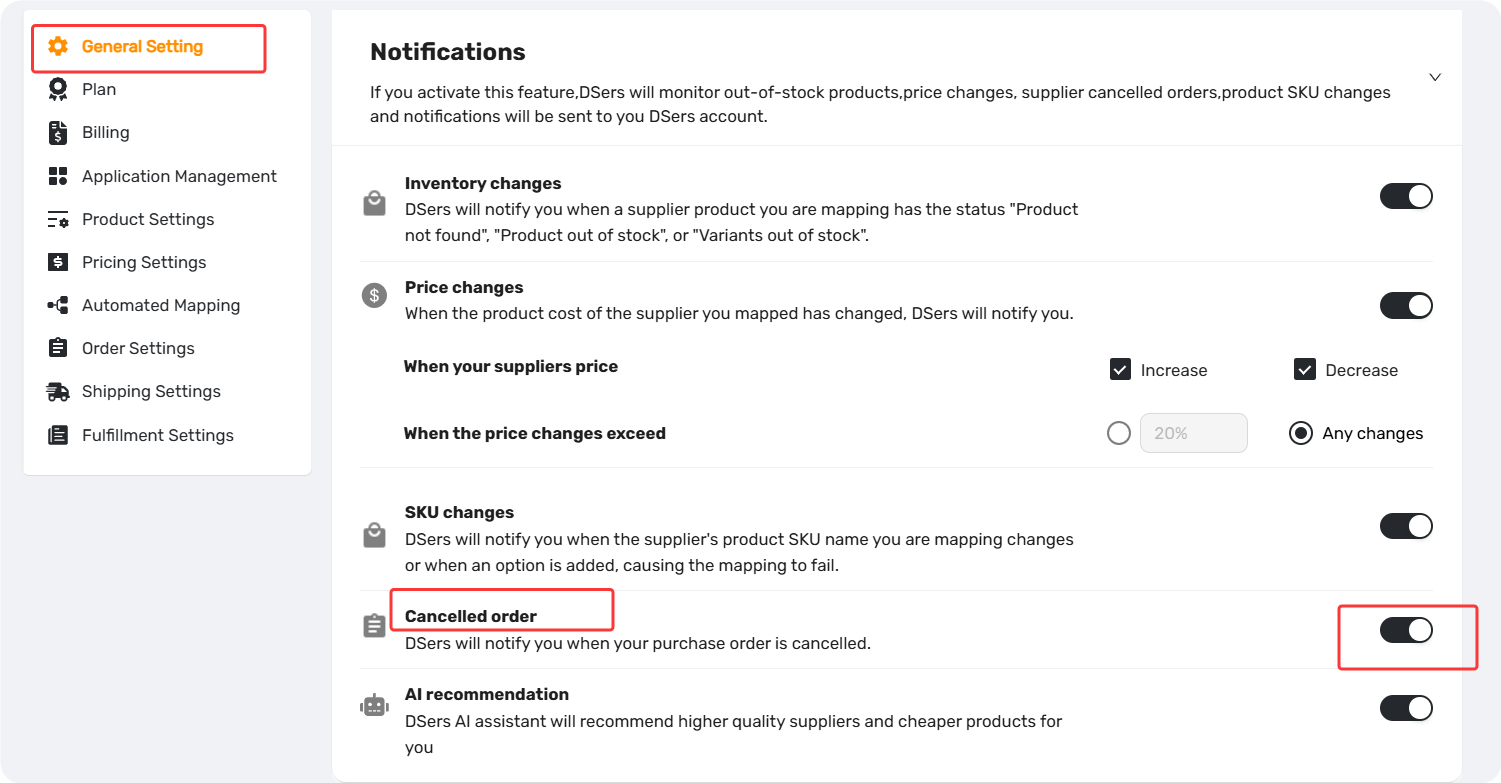
Where to Find Cancelled Order Alerts
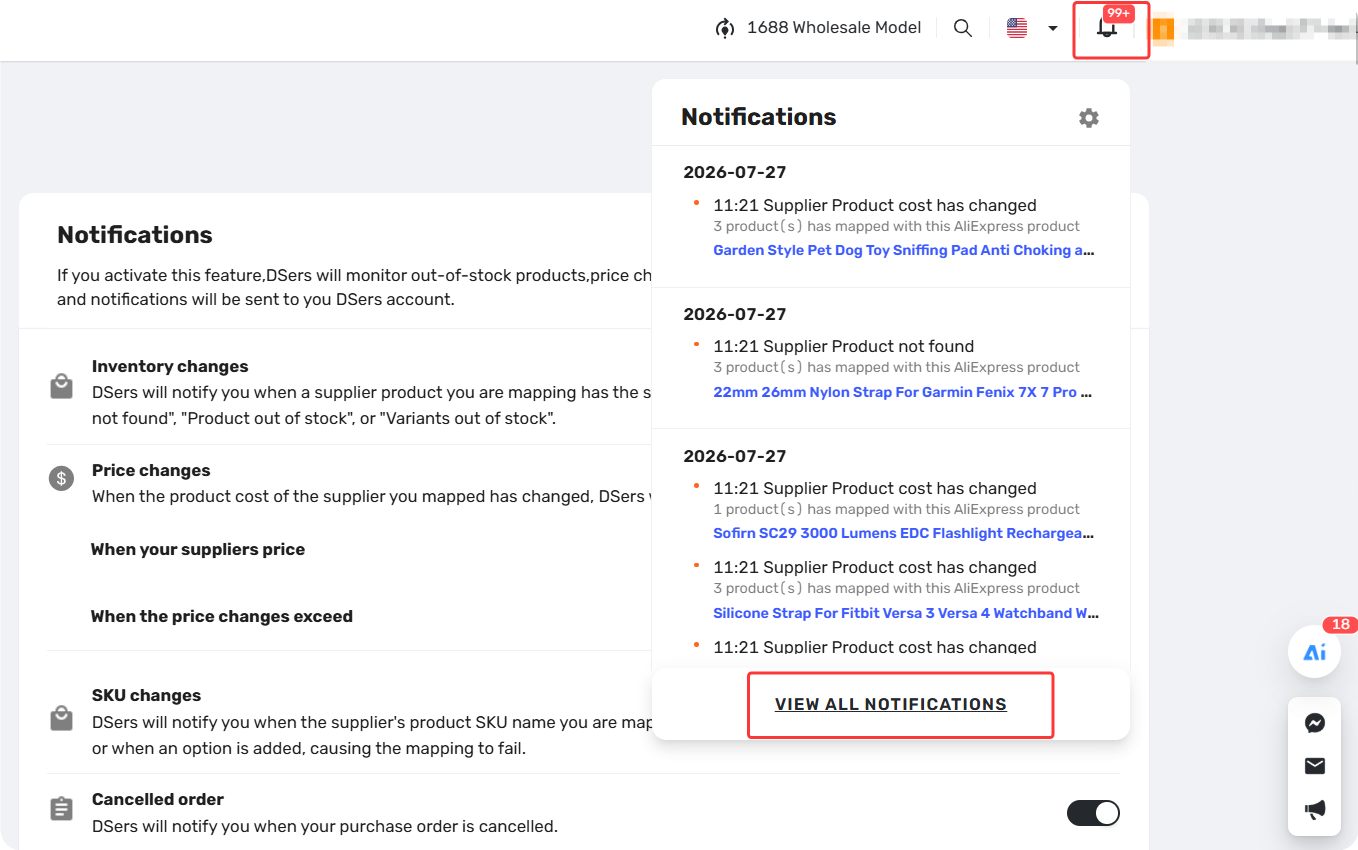
When an order is cancelled, you'll receive an alert in the Notification Center:
- Click the bell icon > View All Notifications.
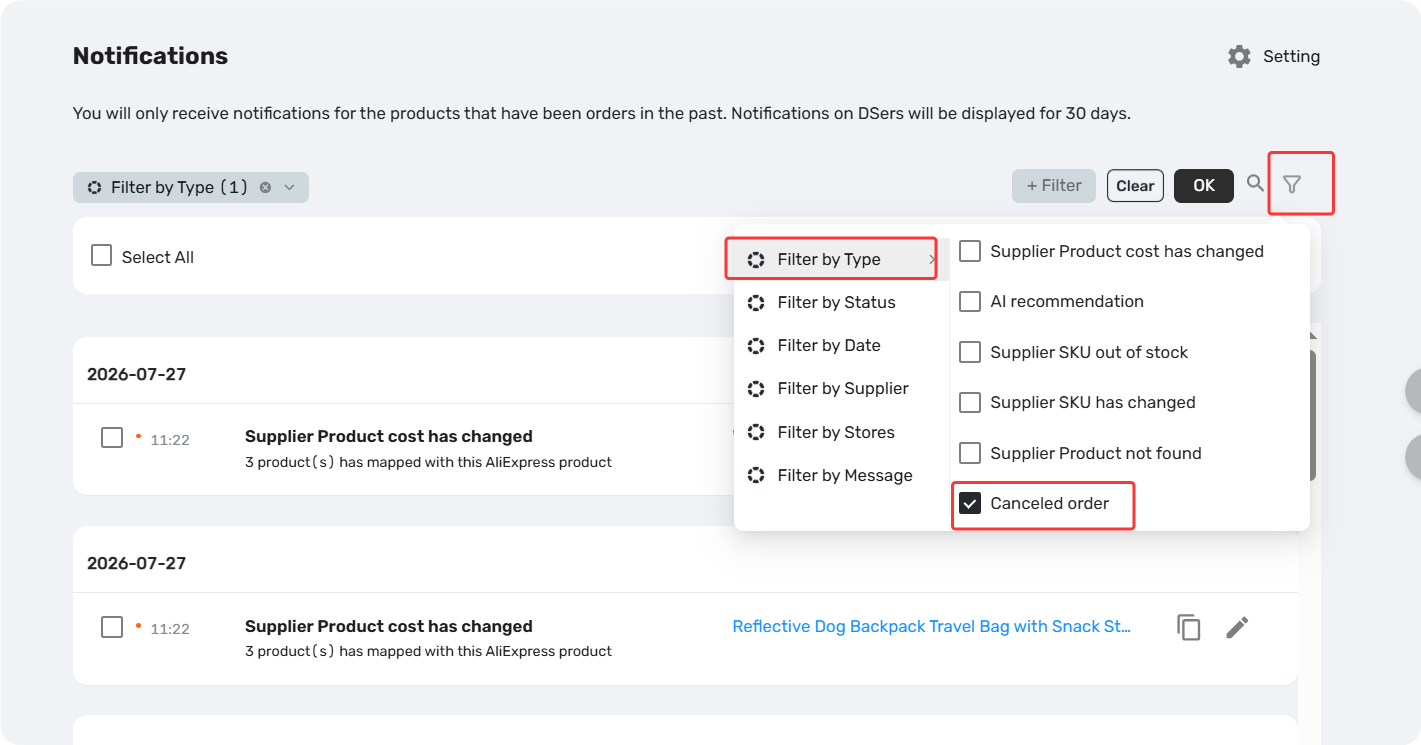
2. Filter by Cancelled Order.
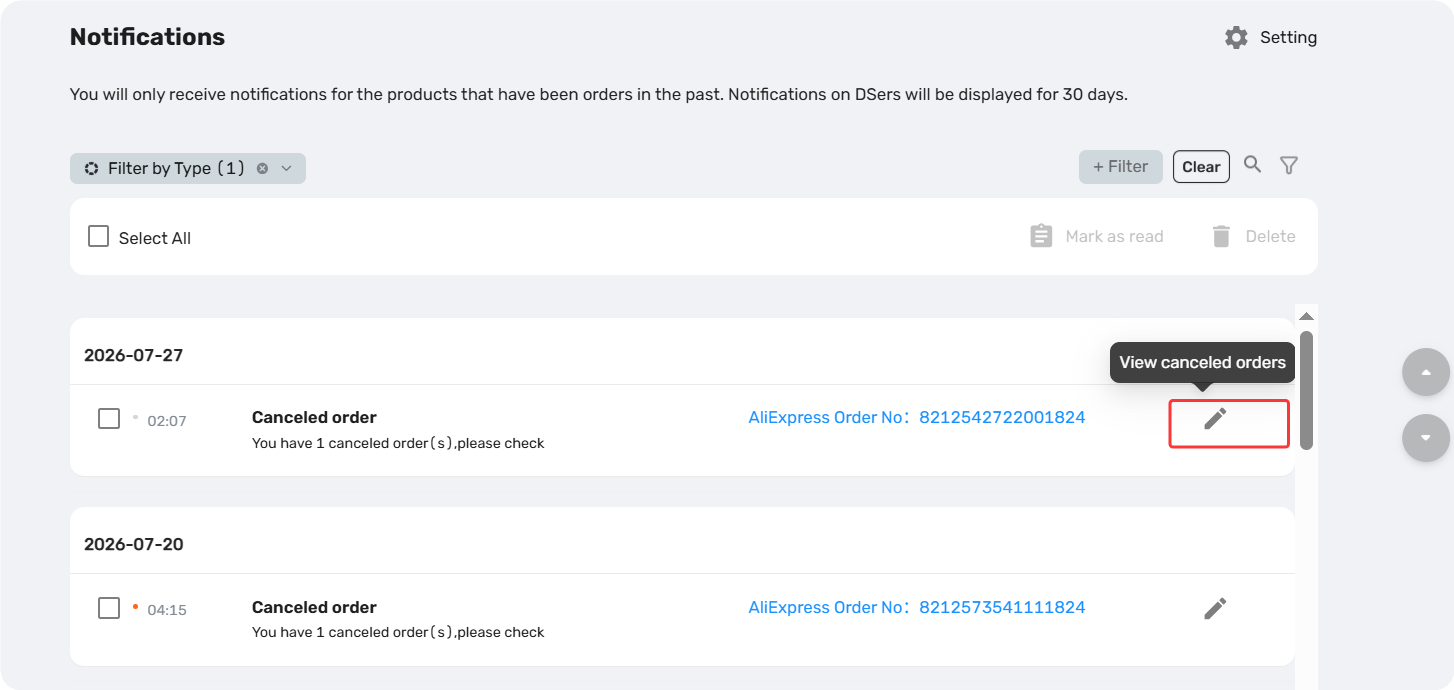
3. Click any notification to jump directly to the corresponding order in Open Orders > Canceled and take action.
How to Respond Based on Where Your Order Was Placed
Your next steps depend on where you placed the order. Find your source below and follow the workflow.
For AliExpress, Alibaba and 1688 Dropshipping Orders
Check the cancellation reason on the Supply platform on order detail page, then follow the path that fits:
Path 1: Reorder from the same supplier
- Applies when the supplier can still fulfill the order.
For example, payment timeout. - What to do: Place the order again through DSers Canceled Order tab and complete payment on time.
Path 2: Switch to a new supplier
- Applies when the supplier cannot fulfill the order,
Such as being out of stock, unable to ship to your destination, or having removed the product.
What to do: Find a new supplier for the order, remap it in DSers, and place the order again.
New to remapping? See our guide: [How to Change a Product's Supplier Mapping for Awaiting Orders]
Path 3: Contact the supplier or platform first
- For issues related to policy changes or other platform issues for AliExpress/Alibaba.
- What to do: Resolve the issue with supplier or AliExpress/Alibaba support first, then reorder through DSers.
Tip: For 1688 orders, if you're unsure about the product status or cancellation reason, contact DSers Customer Support via Live Chat or email.
For Agent-Processed Orders
Path 1: Reorder from the same Agent
- Applies when the Agent can still fulfill the order.
- What to do: Contact your Agent directly to confirm they can fulfill, then place the order again.
Path 2: Switch to a new supplier
- If the Agent cannot fulfill or is unresponsive, switch to a direct AliExpress, Alibaba, or 1688 dropshipping supplier for this product following the steps in Path 2 Switch to a new supplier above.
Tips: If you need assistance contacting an unresponsive Agent, DSers Customer Support can help facilitate communication.
Related Articles
- Notification Frequency: Get Alerts When You Need Them
- Notification Center: How to Filter and Search Your Alerts
- Inventory Changes Notification: What to Do When a Product Goes Out of Stock
- Price Changes Notification: What to Do When Supplier Costs Change
- SKU Changes Notification: What to Do When Variant Mapping Fails
- AI Recommendation Notification: How to Find Better Suppliers
FAQ Section
Quick answers to the most common questions about DSers order cancellations, supplier changes, and notifications.

Get Started Now to Grow Your Online Business with the DSers!