


Fix one order without breaking your product mapping.
Note
If you need to change the supplier for an order but don't want to affect all your future orders, use Action - Edit supplier. It changes the supplier for this order only — your product mapping stays exactly as it is.
When to use this feature
| Scenario | What you can do |
|---|---|
| Your supplier is out of stock for one of variants | Find another seller with the same item and ship on time |
| Customer wants a different color/size after ordering | Change the variant for just this order |
How to change the supplier for one order
Step 1: Open Edit supplier
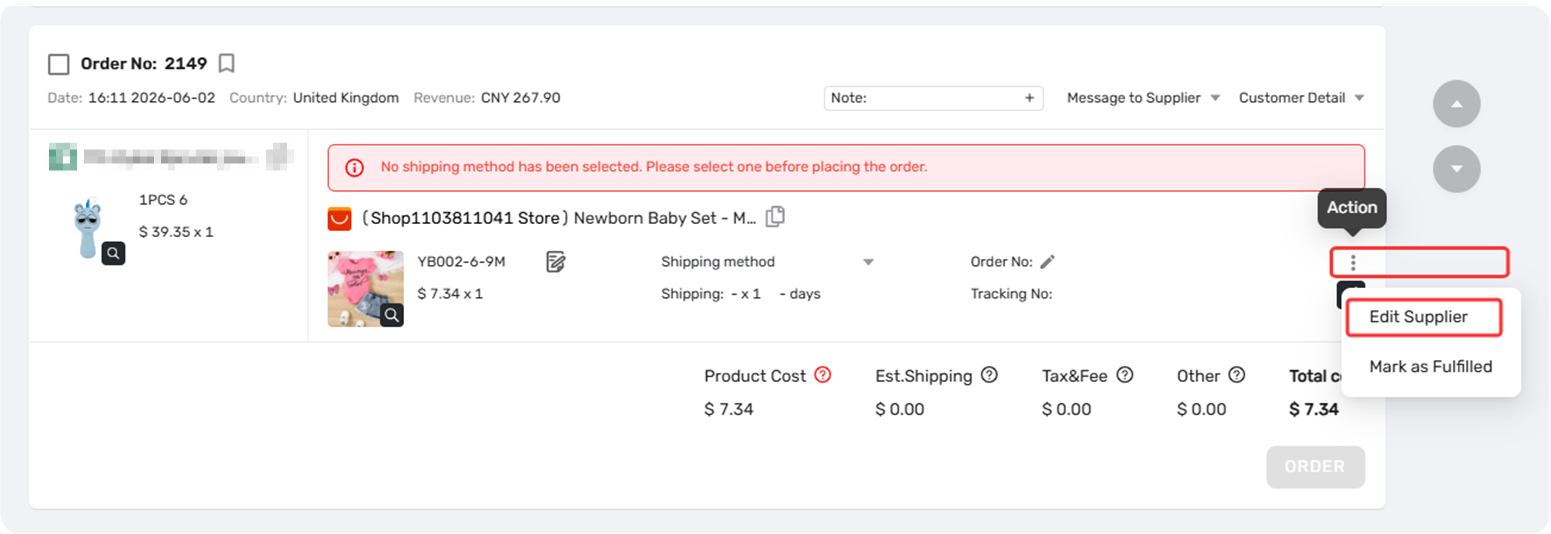
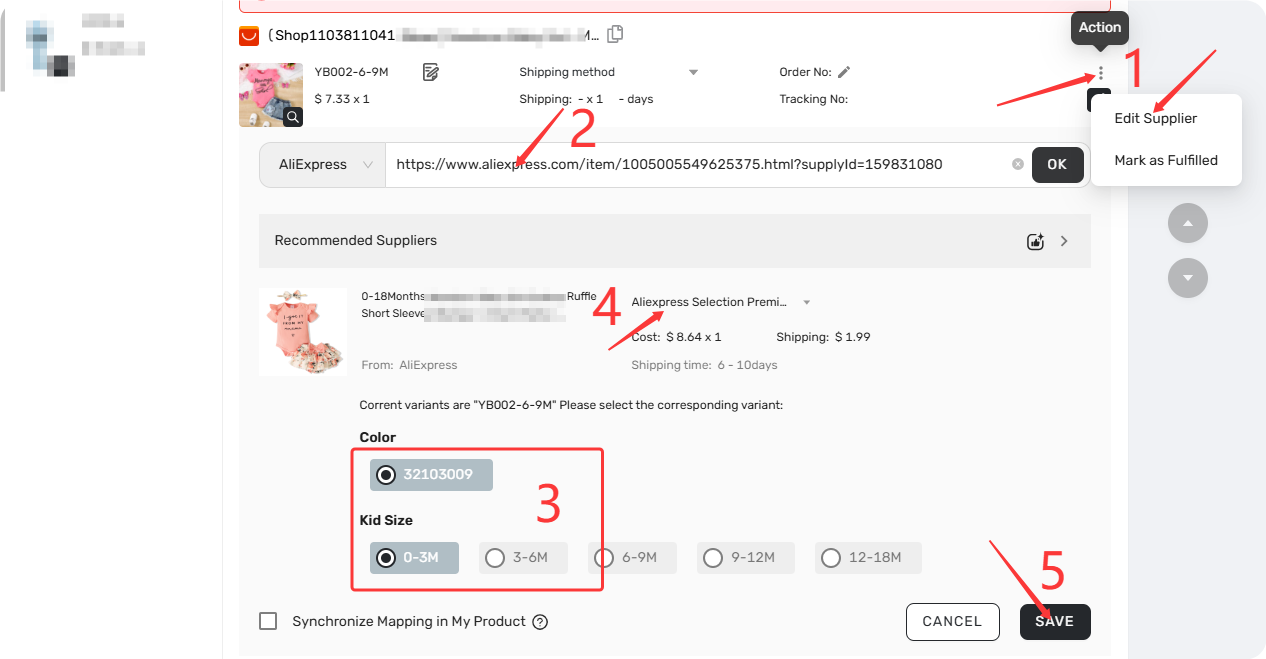
Go to Open Orders > Awaiting order (or Canceled / Failed orders). On the order card, click Action and select Edit supplier.
Step 2: Paste the new URL
Paste the AliExpress product URL.
Step 3: Select variant and shipping method
Choose the correct variant and shipping method.
Step 4: Decide whether to sync the mapping
You'll see a checkbox labeled "Synchronize Mapping in My Product" .
Action - Edit supplier overrides your mapping for this order. Check the box to allow future mapping updates to overwrite this temporary supplier.
Step 5: Click Save.
Don't have a replacement URL? Use image search
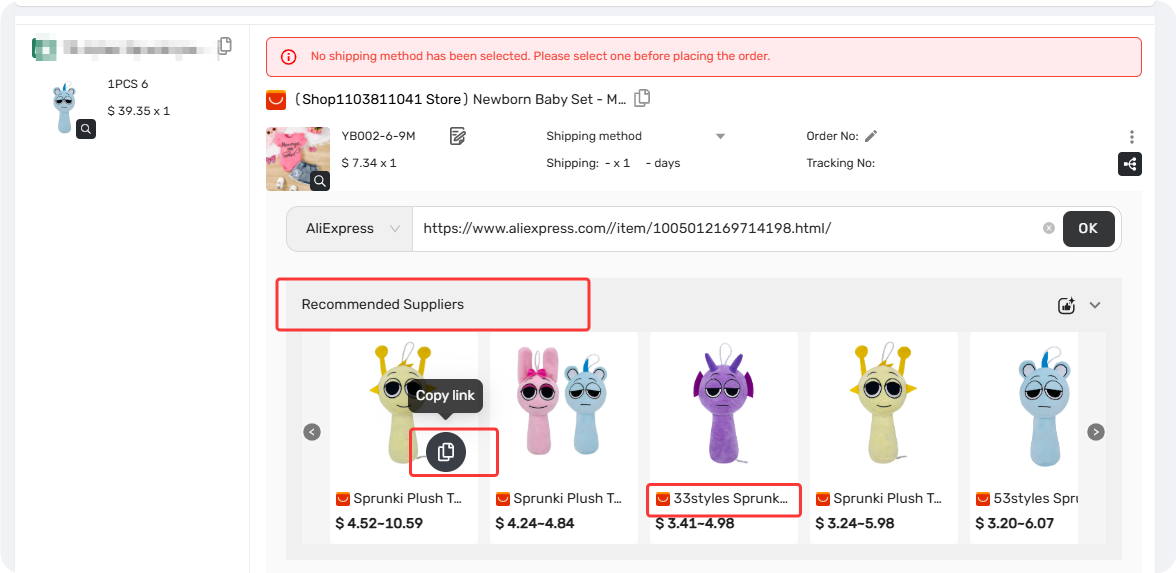
When you open Edit supplier, DSers automatically runs a reverse image search on your product photo. Results appear in the Recommended suppliers module, sorted by lowest SKU cost.
What you can do:
- Copy link – Click to copy the URL. The button turns grey and says "Link copied"
- View product – Click the product name to open the AliExpress page
FAQ Section
Quick answers to the most common questions about changing suppliers for specific orders in DSers.
| Get Started Now to Grow Your Online Business with the DSers! |



 Company
 Why Choose DSers
 Blog
Blog
 Help Center


