

Automatically recommend your best-selling products on the tracking page to capture more sales from highly engaged customers.
Note
When customers visit your tracking page to check their shipment status, they're already actively engaged with your brand. This moment of high intent is the perfect opportunity to showcase other products you offer. Tracking Upsell helps you turn this post-purchase traffic into repeat purchases—displaying your best-selling or complementary items right where your customers are looking, without spending extra on ads.Click here to start dropshipping now with DSers
How to Set Up Tracking Upsell
This feature is Only supported by Enterprise and Pro plans.
Step 1: Enable the Feature
- Log in to DSers and navigate to Tracking - Tracking page.
- In the Edit page, scroll to the Upsell Settings section.
- Check the box to enable Tracking Upsell.
- Click the gear icon (⚙) next to the “Set up your best sellers” to open the product selection modal.
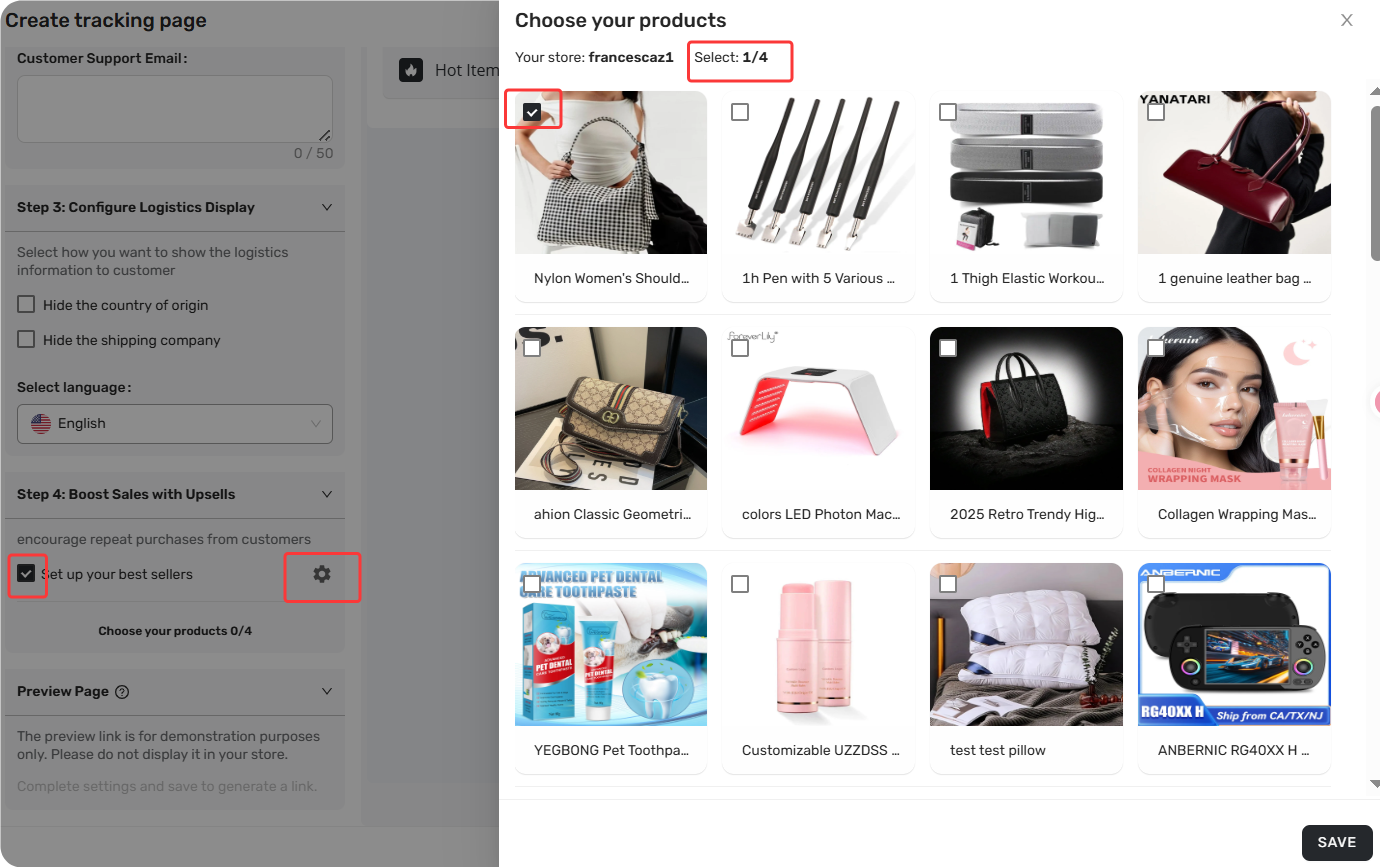
Step 2: Select Your Products
Once the feature is enabled, you can choose which products to recommend:
- Select up to 4 products to display on your tracking page.
- For best results, choose:
- Your best-selling products, or
- Items that are complementary to the customer's original purchase
Step 3: Manage Your Upsell Products
After selecting your products, you can manage them easily:
- View all selected products below the “Set up your best sellers”
- Remove any product by clicking the delete/remove icon next to it.
- The preview on the right side shows how the "Hot Items" section will appear to customers.
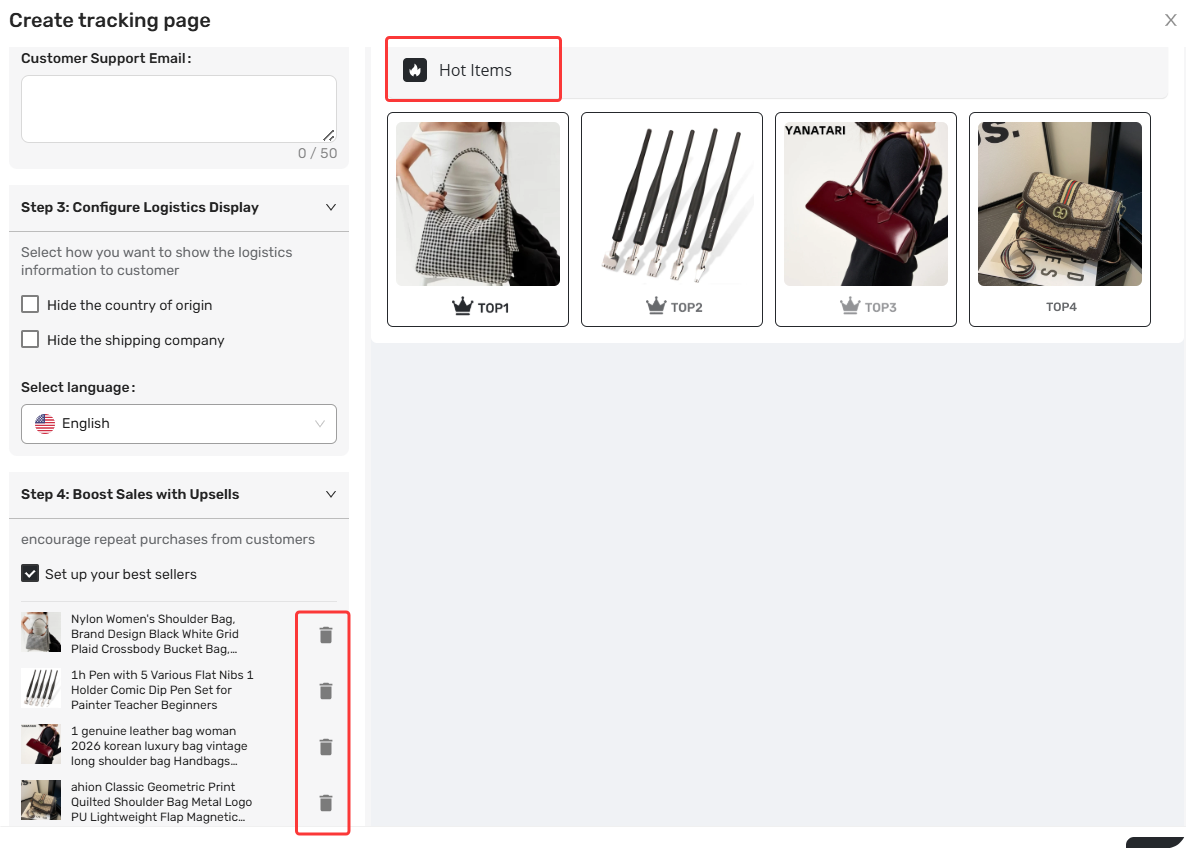
If you haven't added any products yet, you'll see the default prompt: "Choose your products 0/4".
The Customer Experience
Once configured, here's what your customers will see:
- On the tracking page, a section labeled "🔥 Hot Items" displays the products you selected.
- When a customer clicks on a product, they're directed to the product detail page in your store to complete a new purchase.
This seamless experience means every tracking page visit becomes a potential additional sale—without any manual effort on your part.
Related Articles
- Tracking Page: Create a Branded Order Tracking Experience
- How to Set Up Your Custom Tracking URL for Tracking page
- How to Customize Shipping Carrier and Tracking URL for Shipping Confirmation Email
- DSers Plans and Billing: A Complete Overview
- Customize Shipping Confirmation Email Settings
FAQ Section
Quick answers to the most common questions about DSers Tracking Upsell feature.

Get Started Now to Grow Your Online Business with the DSers!