

A complete guide to upgrading, downgrading, or canceling your DSers plan — including what to know before you make any changes
Note
This guide walks you through upgrading, downgrading, and canceling your DSers subscription, along with key points to consider before making any changes.Click here to start dropshipping now with DSers
Before You Begin
All plan changes start from the same place:
Step 1: Log in to your DSers account.
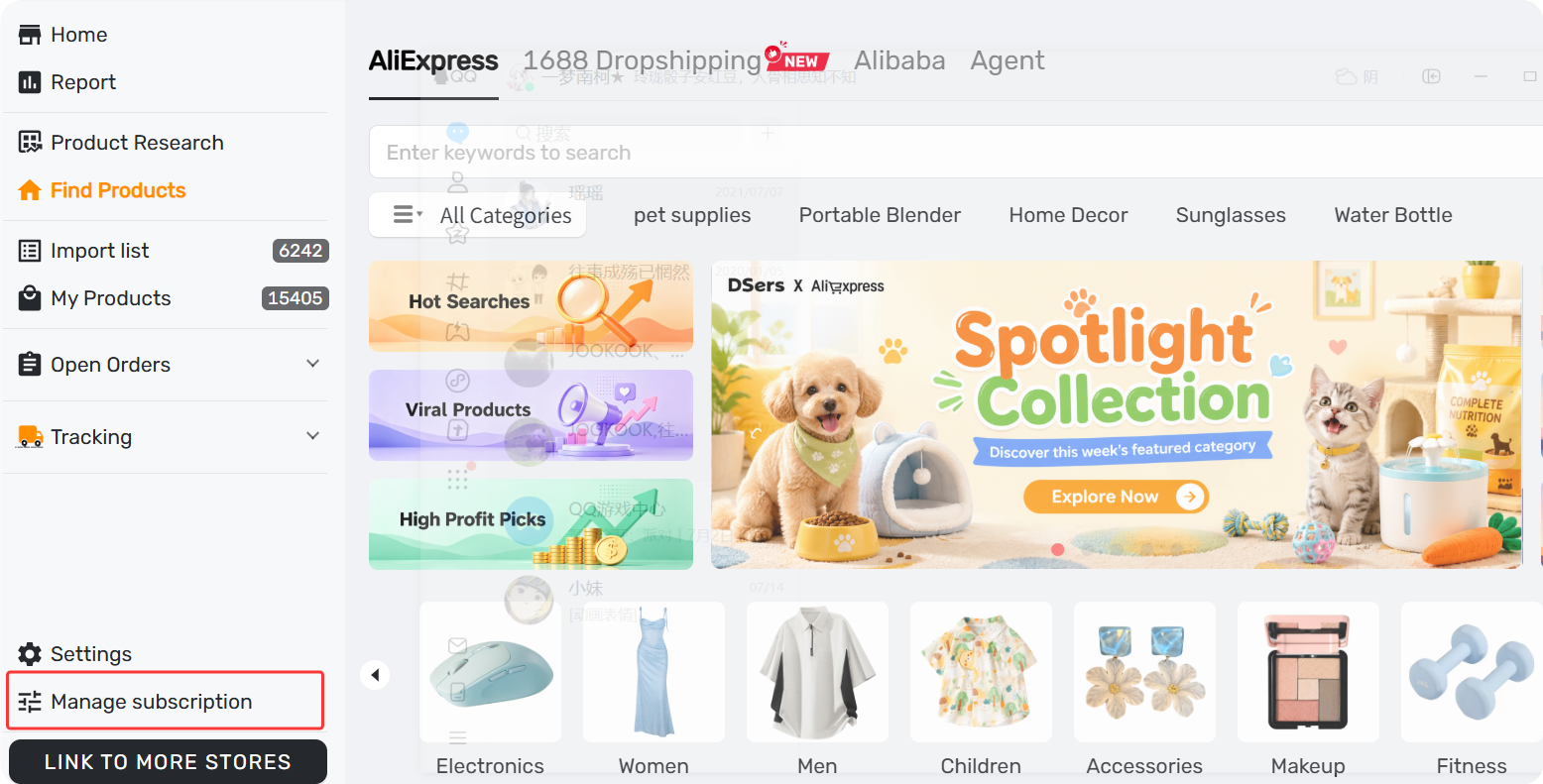
Step 2: Go to DSers Dashboard - Manage Subscription (or DSers - Settings - Plan)
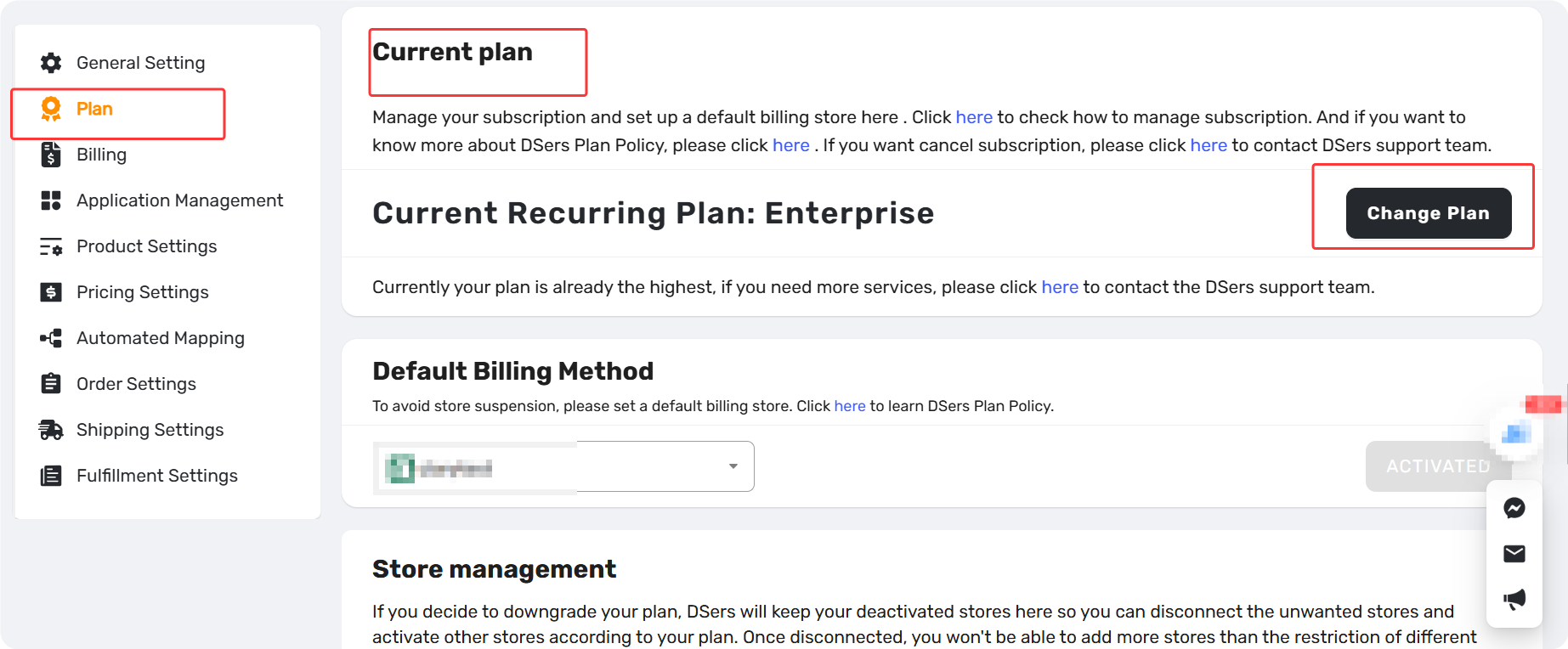
Step 3: In the Current Plan section, click the “Change Plan” option to go to the Pricing page.
Quick notes before you change plan:
- Free trial ends immediately upon any plan change
- Downgrading or canceling does not refund your current paid period
- Annual plans: refunds are issued only for fully unused months
From here, choose what you want to do:
Upgrade or Downgrade
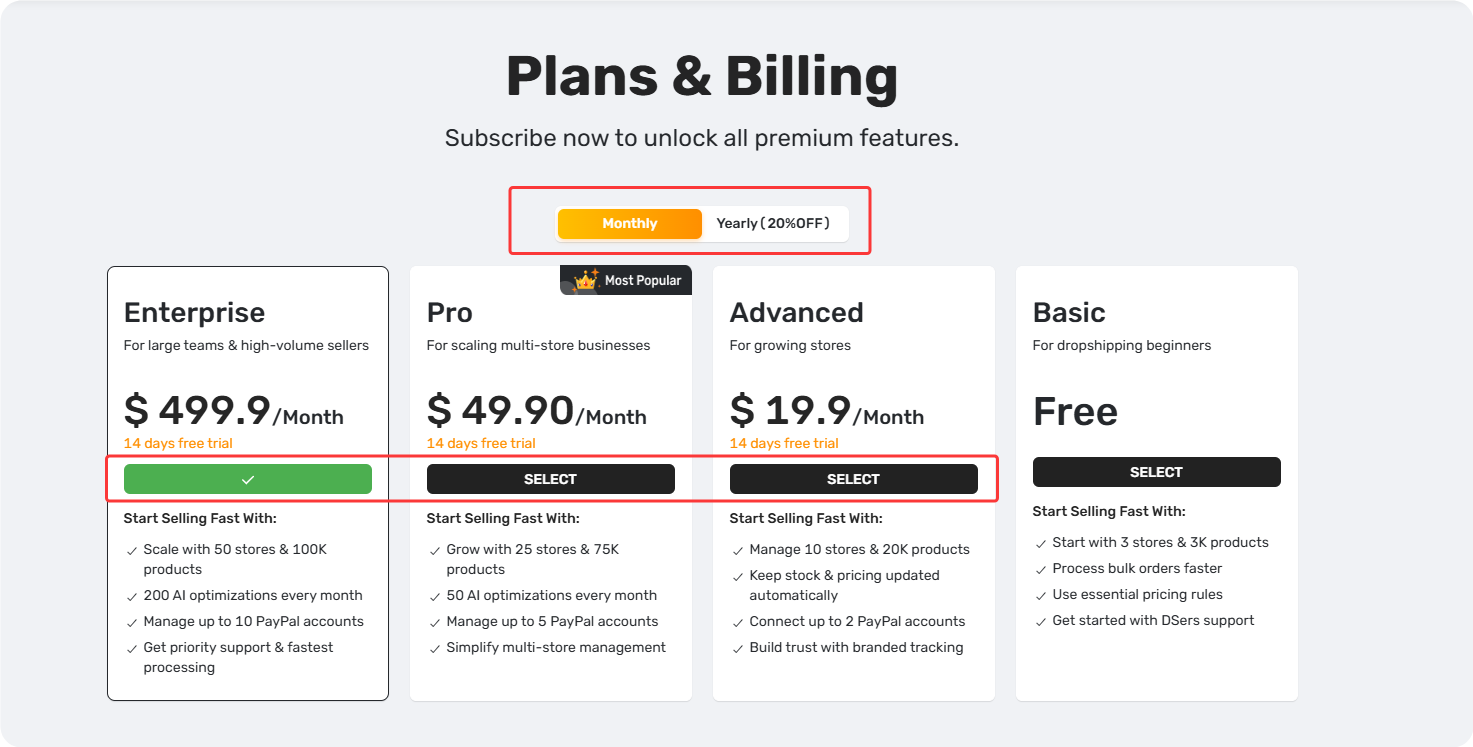
Step 1: Select Monthly or Yearly, then choose your new plan.
Step 2: Click SELECT and follow the on-screen instructions. The change takes effect immediately.
Cancel Your Subscription (Downgrade to Basic)
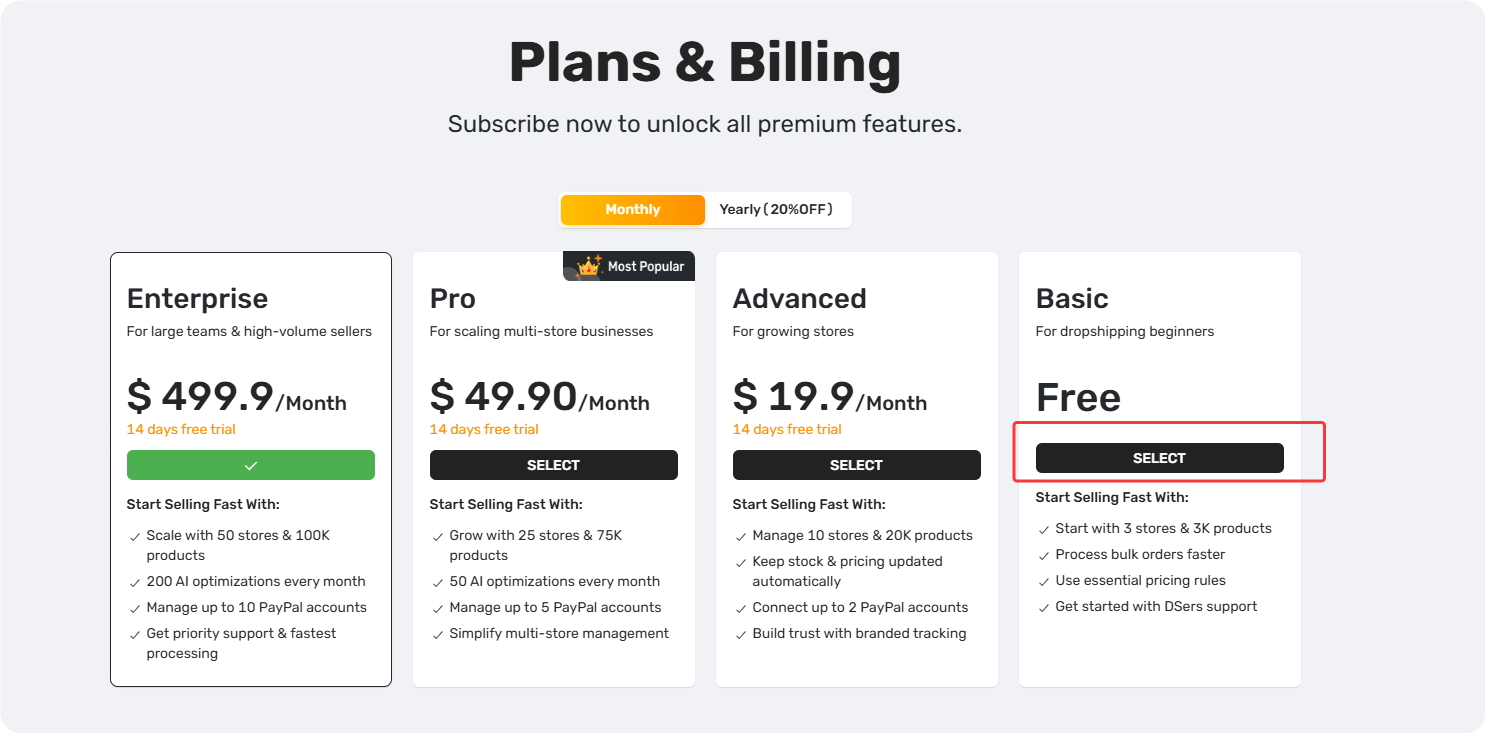
Step 1: On the Pricing page, select Basic (Free) and click SELECT.
Step 2: Confirm the change. Your plan switches to Basic immediately.
Tips: Uninstalling the app does NOT cancel your subscription. Downgrade to Basic within DSers first. If your store is disconnected, contact DSers Support team for help.
Already downgraded but still see charges? Check: [DSers Billing and Refunds: Why Am I Still Being Charged and How to Resolve It].
Related Articles
- DSers Plans and Billing: A Complete Overview
- How to View Your DSers Plan and Subscription Details
- DSers Plan Subscription Errors: Troubleshooting and Solutions
- DSers Billing and Refunds: How to Check Your Invoices and Refund Policy
- Billing and Refunds: Why Am I Still Being Charged and How to Resolve It
FAQ Section
Quick answers to the most common questions about DSers plan changes, free trial, refunds, and billing.

Get Started Now to Grow Your Online Business with the DSers!