

Stop wasting time editing messy titles. Let DSers' AI rewrite them into clean, high-converting, search-friendly names – in one click.
Note
Most supplier titles are keyword-stuffed for marketplaces – not your store. This hurts your SEO and trust.
This tutorial (part of Product Management & Import series) shows how DSers' AI creates clean, SEO-friendly titles before you push to your store. New to importing? Start with [How to Import Products to DSers].
Click here to start dropshipping now with DSers
Where to Find the AI Feature
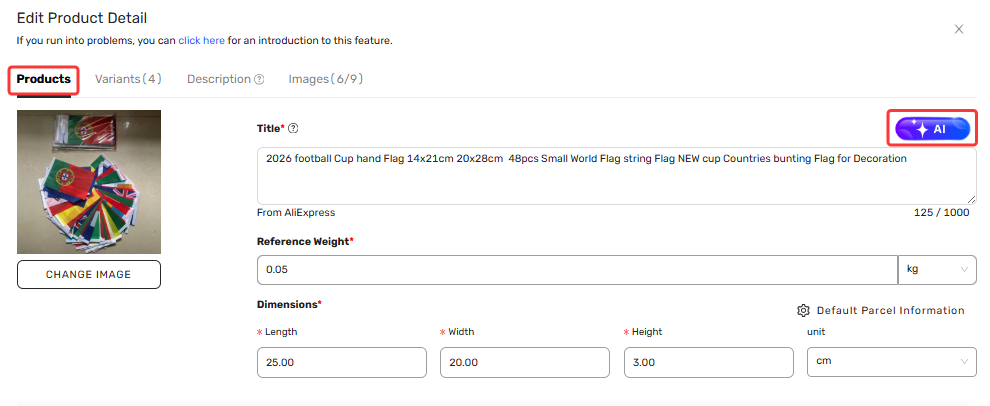
After you add a product to your Import List, go to the Edit Product Details page.
You'll see an ✨ AI icon next to:
- The product title (in the Product tab)
- The product description (in the Description tab)
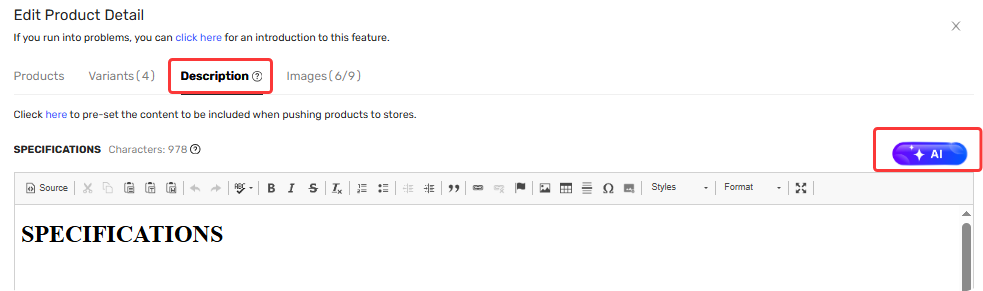
Just click the icon to get started.
What DSers AI Can Do for You
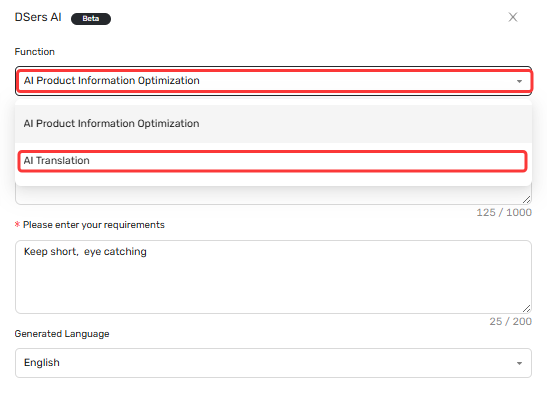
The AI pop-up offers two main functions. Just switch between them using the dropdown at the top.
| Function | What It Does | Best For |
|---|---|---|
| AI Product Title Optimization | Rewrites your title to be clean, natural, and SEO-friendly | Fixing messy supplier titles |
| AI Translate | Translates your title into 14 languages | Selling to international markets |
Both functions work for Product Titles (Product tab) and Descriptions (Description tab).
AI Product Title Optimization – What You Can Adjust
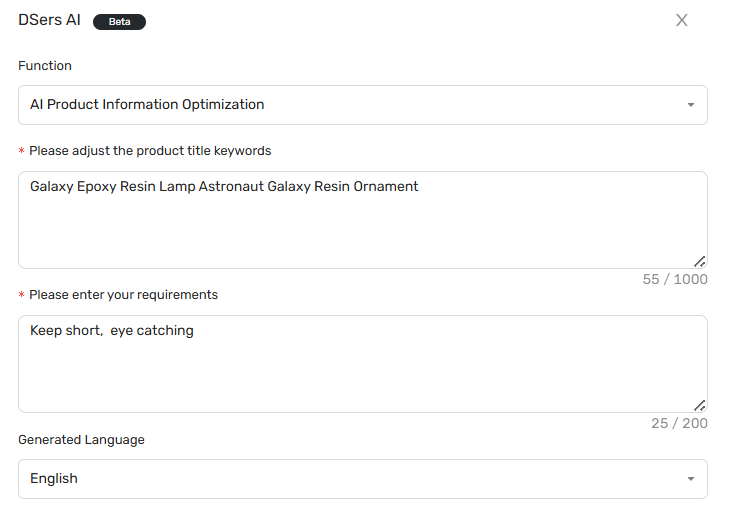
When you use AI Product Title Optimization, here's what you can control:
| Field | What It Does |
|---|---|
| Adjust product title keywords | Your current title is pre-filled. Edit it if you want. |
| Enter your requirements | Tell the AI what style you want. Default: "Keep short, eye catching" |
| Generated language | Choose the output language (English, Spanish, French, Portuguese, Korean, Chinese) |
| Regenerate | Not satisfied? Click to try a new version. |
| Apply | Save the new title to your product. |
AI Translate – What You Can Adjust
Switch to AI Translate for translation:
| Field | What It Does |
|---|---|
| Content to translate | Your original title (source must be English) |
| Generate language | Choose from 14 languages: German, Spanish, French, Portuguese, Thai, Korean, Hebrew, Indonesian, Italian, Malay, Dutch, Russian, Turkish, Vietnamese |
| Regenerate | Try a different translation. |
| Apply | Save the translated title. |
Pro Tips From DSers
✨ Tip 1 – Run AI optimization before pushing product to your store.
Editing in DSers is faster than editing in Shopify or WooCommerce.
📝 Tip 2 – Use the "requirements" field.
Try: "Add emojis", "Keep under 60 characters", or "Sound luxury".
🔄 Tip 3 – Regenerate wisely.
Each generation uses one AI credit. Adjust your keywords or requirements first to nail it in fewer tries.
Related Articles
- AI Description Generator: Turn Specs into Benefits
- AI Product Images Management: Clean Backgrounds, Higher Trust
- How to Use AI Mapping and Fix Errors to Match Products Faster
- AI Recommendation Notification: How to Find Better Suppliers
FAQ Section
Here are some common questions about using AI title optimization and product listing features in DSers.
| Get Started Now to Grow Your Online Business with the Best AliExpress Dropshipping Tool - DSers! |
