

Get free, automatic supplier suggestions—so you never miss a better deal again.
Note
In dropshipping, supplier reliability and cost directly impact your margins and customer satisfaction.Click here to start dropshipping now with DSers
But manually comparing suppliers across AliExpress is time-consuming and often outdated by the time you act.
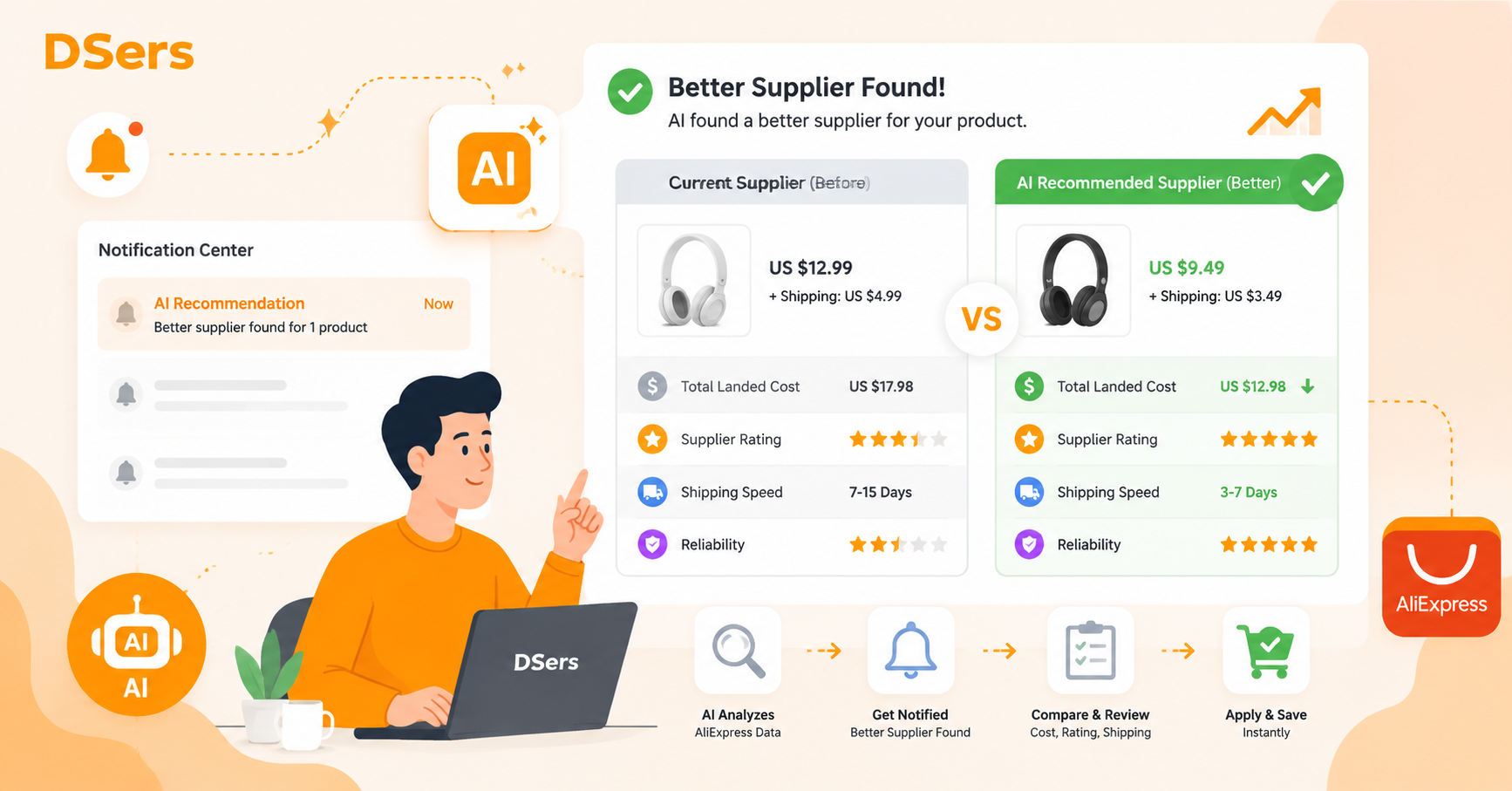
DSers' AI Recommendation Notification proactively alerts you when the system finds a better supplier for your products—at no cost and ready to apply instantly.
This guide covers what triggers these recommendations, how to respond, and how to make the most of them.
What Triggers an AI Recommendation Notification?
Better supplier found — DSers AI identifies a superior alternative for one of your products based on lower cost, higher ratings, faster shipping, or better reliability.
The AI continuously analyzes AliExpress supplier data, comparing pricing, shipping speed, response rates, and seller ratings against your current mapped supplier.
When a better option is detected, you receive a notification in your Notification Center.
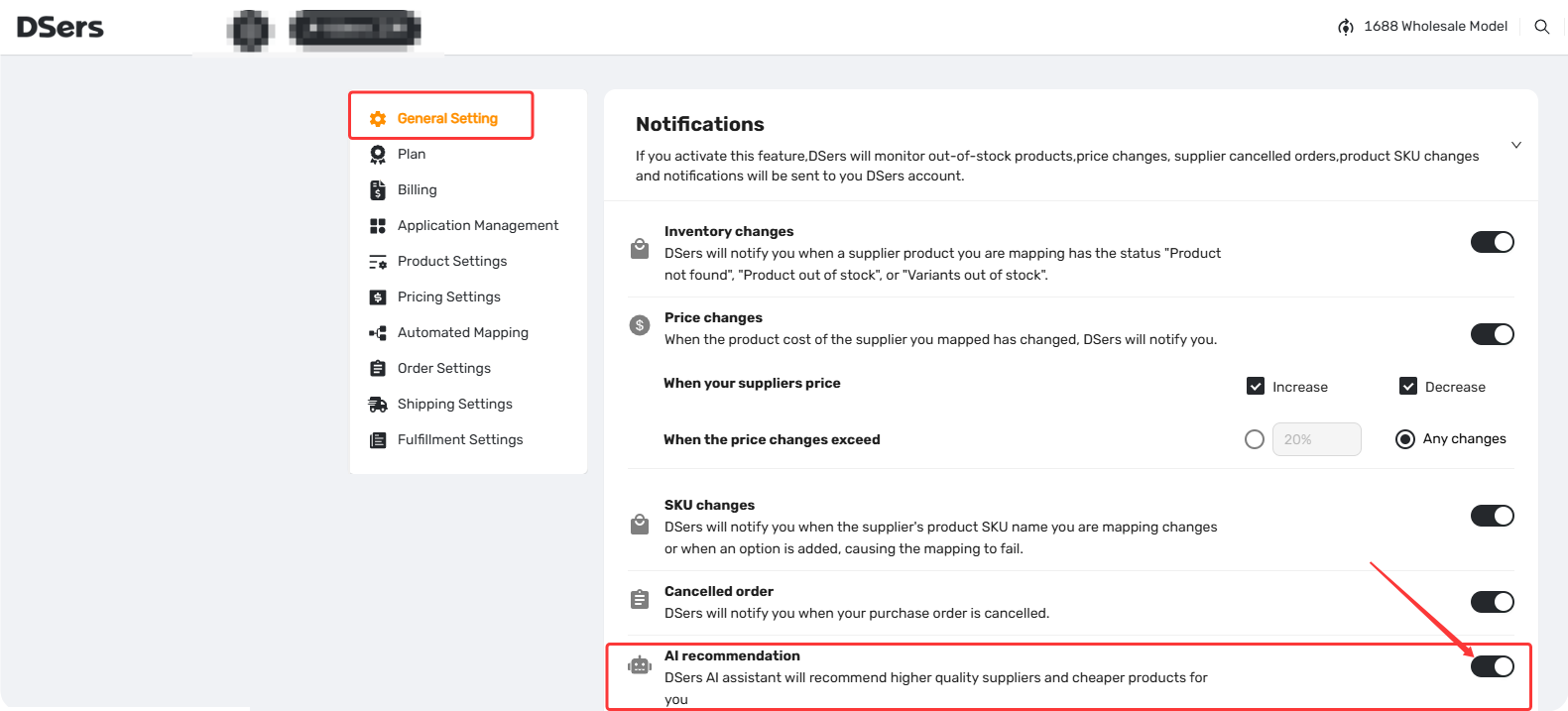
Not receiving recommendations?
If you've enabled this feature but haven't received any notifications, it simply means no superior alternative has been identified yet.
The system only alerts you when a genuinely better option exists.
If you need a supplier match immediately, you can proactively use AI Mapping to search for alternatives on demand.
See [How to Use AI Mapping and Fix Errors to Match Products Faster].
How to Respond: Step-by-Step
Step 1: Open the Recommendation
You can access AI recommendations from two places:
- Notification Center (bell icon in the top bar) — click the notification to open the AI Recommendation Details page.
Use the Filter by Type option in Notification Center to quickly view only AI recommendations.
For more on notification settings, see [Notification Frequency: Get Alerts When You Need Them].
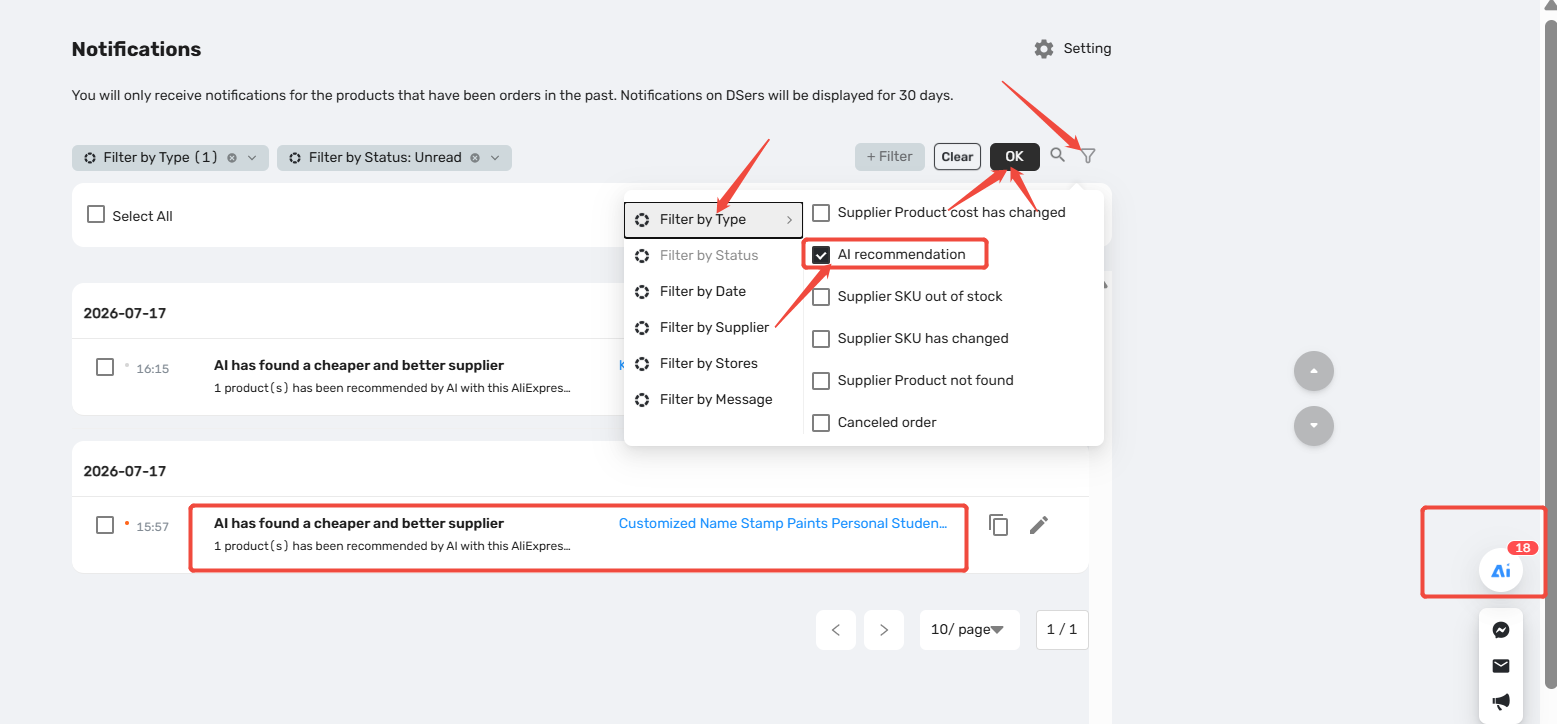
- AI icon in the bottom-left corner of your DSers dashboard — click it to view all available recommendations.
Step 2: Review the Suggestion
The details page shows a side-by-side comparison:
| Section | What You See |
|---|---|
| Your Store Product | Product name, image, and current variants |
| Recommended Supplier Product | Supplier title, image, and direct AliExpress link |
| Cost Comparison | Your current cost vs. new supplier cost |
| Shipping | Shipping cost and estimated delivery days |
| Supplier Ratings | Reliability, Response, Delivery |
| Variant Mapping | Suggested variant pairing (e.g., your size/color → supplier variant) |
| Status | Completed – ready to apply |
Before applying mapping, check:
- Does the new cost reduce your total landed cost (product + shipping)?
- Does the supplier have strong ratings across all three metrics?
- Does the variant mapping correctly match your store variant?
You can click Copy Title to copy the supplier product title for manual verification before committing.
Step 3: Apply or Reject
| Action | What It Does |
|---|---|
| APPLY MAPPING | Immediately replaces your current supplier mapping with the recommended one |
| REJECT | Dismisses the recommendation; the notification is removed from your pending list |
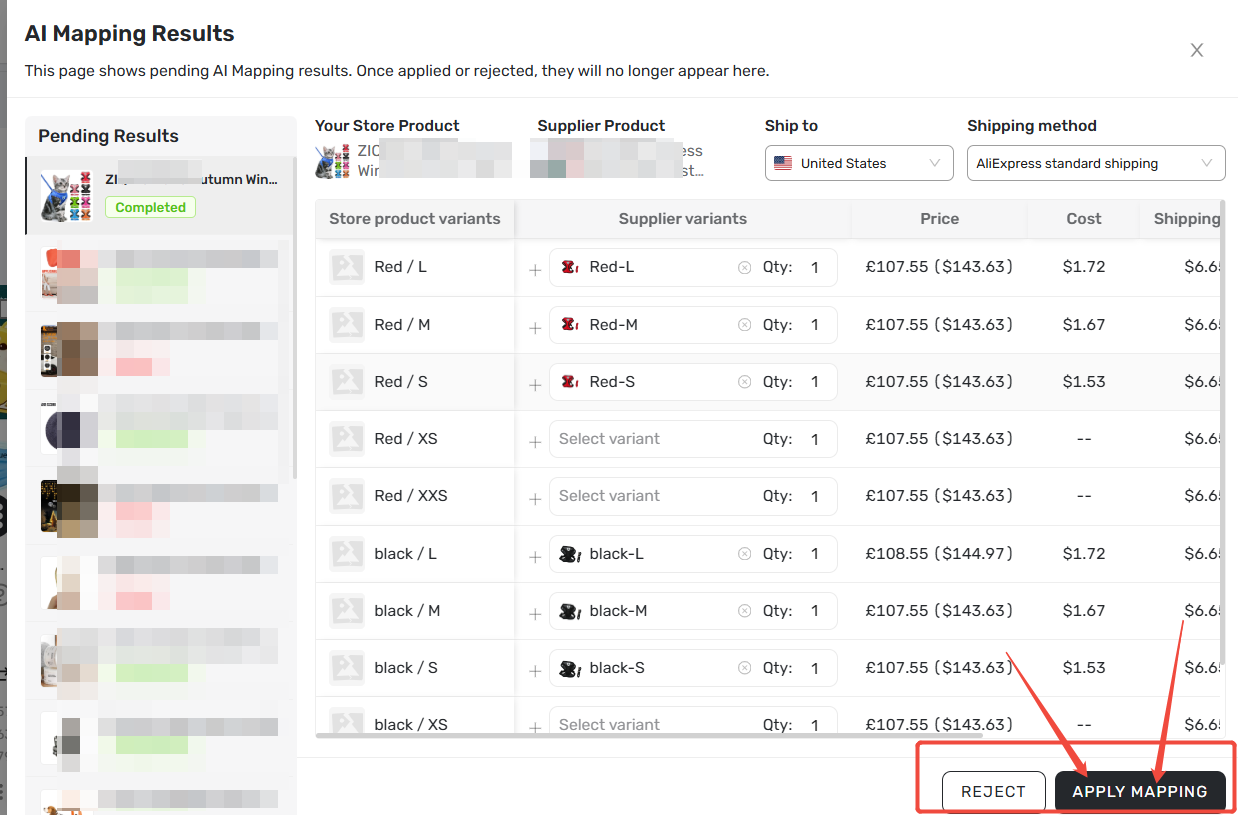
After you apply: The new mapping is saved instantly. Updates reflect in My Products and all future orders. Existing placed orders remain unaffected.
You can always remap to a different supplier later if needed
How AI Recommendations Differ from AI Mapping
| Feature | AI Recommendation | AI Mapping (On-Demand) |
|---|---|---|
| Trigger | Automatic (system finds better suppliers) | Manual (you initiate the search) |
| Cost | Free (0 points) | Consumes points |
| Best for | Passive, effortless margin improvement | Fixing broken mappings or actively hunting for alternatives |
Bottom line: Use AI Recommendations for free savings when the system finds them. If you need broader options or need to fix a mapping error, use on-demand AI Mapping.
For a detailed guide, see [How to Use AI Mapping and Fix Errors to Match Products Faster].
Advanced Tips for Power Users
- Check recommendations regularly – small cost reductions compound quickly. Saving $0.50 per unit on 1,000 orders adds $500 to your profit.
- Combine with inventory alerts – if a product shows Supplier product out of stock or Supplier SKU out of stock, check if an AI recommendation is available as a ready-to-use replacement.
- Review shipping methods – the recommended supplier may use a different shipping line. Ensure delivery timelines match your customer commitments.
- Don't reject too quickly – compare total landed cost (product + shipping), not just the product price alone.
Related Articles
- How to Use AI Mapping and Fix Errors to Match Products Faster
- Notification Frequency: Get Alerts When You Need Them
- Supplier Optimizer: Find Better Suppliers in Seconds
- Automated Mapping: Match Products Faster, Skip the Manual Work
- Mapping Explained: How DSers Knows Which Supplier to Order From
- Basic Mapping: How to set Backup Suppliers
FAQ Section
Everything you need to know about AI Recommendation Notifications and how to find better suppliers automatically.

Get Started Now to Grow Your Online Business with the DSers!