

Adjust when and how your shipping confirmation emails are sent to customers
Note
This article gives you a quick overview of the key settings for customizing shipping confirmation emails. For step-by-step instructions and detailed walkthroughs, check the related articles at the end.Click here to start dropshipping now with DSers
Where to find these settings
All shipping confirmation email settings are located in DSers > Settings > Fulfillment Settings.
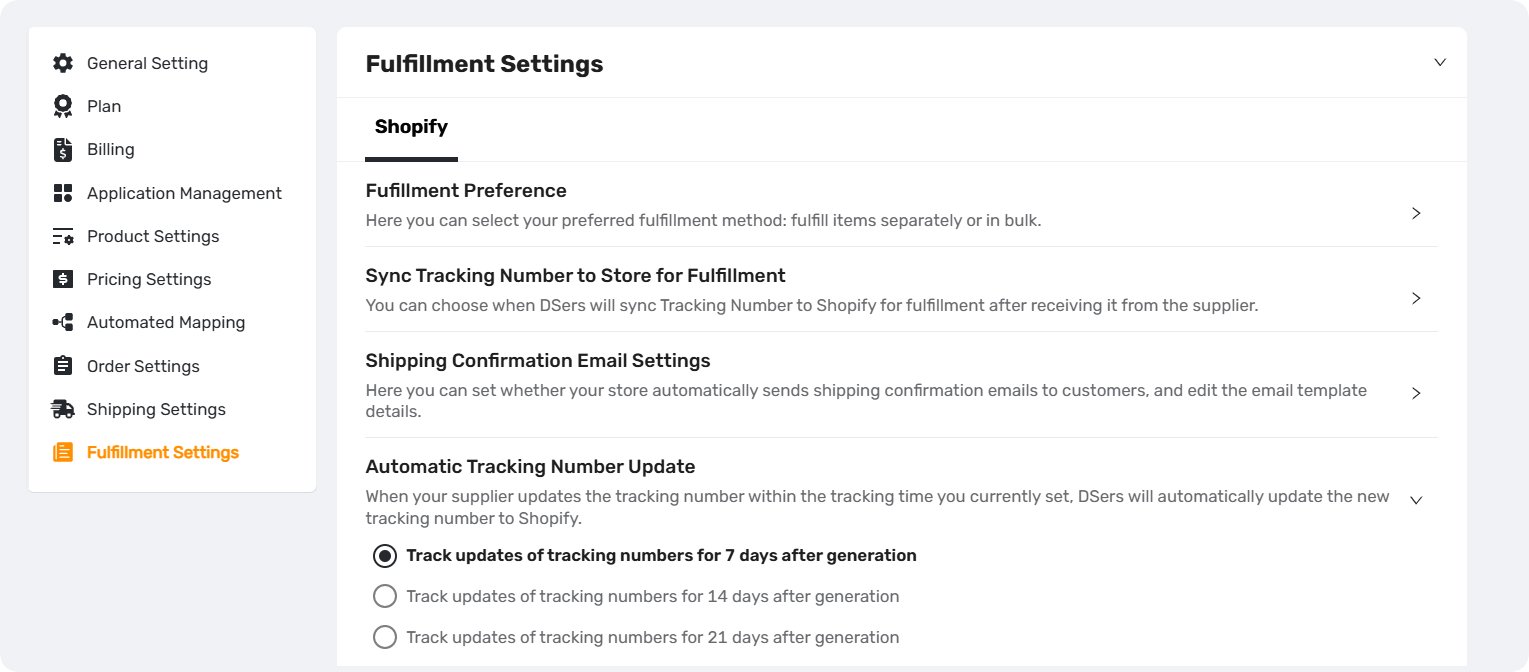
Key settings at a glance
| Setting | What it does | Quick summary |
|---|---|---|
| Activate Shipping Confirmation Email Sent by Shopify | Master switch for allow DSers to trigger Shopify's shipping confirmation emails | Default: Off |
| Sync Tracking Number to Store for Fulfillment | Decides when DSers sends the tracking number to your store and marks the order as fulfilled | Options: Immediately, 3 days, or 5 days |
| Time to Send an Email After Fulfillment | Sets how many days after fulfillment the email gets sent | Options: 0–5 days (Default: 0) |
| Automatic Tracking Number Update | Automatically syncs updated tracking numbers from suppliers | Availability depends on your DSers plan |
| Send an Email When Tracking Number Is Updated | Triggers a new email when a tracking number is updated | Default: Off |
| Email Template | Customizes the carrier name and tracking URL in the email | Can set global defaults and country-specific overrides |
How they work together
- Sync Tracking Number + Time to Send an Email combine to control when the shipping confirmation email is sent.
- If Send an Email When Tracking Number Is Updated is enabled, any automatic update will also trigger a new email.
For detailed explanations and setup instructions, refer to the related articles below.
Related Articles
- How to Customize Shipping Carrier and Tracking URL for Shipping Confirmation Email
- Tracking Page: Create a Branded Order Tracking Experience
- How to Set Up Your Custom Tracking URL for Tracking Page
- How to Auto-Sync Tracking Number Changes
- Manually Updating Tracking Numbers via the DSers Chrome Extension
- How to Sync Tracking Numbers to PayPal for Faster Payment Release
FAQ Section
Quick answers to the most common questions about DSers shipping confirmation email settings, tracking sync, and customization.

Get Started Now to Grow Your Online Business with the DSers!