


Stop chasing suppliers for new tracking codes. Automate the update and protect your seller reputation.
Note
Suppliers possiblely change tracking numbers after an order is shipped. This guide shows you how to enable Auto-Update Tracking Numbers to capture new tracking info automatically and push it to Shopify — helping you close orders faster and build customer trust.Click here to start dropshipping now with DSers
Why You Need This
2 common scenarios:
- Fake tracking numbers: Suppliers upload a placeholder TN to meet shipping deadlines. Shopify marks the order "Fulfilled", but the buyer finds no package. Shopify may even close the order.
- Supplier errors: Suppliers upload the wrong TN by mistake and correct it days later. Without auto-update, you never know.
How DSers solves this:
With Auto-Update enabled, DSers monitors AliExpress for TN changes within your selected time window (7, 14, or 21 days). Any new or corrected TN is automatically synced to Shopify.
Setting Up Auto-Update
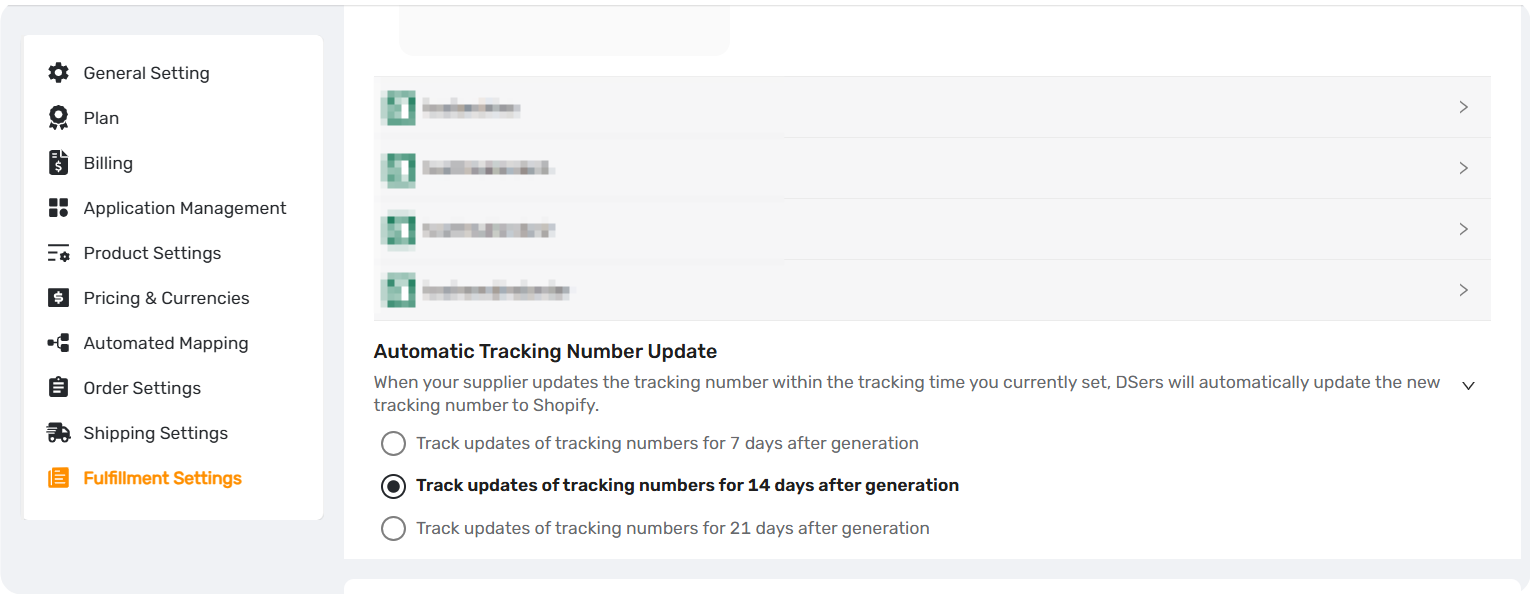
Step 1: Navigate to Fulfillment Settings
- Log in to your DSers account.
- Go to Settings > Fulfillment Settings.
- Check Fulfillment Settings>Automatic Tracking Number Update section.
Step 2: Configure the Time Window
The Tracking Numbers Automated Update setting applies to all stores linked to your DSers account.
Select the option you want :
| Tracking Update Window | Plan |
|---|---|
| 7 days (Default) | Basic (Free) |
| 14 days | Advanced |
| 21 days | Pro & Enterprise |
How the time count works:
The timer starts from the moment DSers first obtains the tracking number from AliExpress.
Example: If you select "14 days" and the tracking number is generated on May 1st, DSers will actively check for updates until May 15th.
Step 3: Save Your Configuration
- Click the Save button.
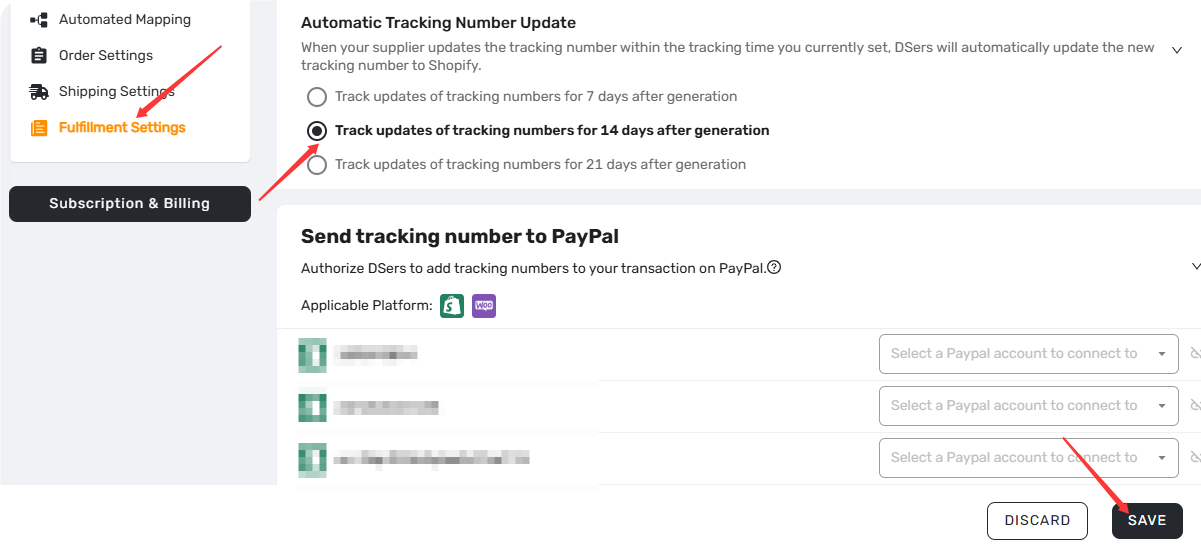
Note: If you are on a Free plan and try to select 14 or 21 days, a pop-up will appear asking you to upgrade your subscription.
FAQ Section
Everything you need to know about Auto-Sync Tracking Number Changes and how to keep your order tracking accurate.
| Get Started Now to Grow Your Online Business with the DSers! |



 Company
 Why Choose DSers
 Blog
Blog
 Help Center


