

Protect your bottom line by automatically incorporating supplier shipping costs and taxes into your final product price.
Note
Setting a pricing rule without accounting for shipping and tax is like driving with your eyes closed.
If the supplier charges $15 for shipping and 20% custom tax, that flat 30% profit margin you set won't just shrink—it will disappear.
DSers' Advanced Pricing rule prevents this by automating these variables.
You've already set your Profit %, Fixed Profit, and Breakeven %. Now it's time to account for the two biggest margin-killers: Shipping and Tax.
Here's exactly how to configure them.
Checking Shipping Information for Your Products
Before set your Advanced pricing rule, it's helpful to understand what shipping options your suppliers actually offer. Here's how to check:
Step 1: Go to DSers - Import List
Step 2: Locate the product you want to check and click on Shipping info icon
Step 3: Seach the shipping info of one variant by searching a spefical country
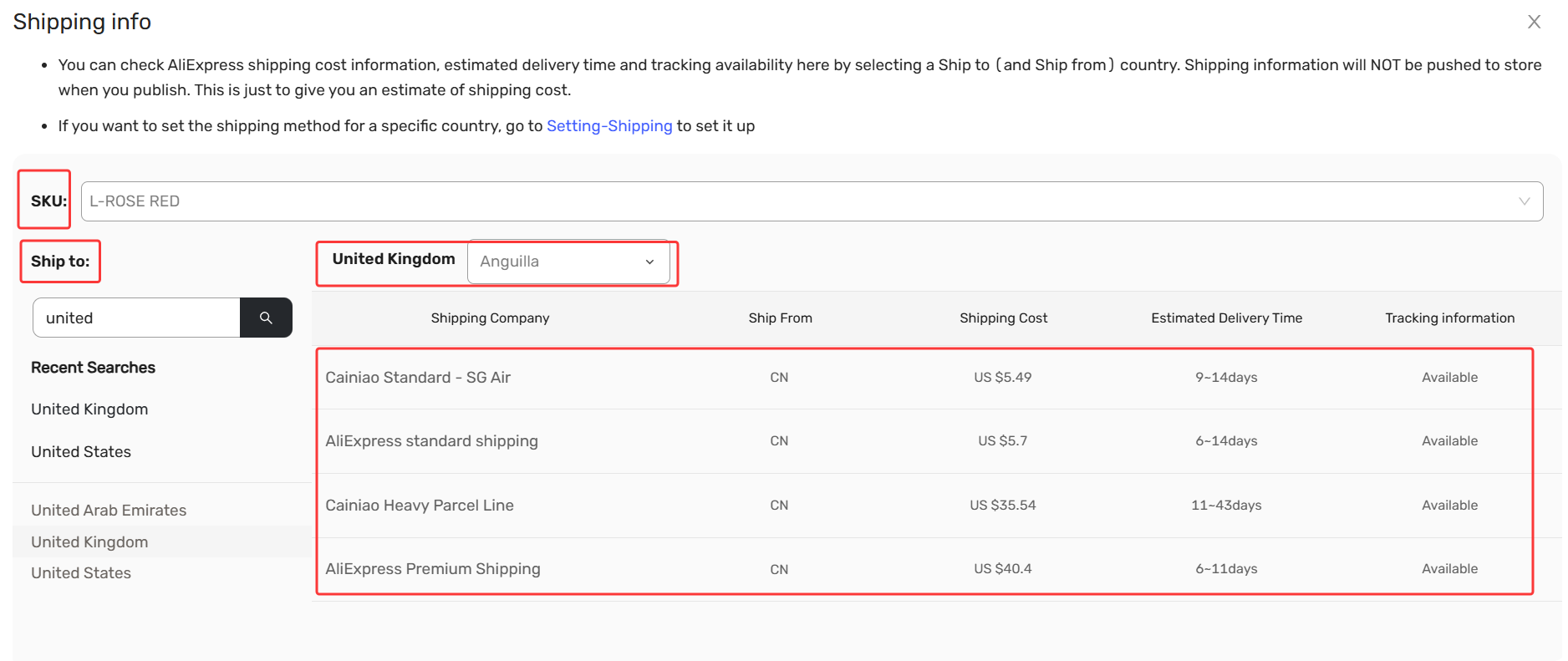
Here you'll find:
- Available shipping method names offered by the supplier (e.g., AliExpress Standard Shipping, ePacket, DHL, etc.).
- Estimated delivery times for each method.
- Shipping costs for different country.
Tip: Reviewing this information helps you make informed decisions when setting up your pricing rule.
For example, if a supplier only offers expensive express shipping, you might want to factor that into your Fixed Amount or ensure your profit margin is high enough to contain it.
Adding Shipping Costs
Step 1: Go to Pricing Settings and create a New Template or edit an existing Advanced Pricing Rule.
Step 2: In Step 3, locate the Shipping Cost section.
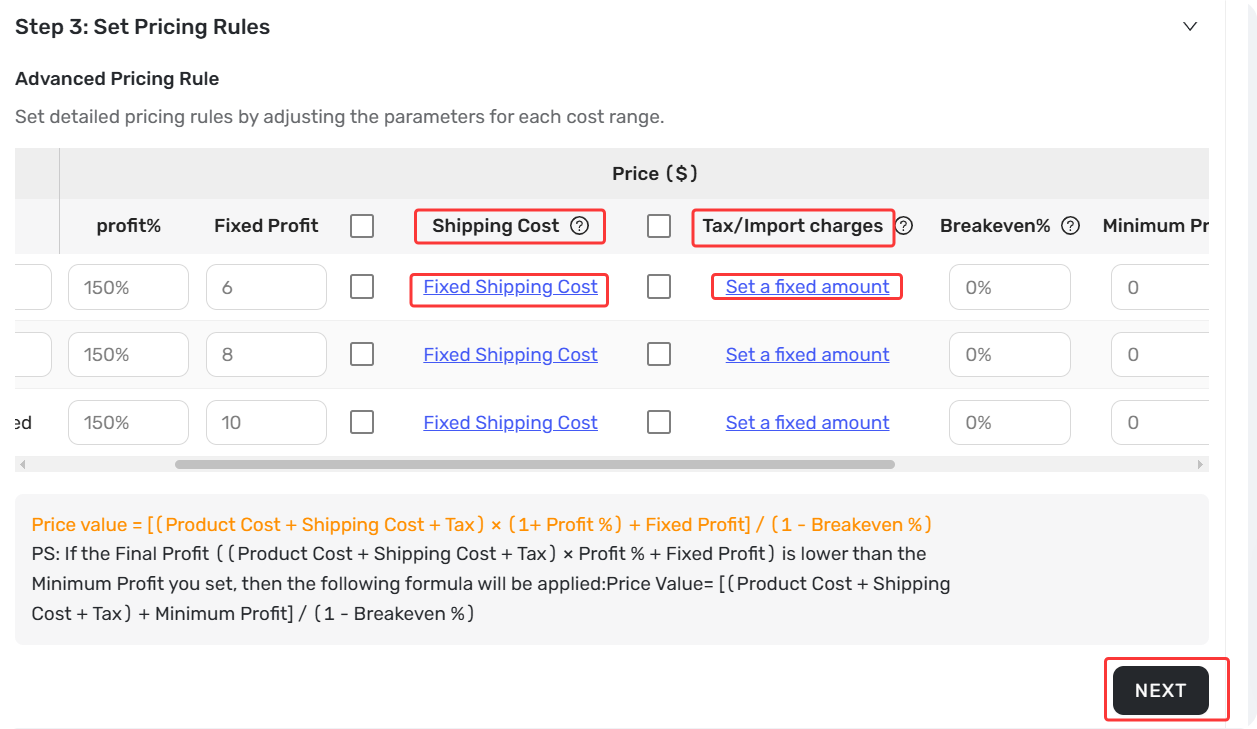
Step 3: Choose your option:
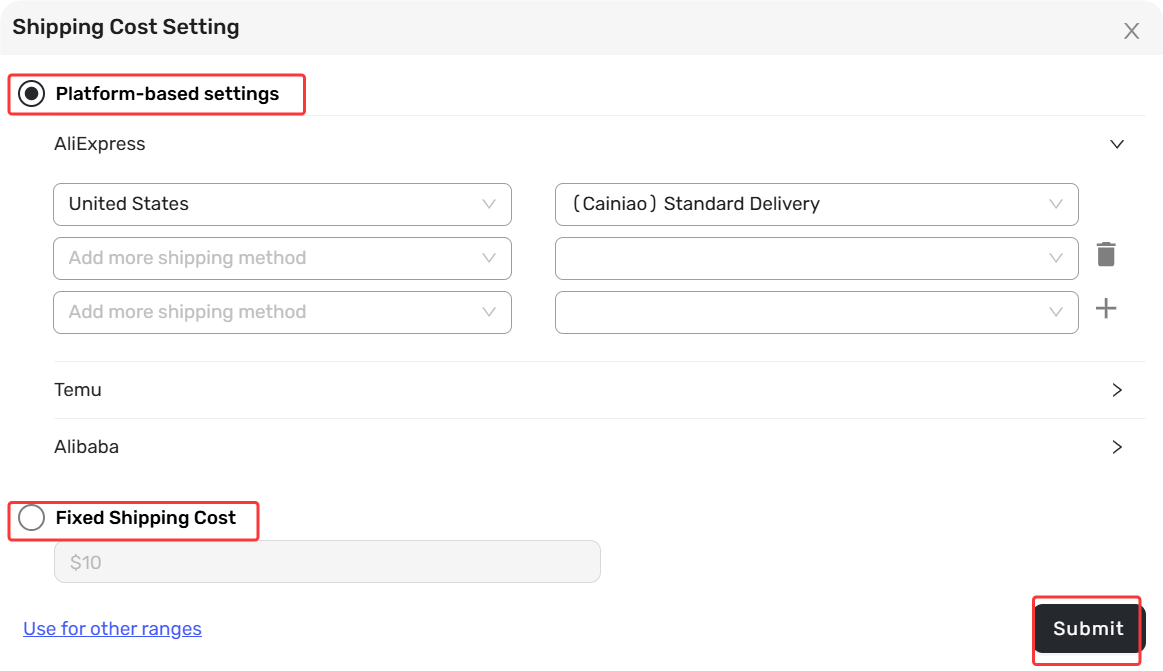
Platform-based setting: DSers pulls the shipping fee from your AliExpress supplier.
Pro Tip: Only your suppliers support the shipping methods you’ve set on “Use supplier shipping cost”, DSers can add the shipping cost to calculate the sell price of products.
Fixed shipping cost: Enter a static dollar amount (e.g., $5.00) that applies to every product. Only use this if your shipping costs are truly consistent across all items.
Managing Tax & Import Charges
Step 1: In the same screen, scroll to Tax/Import Charges.
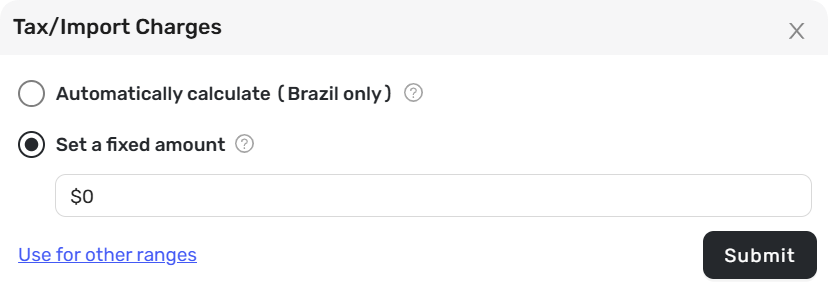
Step 2: Select your strategy:
Automaatically Calculate (Brazil Only): DSers automatically factors in local Brazilian tax rates. Enable this if you sell heavily to Brazil.
Set a Fixed Amount: Enter a specific dollar amount (e.g., $2.00) to be added per order. Use this if you know your exact import duty.
Tips: This is a checkbox option. When enabled, DSers calculates tax for Brazilian orders using: Tax = Product Cost × 0.205 (rounded to two decimals).
This tax is based on the product cost—not shipping or supplier-set taxes. It only supports when the price for ship to country is Brazil for the product.
Preview & Finalize
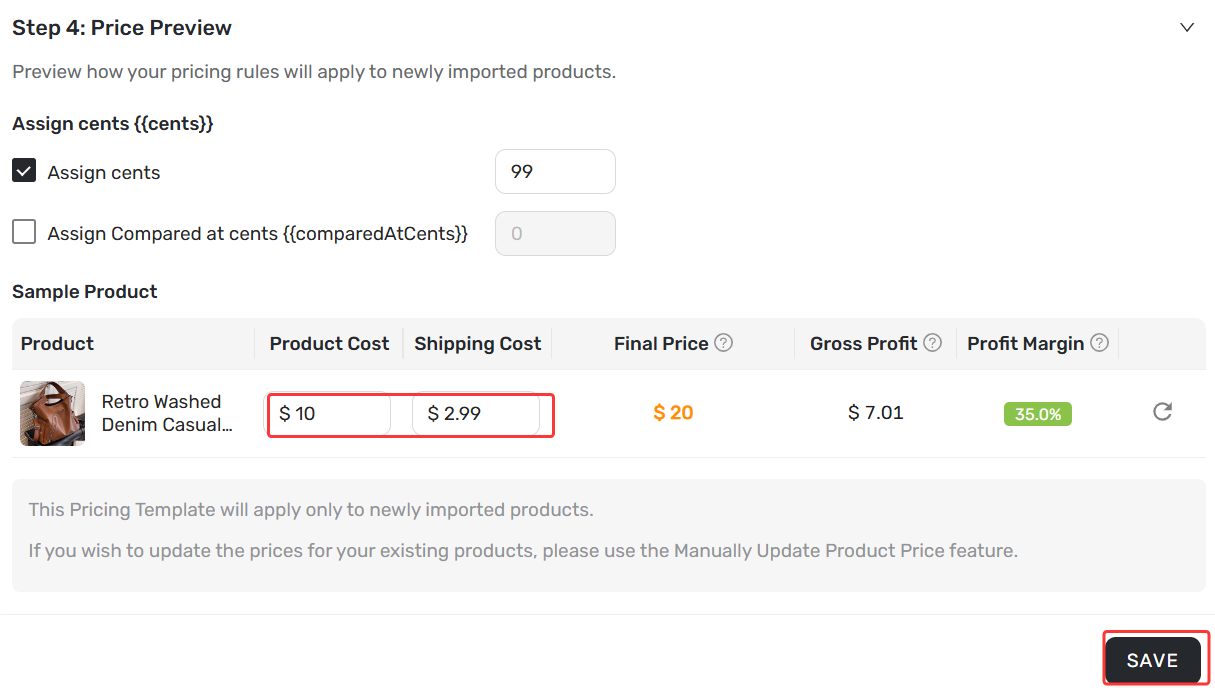
Once configured, click Next to reach Step 4.
Review the Sample Product preview to see your final price in action to make sure the shipping cost & tax are added correctly.
Related Articles
- Master Pricing Settings: 2 Ways to Automate Your Product Pricing
- Basic Pricing Rule: Automate Your Product Pricing in Minutes
- Basic Pricing Rule: How to Add Shipping Cost to Your Pricing Rule
- Advanced Pricing Rules: Automate Your Profit Margins
- Store Currency & Exchange Rates: How to Price Across Different Currencies
- Assign Cents: Make Your Product Prices Look Clean and Professional
- Manually Change Store Products Price: Bulk Refresh with Your Latest Rules
- Automatic Price Update: Keep Store Prices in Sync with Suppliers
- Manual Price Sync Failures: Causes & Troubleshooting Solutions
- Shipping Settings: How to Set Your Default Shipping Method
FAQ Section
Everything you need to know about Advanced Pricing and how to protect your profit margins.
| Get Started Now to Grow Your Online Business with the DSers! |
