

Set pricing templates once. Push products with automated markups. Protect your margins at scale.
Note
In dropshipping, your purchase cost isn't the only number that matters. By the time a product reaches your customer, you’ve incurred transaction fees, currency conversion losses, and fluctuating supplier shipping rates. Manually calculating this for 100 products is unrealistic.Click here to start dropshipping now with DSers
The Pricing Settings in DSers automates this math, ensuring that every single product pushed to your store hits your target profit margin.
Why Automate Your Pricing? (Stop Doing Manual Math)
The reality: You don't have a spreadsheet problem. You have a time problem. Every product you import needs a retail price. Doing that manually—calculating cost + shipping + fees + profit, product by product—takes minutes. Multiply that by 100 products, and you've lost hours to repetitive math.
This is why DSers offers Pricing Settings—a suite of automation tools that do the math for you instantly and consistently. Set your formula once. Then, every product you push to your store gets priced automatically. No calculators. No copy-paste errors. No double-checking.
Two Ways to Automate Pricing
When a pricing template is being created, two methods are available for selection.
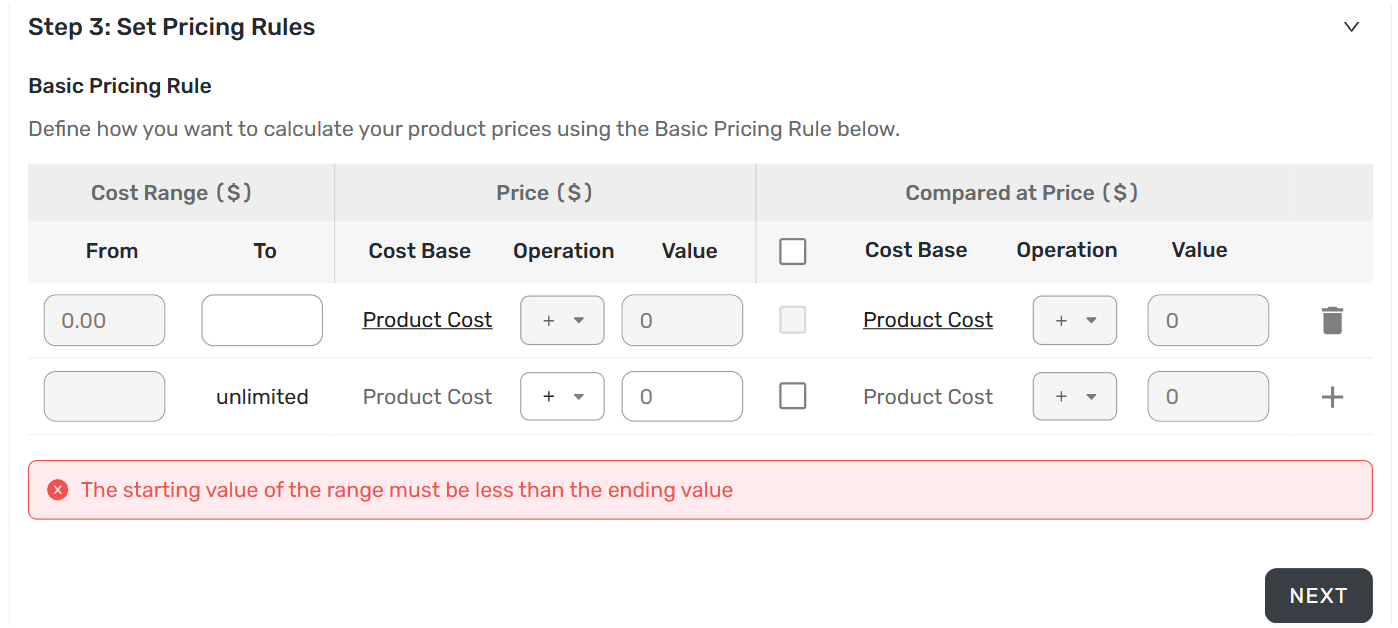
1. Basic Pricing Rule (Free)
Best for: Beginners, niche stores, products with similar cost structures.
Applies a simple operation — addition or multiplication — to the product cost.
| Setting | Options |
|---|---|
| Cost Base | Product Cost or Total Cost (Product + Shipping) |
| Operation | Add (+) or Multiply (×) |
| Profit | Any number (for addition); 100% or higher (for multiplication) |
📖 Detailed guide: [Basic Pricing Rule: Automate Your Product Pricing in Minutes]
2. Advanced Pricing Rule (Paid Plans)
Best for: Scaling sellers, high-volume stores, precise profit control.
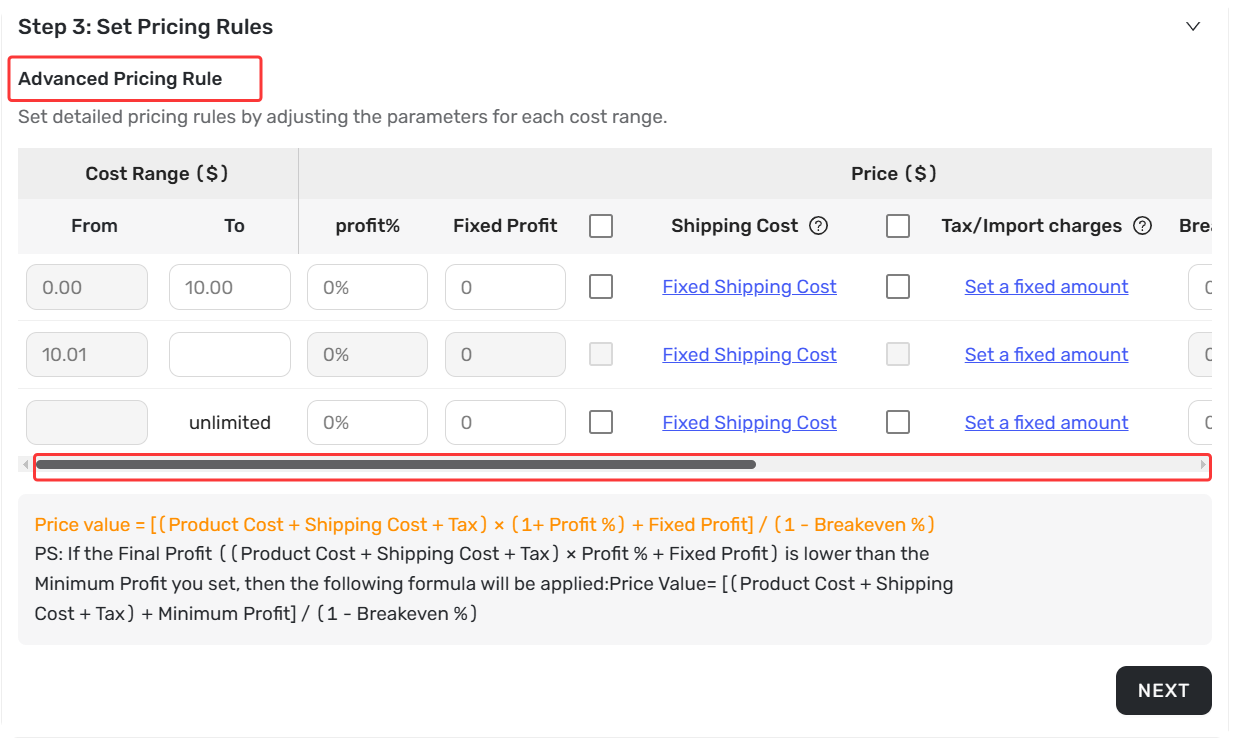
Uses a multi-factor formula considering profit percentage, fixed profit, shipping costs, platform fees, and taxes (Brazil only).
| Parameter | What It Does |
|---|---|
| Profit % | Desired profit percentage |
| Fixed Profit | Flat profit amount added per product |
| Shipping Cost | Supplier shipping fee or fixed amount |
| Tax/Import charges | Automatically calculate for Brazil |
| Breakeven % | Covers platform fees |
| Minimum Profit | Profit floor — never sell below this amount |
Two formulas determine the final price based on whether the calculated profit meets the Minimum Profit setting.
📖 Detailed guide: [Advanced Pricing Rules: Automate Your Profit Margins]
Setting Up a Pricing Rule: Quick Overview
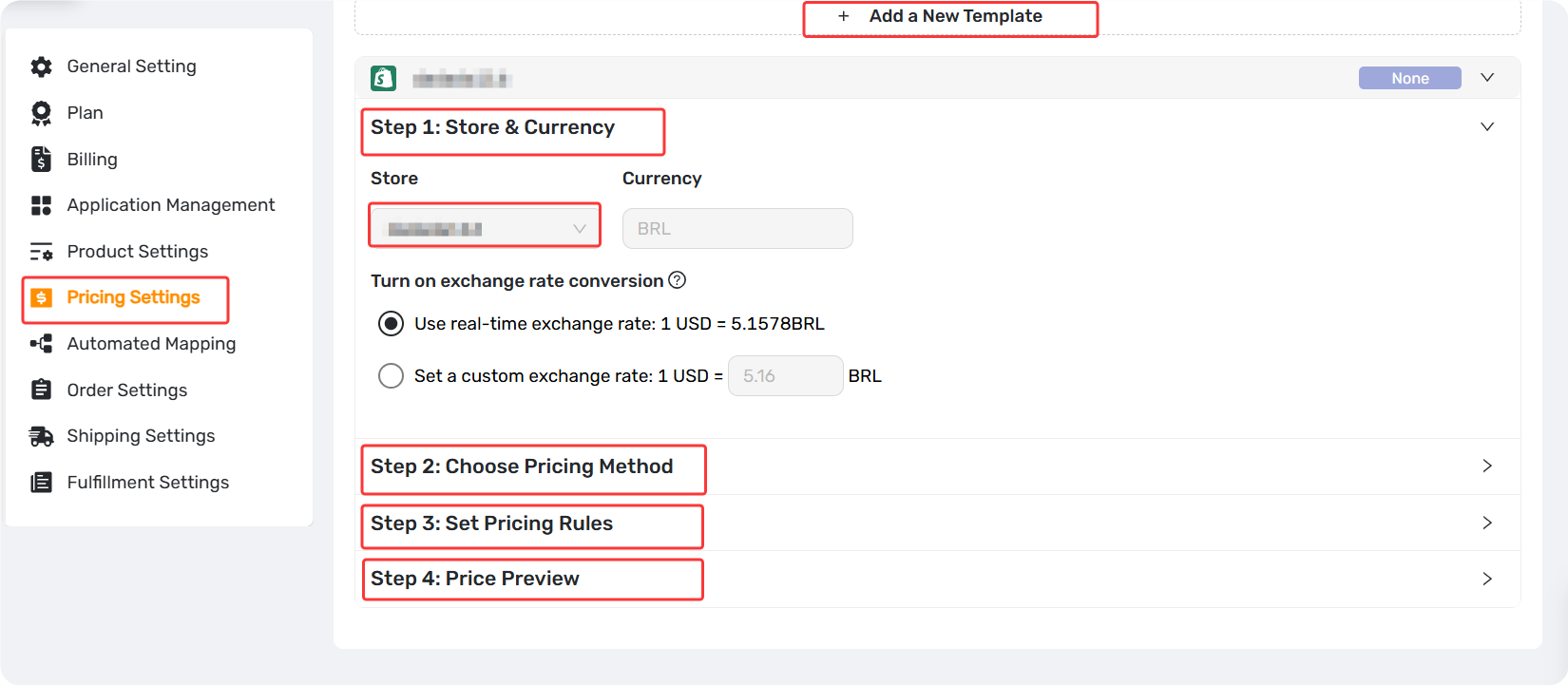
Step 1:Store & Currency
Select the store and set the exchange rate (if not USD)
Step 2:Choose Pricing Method
Select Basic (free), Advanced (paid), or No Pricing Rule
Step 3:Set Pricing Rule
Define cost ranges and markup rules (skip this step if No Pricing Rule is selected)
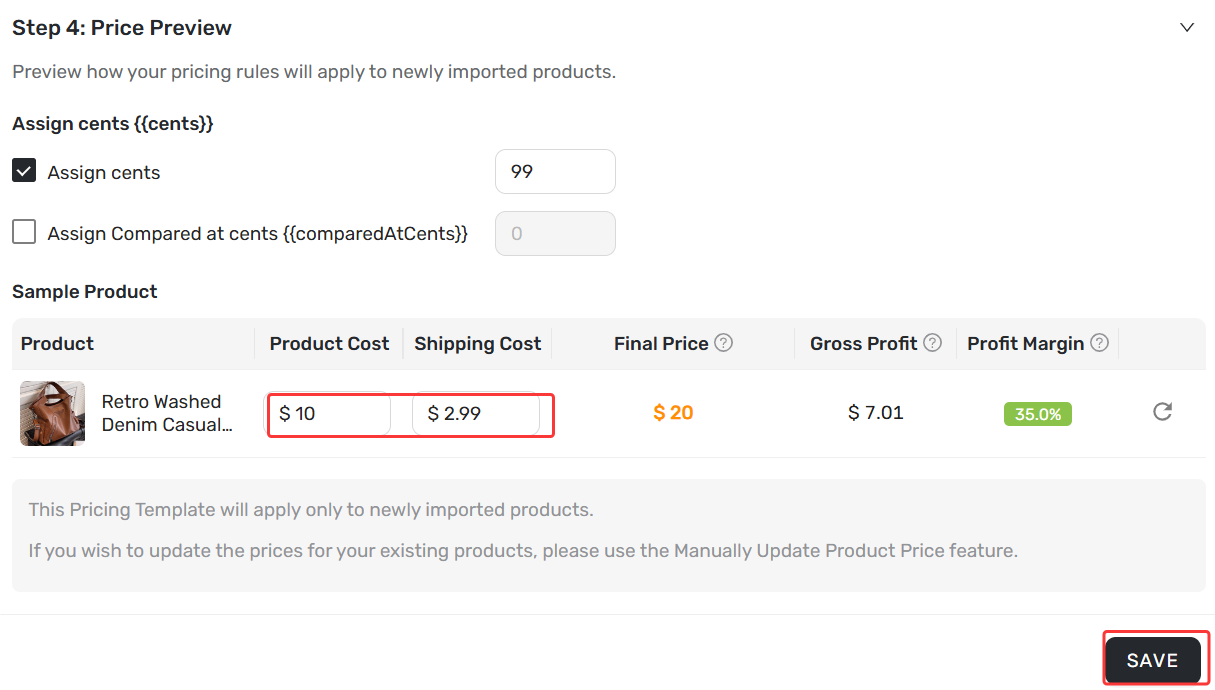
Step 4:Price Preview & Assign Cents
Preview the calculation and add custom price endings-Assign cent (e.g., .99) before saving
Related Articles
- Basic Pricing Rule: Automate Your Product Pricing in Minutes
- Basic Pricing Rule: How to Add Shipping Cost to Your Pricing Rule
- Advanced Pricing Rules: Automate Your Profit Margins
- Advanced Pricing Rules: How to Add Shipping & Tax to Your Pricing Rule
- Store Currency & Exchange Rates: How to Price Across Different Currencies
- Assign Cents: Make Your Product Prices Look Clean and Professional
- Manually Change Store Products Price: Bulk Refresh with Your Latest Rules
- Automatic Price Update: Keep Store Prices in Sync with Suppliers
- Manual Price Sync Failures: Causes & Troubleshooting Solutions
- Shipping Settings: How to Set Your Default Shipping Method
FAQ Section
Quick answers to the most common questions about DSers Pricing Rules.

Get Started Now to Grow Your Online Business with the DSers!