

A step-by-step guide to canceling or refunding your Agent and 1688 orders on DSers.
Note
Canceling Agent and 1688 orders follows a different process than canceling AliExpress orders. Depending on your payment status and supplier type, you may need to cancel manually or rely on DSers support for a refund. This guide walks you through the exact steps to cancel your orders smoothly and avoid financial disputes.Click here to start dropshipping now with DSers
How to Cancel Unpaid Orders (Agent & 1688)
Scenario 1: Order is in the "Awaiting payment" Tab
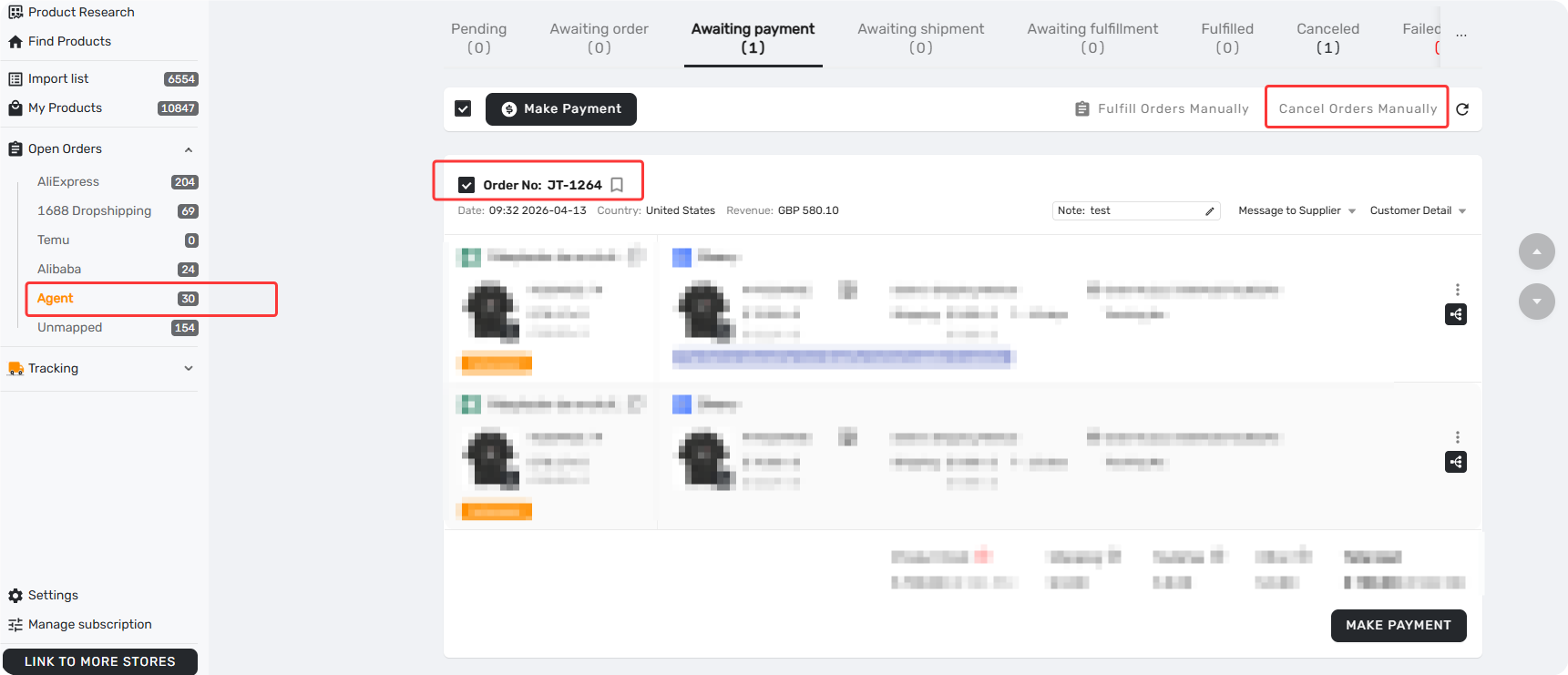
- Go to Awaiting payment, locate the order, and click Cancel Orders Manually.
- The order moves to the Canceled tab immediately.
Scenario 2: Order Has a Generated Payment Link
If you have already generated a payment link for an order, you cannot cancel it directly from the order list. You must first void the payment link in the Billing section.
To void the payment link:
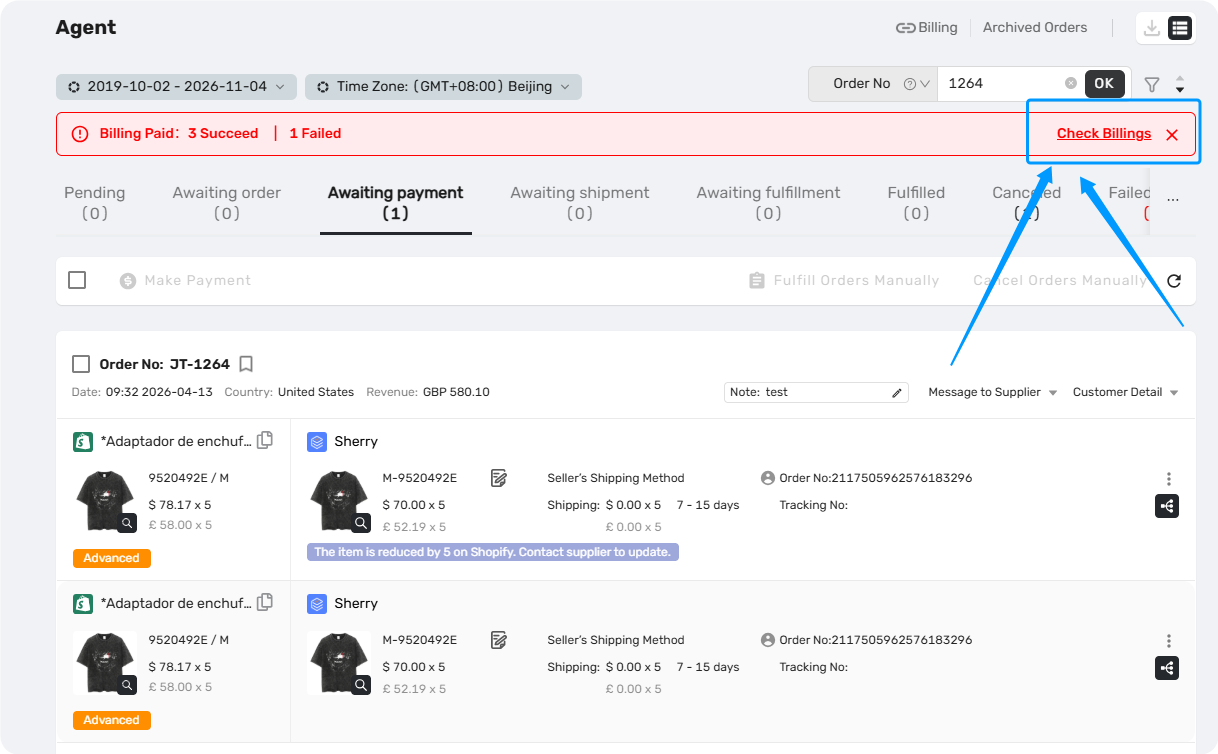
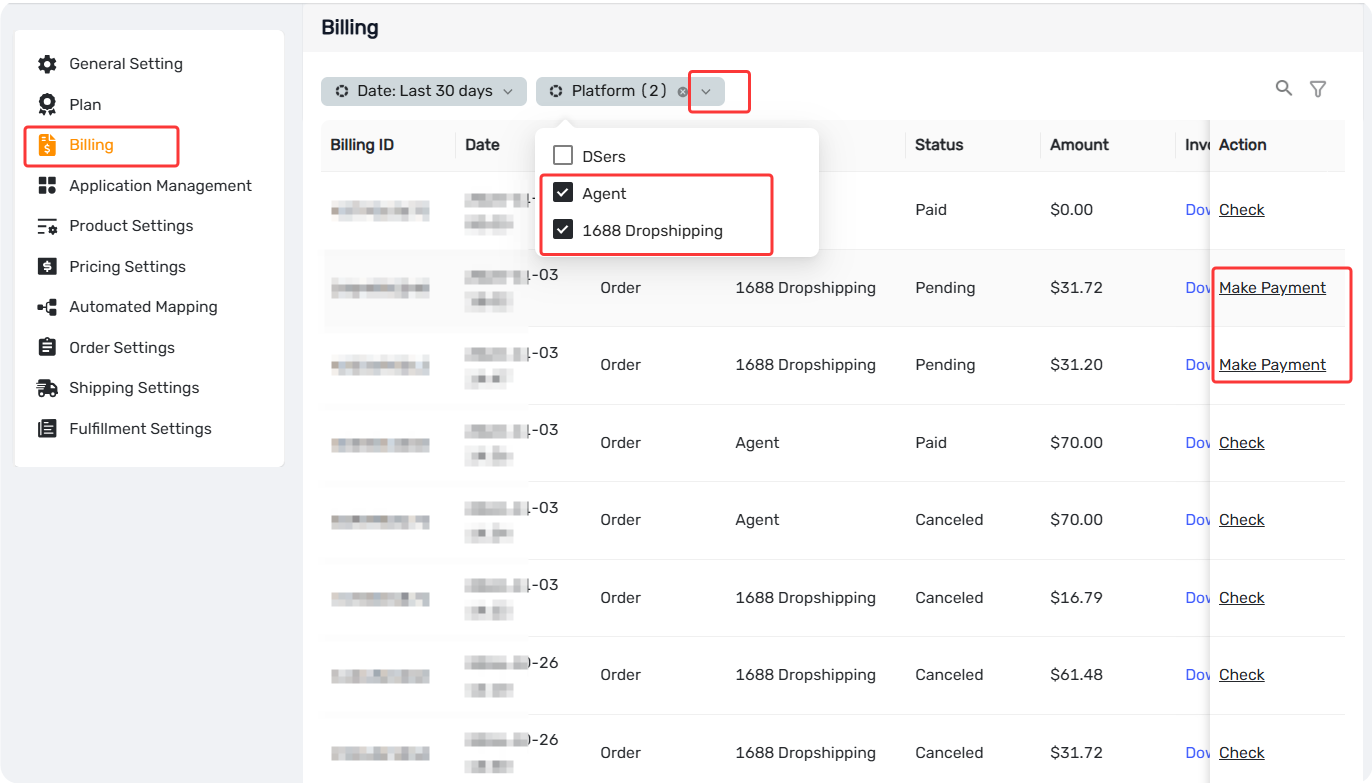
- Click Check Billing on the top banner of your DSers dashboard (or go to Settings > Billing).
- Locate the specific record and click Make Payment. (Note: This will not deduct your money; it only opens the DSers Checkout page.)
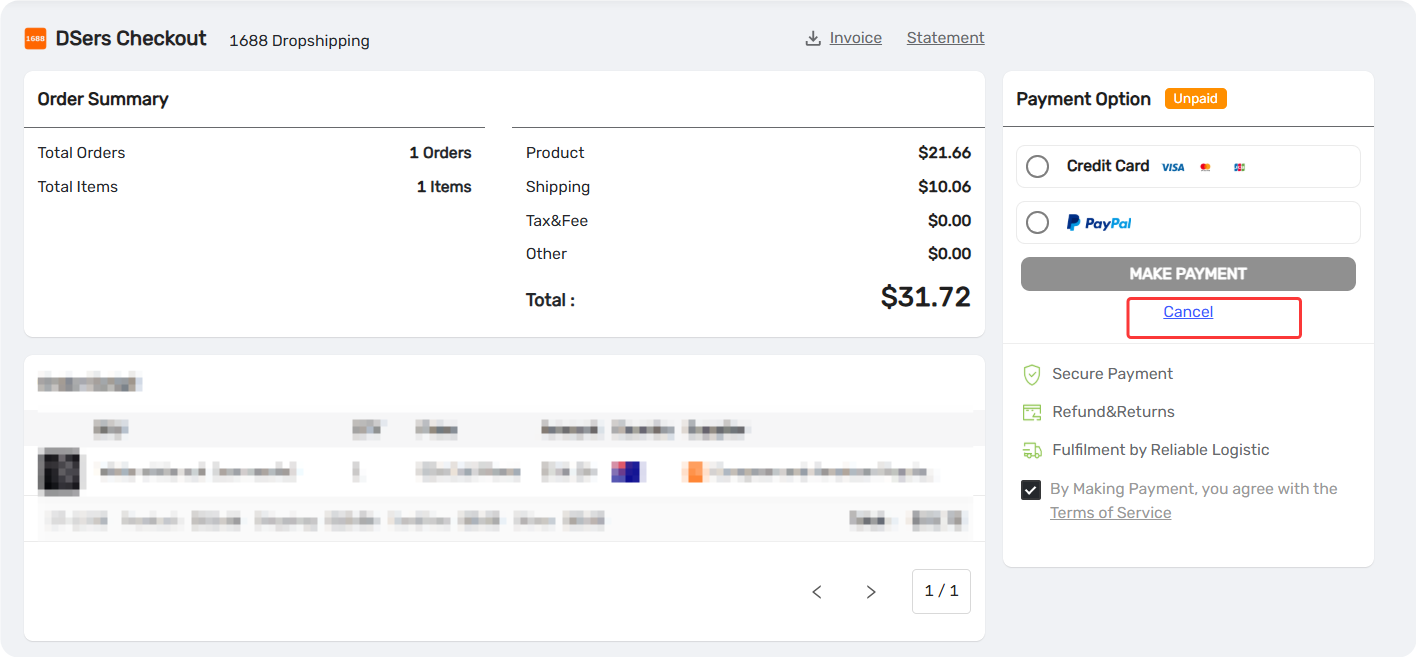
- On the Checkout page, click Cancel under Payment Option. This voids the payment link and returns the order to the Awaiting payment tab.
Once the link is voided, go back to the Awaiting payment tab, locate the order, and click Cancel Orders Manually to fully cancel it.
How to Cancel a Paid Agent Order
If your Agent order is in the Awaiting shipment tab, you can cancel it in DSers. However, confirm with your Agent first to avoid financial disputes.
Step 1: Contact Your Agent
Ask your Agent whether the order has shipped and whether a refund is possible. Wait for their confirmation before proceeding.
Step 2: Manually Cancel in DSers
- Go to Awaiting shipment, locate the order, and click Cancel Orders Manually.
- The order moves to the Canceled tab.
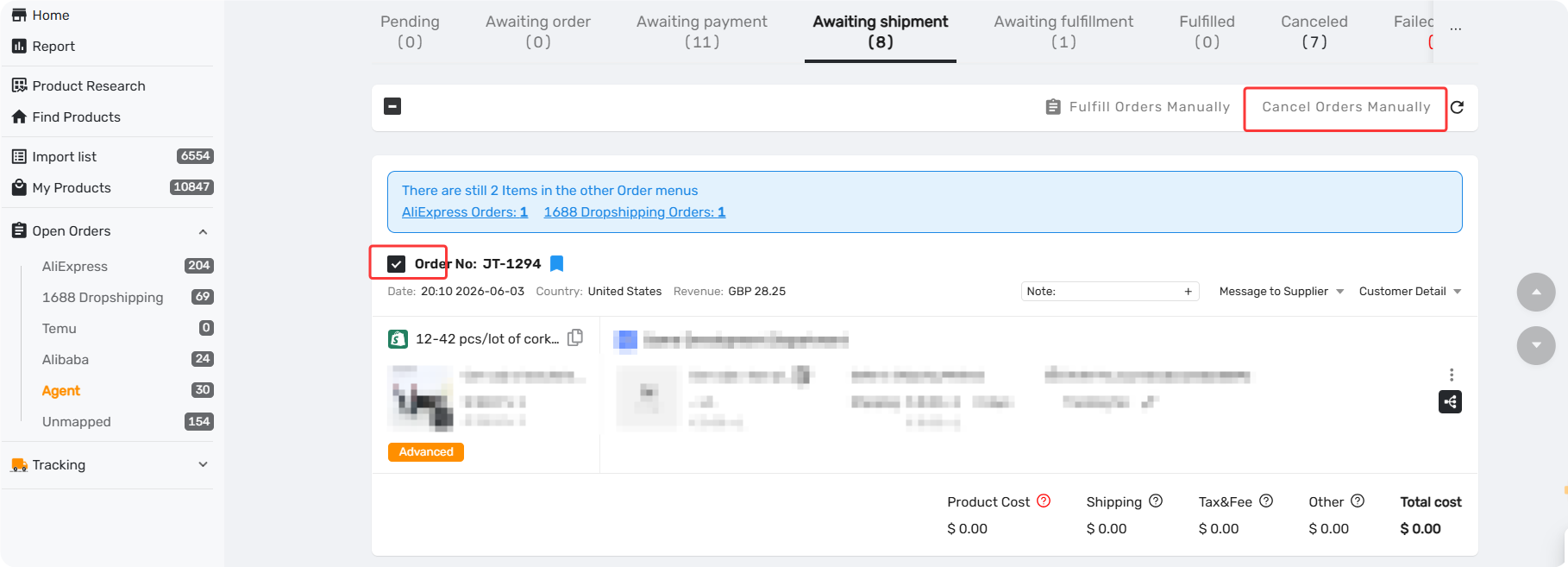
Tip: After cancellation, you can switch to a new supplier and place a new order. See [Action-Edit Supplier: How to Change the Supplier on an Existing Order] for details.
How to Get a Refund for Paid 1688 Orders (Wholesale & Dropshipping)
Currently, you cannot contact the 1688 merchant directly. DSers support acts as the intermediary to assist you with all 1688 return and refund requests.
Step 1: Contact DSers Support
If you need to return a paid 1688 order, please contact DSers Customer Support immediately via Email or Live Chat. You will need to provide:
- Your Store Name
- The Order Number
- The reason for the return/refund
Step 2: DSers Submits the Request
Our support team will forward your request to the corresponding 1688 merchant on your behalf.
A ticket will be created to track this request. You can use the ticket number to follow up on the progress.
Step 3: Follow Up
You can check the status of your refund by contacting support and referencing your ticket number.
For detailed instructions, please refer to our guide: [How to Contact DSers Support and Submit a Ticket].
Related Articles
- 1688 Wholesale on DSers: Sourcing, Ordering, and Fulfillment Overview
- 1688 Dropshipping: What It Is and How to Get Started on DSers
- Create and Pay for a 1688 Wholesale orders
- Change the agent for a product
- Bulk-map products with an agent (individual supplier)
- How to Contact DSers Support and Submit a Ticket
Frequently Asked Questions (FAQ)
Common questions about cancelling unpaid and paid Agent or 1688 orders in DSers, and how to get a refund.

Get Started Now to Grow Your Online Business with the DSers!