

Quickly identify what's blocking your push and fix it in minutes
Note
You hit "Push" and got an error instead of success — but no clear reason why. This guide breaks down every Wix push error by type, so you can find your fix fast.Click here to start dropshipping now with DSers
If you're unsure whether your store is properly connected, start with our guide on Understanding Store Authorization.
Store Connection Issues
These errors mean DSers can't communicate with your Wix store properly.
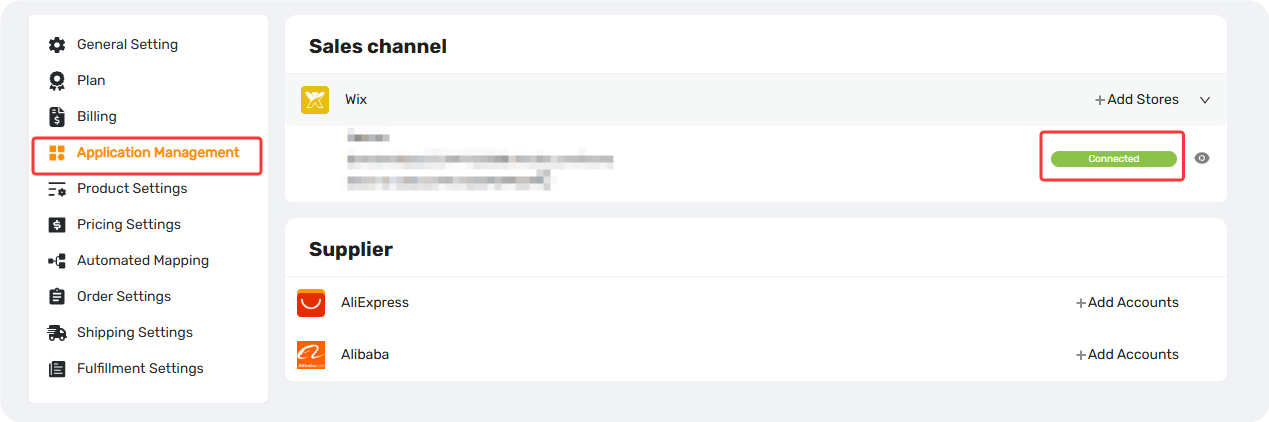
Sorry, the connection is abnormal, please push again.
Why: Your DSers–Wix authorization link is broken or expired.
Fix: Go to Settings > Application Management > Sales Channel, find your Wix store, click the eye icon, and re-connect → retry pushing.
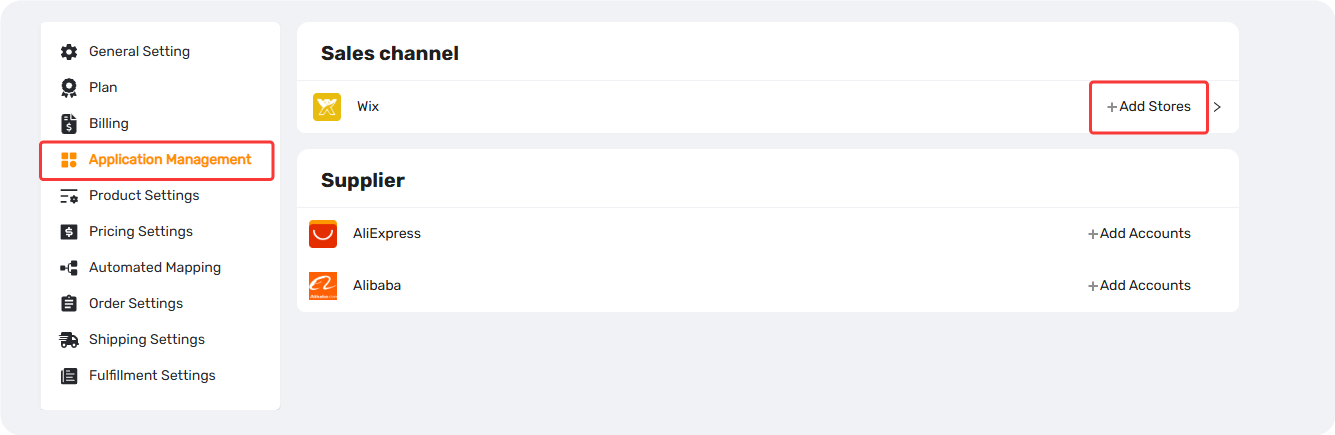
This store has been deleted from the Wix platform.
Why: The Wix store you're pushing to no longer exists — it was deleted from your Wix account.
Fix: Go to Settings > Application Management >Sales channel, → remove the deleted store → connect a new active Wix store→ retry pushing.
For more details on fixing connection issues, see Store Authorization Failed? How to Relink Store.
Product Data Issues
These limits apply to the individual product you're pushing. Fix the data, fix the push.
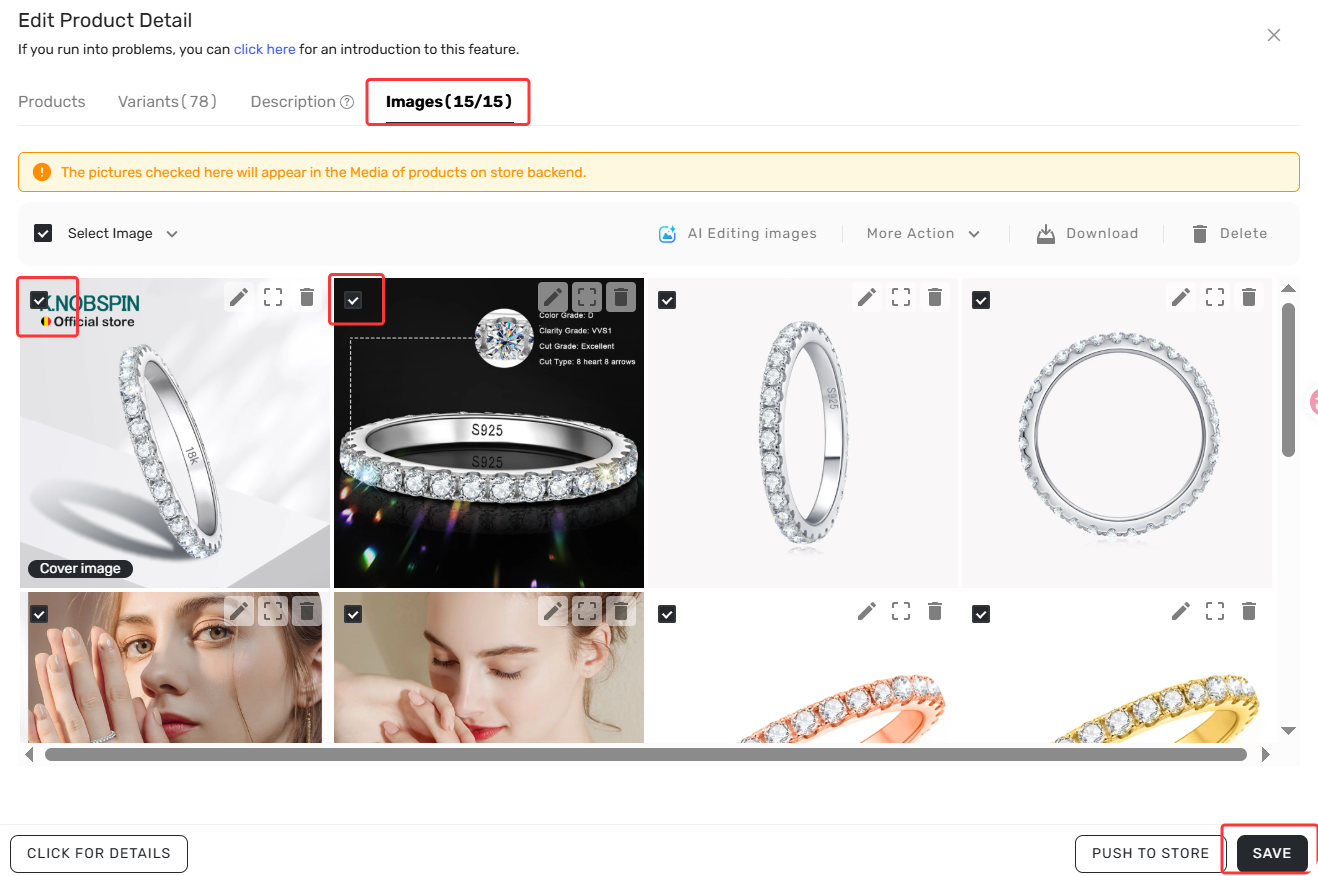
The medias cannot be more than 15.
Why: Wix limits images per product based on your store version. Wix V1 allows up to 50 images; Wix V3 allows up to 15.
Fix: Uncheck "Push all images to your online store" → manually select the allowed number on DSers >Import List > Edit Product > Images for your version → retry.
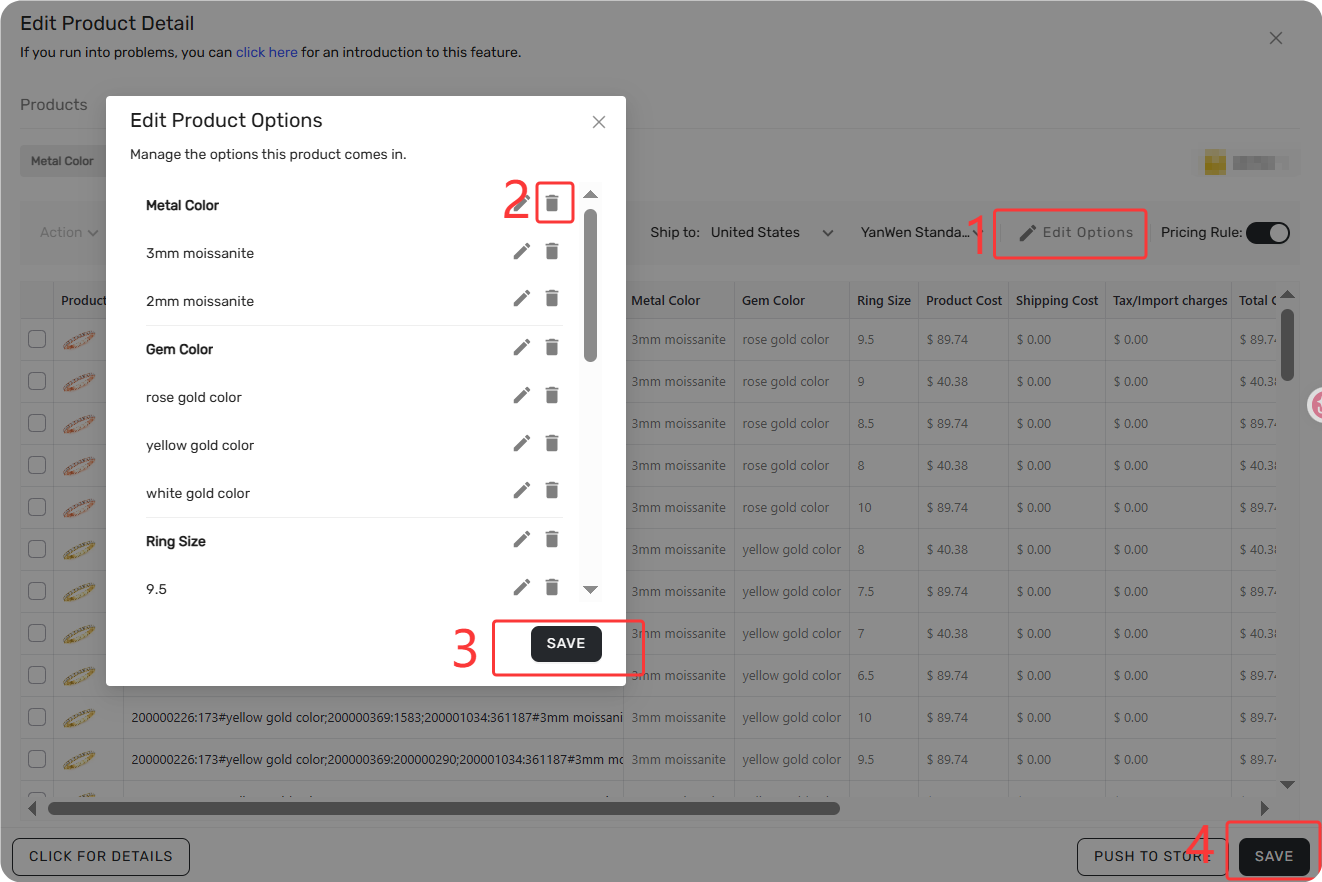
Each product cannot contain more than 6 options.
Why: Wix allows a maximum of 6 option types (Color, Size, Material, etc.) per product.
Fix: Use Supplier Optimizer to find a similar product with 6 or fewer options, or delete unnecessary option types in DSers >Import List > Edit Product > Variant > Edit Options before pushing.
The title has to be 80 characters or less.
Why: Wix limits product titles to 80 characters.
Fix: Edit the title in DSers >Import List > Edit Product > Product to a shorter version → save → retry. Or DSers will automatically cut off any extra characters.
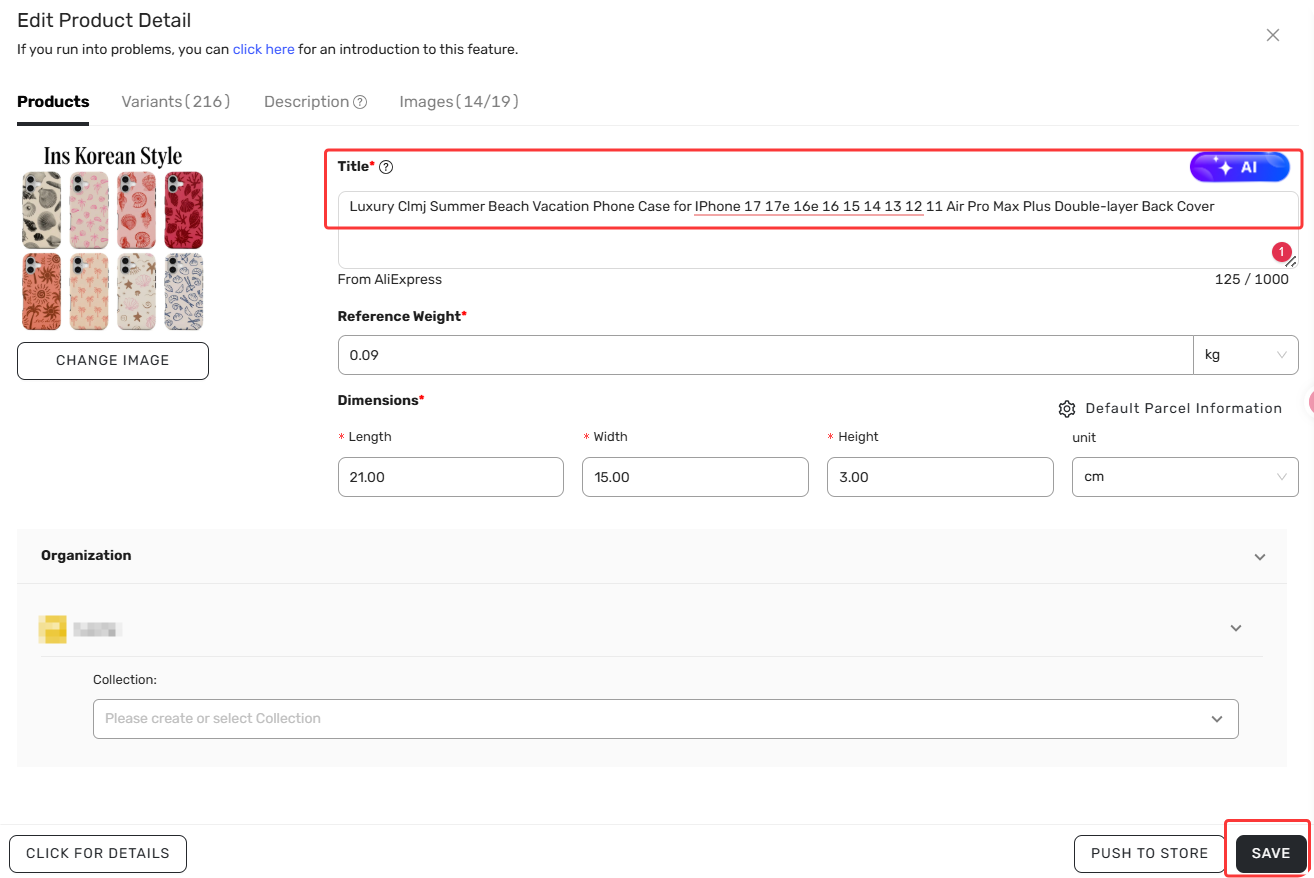
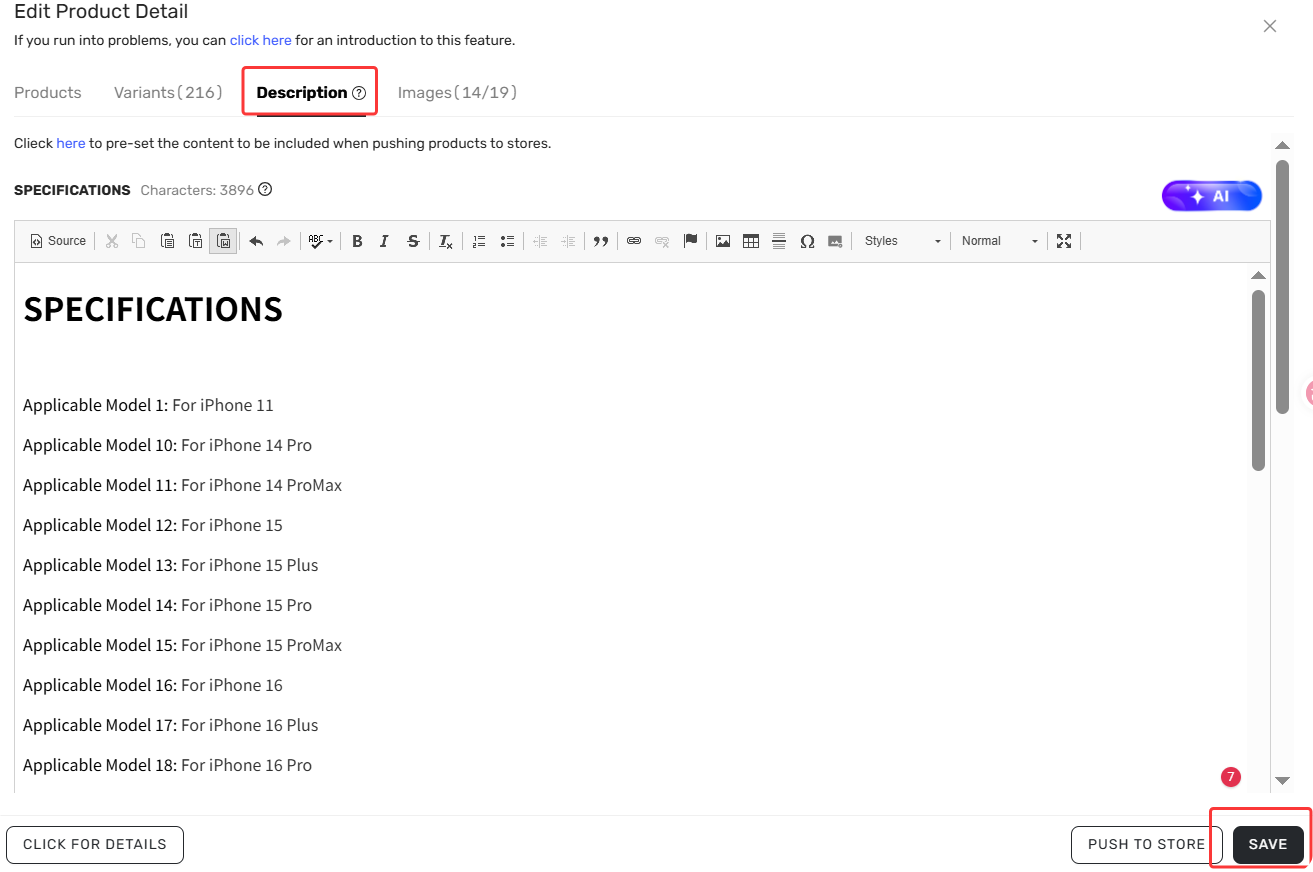
The description has to be 8000 characters or less.
Why: Wix limits product descriptions to 8,000 characters.
Fix: Trim the description in DSers >Import List > Edit Product > Description— keep key specs and selling points, cut the rest → retry.
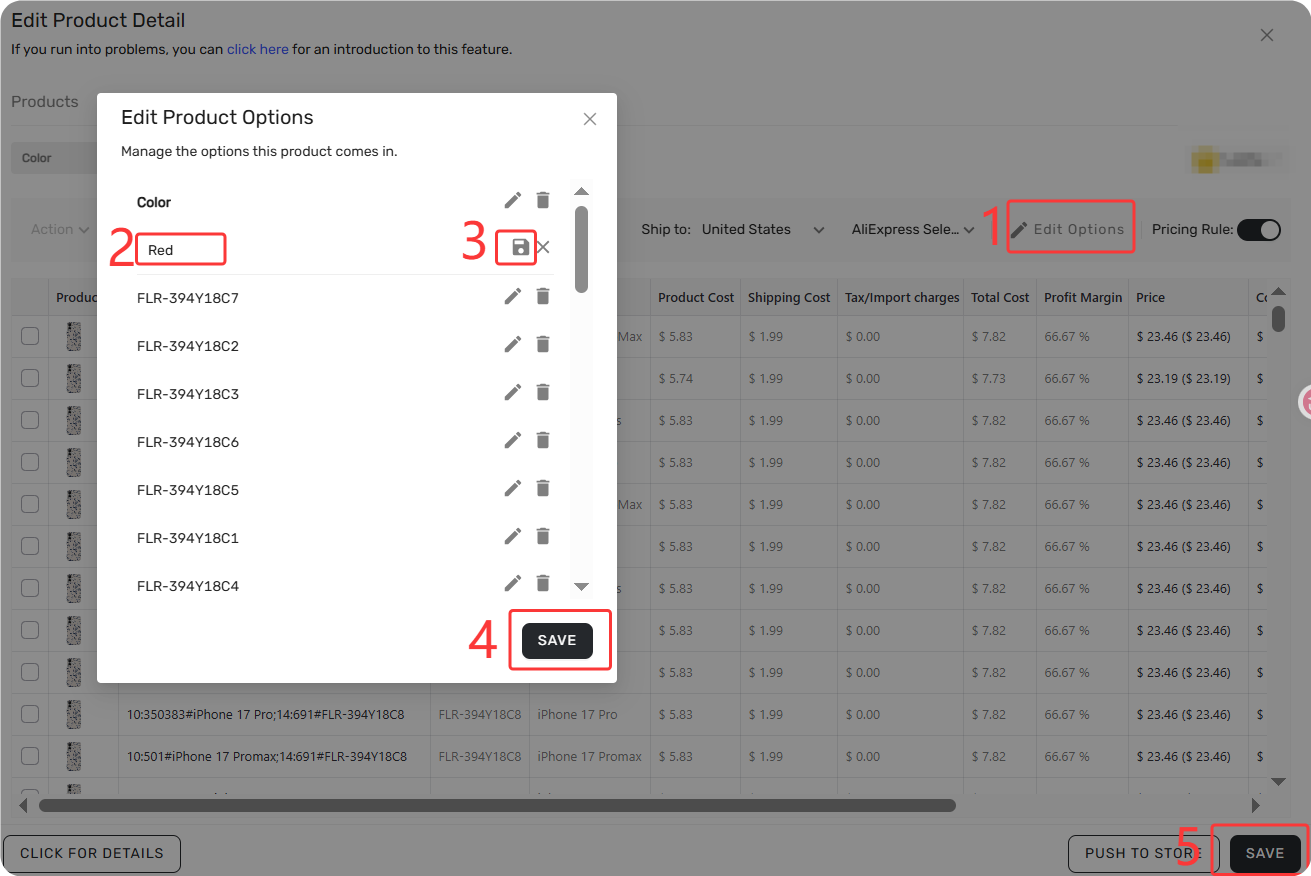
The same value cannot be listed twice (case insensitive).
Why: Wix doesn't allow duplicate option values on the same product. Case doesn't matter — "Red" and "red" are treated as duplicates.
Fix: Check option values in DSers > Import List > Edit products → Variants tab. Remove or rename duplicates before pushing.
Store Limits
This limit applies to your entire Wix store, not just one product.
Unknown error, please try again or click to contact customer service.
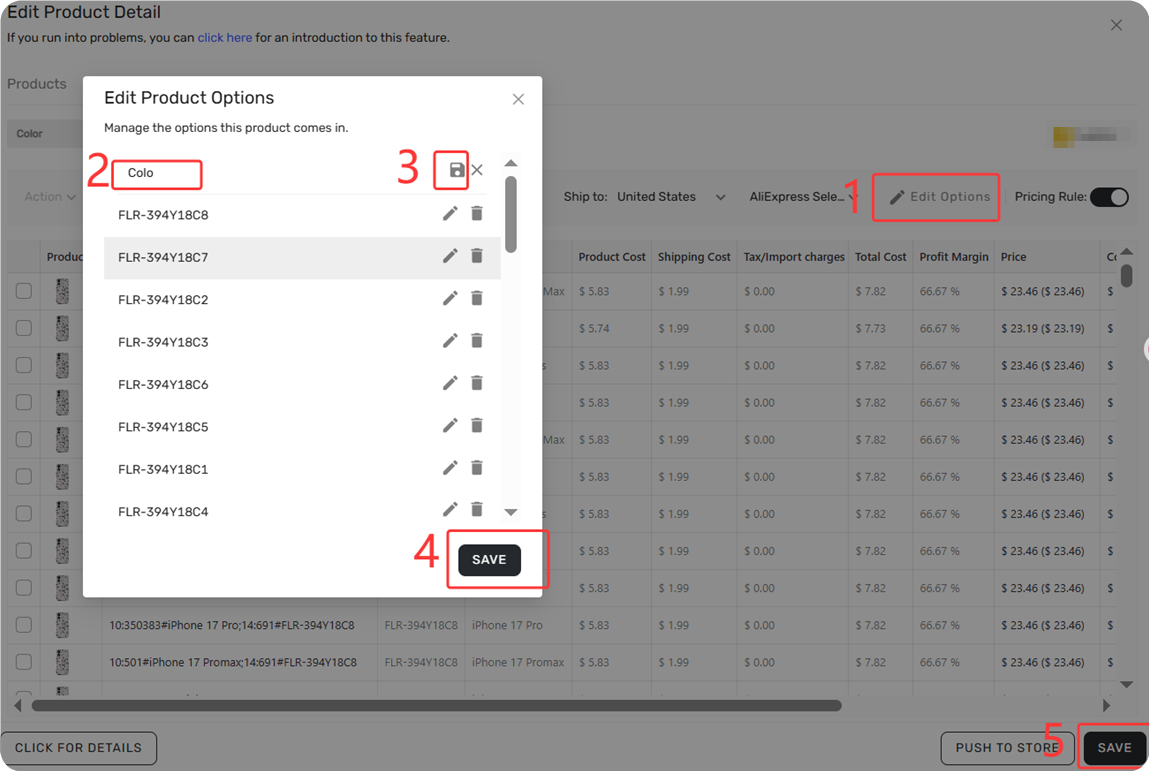
Why (most common): Your Wix store has exceeded 200 option values across all products combined. Wix counts option values you've deleted too.
Fix: Change the option name from something generic like "Color" to "Style" — this resets the count and lets you push. If the error persists, contact support with the details below.
Still stuck? Let us help.
If you've tried everything above and your product still won't push, or you encounter other error message, contact our support team via live chat or email with:
- Your DSers Account Email
- The product name
- A screenshot of the error
Related Articles
- Store Authorization Failed? How to Relink Store
- Importing: How to Bring Products from AliExpress
- Import Errors: Why Can't I Import Products from AliExpress?
- Edit & Push: Customize Products Before Publishing
- Give Your Products a Better Look: Edit Images in Import List Before Push
- Push Failed: Common Errors When Publishing Products to Shopify Store
- Push Product Failed to eBay? Causes and Fixes
FAQ Section
Quick answers to the most common questions about pushing products to Wix via DSers.

Get Started Now to Grow Your Online Business with the DSers!