

Stop overpaying or dealing with unreliable suppliers. Click the magnifying glass icon on any product image to instantly find better alternatives from AliExpress and Alibaba.
Note
A $1 lower product cost on an item you sell 500 times per month puts an extra $6,000 in your pocket annually—with zero additional sales. Supplier Optimizer helps you capture that hidden profit.
What You'll Learn:
- Where to find the magnifying glass icon
- How to compare suppliers by price, shipping, and star ratings
- How to import a better supplier in one click
When to Use Supplier Optimizer
- Your supplier raised prices — find cheaper alternatives
- Shipping takes 20+ days — find faster options
- Product rating is low — find higher-rated sellers
- Supplier keeps running out of stock
- You want to source from Alibaba directly
Where to Find the Magnifying Glass Icon
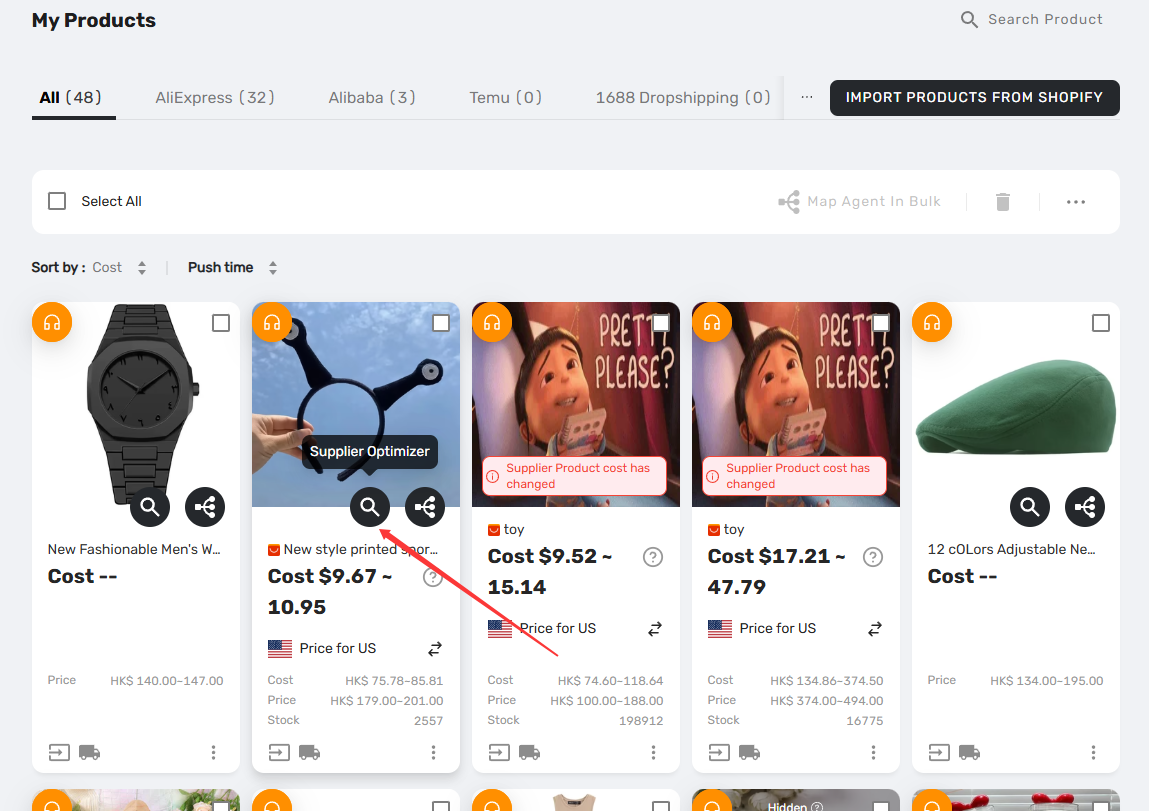
You can now find the magnifying glass icon on product images throughout DSers — in Import List, My Products, Find Products, Open Orders, and the Mapping Drawer.
How It Works
Click the magnifying glass icon on any product image. DSers will search for similar products from other suppliers and show you a ranked list of alternatives.
The ranking is based on factors like price, sales, ratings, and delivery time. You can use the sorted results to narrow down your options and click on any product name to visit the AliExpress listing for more details.
How to Filter and Narrow Down Suppliers
Once you have your search results, use the filters at the top of the page to find the right supplier faster.
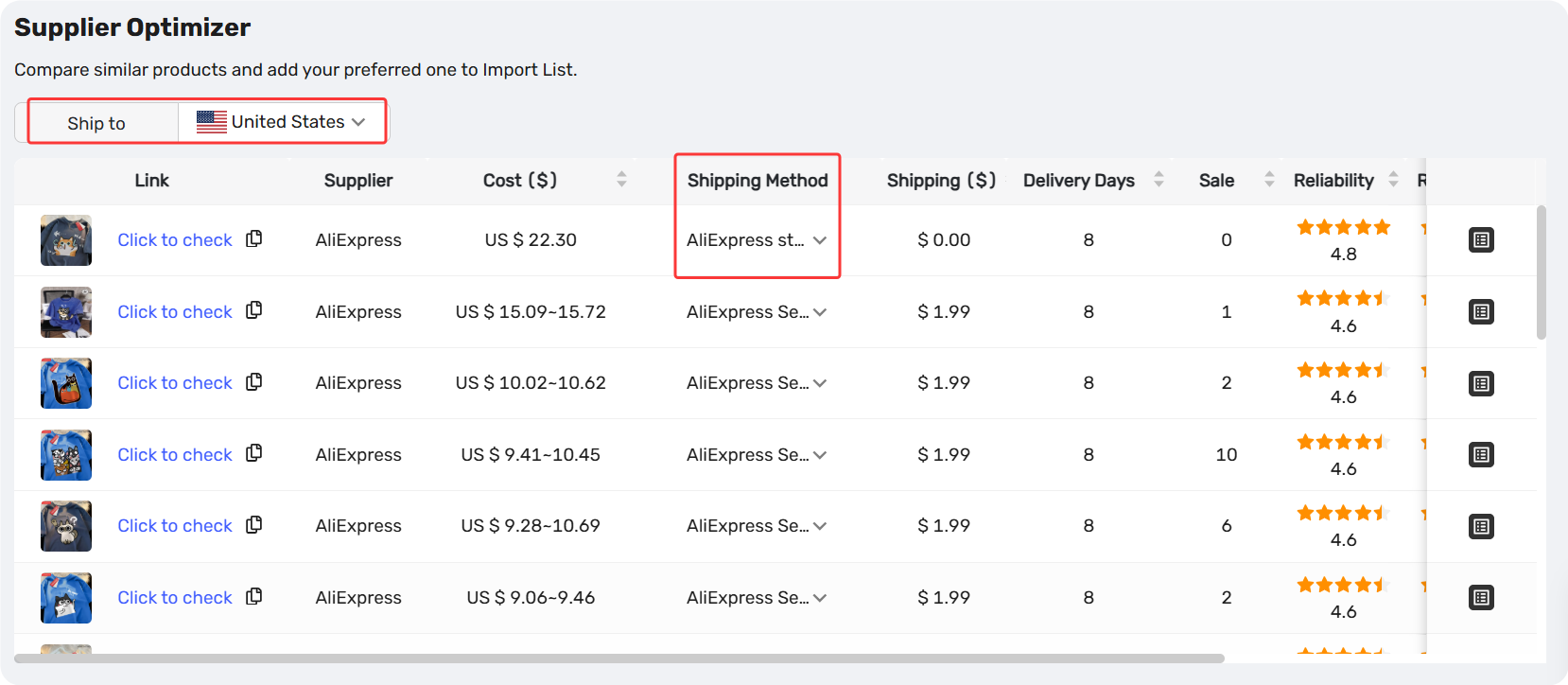
Available filters:
| Filter | What It Does |
|---|---|
| Ship to | Changes the destination country. Shipping costs and delivery times update automatically. |
| Shipping Method | Shows only products that support a specific shipping option (e.g., AliExpress Standard, ePacket). |
How to use them:
- Start with Ship to — set it to your customer's country first. This ensures you're comparing realistic shipping costs and delivery times.
- Then use Shipping Method — if you know your customers expect ePacket or a specific carrier, filter by that method to see only suppliers who offer it.
Pro Tip: Changing the "Ship to" country re-runs the search automatically. No need to click anything extra.
What You'll See in Results
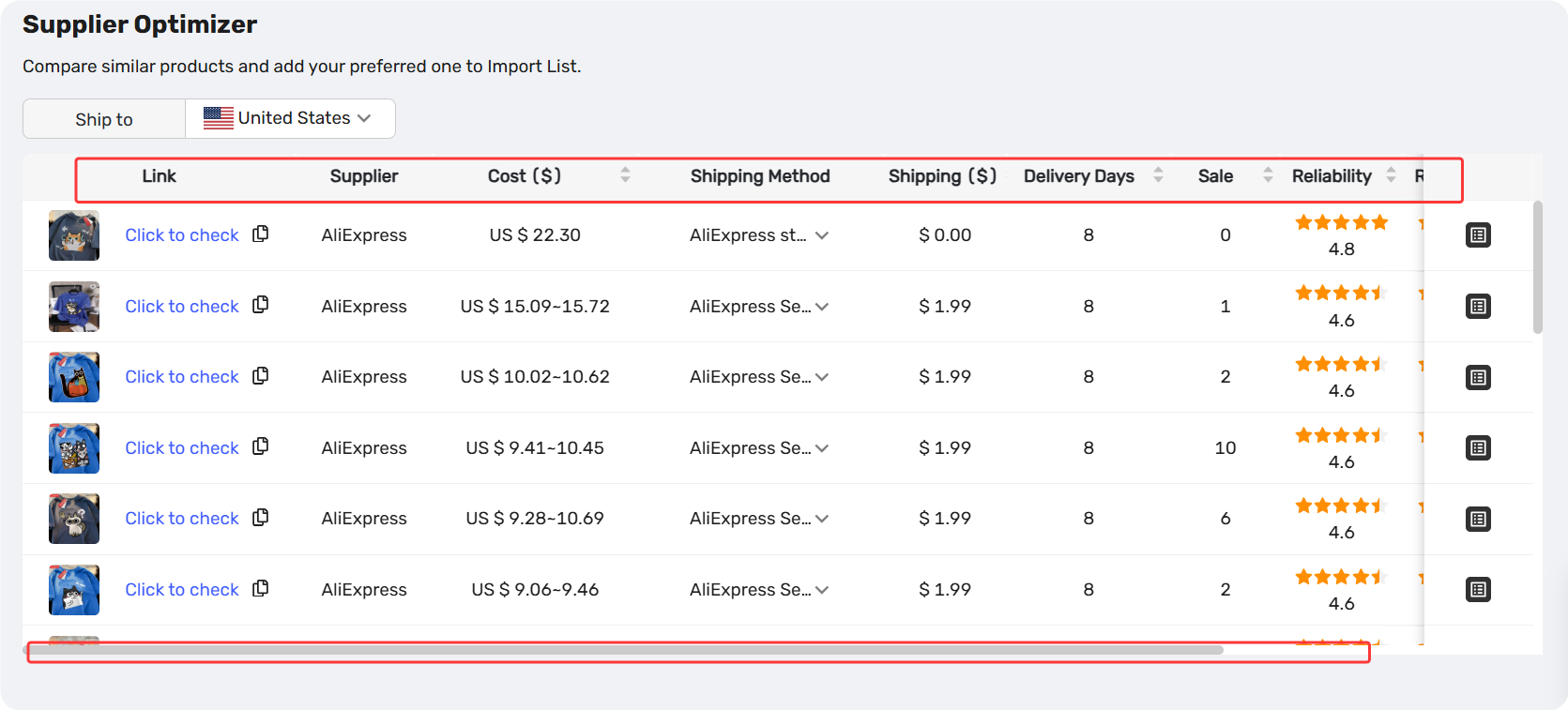
| Column | What It Shows |
|---|---|
| Product | Image + name (hover image to enlarge) |
| Link | "Click to Check" + copy button |
| Supplier | AliExpress or Alibaba |
| Cost ($) | Product base price |
| Shipping Method | Dropdown (default = cheapest option) |
| Shipping ($) | Shipping cost (updates with method change) |
| Delivery Days | Estimated arrival (updates with method change) |
| Sales | Total units sold |
| Reliability | Star rating (Item as Description) |
| Response | Star rating (Communication) |
| Delivery | Star rating (Shipping Speed) |
| Rating | Product star rating (shows "-" if none) |
Related Articles
- Supplier Optimizer: How to Find the Best Suppliers Using DSers Plugin
- How to Set Your Default "Price for Ship to Country"
- Advanced Mapping: Route Orders to the Right Supplier by Country
- How Variant Mapping Works
- Mapping Explained: How DSers Knows Which Supplier to Order From
- Supplier Performance Tracking: Spot Unreliable Suppliers Early
FAQ Section
Quick answers to the most common questions about DSers Supplier Optimizer.
| Get Started Now to Grow Your Online Business with the DSers! |
