


Note
When you spot a product on social media or a competitor's site but don't have the right keywords, traditional search fails.Click here to start dropshipping now with DSers
The DSers Chrome Extension solves this with visual search. This article covers three ways to find best suppliers using the DSers Plugin, how to set shipping preferences, and how to import products to DSers.
Download Link: DSers Chrome Extension on Chrome Web Store
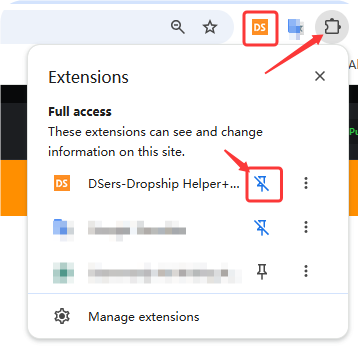
Once installed, pin the extension to your browser toolbar for easy access.
How to Find Suppliers Using the DSers Plugin
There are three ways to discover products and suppliers using the DSers Plugin.
Method 1: Right-Click Any Image (Quickest Way)
This works on any website—Instagram, Pinterest, Amazon, AliExpress, or competitor stores.
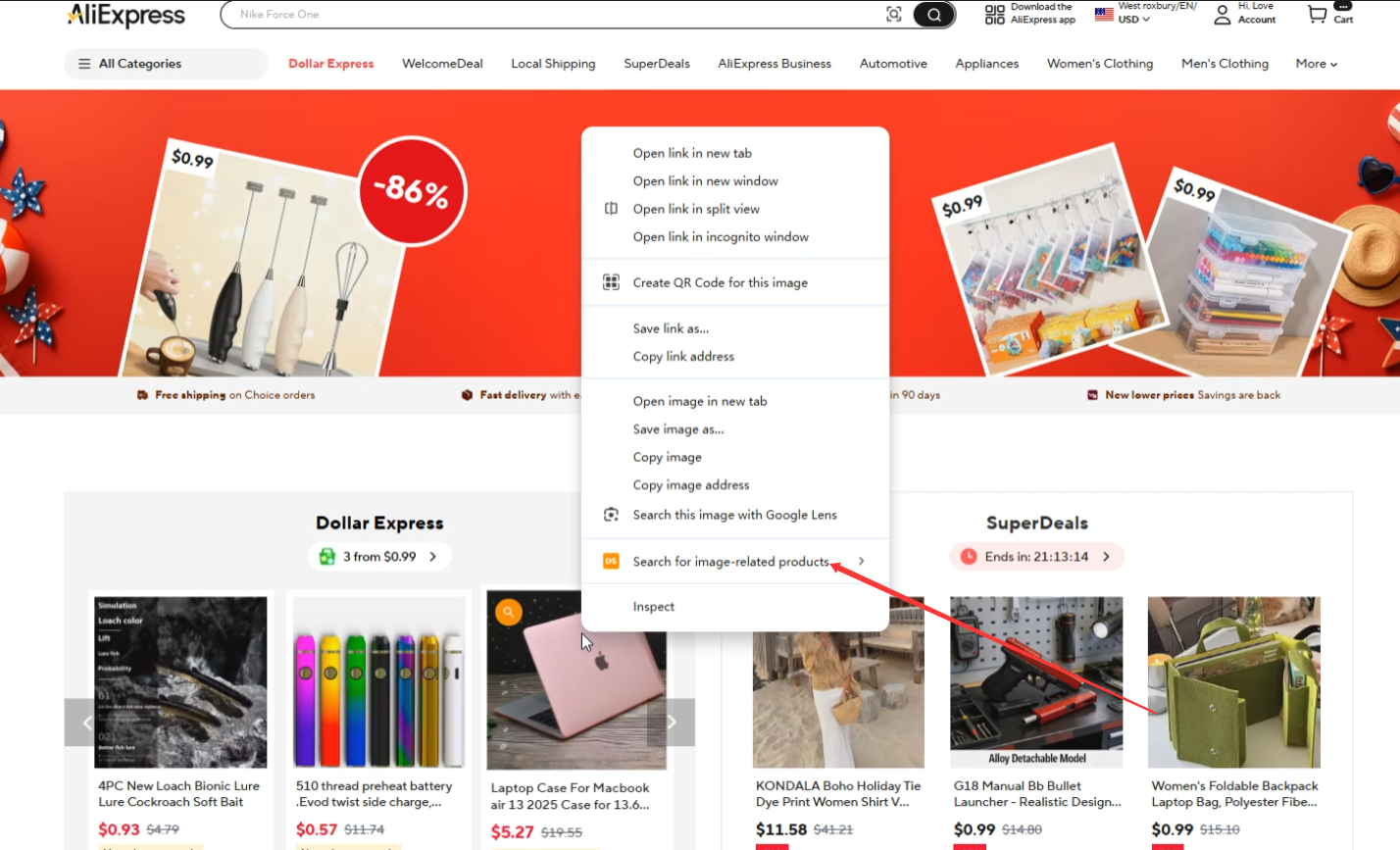
- Right-click any product image on the web.
- Select "Search for image-related products" from the menu.
- Click "Screenshot Upload" .
- Crop the image to focus on the product (removing backgrounds or text).
- Click Capture. The DSers Supplier Optimizer page will open with matching products.
- You can check the product details here and import to DSers directly.
Method 2: Floating Ball (Search on Any E-commerce Site)
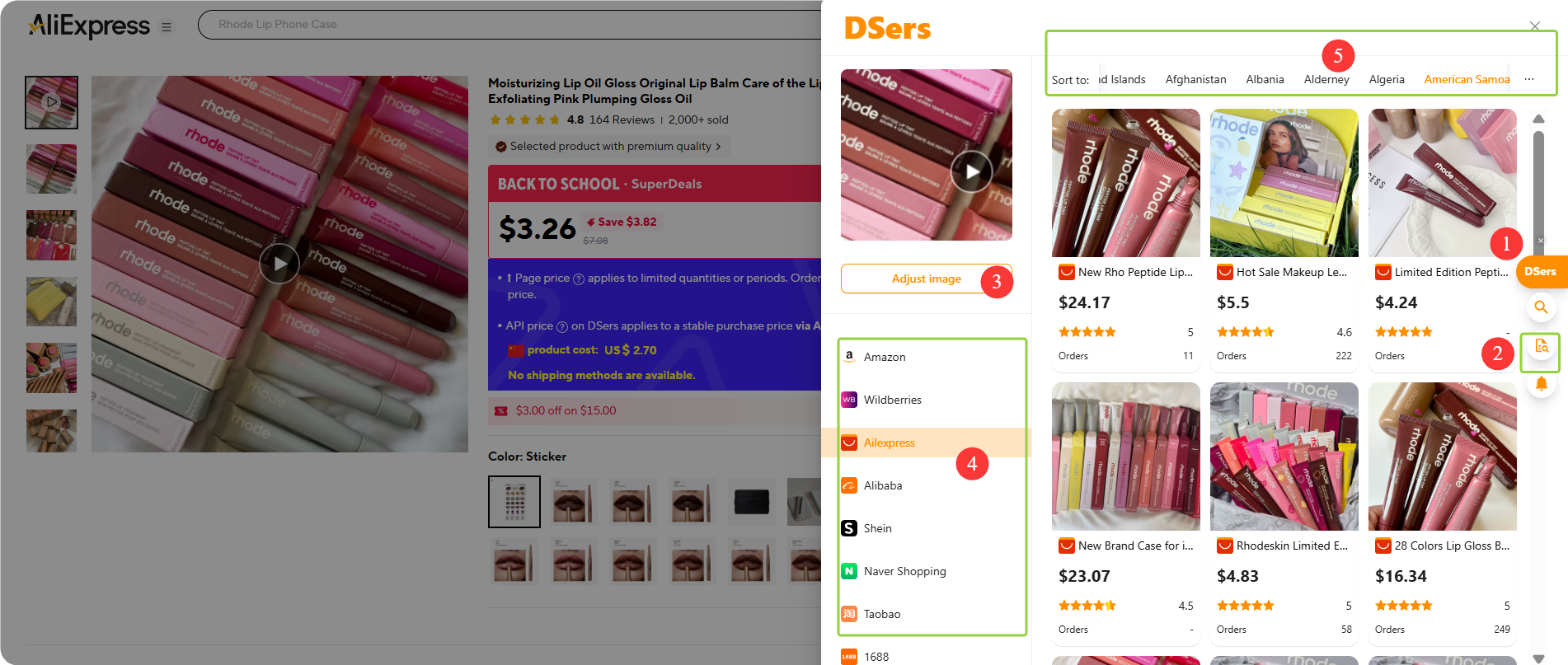
The DSers Floating Ball appears on supported e-commerce websites, including Amazon, Wildberries, AliExpress, Alibaba, Shein, Naver shopping, Taobao, 1688.
How it works:
- The floating ball sits on the edge of your browser window by default.
- Mouse over to expand the menu.
- Click "Multi-platform price comparison" from the menu.
- Click Capture, select the area, and DSers will search for similar products across multiple platforms.
- Compare prices across platforms. If the platform integrates with DSers, click into the product page and import.
Additional trigger – Promotional banners on AliExpress:
On the AliExpress homepage or category pages, you'll often see small product banners or flash sale modules. Hover your mouse over any of these promotional images. A small DSers icon will appear in the corner. Click it, and DSers will instantly search for the same or similar products across multiple platforms—so you can see if you're getting the best deal.
Method 3: AliExpress Searching + DSers Matching
To see accurate shipping costs and delivery options, pre-set your target market in the DSers plugin:
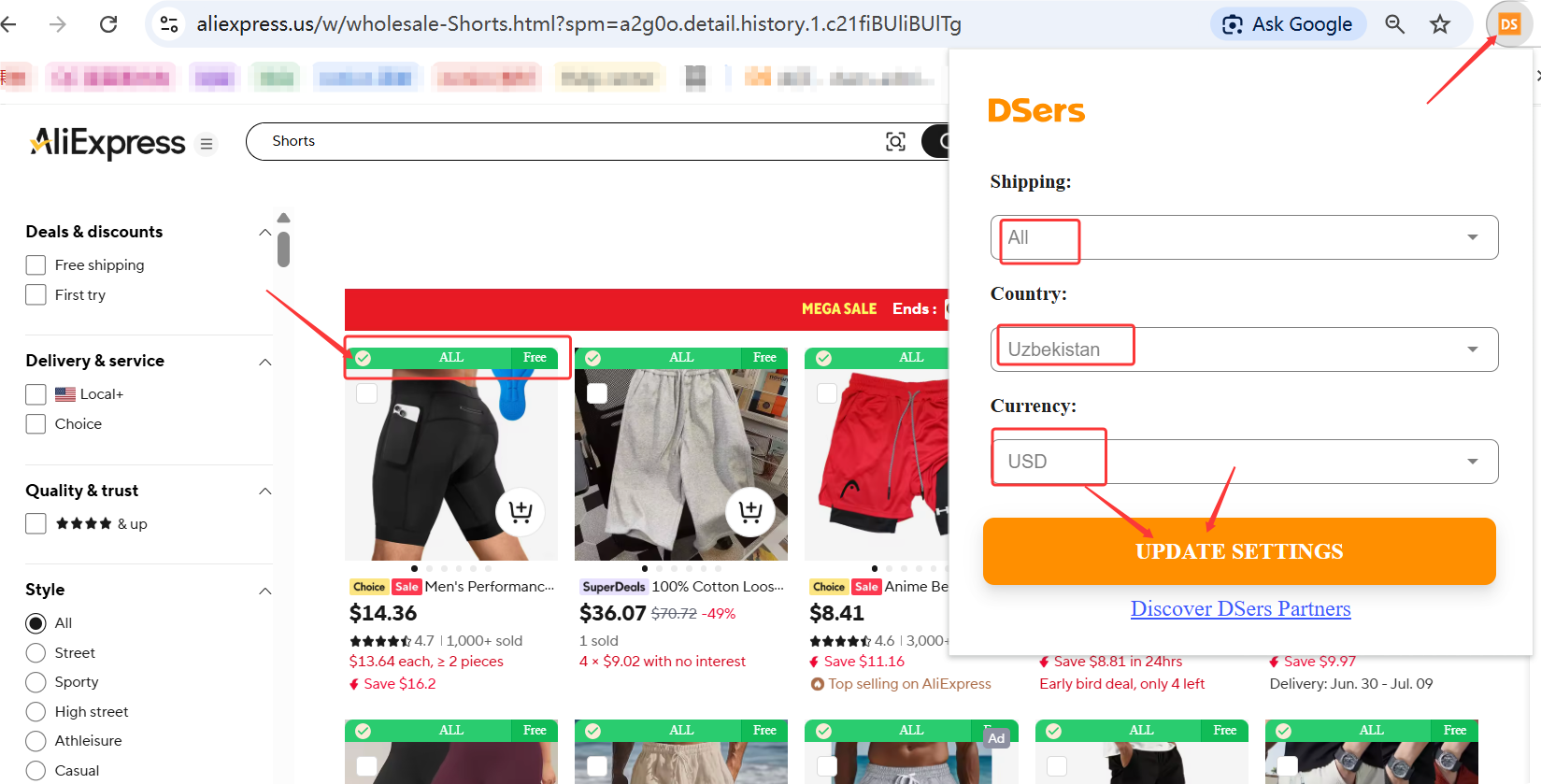
- Click the DSers icon in your browser toolbar (top-right corner).
- Set your Shipping method preference.
- Select your ship-to Country (e.g., United States).
- Choose your Currency (e.g., USD).
- Click "Update Setting".
Once saved, when you browse AliExpress product lists, DSers will automatically show:
- Whether the product ships to your country using your preferred method
- The estimated shipping cost
- A "Not Matched" label if the product doesn't support your settings
This lets you quickly filter out suppliers who don't work for your market—before you even click on a product.
Tip: Don't forget to also save the correct country and currency settings on the AliExpress page itself. Both need to match for the most accurate results.
How to Import the Product to DSers
Once you've found a supplier you like through image search:
- Open the AliExpress product details page.
- Click the "Add to DSers" button.
- The product is instantly added to your Import List.
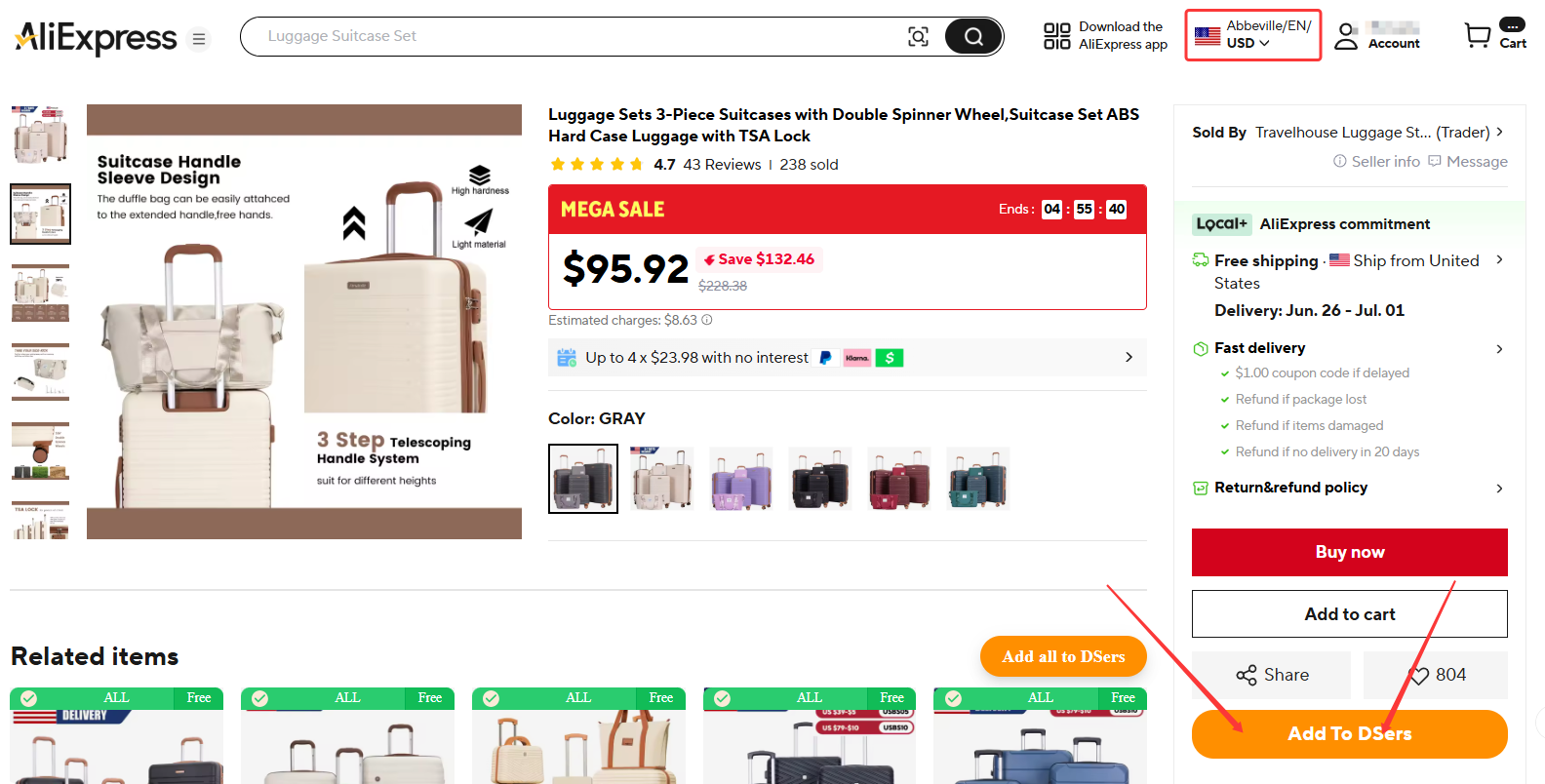
Tips: From the Import List, you can edit titles, descriptions, pricing, and variants before publishing to your Shopify store. For detailed import instructions, see the Related Articles below.
Related Articles
- DSers Chrome Extension: Sourcing and Product Import Tools Guide
- DSers Chrome Extension: Features and Capabilities Overview
- DSers Chrome Extension: Placing orders and Syncing Tools Guide
- Importing: How to Bring Products from AliExpress
- How to Set Your Default "Price for Ship to Country"
- Supplier Optimizer: Find Better Suppliers in Seconds
FAQ Section
Everything you need to know about the DSers Chrome Extension and how it helps you find suppliers using image search.
| Get Started Now to Grow Your Online Business with the DSers! |
