


A simple step to lock the right cost basis for every product you source.
Note
When dropshipping, the price shown on AliExpress may not be final—suppliers often set different base prices for different shipping destinations (e.g., US vs. Australia or Brazil).
This guide covers:
- Where to set the "Price for" country when importing products?
- How to modify the setting on already-imported products?
- Important caveats about supplier mapping when switching countries.
How to Set “Price for” When Importing Products to DSers
DSers supports two ways to import products, and each has a different location where you set the "Price for" country.
Option 1 – Via Chrome Extension (on AliExpress)
- Select target country from the "Ship to" dropdown on AliExpress.
- Click Add to DSers.
- The product card in your Import List will show "Price for [Country]" based on your selection.
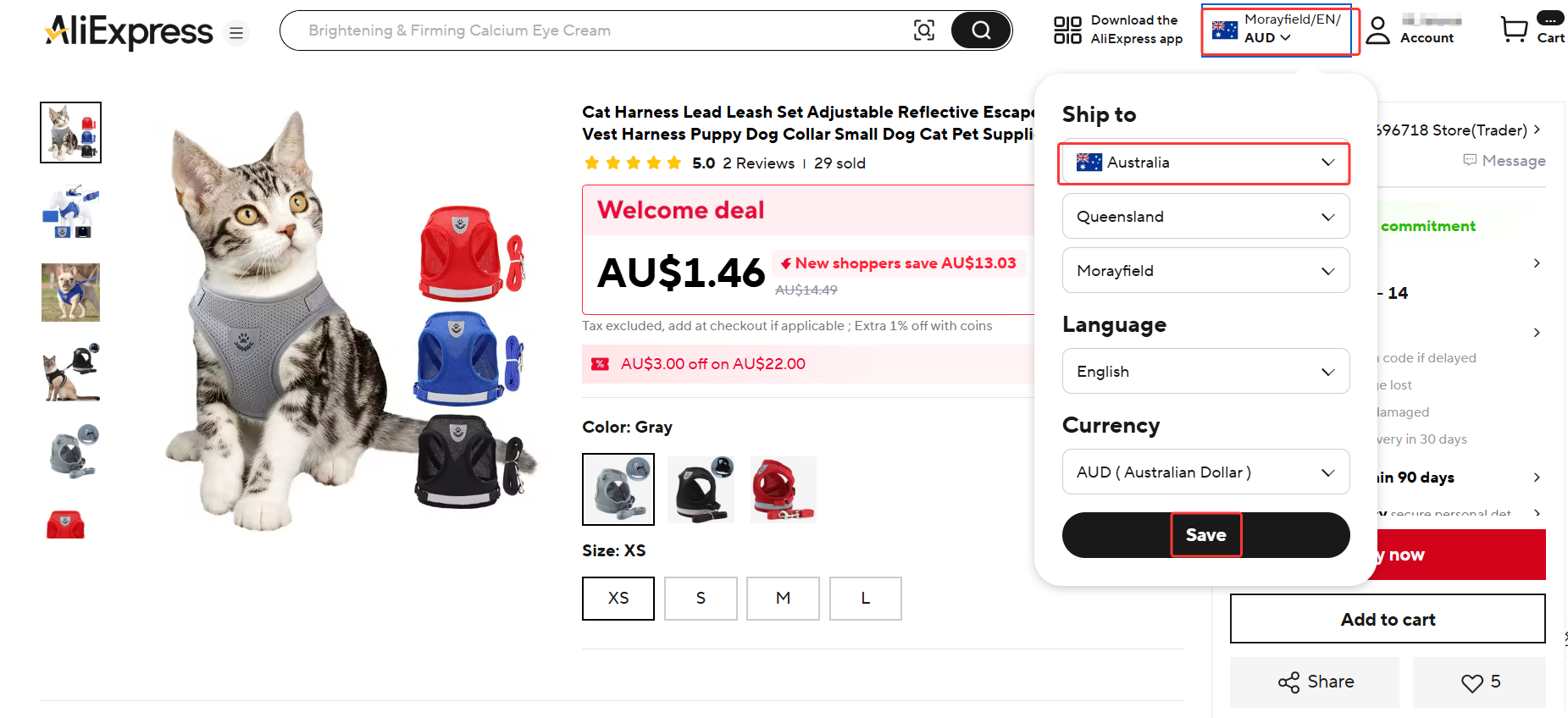
Note: Prices display in default USD regardless of destination.
Option 2 – Via DSers Website (Import List)
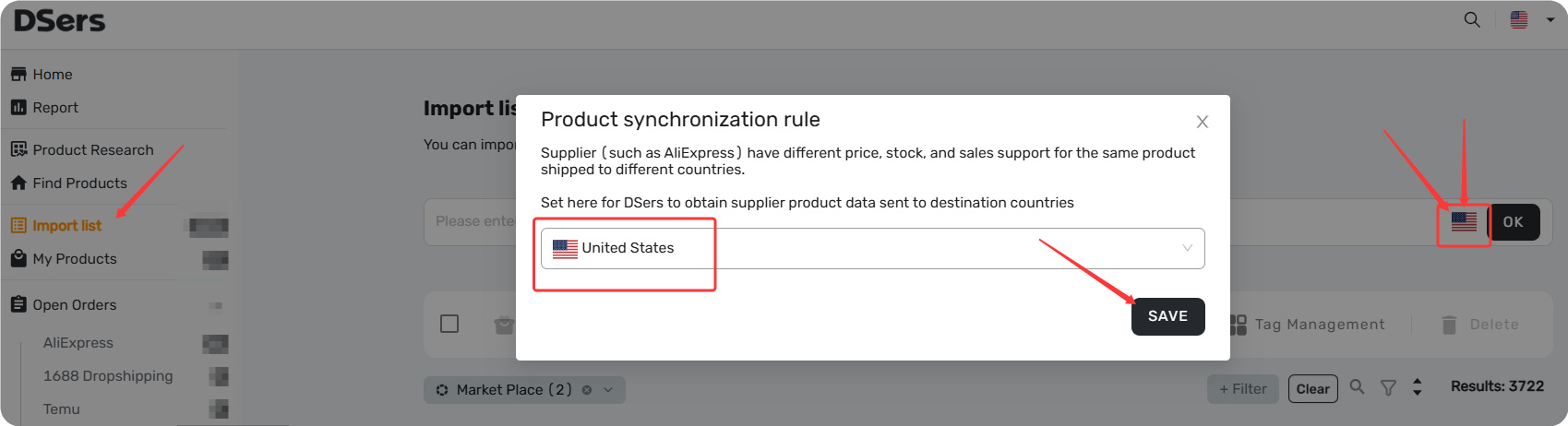
- On the Import List page, select target country from the country dropdown.
- Import products from Find product tab —they will default to that country's pricing automatically.
How to Modify “Price for” on Already Imported Products
If you've already imported a product but need to change the destination country, DSers gives you two paths depending on how many products you need to update.
For Individual Products
To change the "Price for" setting on a single imported product:
- Go to Import List or My Products and find the product card.
- Click the country name next to "Price for" —a dropdown will appear.
- Select your new country and click SAVE.
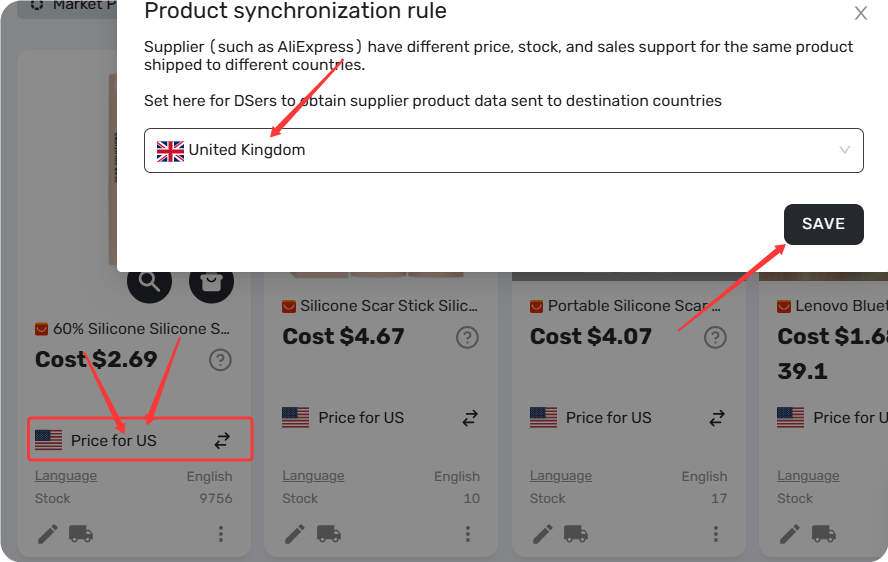
The product cost will update to reflect the new destination country's pricing for future orders.
For Bulk Updates
If you need to apply a new default country to a large number of products at once, please contact the DSers Support team for assistance.
To help us process your request quickly, please provide the following information:
- Your DSers account email address
- Your store name(s)
- The scope of the update (Import List or My Products)
- The target "Price for" country you want to apply
Important: Check Supplier Status Before Switching Countries
Switching the "Price for" country on an already-mapped product might break your supplier mapping—if the new country isn't supported by your current supplier, the mapping data will be lost.
This means DSers won't know which supplier variant matches your product variant, and your orders may fail to place.
Before you make the switch: Double-check that your supplier ships to the new country. If they don't, you'll need to remap the product to a supplier that does, or leave the existing country unchanged.
Related Articles
- Importing: How to Bring Products from AliExpress
- Mapping Explained: How DSers Knows Which Supplier to Order From
- Advanced Mapping: Route Orders to the Right Supplier by Country
- Mapping Errors: Products Not Syncing Correctly
- Master Pricing Settings: 2 Ways to Automate Your Product Pricing
FAQ Section
Everything you need to know about "Price for Ship to Country" and how it affects your product costs.

Get Started Now to Grow Your Online Business with the DSers!


 Company
 Why Choose DSers
 Blog
Blog
 Help Center


