

Why your Shopify cost per item field is missing the shipping fee—and how to fix it
Note
Shipping costs pushed to Shopify's "Cost per item" field are key to accurate profit tracking. If yours show $0, this guide walks you through the fix.
Click here to start dropshipping now with DSers
The Common Cause: A Mismatch with Your Supplier's Shipping Methods
DSers returns $0 when your selected shipping method doesn't match what the supplier offers.
To check what your supplier offers:
- Import List → product card → Shipping Info.
- Look for the shipping information—you'll see which methods the supplier provides for your destination country.
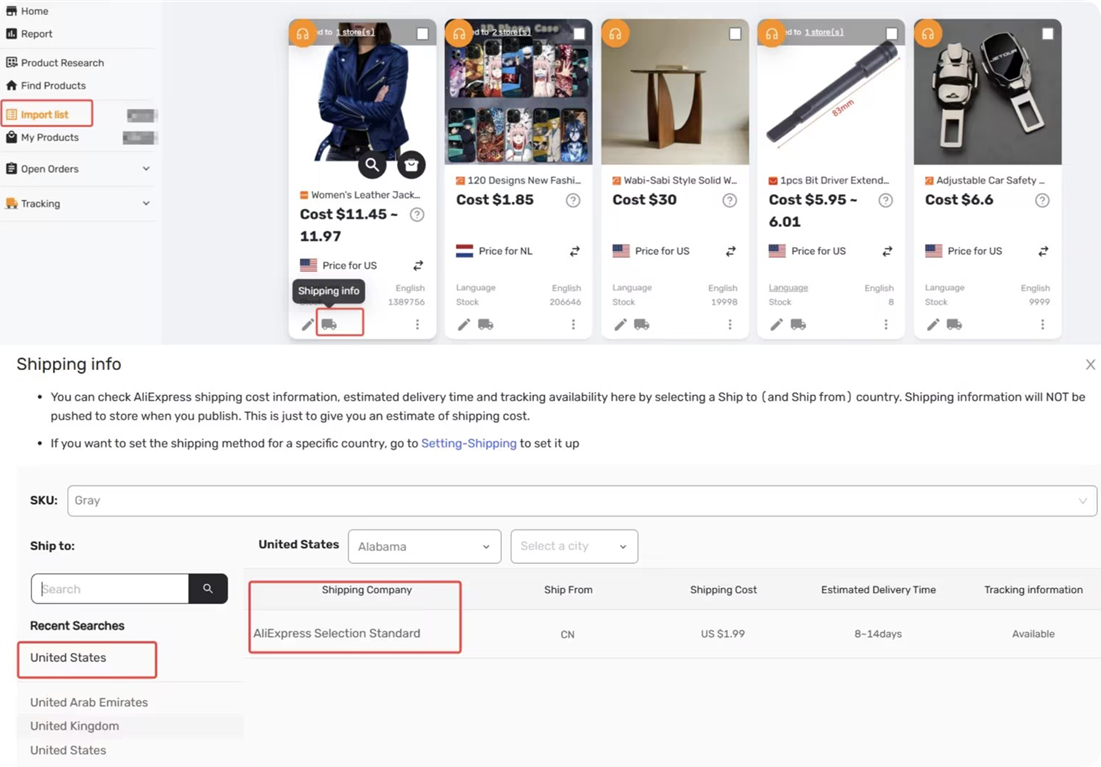
Tips: Where DSers looks for your method depends on your Pricing Rule type
How to Check Based on Your Pricing Rule Type
Basic Pricing Rule
DSers pulls shipping costs from your main Shipping Settings. If the method you selected isn't supported by the supplier, shipping cost defaults to $0.
Fix: Go to Shipping Settings, Select the supplier supported ship‑to country, and select one of the shipping methods you identified in the previous step.
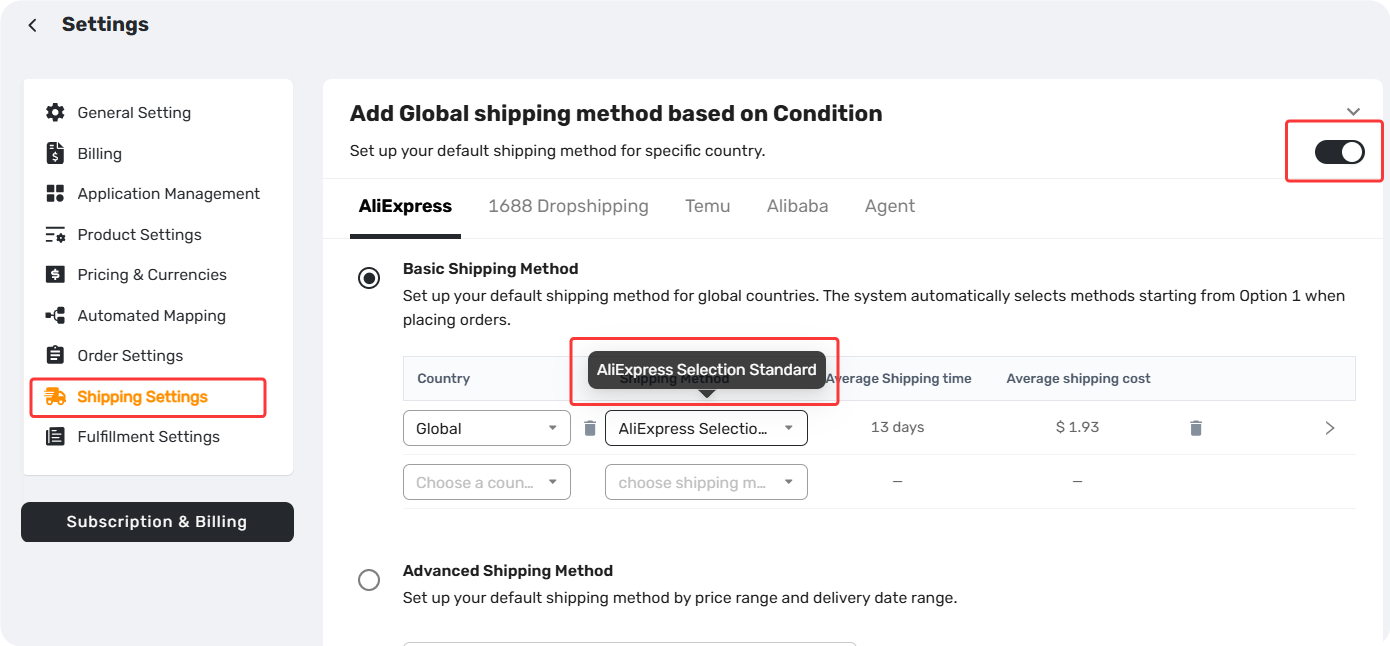
Advanced Pricing Rule
DSers pulls shipping costs from the shipping cost settings inside your rule — not your main Shipping Settings. If the method you selected isn't supported by the supplier, shipping cost defaults to $0.
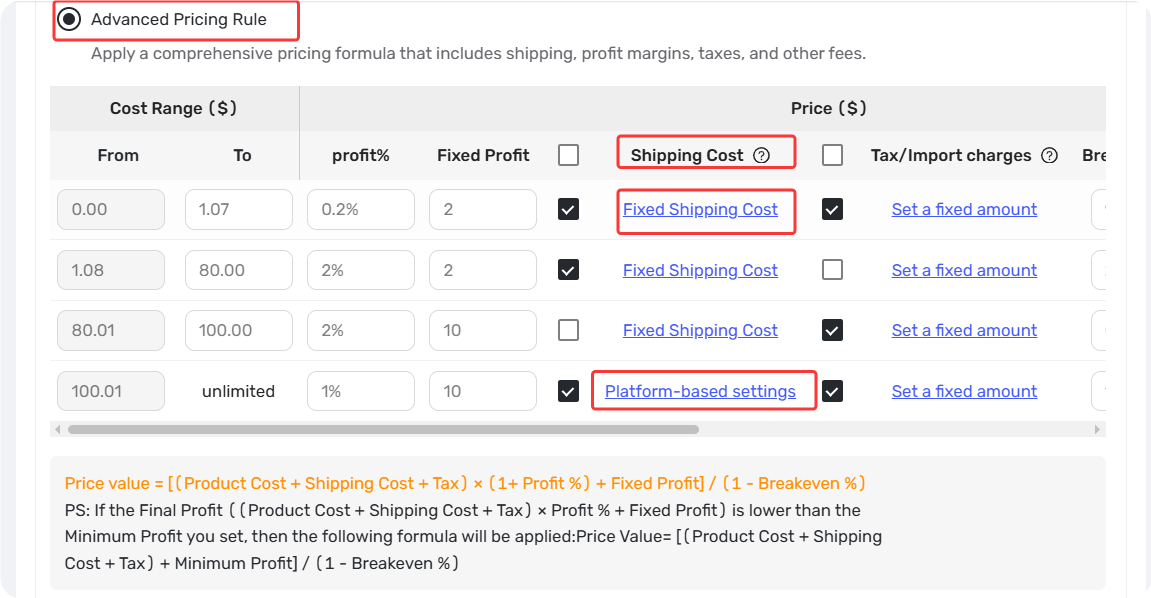
Fix: Open your Advanced Pricing Rule, go to its shipping cost settings, and select one of the supplier's available ship to country and shipping methods.
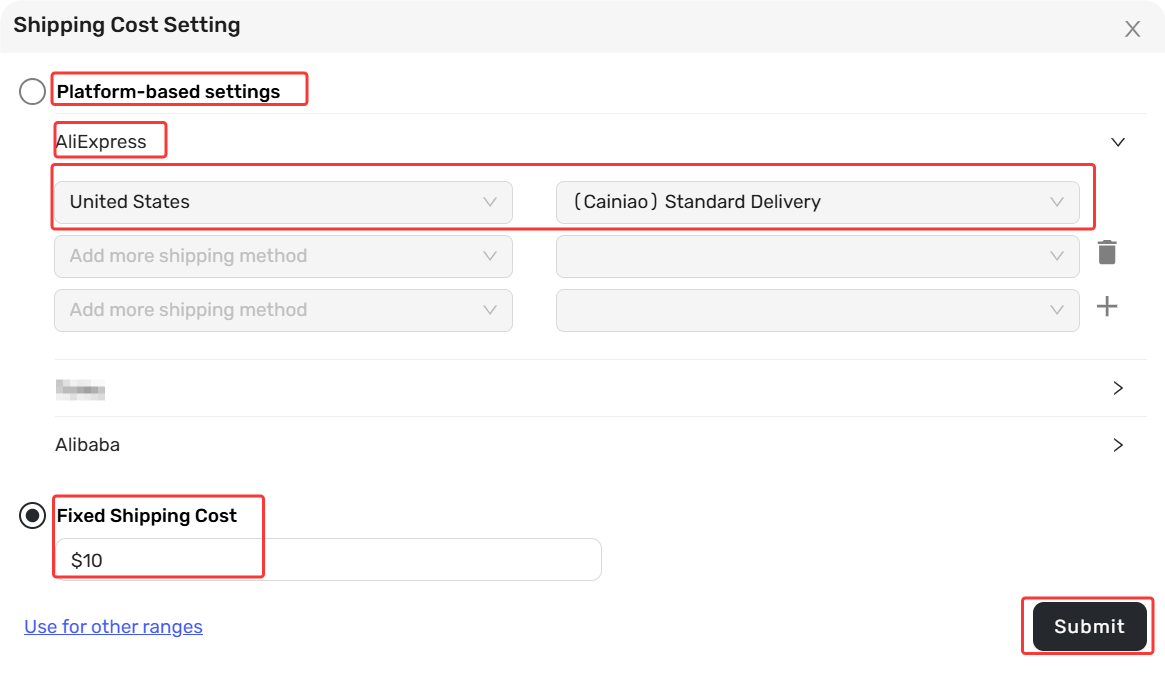
How to Update the "Cost per item" Field in Your Store
Once your shipping settings are correctly configured, DSers will start pushing the combined cost (product + shipping) to your store's "Cost per item" field.
- If Automatic Price Update is enabled: The system will automatically include shipping cost whenever supplier prices change — no extra steps required.
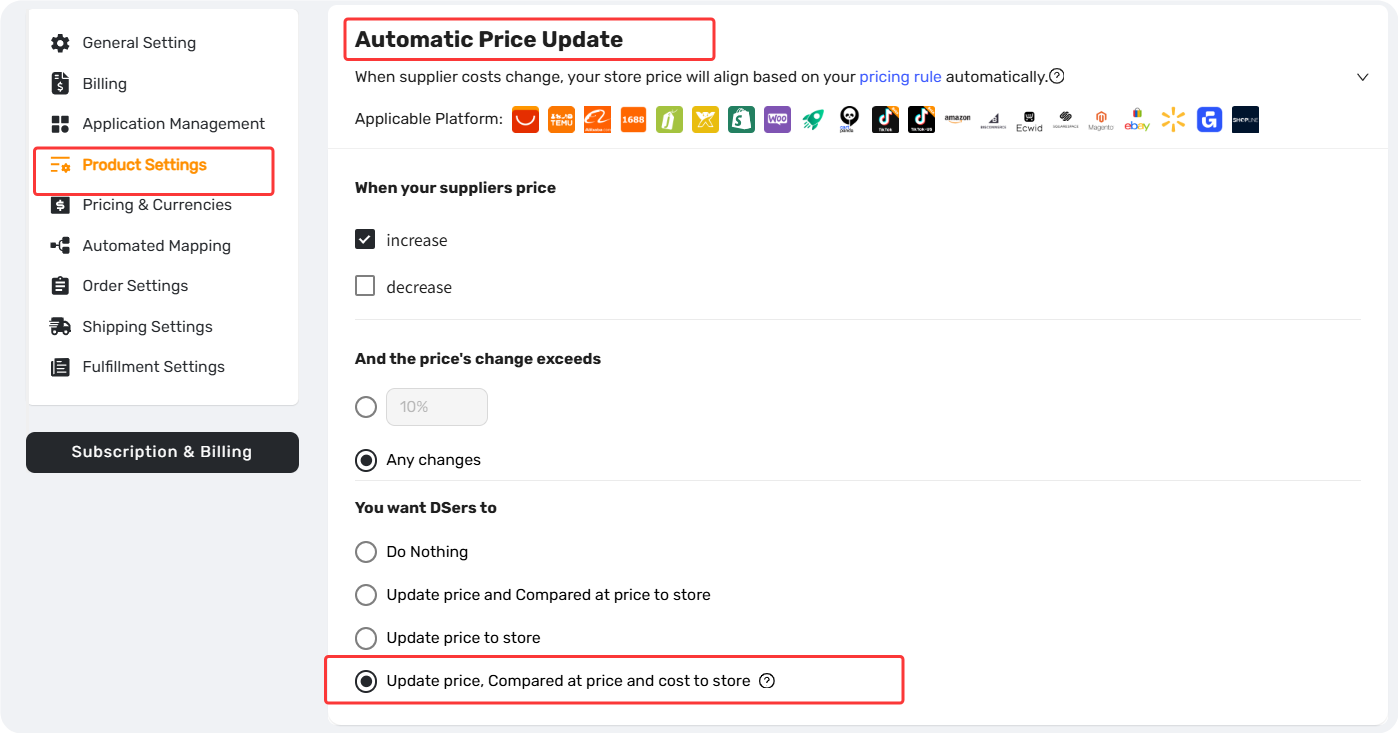
- If Automatic Price Update is disabled: Go to Settings → Product Settings → Manually change store products price, select the stores, and click Update to push the new cost immediately.
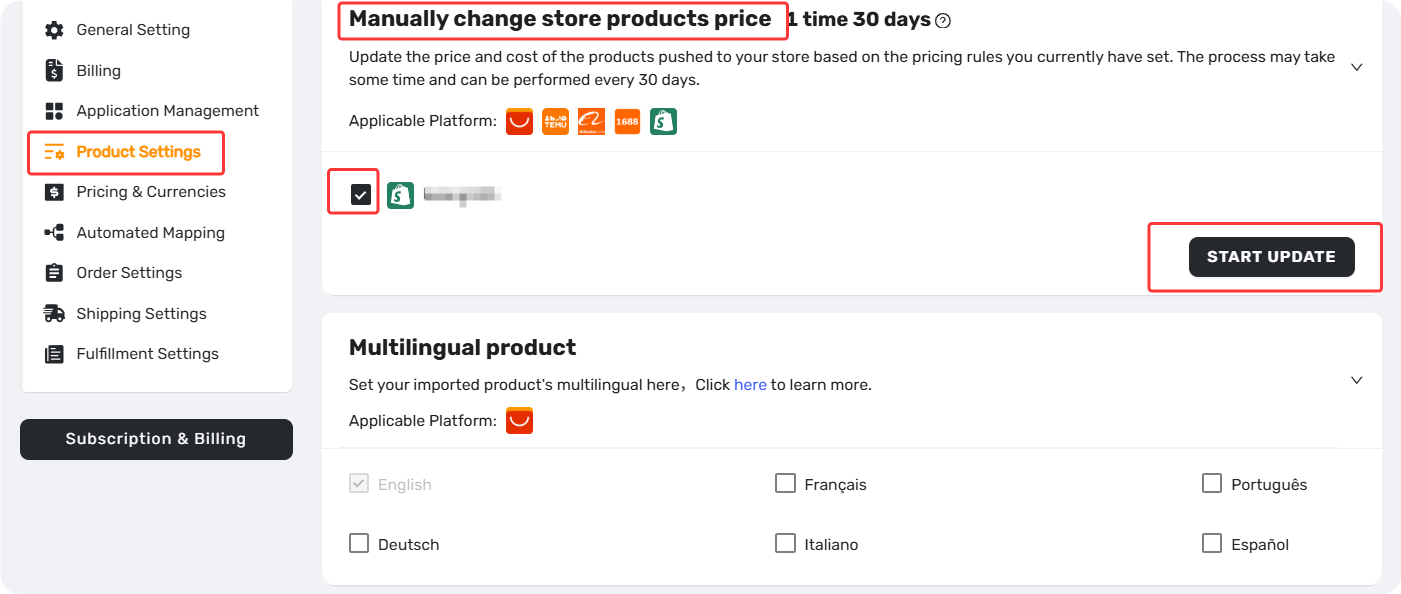
After this, every product you push to your store will have the correct total cost, giving you accurate profit tracking from day one.
Related Articles
- Master Pricing Settings: 2 Ways to Automate Your Product Pricing
- Basic Pricing Rule: Automate Your Product Pricing in Minutes
- Basic Pricing Rule: How to Add Shipping Cost to Your Pricing Rule
- Store Currency & Exchange Rates: How to Price Across Different Currencies
- Assign Cents: Make Your Product Prices Look Clean and Professional
- Manually Change Store Products Price: Bulk Refresh with Your Latest Rules
- Automatic Price Update: Keep Store Prices in Sync with Suppliers
- Manual Price Sync Failures: Causes & Troubleshooting Solutions
- Shipping Settings: How to Set Your Default Shipping Method
FAQ Section
Here are some common questions about shipping cost sync, method selection, and pricing workflows in DSers.

Get Started Now to Grow Your Online Business with the DSers!