

See who did what, when – across every action in DSers.

Note
With multiple staff accounts or frequent store updates, it's easy to lose track of changes. The Activity Log records every key operation — so you can monitor and trace all team activities in your account at any time.
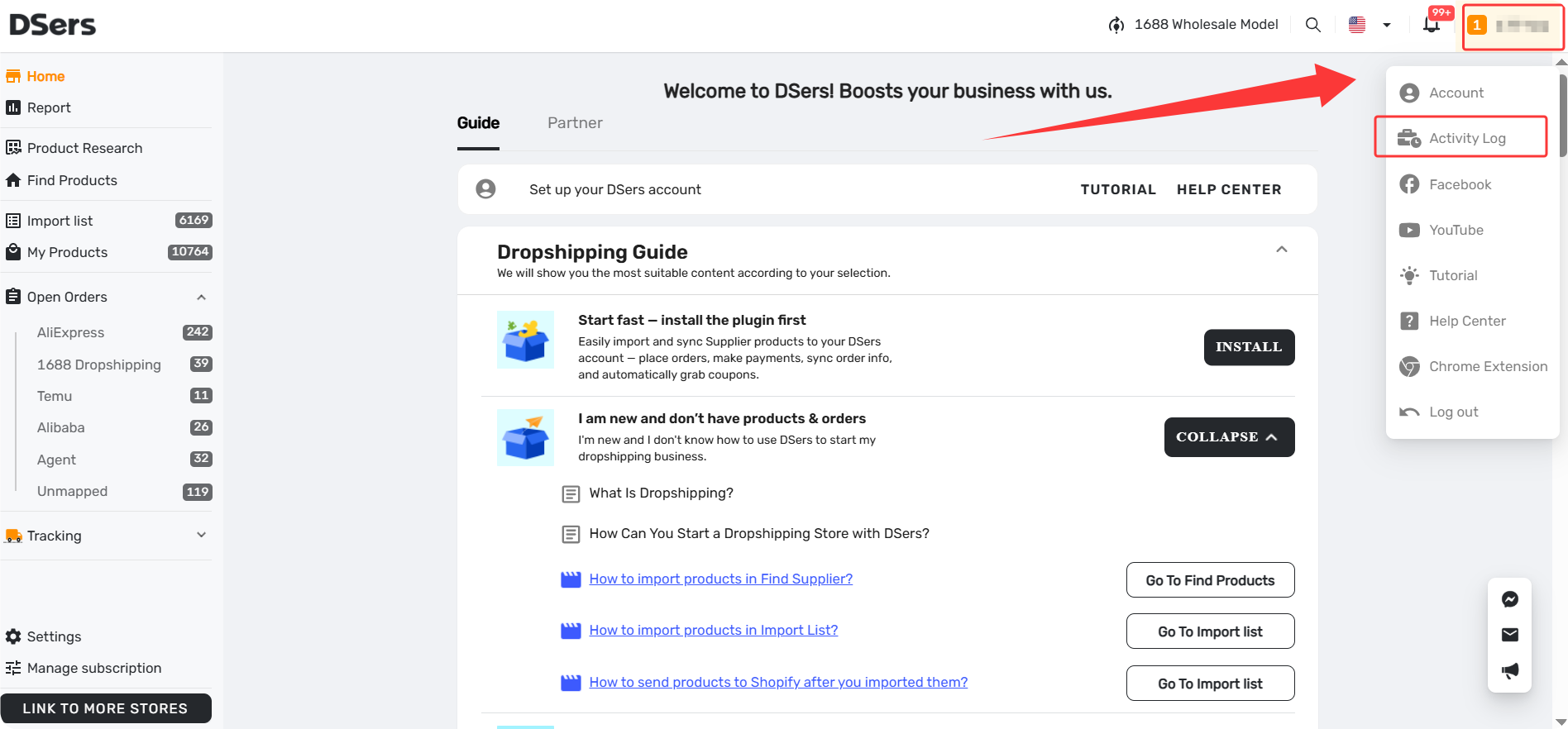
Go to DSers - Top Bar -Profile Icon- Activity Log to access it. All accounts (main and staff) have full visibility — no permission restrictions.
What Actions Are Logged?
The Activity Log records the following operation types. For each log, you can check Details to see the full breakdown.
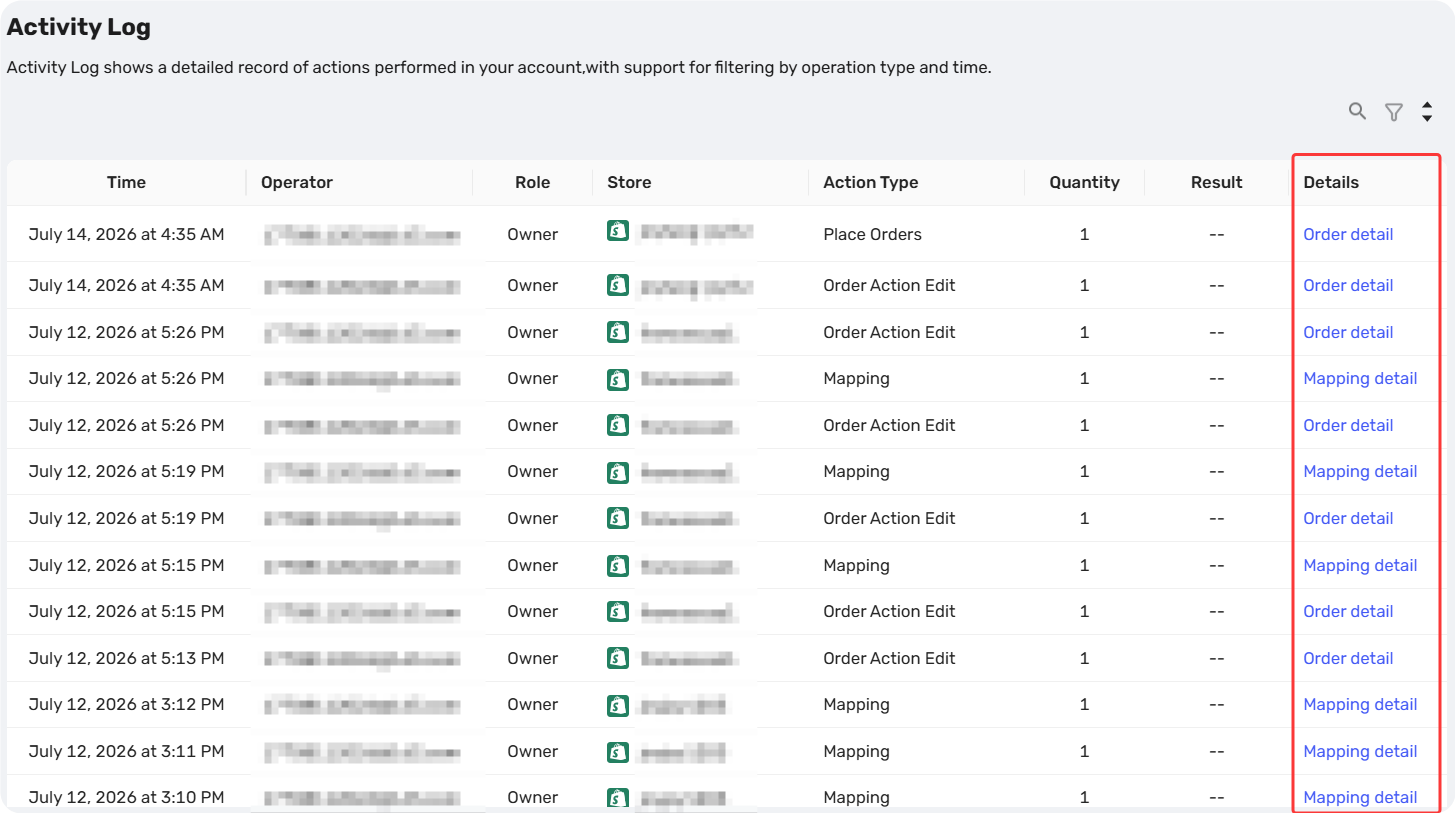
| Action Type | What You Can Check |
|---|---|
| Push Products | Store name, success/fail counts, product image, title, and fail reason |
| Mapping | Mapping type, destination product name |
| Delete Product | Deletion details, plus a revert option (see dedicated guide) |
| Manually Update Price | Store name, update time, and operator |
| Fulfill Orders Manually | Success count, store list, order numbers; partial fulfills show item details |
| Roll Back Orders | Store list and order numbers |
| Place Order | Order count, store, order numbers, and supplier platform |
| Order Action Edit | Store info, original & edited variants, and supplier product link |
For deleted products: Learn how to revert and what gets restored in our dedicated guide – [How to Revert Deleted Products from Activity Log].
For each log, you can check Details to see the full breakdown.
Search & Filter
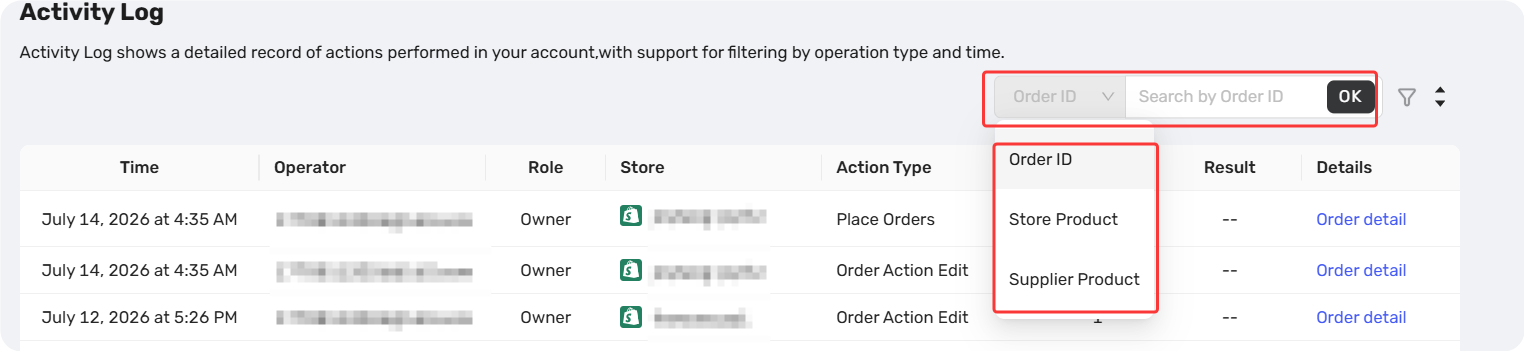
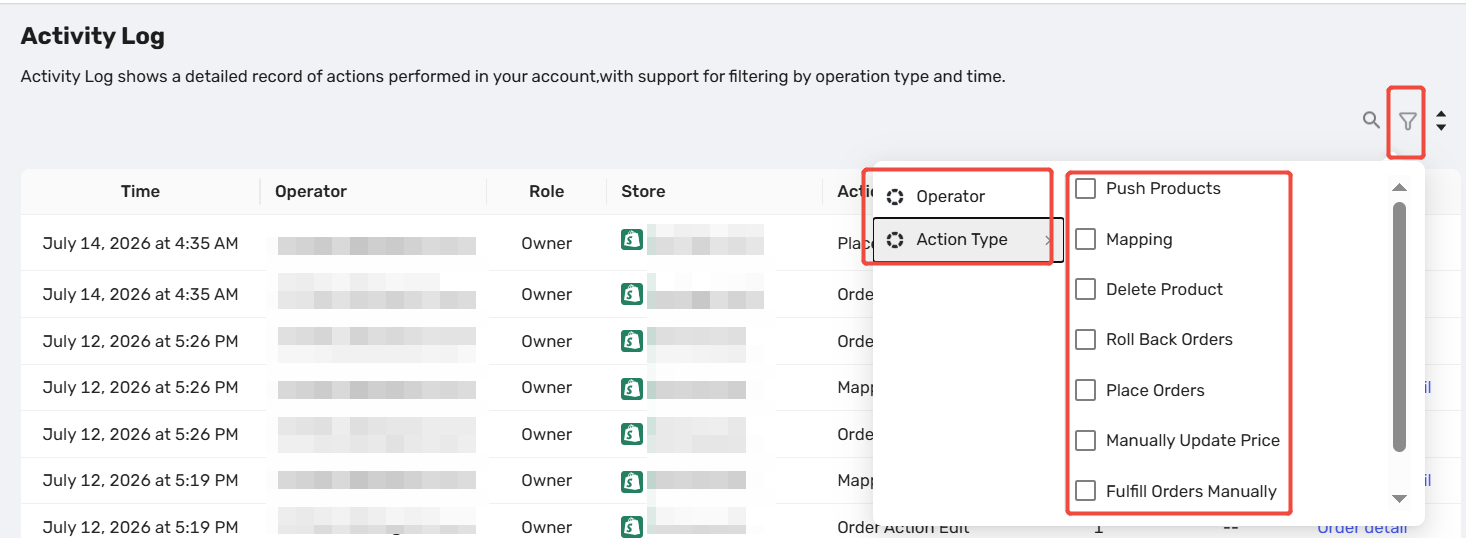
You can narrow down logs by the following criteria – and they work together.
| Filter | What You Can Do |
|---|---|
| Search | Search by Order ID or Product Name |
| Operator | Filter by specific staff accounts or DSers (system actions) |
| Action Type | Multi-select — e.g., view only Delete Product and Roll Back Orders |
| Time Range | Default: last 3 days. Custom range available within your plan's limit |
The list updates instantly whenever you change any condition.
Log Visibility by Subscription Plan
Logs are sorted from newest to oldest and loaded in batches of 10 — keep loading until you hit your plan's date limit.
- How long are logs available? Depends on your plan:
| Plan | Logs Visible For |
|---|---|
| Basic | 3 days |
| Advanced | 7 days |
| Pro | 7 days |
| Enterprise | 15 days (max supported) |
Related Articles
- Staff Accounts: Let Your Team Help Without the Risk
- How to Connect Multiple Stores to a Single DSers Account
- Multi-Store Sync: Manage Multiple Stores from One Dashboard
- Manage Multiple Stores from One Dashboard in Import List
FAQ Section
Quick answers to the most common questions about DSers Activity Log.
| Get Started Now to Grow Your Online Business with the DSers! |
