

Learn how to successfully import Alibaba products and troubleshoot common MOQ or product pool restrictions.
Note
This guide walks you through the different ways to import Alibaba products into DSers and what prerequisites they must meet.Click here to start dropshipping now with DSers
What You Can Import from Alibaba
You can import an Alibaba product into DSers only when it meets all of these conditions:
- Minimum Order Quantity (MOQ) is 1: Only products with an MOQ of 1 can be imported. If a supplier changes the MOQ to more than 1 later, the product will show as Unavailable in DSers.
- It is in the DSers Alibaba product pool: DSers provides a curated set of Alibaba products available for import. Products outside this range cannot be imported.
How to Import Alibaba Products
You have three ways to import Alibaba products into DSers:
Method 1: Import from the DSers product pool (Recommended)
The easiest way is to import directly from the curated pool inside DSers.
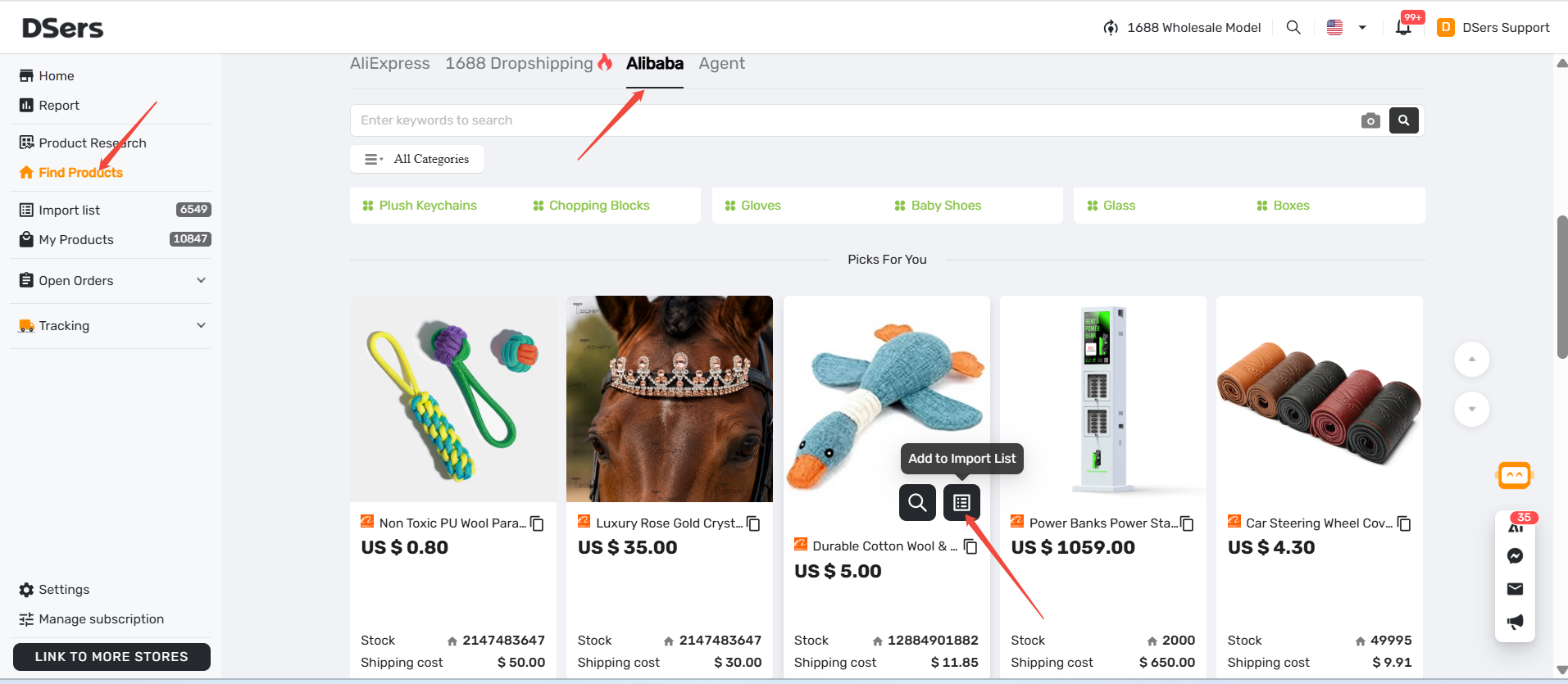
- Log in to DSers and go to Find Products > Alibaba.
- Search for products by keyword, category, or image.
- Click Import on the product card.
- The product will be added to your Import List.
Method 2: Import directly from Alibaba.com
Alibaba.com has a built-in dropshipping feature that partners with DSers.
- Find the product you want on Alibaba.com.
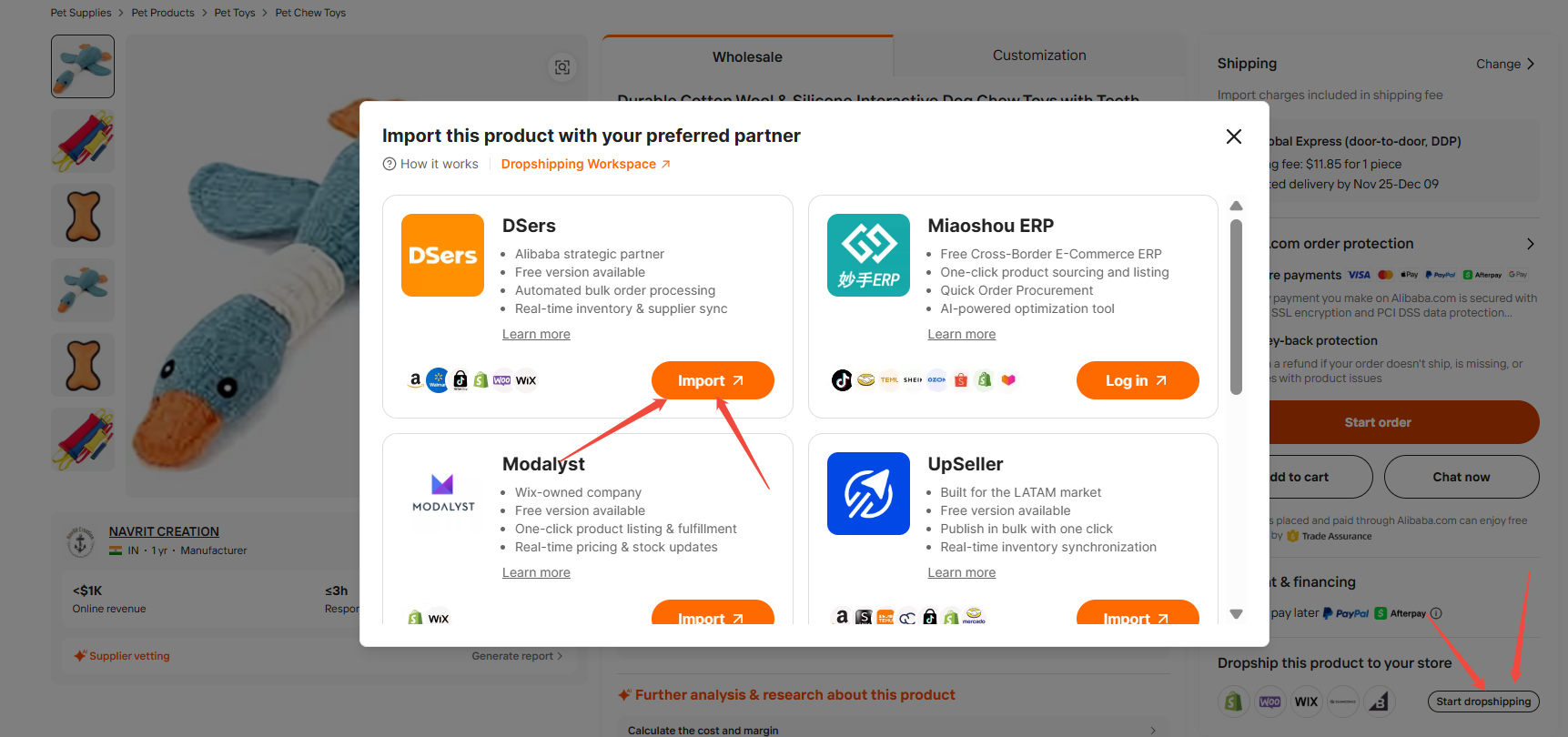
- On the product details page, scroll down to the Dropship this product to your store section on the right.
- Click Start dropshipping.
- In the pop-up window, find DSers and click Import.
- Once you see the "Pushed to DSers!" success message, click Open DSers to view the product.
Method 3: Import via an Alibaba.com link
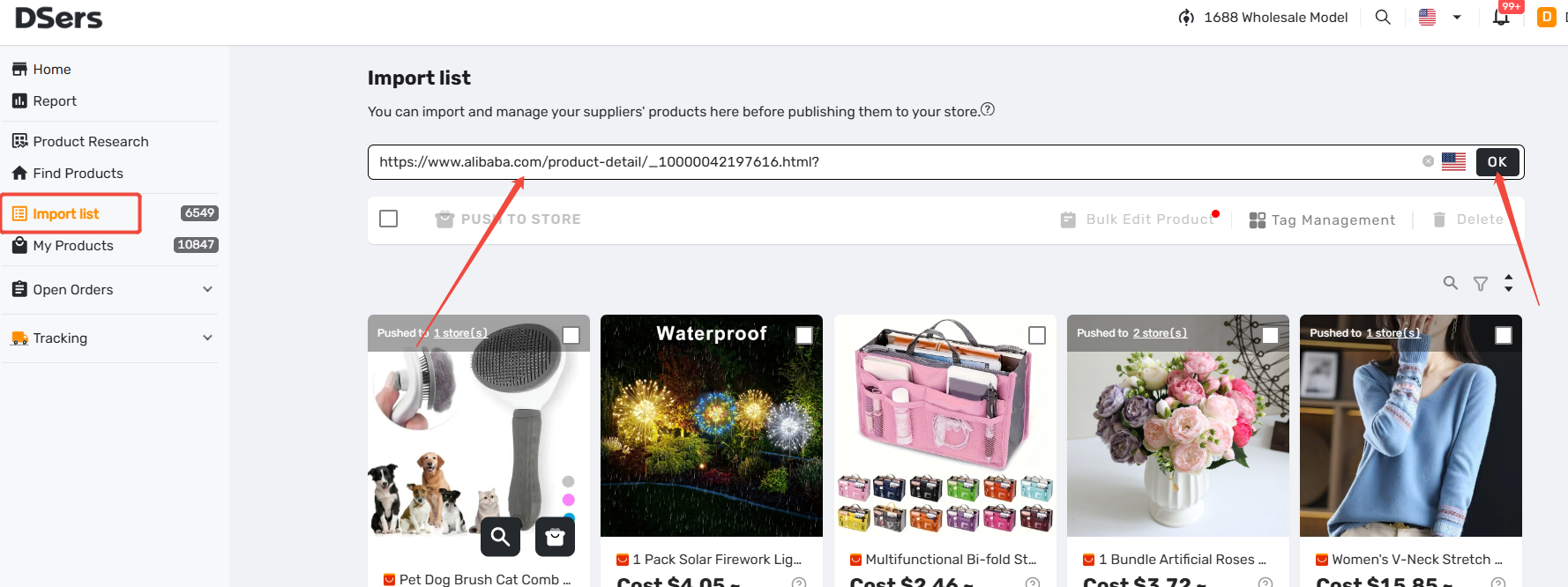
You can paste an Alibaba product link directly into DSers import list page, but only if it meets the import conditions (MOQ = 1 and in the DSers pool).
Why Did the Import Fail?
If you cannot import a specific Alibaba product, it is usually due to one of these reasons:
- MOQ is greater than 1: DSers only supports products that can be purchased individually.
- Not in the product pool: The product isn't included in DSers's supported Alibaba range.
- Missing "Add to DSers" button: If there is no import option on the Alibaba.com page, the product is not currently supported.
What to do next:
- Contact Support: If the product has an MOQ of 1 and you still cannot import it, contact DSers Customer Support with the product link so our team can check if it can be configured for you.
- Find alternatives: If a specific Alibaba product is not supported, you can use the Find Products feature in DSers to search across AliExpress, 1688, or other supported platforms to find a similar product or alternative supplier.
Related Articles
- How to Connect Your Alibaba Account to DSers
- Connect Multiple Supplier Platforms: Supported Apps and Setup Guide
- Bulk Import & Edit: Add Products in Batches
- Basic Mapping: How to set Backup Suppliers
- Importing: How to Bring Products from AliExpress
FAQ
Here are some common questions about importing Alibaba products into DSers.

Get Started Now to Grow Your Online Business with the DSers!