

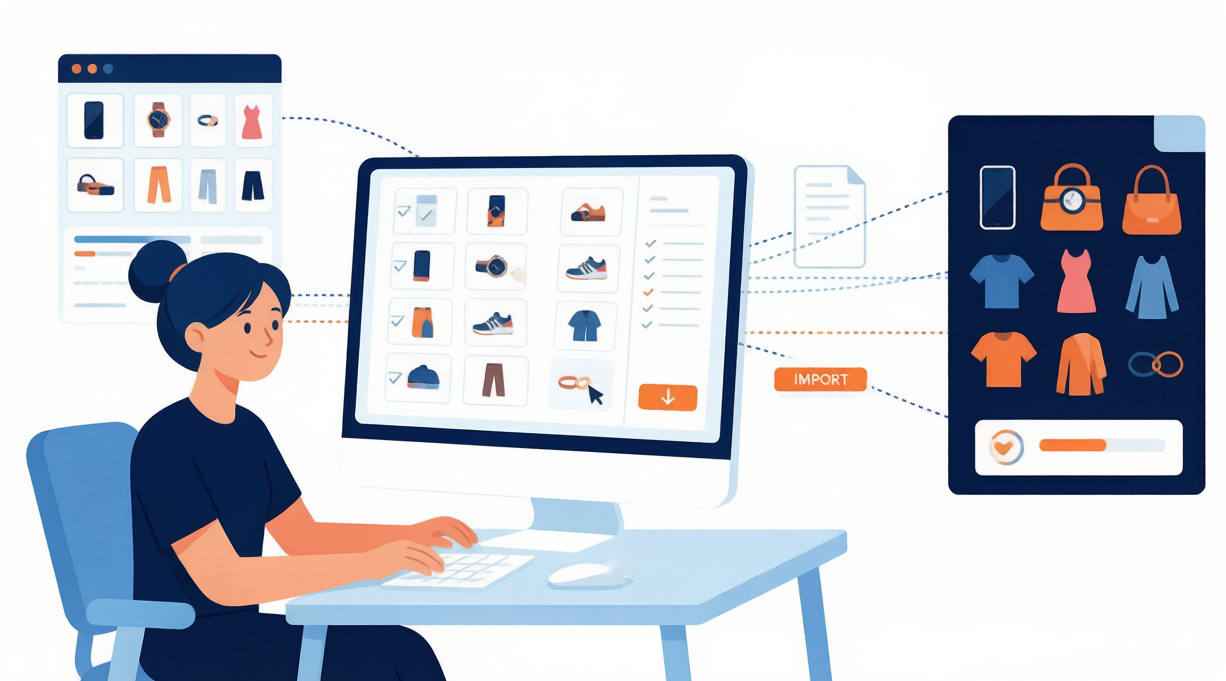
Save hours by importing dozens of products at once — right from AliExpress or DSers Find Products.
Note
For dropshippers, time is the hidden cost. Manually importing products one by one works when you’re starting out, but as your store grows, it quickly becomes a bottleneck.
This guide walks you through how to batch-import products into your DSers Import List and make bulk changes before pushing to your Shopify store — helping you scale faster with less manual work.
Click here to start dropshipping now with DSers
Part 1: Bulk Import from AliExpress
First, install the DSers Chrome Extension from the Chrome Web Store.
Once installed, refresh your AliExpress page. You will see bulk import options on three different page types — no extra setup required.
Where you will see bulk import options
You can batch-import products from three locations on AliExpress:
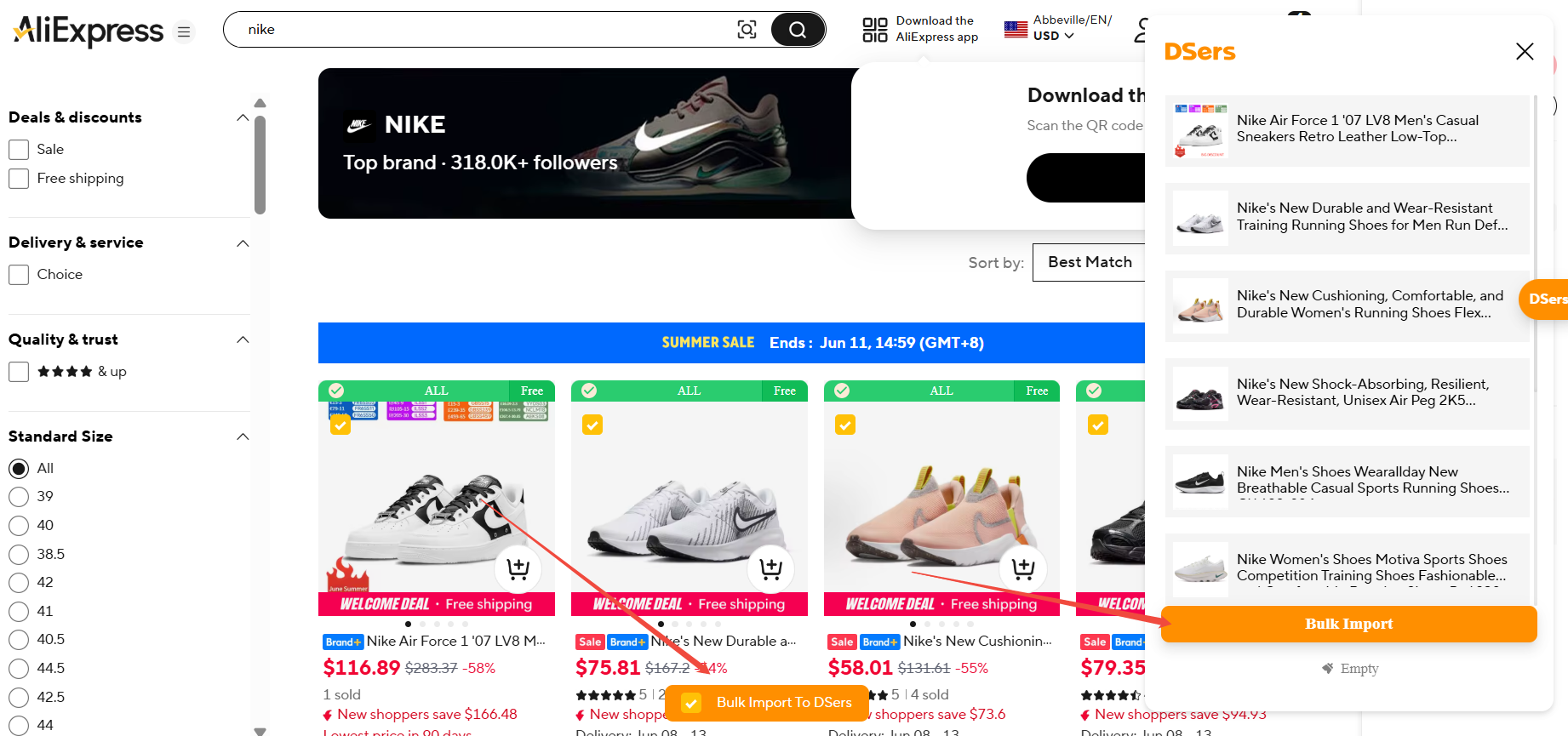
- Keyword search results page – after searching for a product (e.g., "yoga mat")
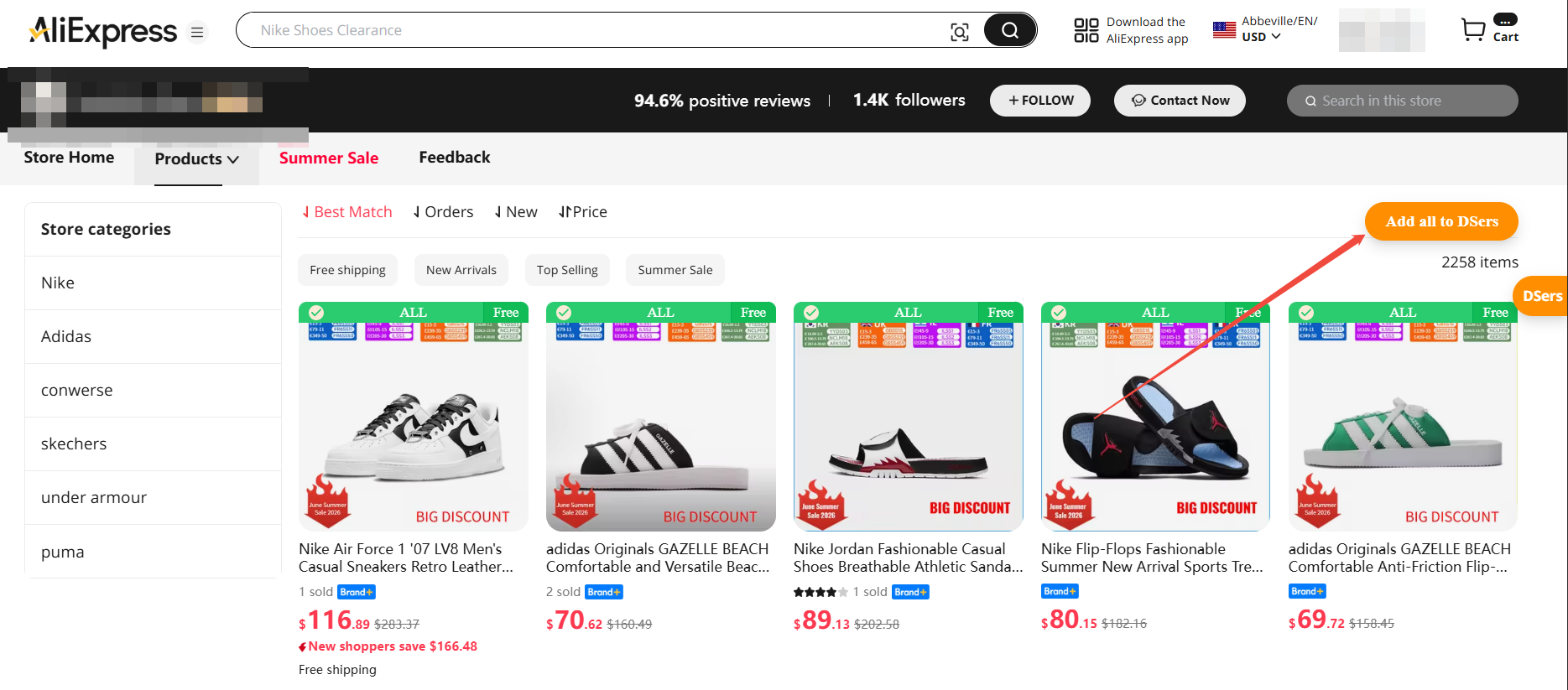
- Supplier store page – any supplier's store on AliExpress
- Single product page – scroll down to the Related items section
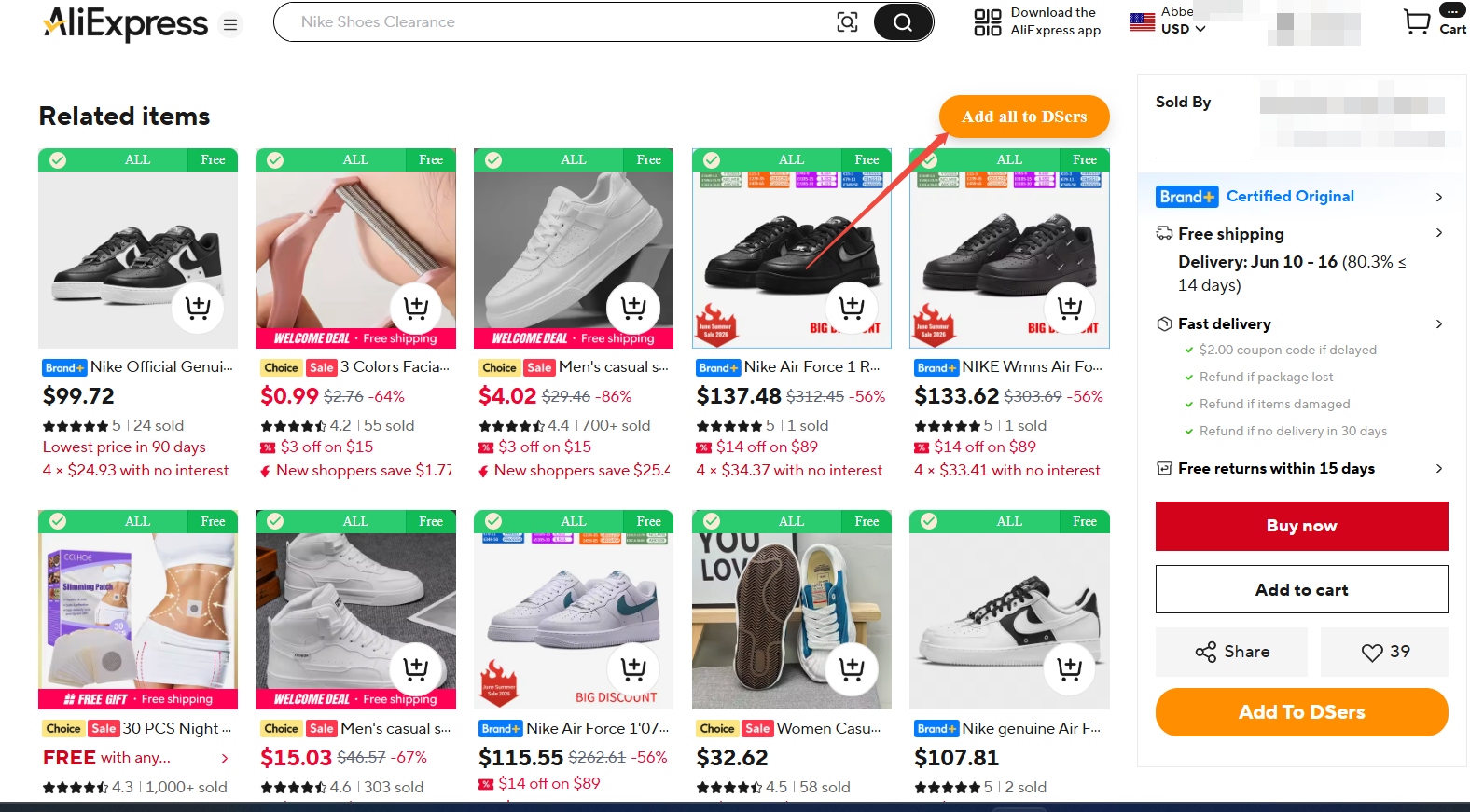
On any of these pages, simply tick the checkboxes on the products you want, then click the Bulk Import button. The selected products will be added to your DSers Import List.
You can also click the checkbox on the Bulk Import or Add all to DSers button — the system will automatically batch-select a number of products for you in sequence.
Part 2: Bulk Import from DSers Find Products Tab
You don’t need to leave DSers to find winning products. The Find Products tab inside DSers works like a product research tool with batch import built in.
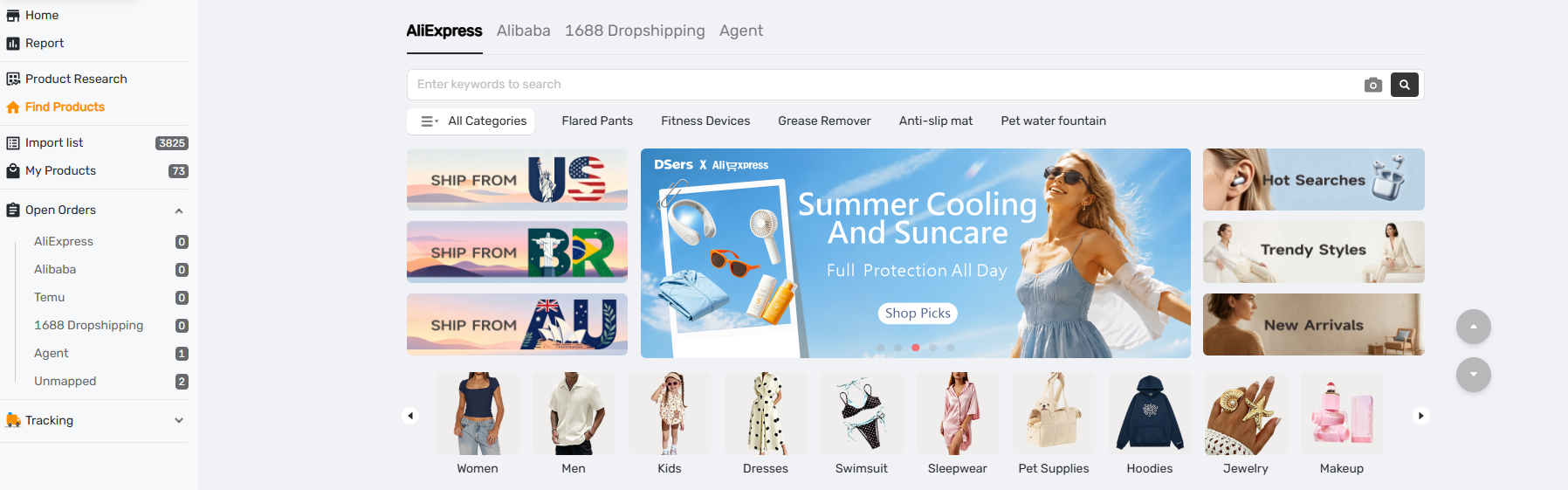
Step by step:
- Go to DSers app → Find Products.
- Enter a keyword to search, or click on any of the Banner sections (featured product collections) on the page.
- In the search results page, tick the checkbox next to each product you want.
- Click Add to Import List at the top or bottom of the list.
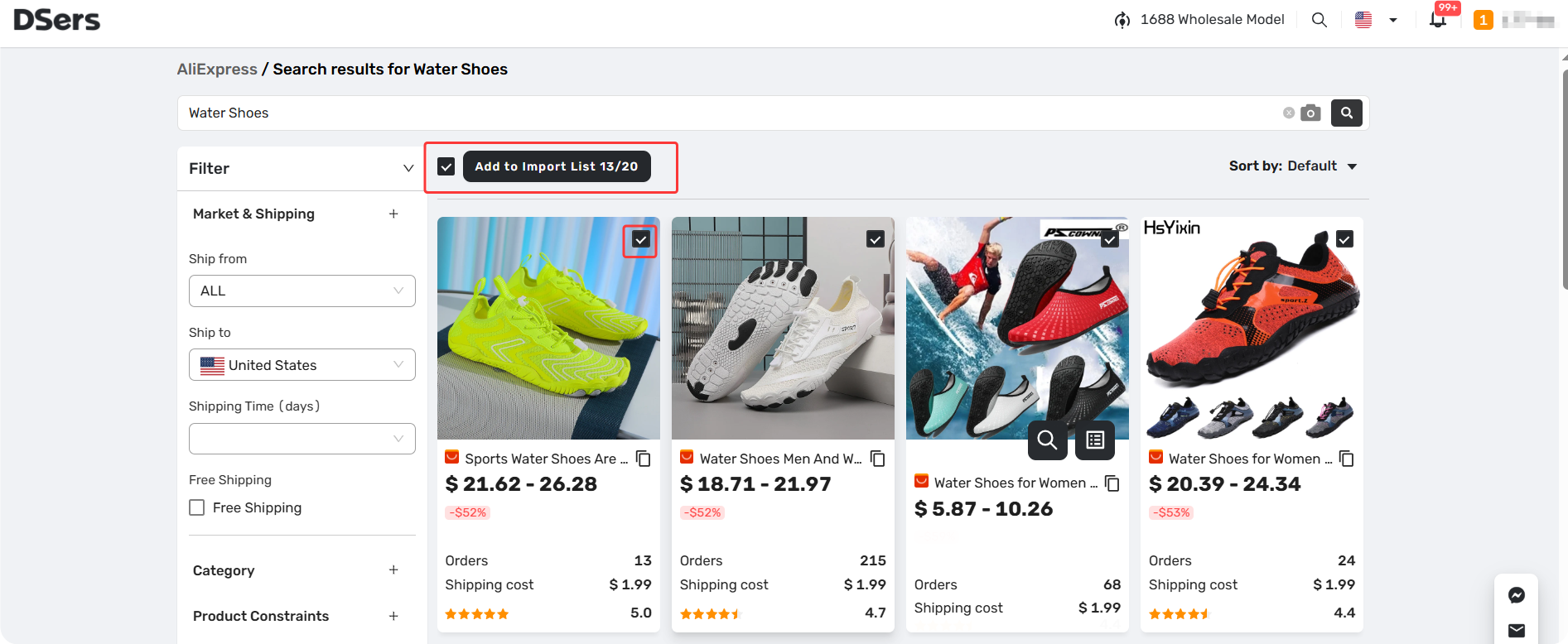
This adds all selected products to your Import List in one go — no extension needed.
Part 3: Bulk Edit Products Before Pushing product to Store
Once products are in your Import List, you can edit them in bulk before pushing to Shopify. This is where DSers saves you the most time.
How to Bulk Edit
- Go to Import List in DSers.
- Tick the checkboxes next to the products you want to edit.
- Click Bulk Edit Product at the top.
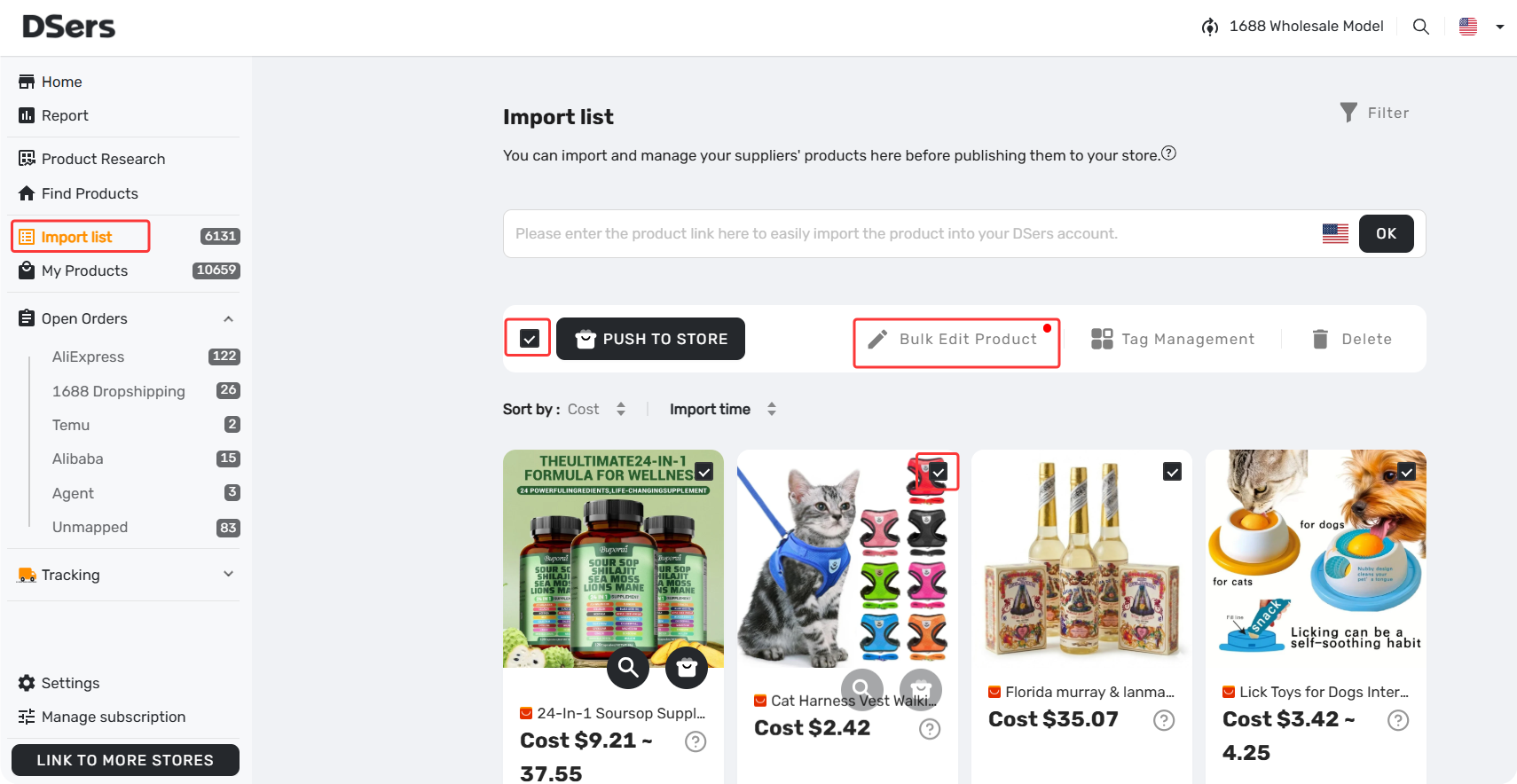
What You Can Bulk Edit
- Price – Set a global markup rule or manually adjust prices in bulk.
- Title – Batch-append or prepend text (e.g., add “Premium” or remove “Wholesale”).
- Tags – Add the same tags to all selected products for store organization.
- Product type – Assign a category in bulk for better Shopify collection setup.
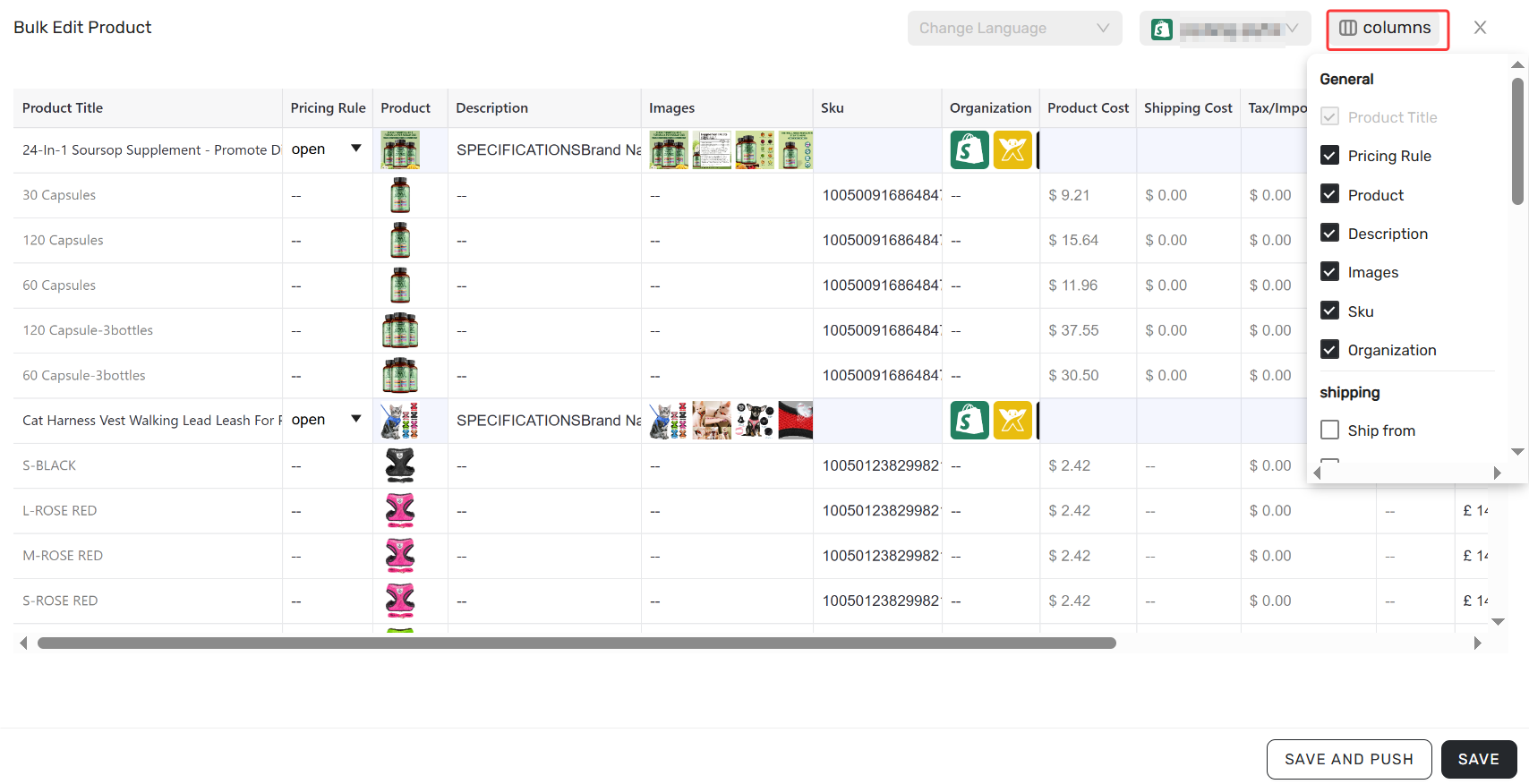
Pro tip: Use bulk edit before pushing to Shopify. That way, your customer sees clean, ready-to-sell products — no back-and-forth editing later.
Related Articles
- Give Your Products a Better Look: Edit Images in Import List Before Push
- Split Products Before Push: 3 Methods and How to Do It
- How to Import Products in Multiple Languages
- How to Organize Your Import List Using Custom Tags
- How to Quickly Find Products with Advanced Filters
- How to Revert Deleted Products from Activity Log
- Inventory Auto-Sync: Prevent Overselling
- How to Update Product Details Without Affecting Ad Links
- How to Edit Product price after Pushing
FAQ Section
Here are some common questions about bulk importing and editing products with DSers.
| Get Started Now to Grow Your Online Business with the Best AliExpress Dropshipping Tool - DSers! |
