Copy Link
DSers Help Center Set Up Your DSers/Manage your DSers account, Set Up Your DSers, Shopify, WooCommerce, Wix, Jumpseller, CSV, Settings & Customization, last, Core Features Tutorial Change DSers language

Change DSers language

63ae4e88a0764f000116bc43
Support: shopify icon woocommerce icon wix icon jumpseller icon CSV icon

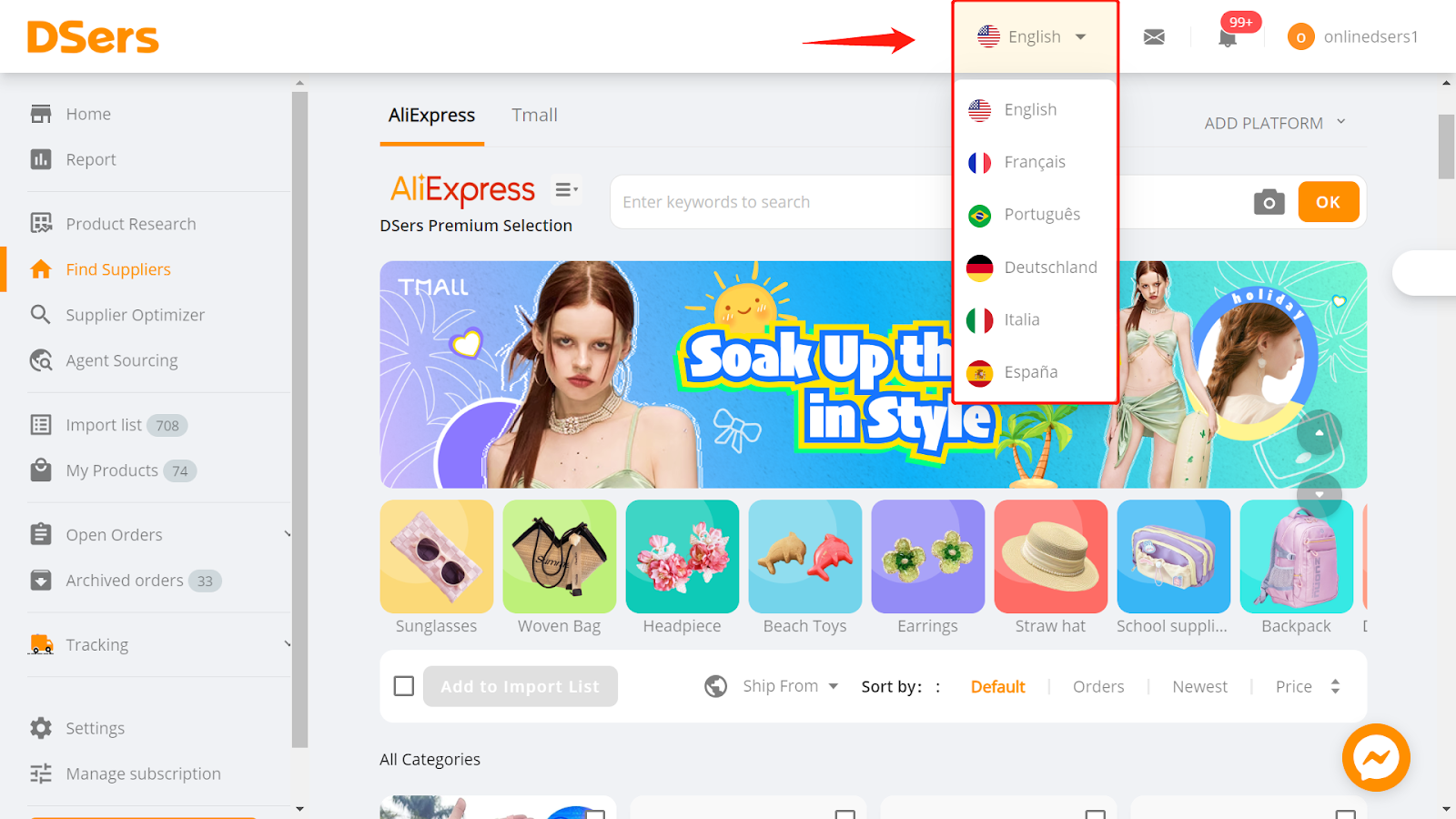
DSers app now supports these languages: English, French, Portuguese, German, Italian and Spanish. You can switch between them as needed.
DSers-language-switcher

How to switch DSers language

  1. Login to DSers.
  2. Hover on the Language Switcher on the right side of the Top Bar and select the language you desire from the dropdown list.

Please note that regardless of your browser or device, DSers language remains the same as your setting in DSers and it is independent of your staff account language.

Related Articles

  • Change DSers account name
  • Change DSers account email
  • Change DSers account password
  • All Categories