

Learn how to find fast-shipping suppliers and evaluate their reliability in DSers.
Note
A low product price means little if the delivery is slow or the supplier is unreliable.Click here to start dropshipping now with DSers
This guide covers how to source products with faster shipping, judge supplier reliability, and check what shipping methods a supplier actually offers.
Step 1: Choose your sourcing platform and Ship from location
DSers Find Products page supports AliExpress, 1688 Dropshipping, Alibaba, and Agent. AliExpress is best for testing and wide product variety; Alibaba and 1688 suit bulk sourcing and lower unit costs.
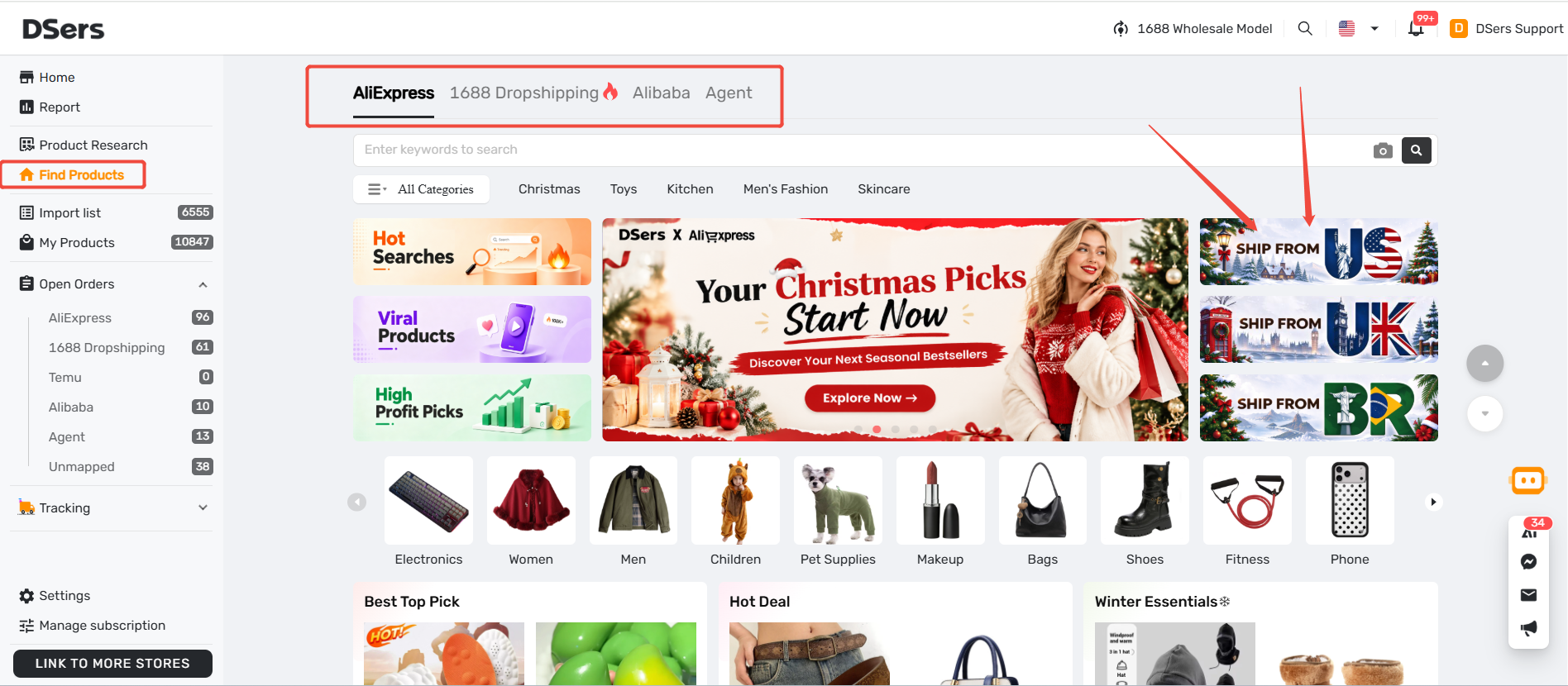
To find faster local suppliers:
- In DSers: Go to Find Products. Before searching, use the SHIP FROM banners (e.g., US, UK, BR) on the right side to filter for local warehouse inventory.
- On AliExpress directly: Use the Ship from filter in search results to show only products stocked in your target market.
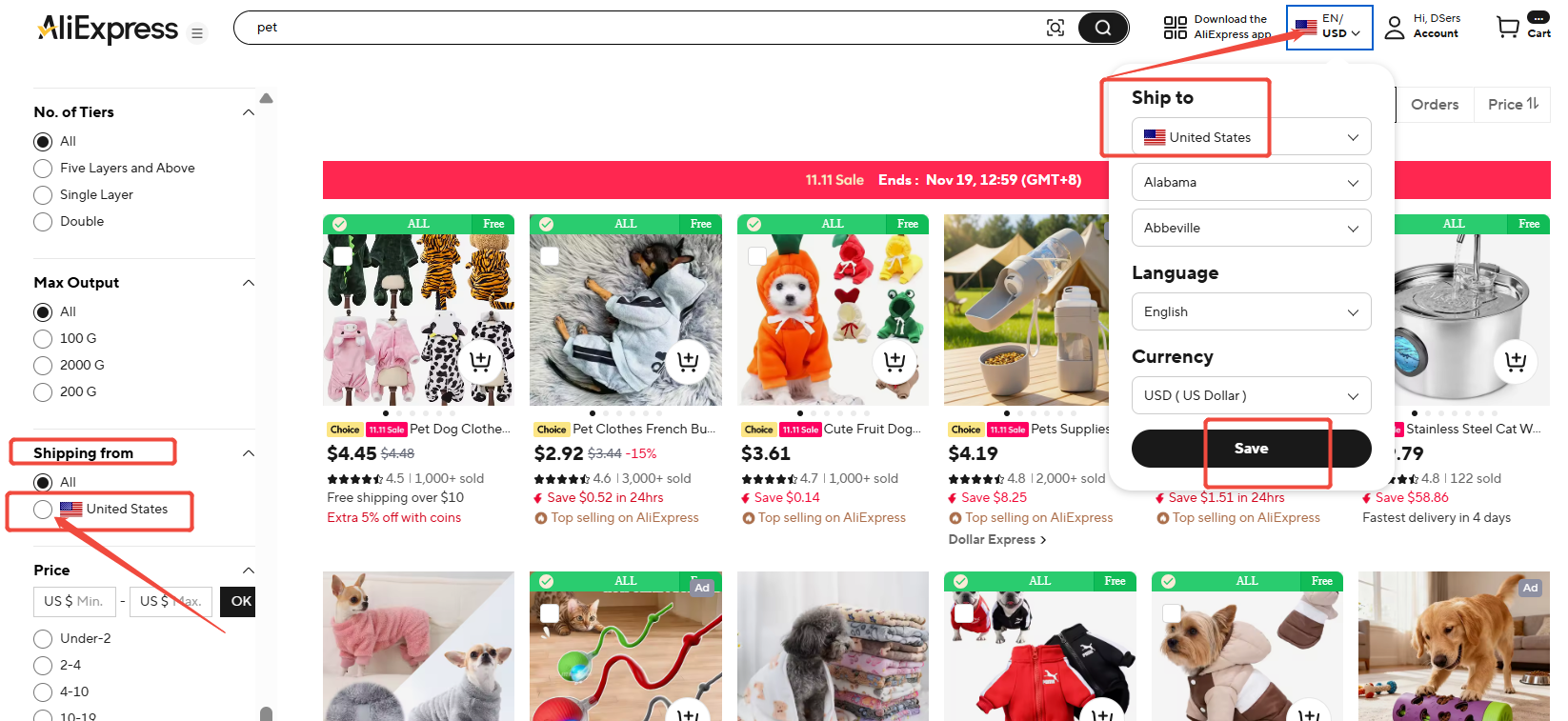
Step 2: Use filters on the search results page
Tip: The Find Products homepage and the search results page are different. Advanced filters appear on the results page.
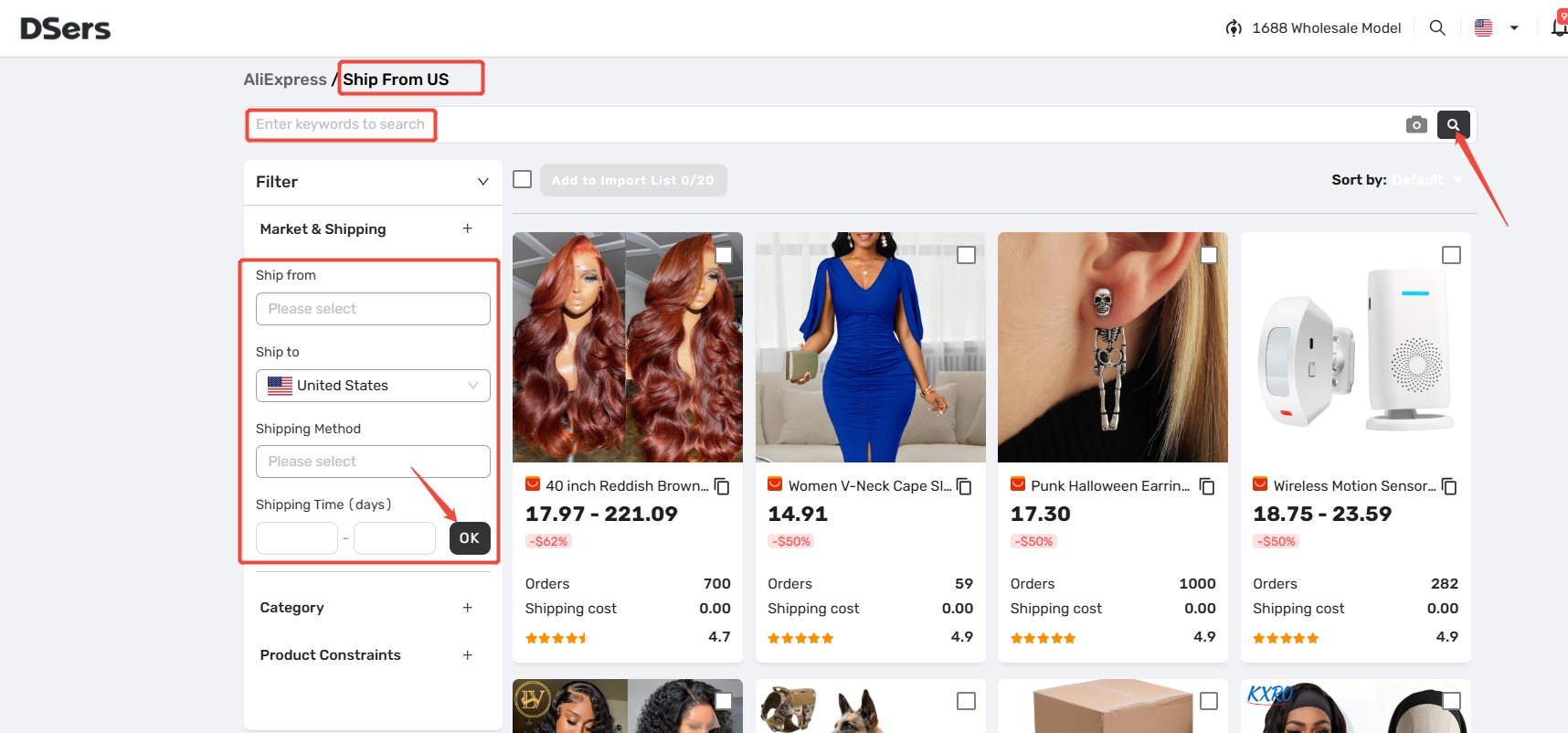
After searching, use the left Filter panel:
- Market & Shipping: Confirm Ship from / Ship to countries, select a Shipping Method, or set a maximum Shipping Time (e.g., 3–7 days).
- Category: Select specific product categories to narrow your results.
- Product Constraints: Filter by Price Range, Product Rating (e.g., ≥4.5), or Order Volume to find proven products.
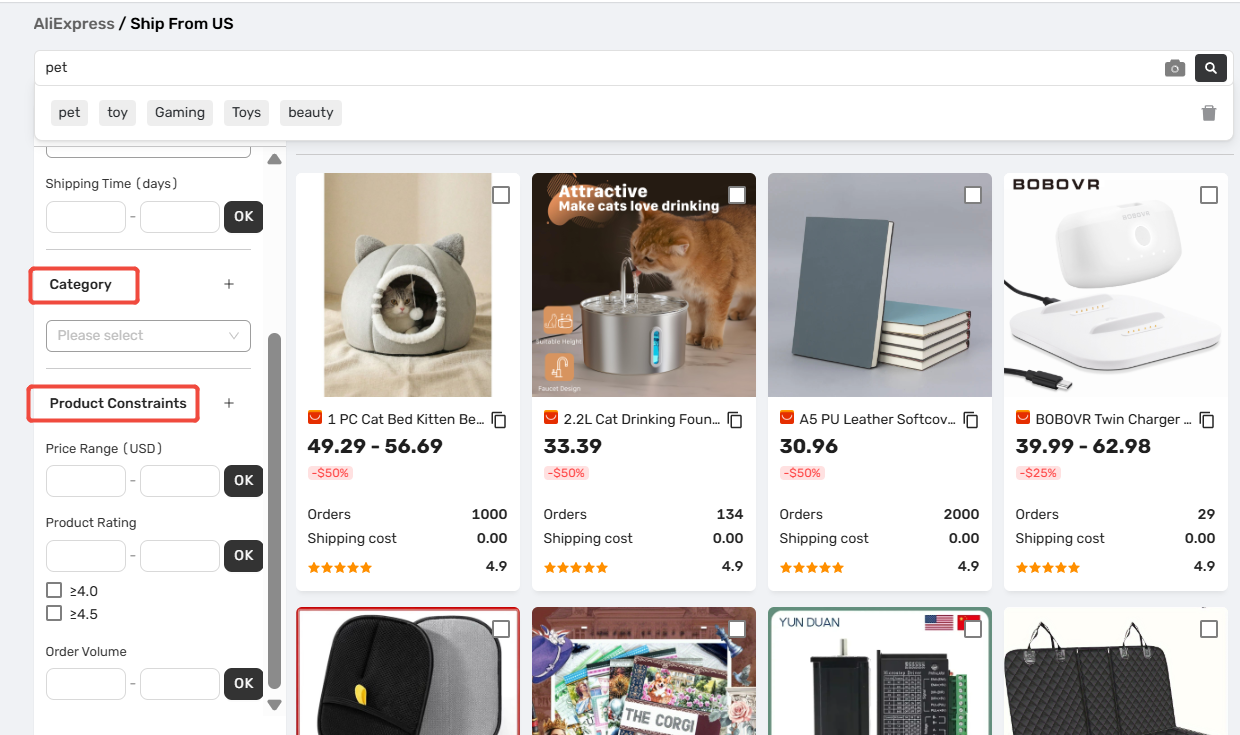
Tip: Filtered results are retrieved via the AliExpress API. Rates and delivery times may vary, so please verify the final details on AliExpress before deciding.
Step 3: Evaluate supplier reliability
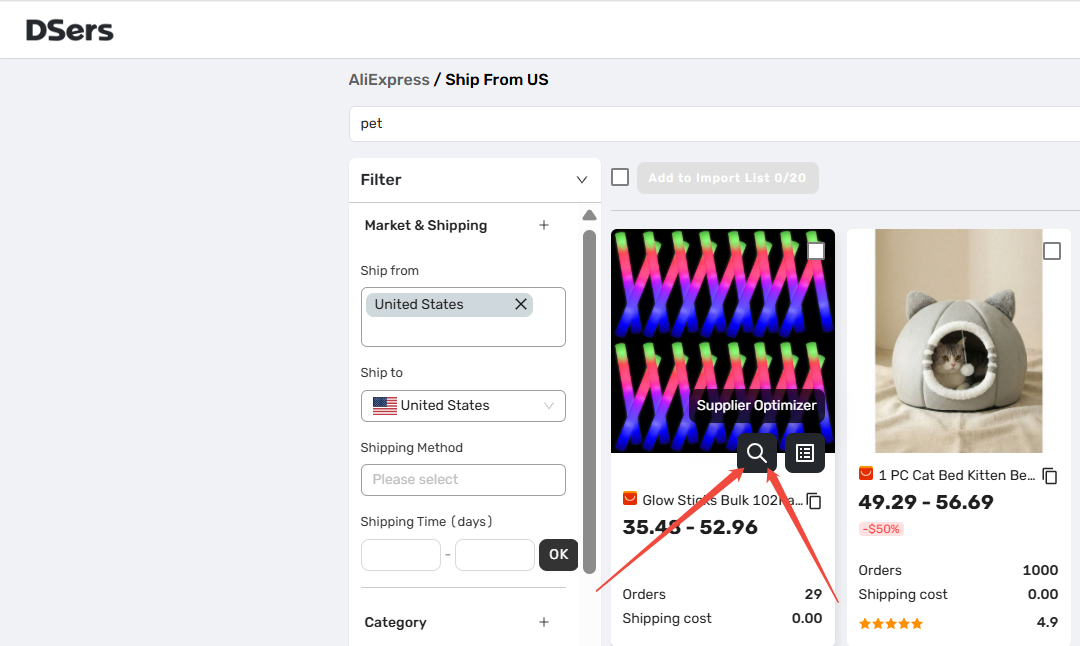
To quickly evaluate a supplier, look at these key metrics on the product card:
- Orders: High volume means a proven product.
- Rating: Look for 4.5–5.0 stars.
- Product Cost & Shipping Cost: Ensure a low product price isn't offset by a high shipping fee.
Always open the product details page to check recent reviews (especially those with photos).
For a deeper side-by-side comparison, hover over the image and click the magnifying-glass icon to open Supplier Optimizer. It helps you compare alternatives based on product cost, shipping, delivery days, and sales.
👉 Learn more: [Supplier Optimizer: Find Better Suppliers in Seconds]
Step 4: Verify supplier details and shipping methods
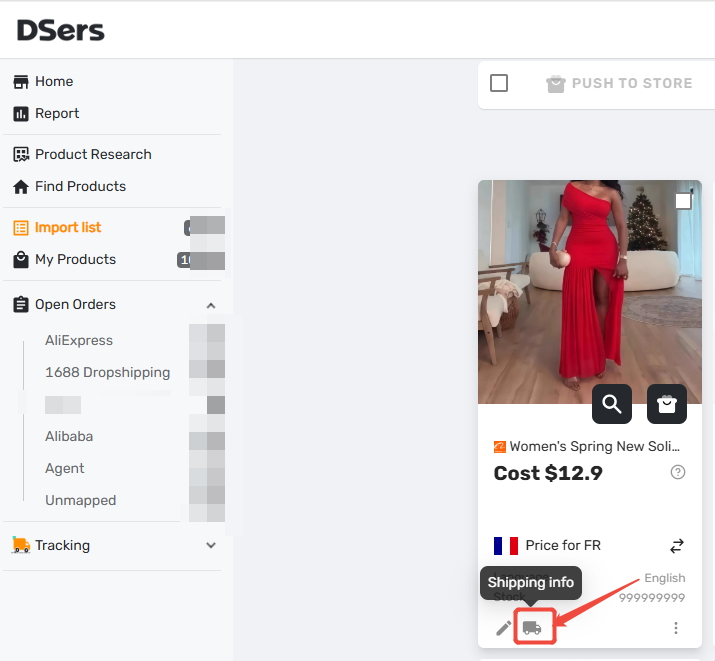
Once the supplier was imported to DSers, check the supplier details from with actual shipping methods and costs for your target country before ordering.
Path: DSers > Import List > click the product's Shipping Info
Use the SKU switch and country search to view available methods, costs, and delivery times.
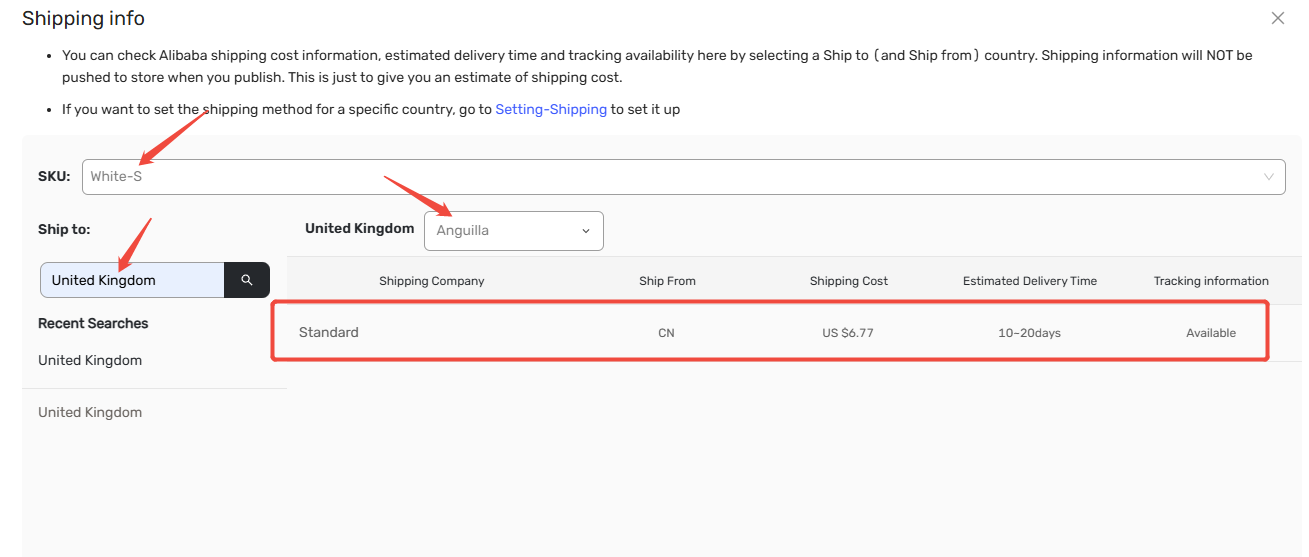
Tip: Default shipping rules pull costs from these methods. If your preset method isn't offered by the supplier, the cost may show as $0.
To have DSers automatically select shipping and calculate costs for you, check this guide:
👉 [Shipping Settings: How to Set Your Default Shipping Method]
Related Articles
- Supplier Optimizer: Find Better Suppliers in Seconds
- Basic Mapping: How to set Backup Suppliers
- Shipping Settings: How to Set Your Default Shipping Method
- Supplier Performance Tracking: Spot Unreliable Suppliers Early
FAQ Section
Here are some common questions about finding reliable suppliers with faster shipping in DSers.

Get Started Now to Grow Your Online Business with the DSers!