


An "out of stock" alert means you can't fulfill orders for that item—here's how to handle it fast.
Note
A "Product out of stock" alert means you can't fulfill orders for that item—whether the supplier temporarily edited their listing, permanently deleted the product, or simply ran out of stock. Ignoring it can lead to canceled orders and refunds. This guide breaks down what each type of alert means and how to respond—so you can act quickly and keep your store running smoothly.
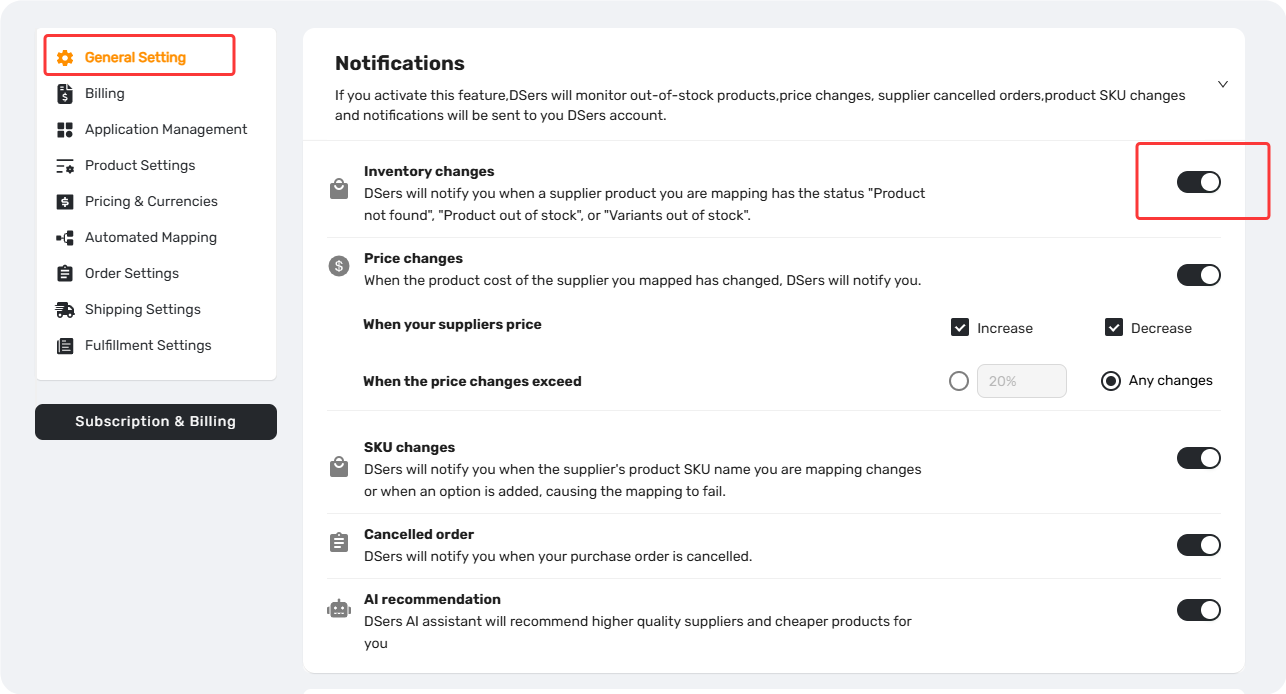
How to Enable This Notification
Settings - Notification Preferences and toggle Inventory Changes on.
What Triggers an Inventory Changes Notification?
Three scenarios will trigger this alert:
| Scenario | What It Means | Source Supply |
|---|---|---|
| Supplier Product out of stock | All variants have no inventory | AliExpress Agent |
| Supplier Product not found | Supplier permanently deleted the product | AliExpress Agent |
| Supplier sku out of stock | At least one variant has no stock left | AliExpress Agent |
Where to Find Inventory Change Alerts
You'll see inventory alerts in two places:
In both places, you can filter alerts
- My Products Page
– A status badge appears on the product card.
Click the status badge to check and edit the product.
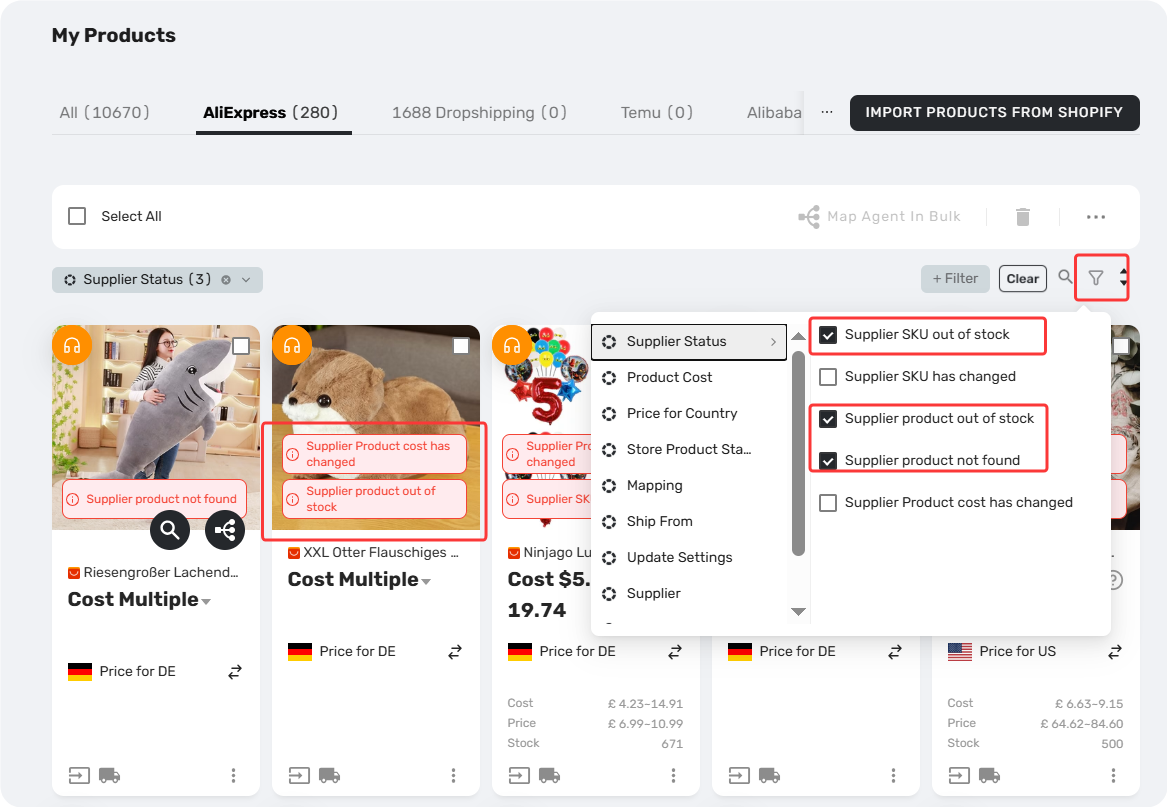
- Notification Center (Bell Icon on Top Bar)
– View All Notifications.
Click the Pencil icon to check and edit product.
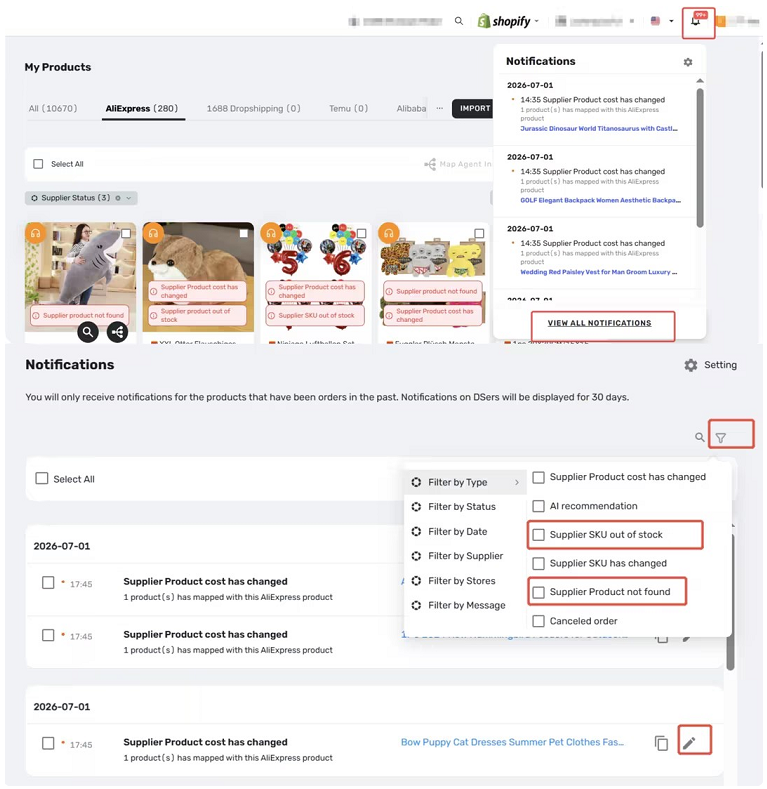
Tips: Alerts in both places are kept for 30 days.
From either place — you can open the same detail view to review SKU-level stock status and take action.
How to Respond By Scenario
Supplier Product Out of Stock /Supplier SKU Out of Stock
These might are temporary—the product or variant may become available again soon.
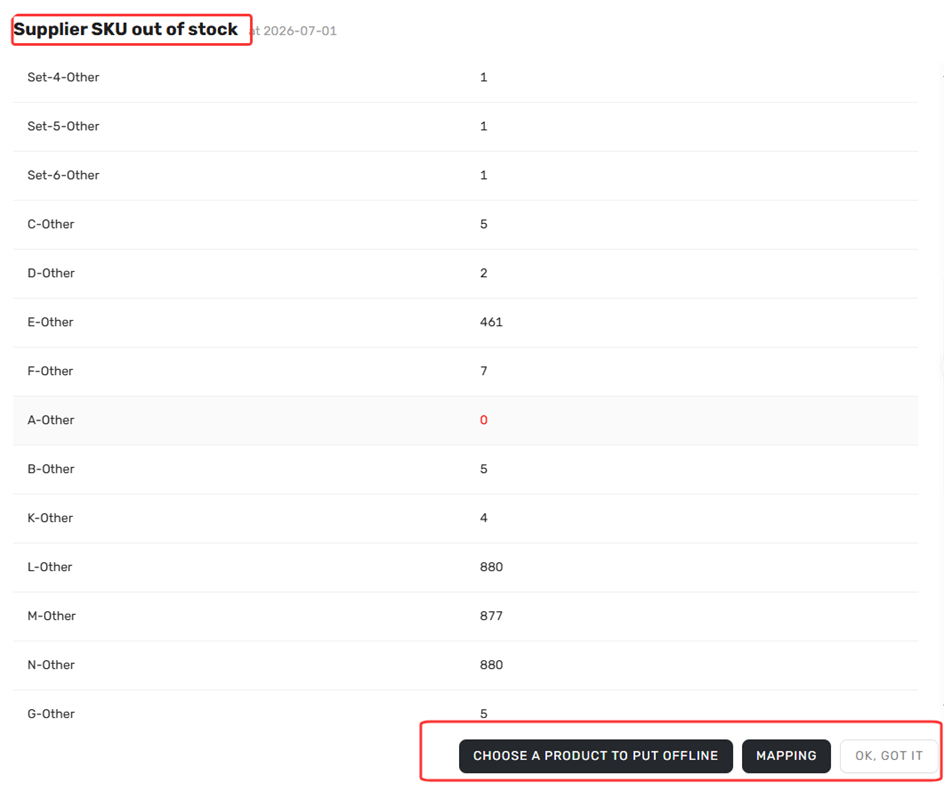
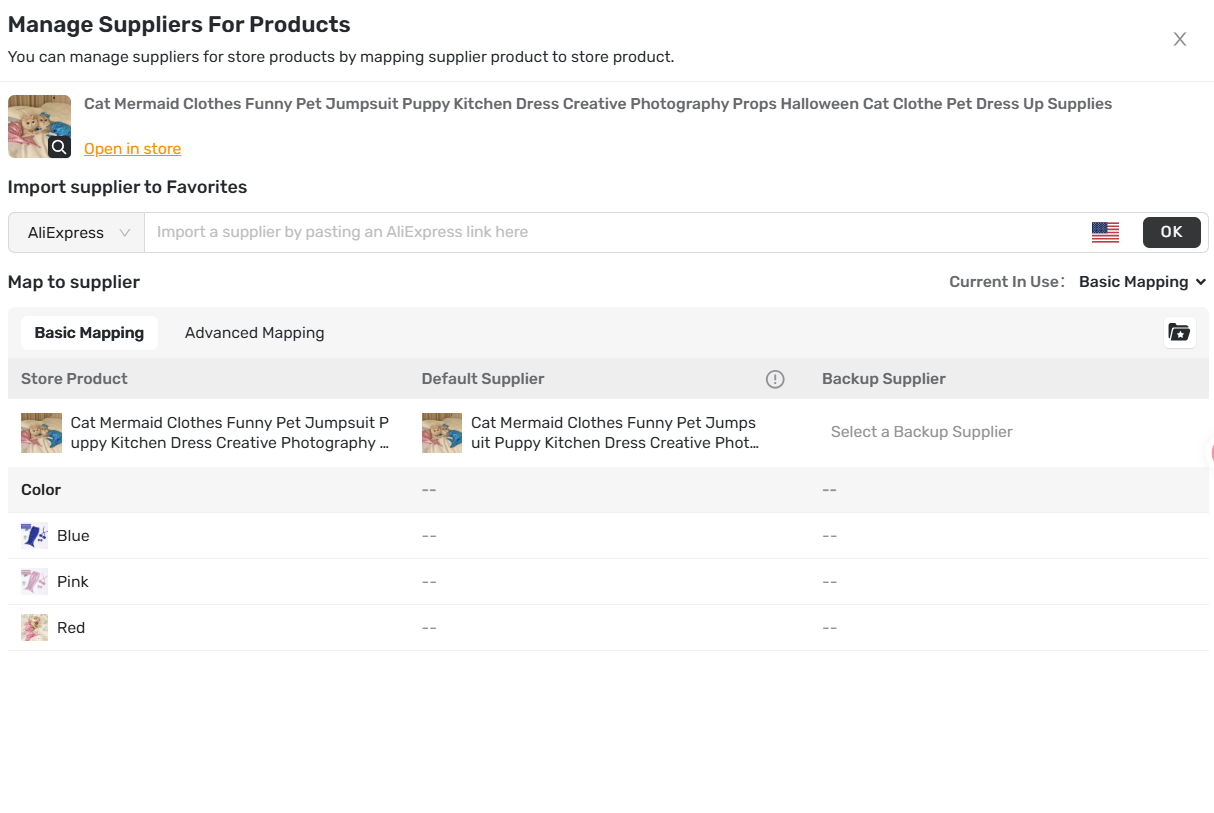
What to do:
- Wait and check back later for restocks.
- Remap a new supplier if it’s out of stock for a long time.
- Or use Basic Mapping to connect to a backup supplier, check more details on [Basic Mapping: How to set Backup Suppliers].
Supplier Product Not Found
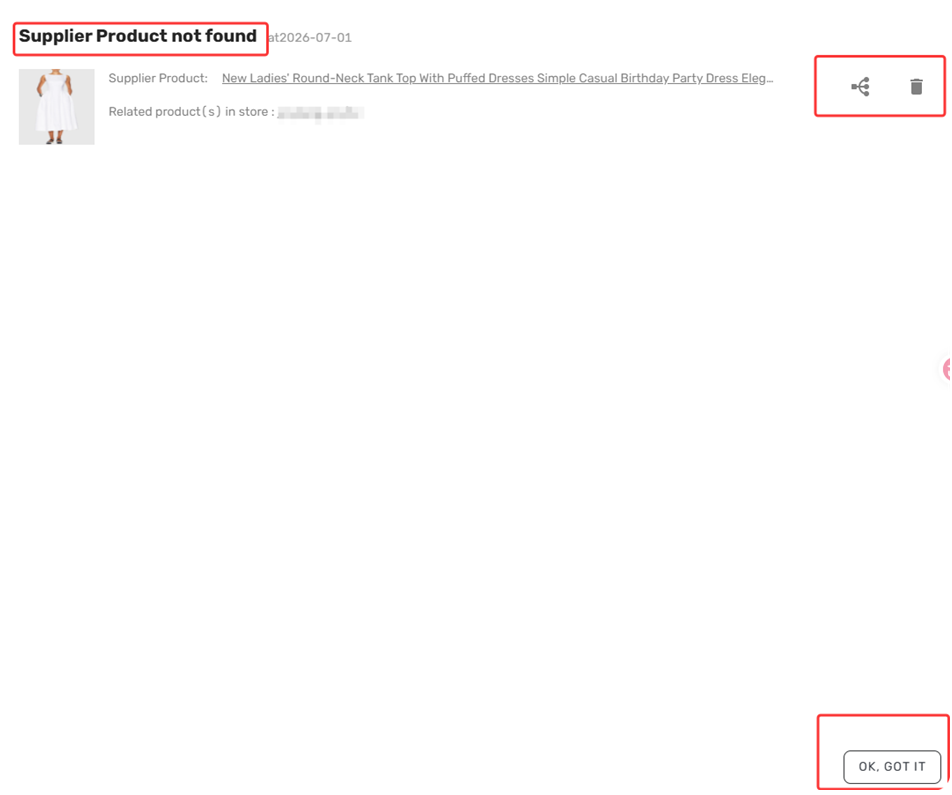
The supplier has permanently deleted this product from their AliExpress store.
What to do:
- Find a new supplier for this product and remap it.
- Or take the product offline from your store entirely.
Important: If the item was supplied by your Agent and is currently unavailable. Please contact your Agent for restock status, or switch to an alternative supplier.
Related Articles
- Notification Frequency: Get Alerts When You Need Them
- Notification Center: How to Filter and Search Your Alerts
- Basic Mapping: How to set Backup Suppliers
- Supplier Optimizer: Find Better Suppliers in Seconds
- Mapping Errors: Products Not Syncing Correctly
- Inventory Not Syncing: Stock Showing Incorrectly
FAQ Section
Quick answers to the most common questions about inventory alerts and how to handle them.

Get Started Now to Grow Your Online Business with the DSers!


 Company
 Why Choose DSers
 Blog
Blog
 Help Center


