

Orders stuck because a supplier delay to ship, or cancelled after fulfillment? Learn how to cancel, roll back, and place the order again.
Note
Your supplier's shipment is delayed, or an order was cancelled after fulfillment. Either way, you'll need to place the order again with a new supplier. This guide shows you how to clear the old fulfillment and reorder.Click here to start dropshipping now with DSers
Before You Start: Which Situation Are You In?
| Your order is in | What's going on | Go to |
|---|---|---|
| Awaiting Shipment | The supplier hasn't shipped, or the item is out of stock | Scenario 1 |
| Fulfilled | The order was cancelled by the supplier or AliExpress after fulfillment | Scenario 2 |
Scenario 1: The Supplier Hasn't Shipped
Step 1: Ask the supplier whether the item actually shipped
Message your supplier on AliExpress or Alibaba.com and ask for the latest status.
- If it has shipped, ask them to upload the tracking number. DSers syncs it to your store and fulfill the order once it's available.
- If it hasn't shipped or can't be fulfilled, go to Step 2.
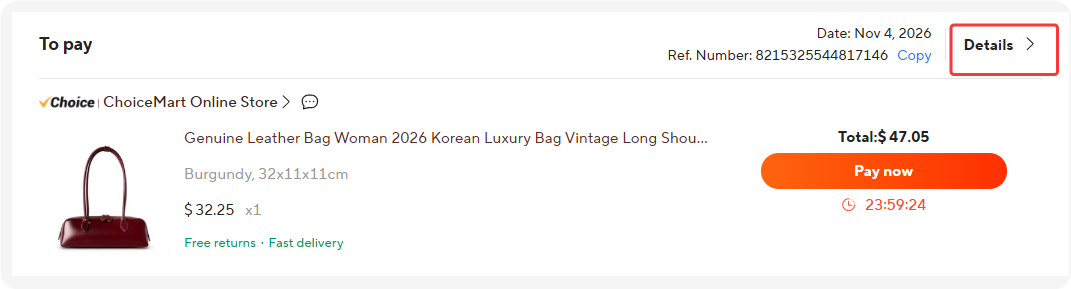
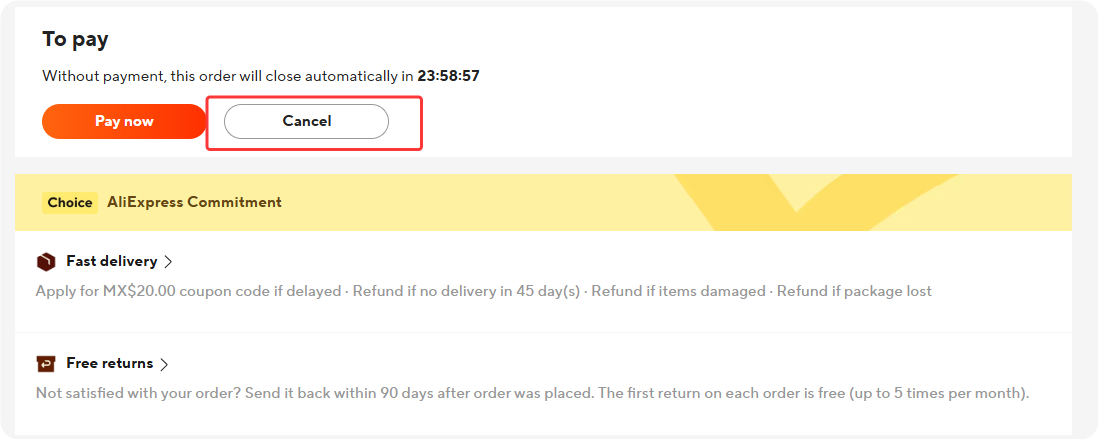
Step 2: Cancel the order on AliExpress or Alibaba.com
Open the order on the platform and cancel it yourself. DSers cannot cancel supplier orders on your behalf.
Step 3: Sync the order status in DSers
Go to DSers and sync the order status. The order moves to the Canceled tab.
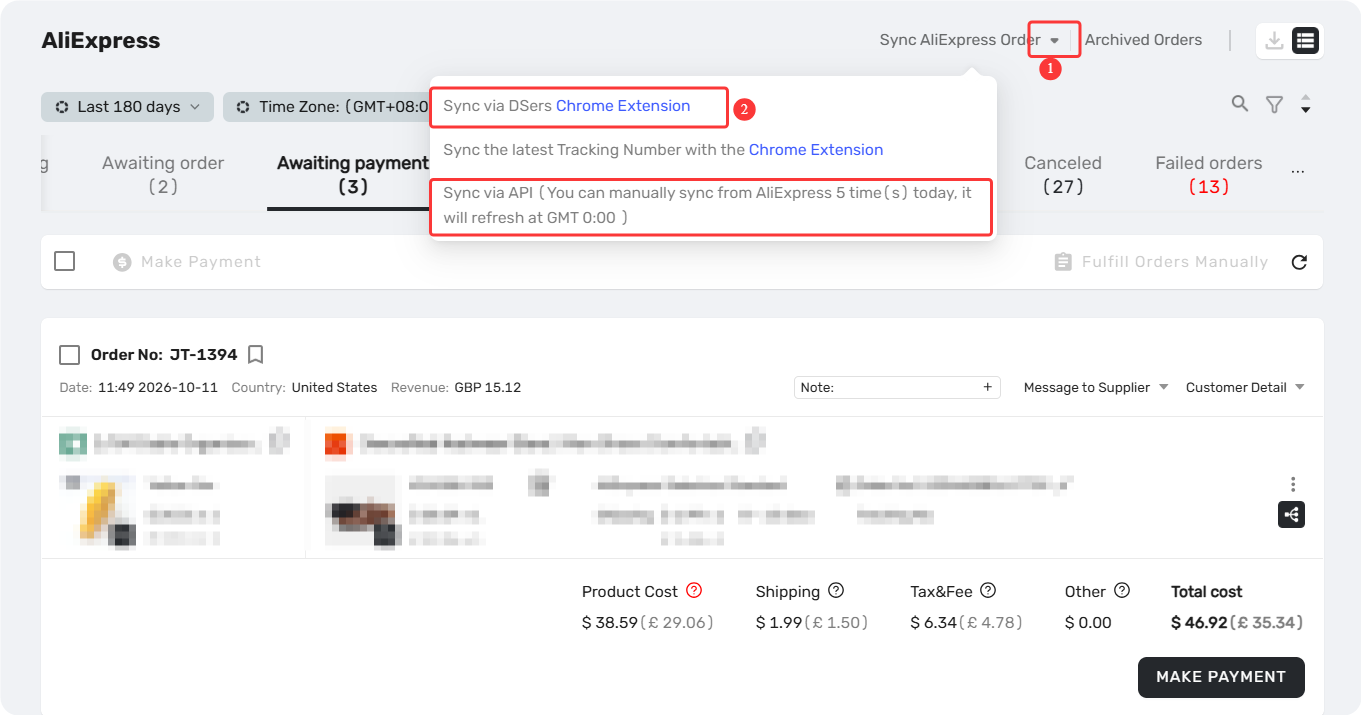
Tip: See Order Sync for how sync works.
Step 4: Point the order to a new supplier
Switch the order to a new supplier using either method:
- Change supplier mapping — Use this when you're switching suppliers for good: one change reroutes every awaiting order for that product.
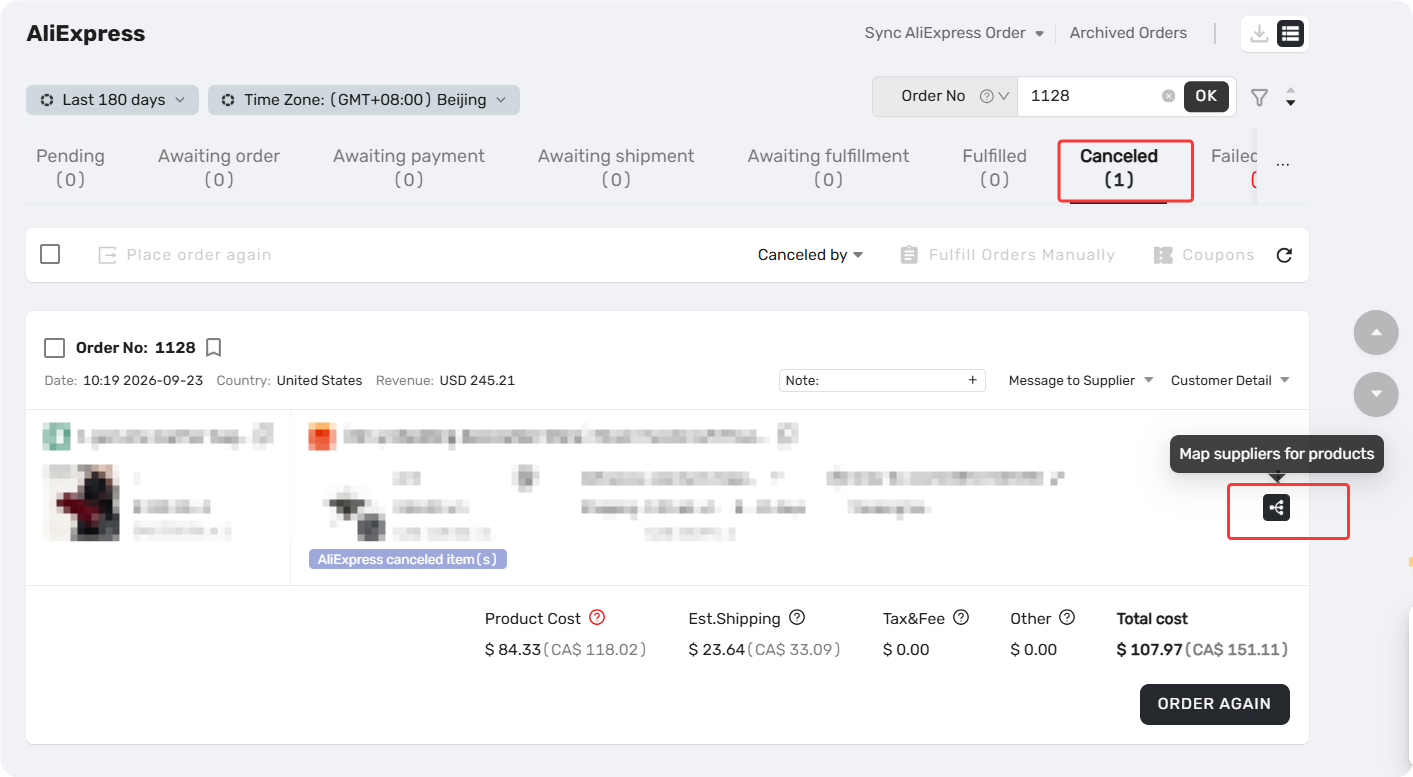
- Edit Supplier — Use this when only this order needs a different supplier
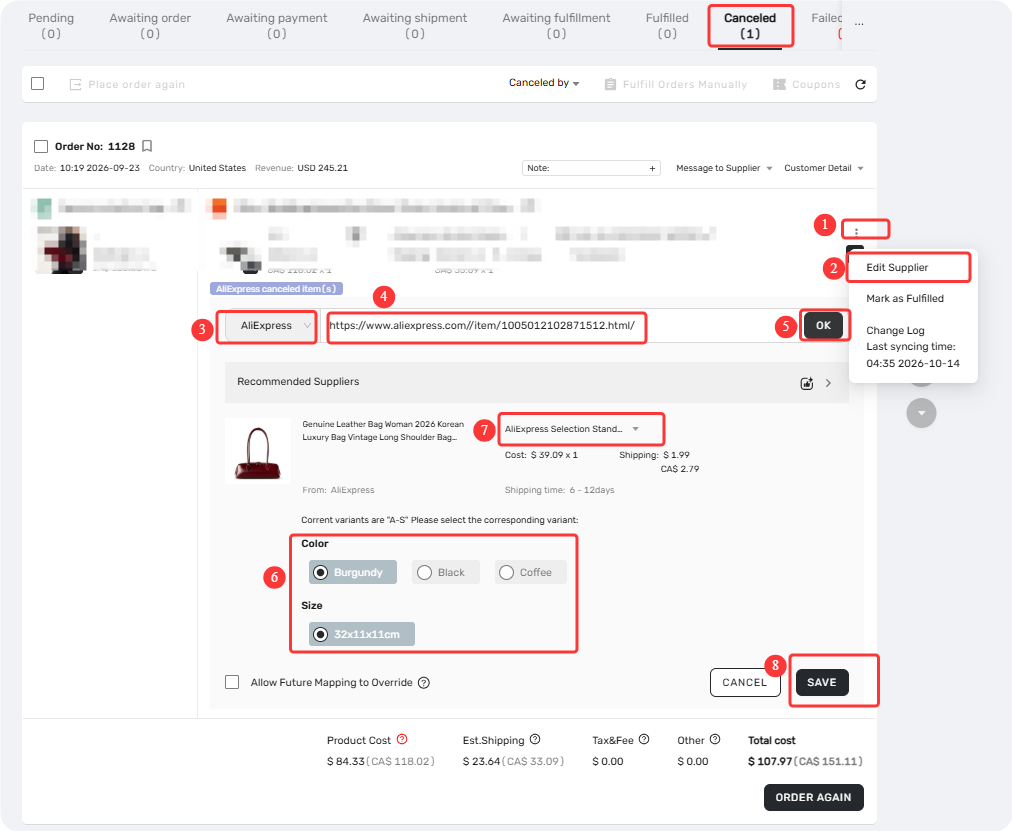
Step 5: Place the order again
Find the order and click Order to place it with the new supplier.
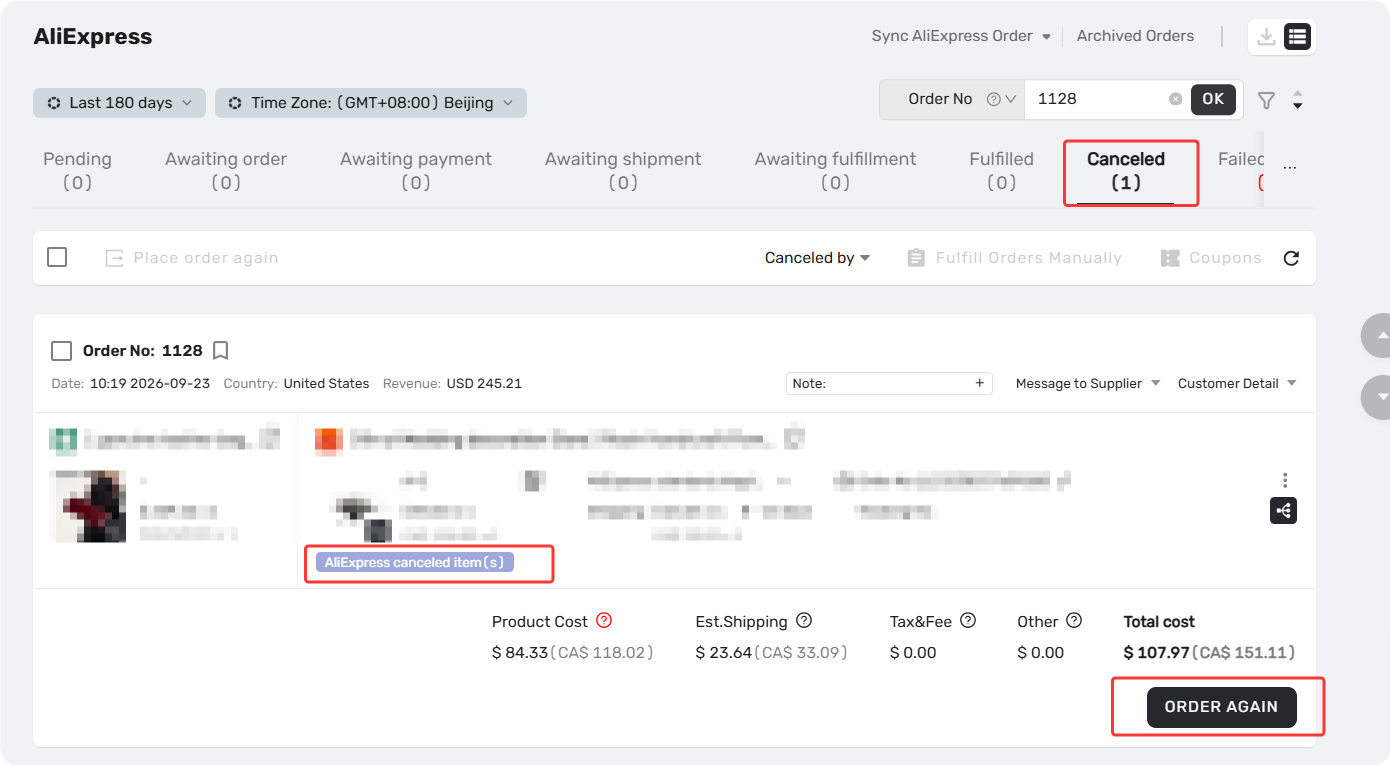
Can't cancel on the platform right now?
Use roll back as a fallback:
- Select the order and click Fulfill Orders Manually.
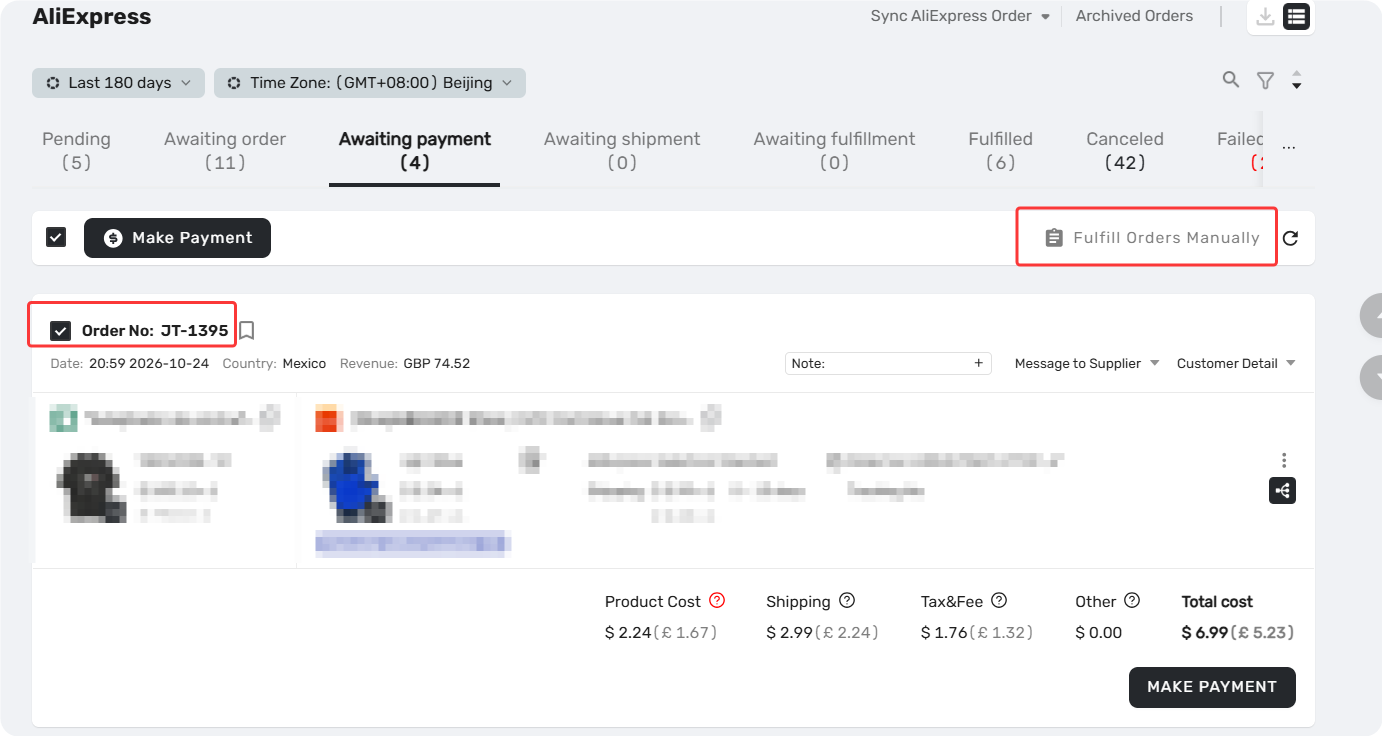
2. Go to Fulfilled and click Roll back orders.
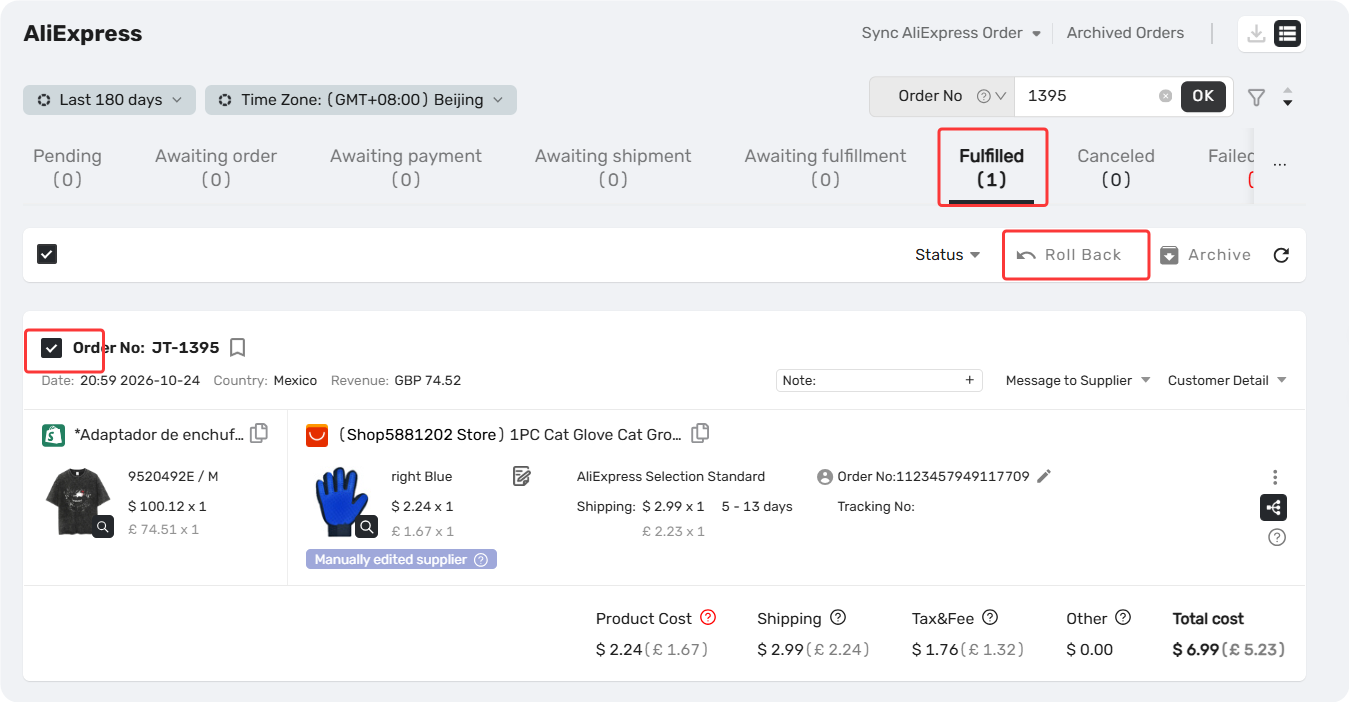
3. The order moves to Awaiting orders. Change supplier to place the order again here.
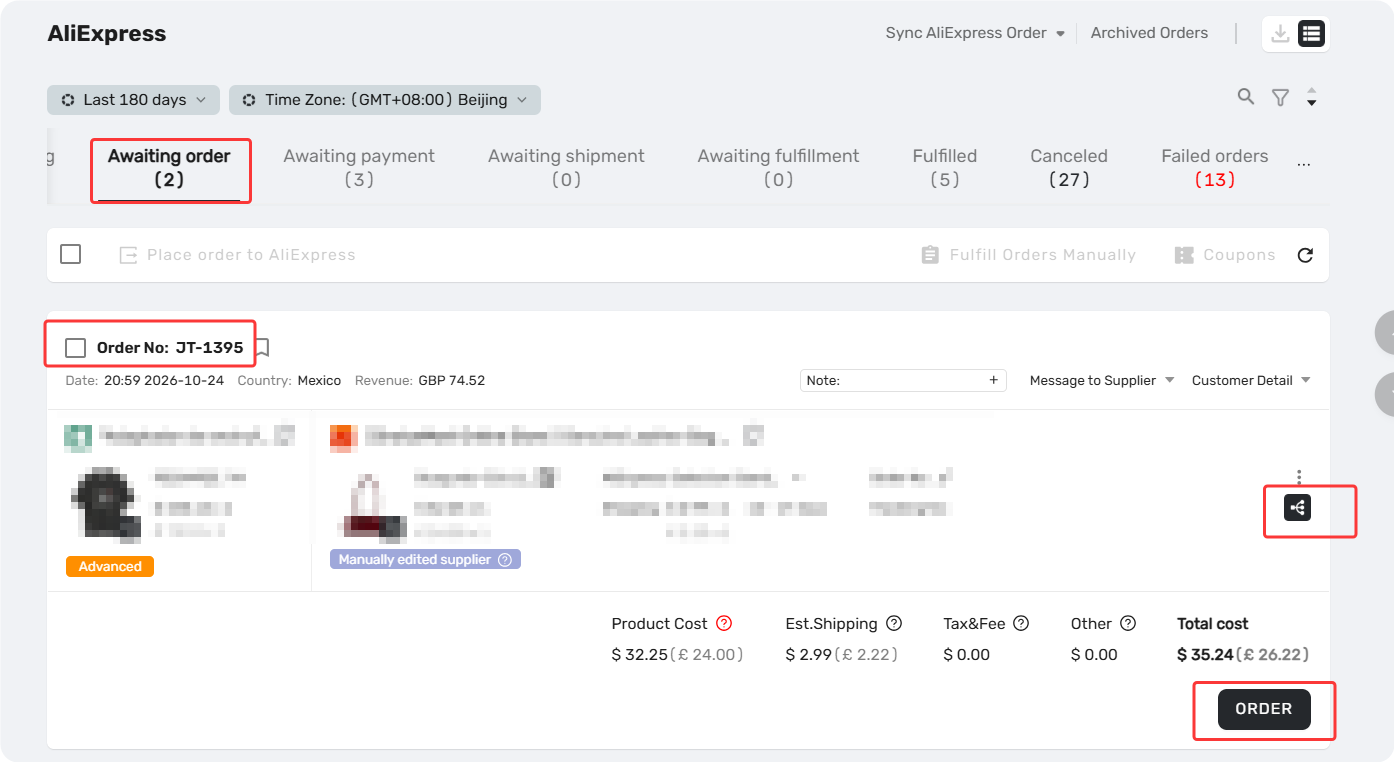
⚠️ Important: This does not cancel the original order. Cancel it on the platform as soon as you can, or the supplier may still ship it.
Scenario 2: The Order Was Cancelled After Fulfillment
This usually happens when a supplier uploads a fake tracking number. AliExpress detects it and cancels the order. You'll see a red banner in the Fulfilled tab.
Step 1: Roll the order back
Go to DSers > Open Orders > Fulfilled, select the order card, then click Roll back orders.
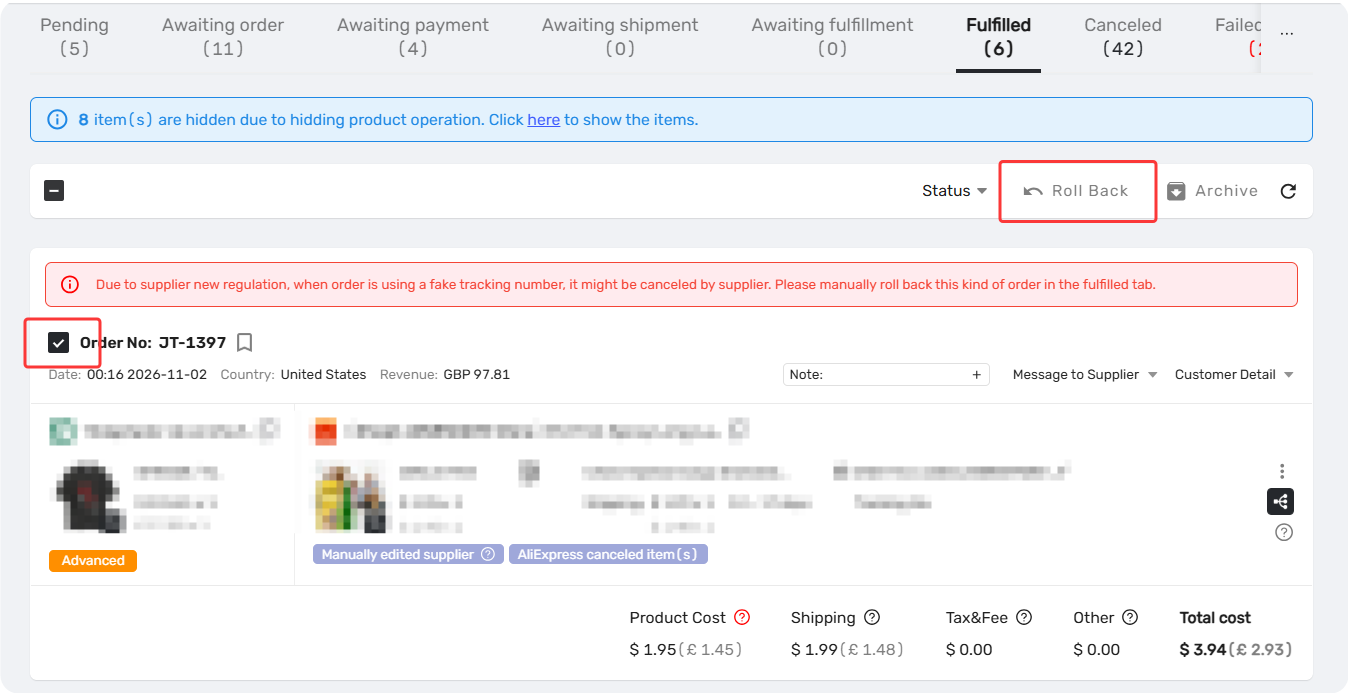
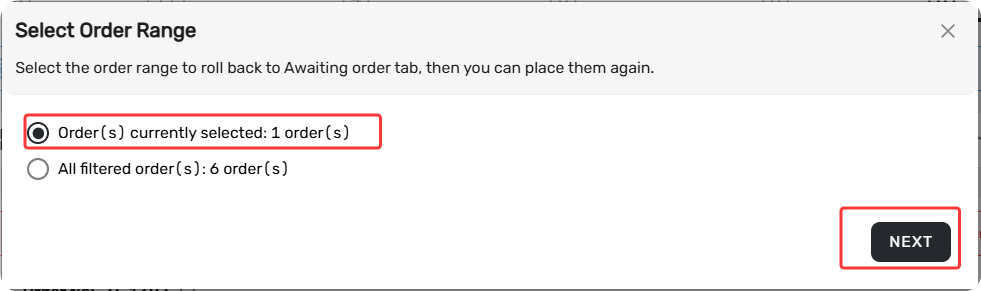
In the pop-up:
- Keep Order(s) currently selected.
- Check the option to roll back on your sales channel too.
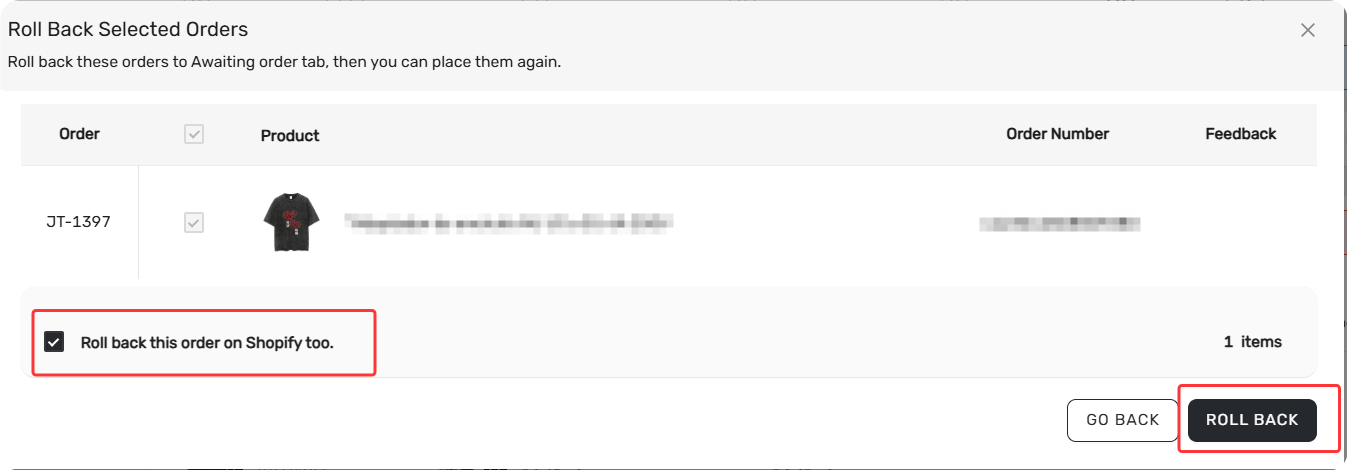
The order moves to Awaiting orders.
Tip: See Roll Back Fulfilled Orders for the full walkthrough.
Step 2: Point the order to a new supplier
Switch the order to a new supplier using either method:
- Change supplier mapping — Use this when you're switching suppliers for good: one change reroutes every awaiting order for that product.
- Edit Supplier — Use this when only this order needs a different supplier
Step 3: Place the order again
Find the order and click Order to place it with the new supplier.
After You Place the Order Again
- The order goes through the normal fulfillment flow. DSers syncs the new tracking number to your store once it's available and fulfill the order.
- Check that the refund for the cancelled order has arrived on AliExpress or Alibaba.com.
Related Articles
- How to Roll Back a Fulfilled Order and Reprocess It
- How to Roll Back and Reorder Unfulfilled Orders
- Fulfilling Customer Orders: How to Place & Pay for Supplier Orders
- How to Change a Product's Supplier Mapping for Awaiting Orders
- Action-Edit Supplier: How to Change the Supplier on an Existing Order
- How to Roll Back Orders Marked as Fulfilled by Mistake
- How to Roll Back Unpaid Orders Due to AliExpress Account Issues
FAQ Section
Quick answers to the most common questions about rolling back orders in DSers.

Get Started Now to Grow Your Online Business with the DSers!