

One‑Click Access DSers from Your Shopify Store
Note
For dropshippers managing multiple stores, logging in repeatedly wastes time. This article shows you how to access DSers directly from your Shopify admin without entering a password—and how to turn this feature on or off in Settings.Click here to start dropshipping now with DSers
1. How to Access DSers from Your Shopify Store
Once the DSers app is installed and linked to your Shopify store, you can log in without typing a password using either of these two methods:
- In your Shopify Admin, go to Settings → Apps → find DSers - AliExpress Dropshipping in your installed apps list → click Open app
- Click the DSers icon from the Shopify Apps sidebar
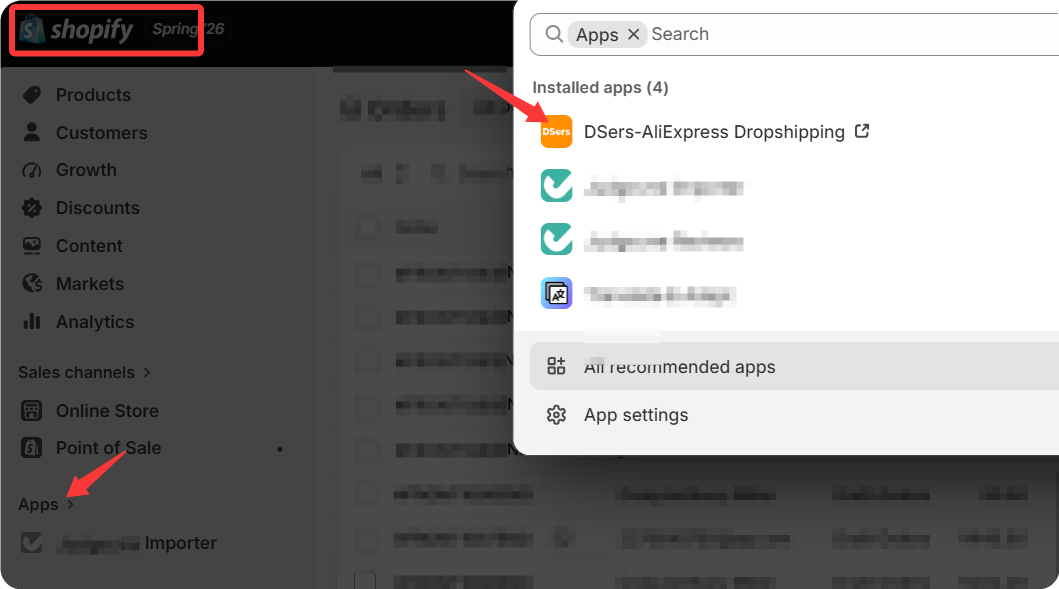
You'll be automatically redirected to your DSers dashboard.
💡 This works because DSers recognizes your Shopify session. No login credentials are needed as long as the DSers app is installed and connected to your store.
2. Manage Auto‑Login in Settings
You can control whether this password‑free access is enabled:
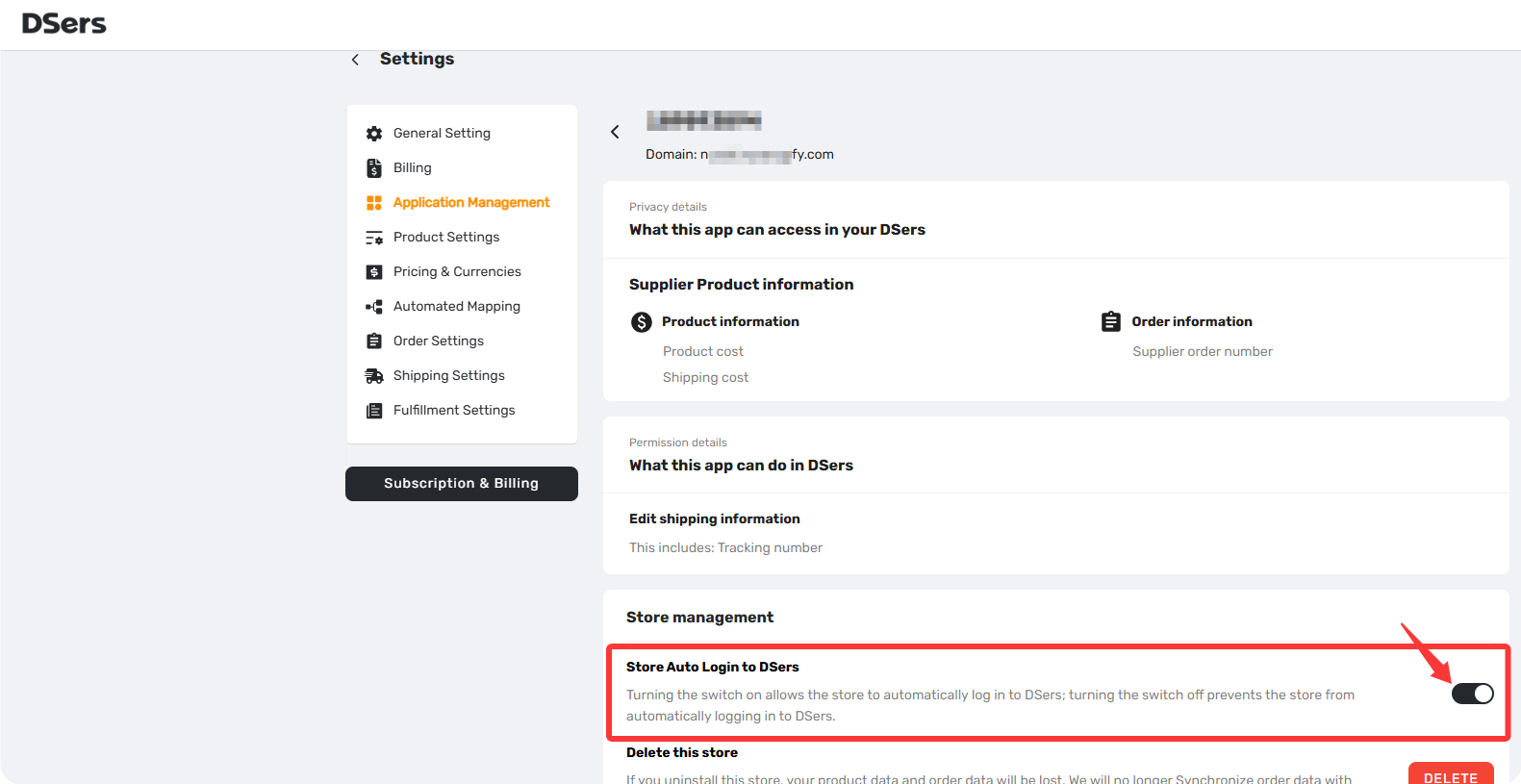
- Go to your DSers dashboard → Settings → Application Management → select the Sales Channel (Shopify) → click into your store details page, and look at the bottom left.
- Find the toggle "Store Auto Login to DSers".
- ON → clicking the DSers icon in Shopify takes you straight into your dashboard.
- OFF → clicking the icon redirects you to the DSers login page, where you'll need to enter your email and password manually.
3. What If Auto‑Login Doesn't Work?
If clicking the DSers icon in Shopify doesn't log you in automatically, simply visit dsers.com and sign in with your email and password. If you've forgotten your password, refer to the related articles below or [here] for step‑by‑step instructions on resetting it.
Related Articles
- Login Issues: Can't Access Your DSers Account
- DSers Profile Management: How to Update Your Email and Password
- Create Your DSers Account: Sign Up Step by Step
- Not Getting Verification Code Emails from DSers? Here's How to Fix It
- How to Disconnect a Store from Your DSers Account
FAQ Section
Everything you need to know about logging in to DSers, auto-login, and supported sales channels.

Get Started Now to Grow Your Online Business with the DSers!