

Note
To start your LPQV dropshipping with DSers, you need to link your LPQV store first. If you want to link more LPQV stores, check [How to Connect Multiple Stores to a Single DSers Account] to learn detailed steps.Click here to start dropshipping now with DSers
Method 1: Link your LPQV store to DSers
- Sign up for or Login to DSers.
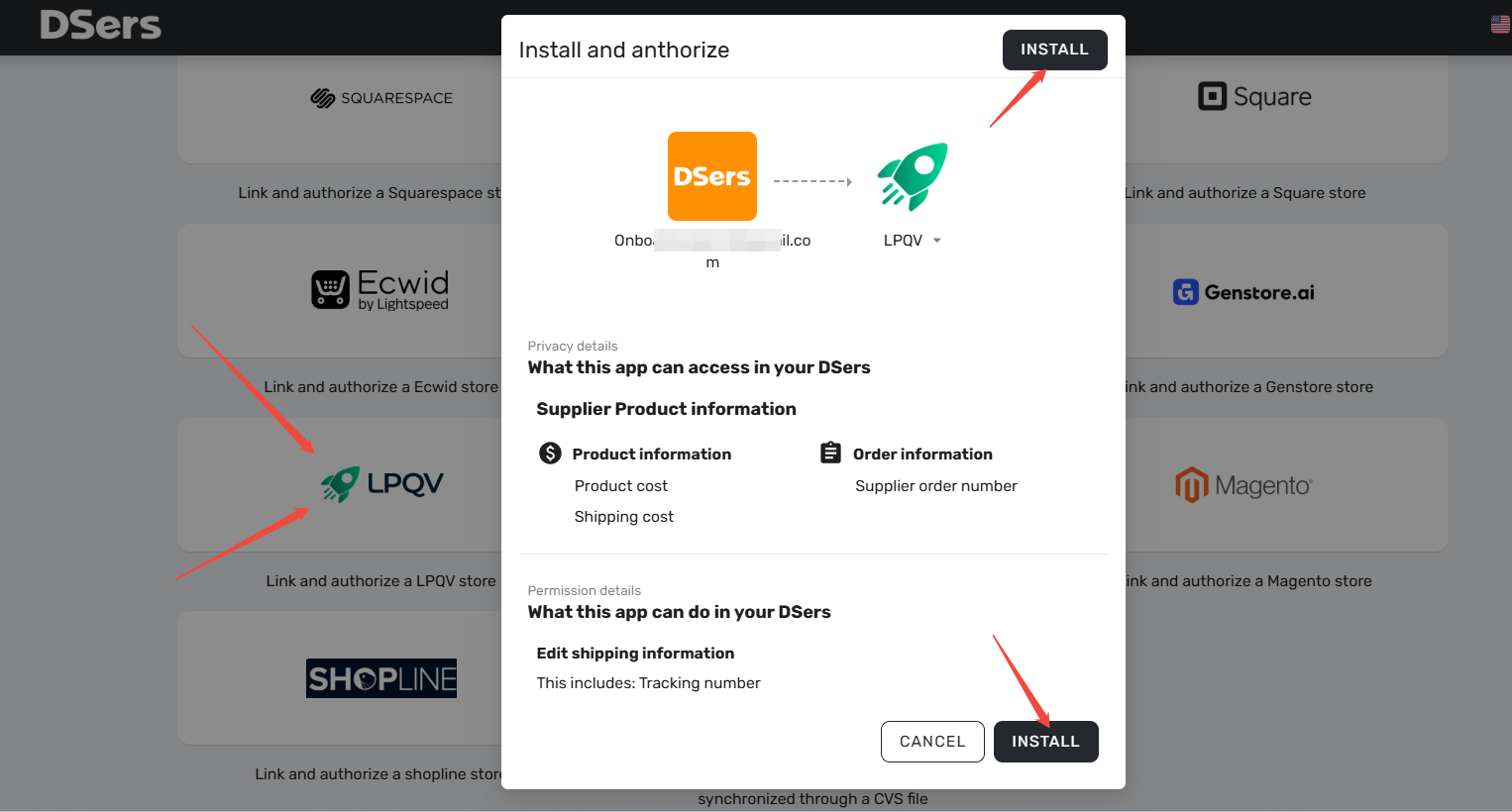
- Click the LPQV button on the platform selection page.
- In the Pop-up, click the INSTALL button to be redirected to the LPQV login page.
- Log in to your LPQV account.
- Click CONFIRM.
- In the Pop-up, turn on the button for Activate this app and the button for Sync orders with DSers.
- Click Install.
Method 2: Install DSers from your LPQV store
- Login to LPQV.
- Scroll the side menu and click Apps.
- Under Dropshipping, locate the DSers app and click it. You will be redirected to the DSers registration page.
- Enter your account email and password and click Get Started to create a DSers account.
- Click CONFIRM to verify your authorization.
- In the Pop-up, turn on the button for Activate this app and the button for Sync orders with DSers.
- Click Install.
Once you’ve installed LPQV successfully, the page will refresh automatically, and you can choose a plan that suits your needs. Check [DSers plans and pricing] here.
Related Articles
- DSers Plans and Billing: A Complete Overview
- Connect Multiple Supplier Platforms: Supported Apps and Setup Guide
- Binding: Get Started in 3 Minutes: Connect DSers to Shopify Store
- How to Connect Multiple Stores to a Single DSers Account
- Connect Your AliExpress Account to DSers
- Store Authorization Failed? How to Relink Store
FAQ
Here are some common questions about linking your LPQV store to DSers.

Get Started Now to Grow Your Online Business with the DSers!