

From “Order Shipped” to “Delivered” — how DSers keeps you and your customer in the loop
Note
Industry data shows that 73% of online shoppers refuse to buy from stores with untrustworthy delivery providers.
As the global dropshipping market surges past $400B in 2026, your post-purchase experience determines whether a customer buys once or stays loyal.
DSers automates the critical first step — accurate Tracking Number sync — so you can build trust without the manual work.
This guide explains exactly what you need to check after supplier shipped and order fulfilled on Shopify.
Click here to start dropshipping now with DSers
What happens right after your supplier ships the order?
Once your AliExpress supplier marks an order as shipped, DSers automatically grabs the tracking number and syncs it back to your Shopify store. Then the order will be marked as Fulfilled.
Shopify then sends a shipping confirmation email to your customer. That email includes:
- The tracking number
- Tracking URL(check by clicking the tracking number on email)
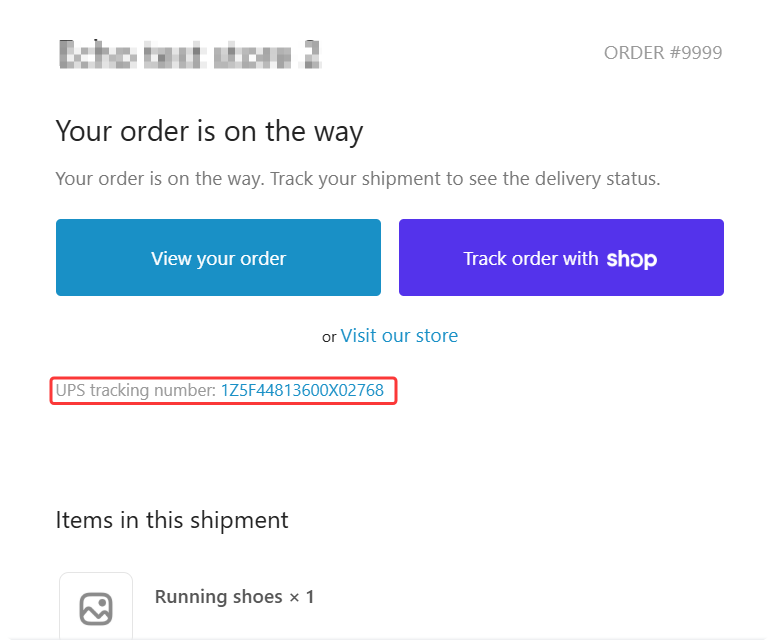
✅ At this point, DSers’ job for this order is basically done — but your job as a store owner continues.
How to set tracking URL for shipping confirmation email?
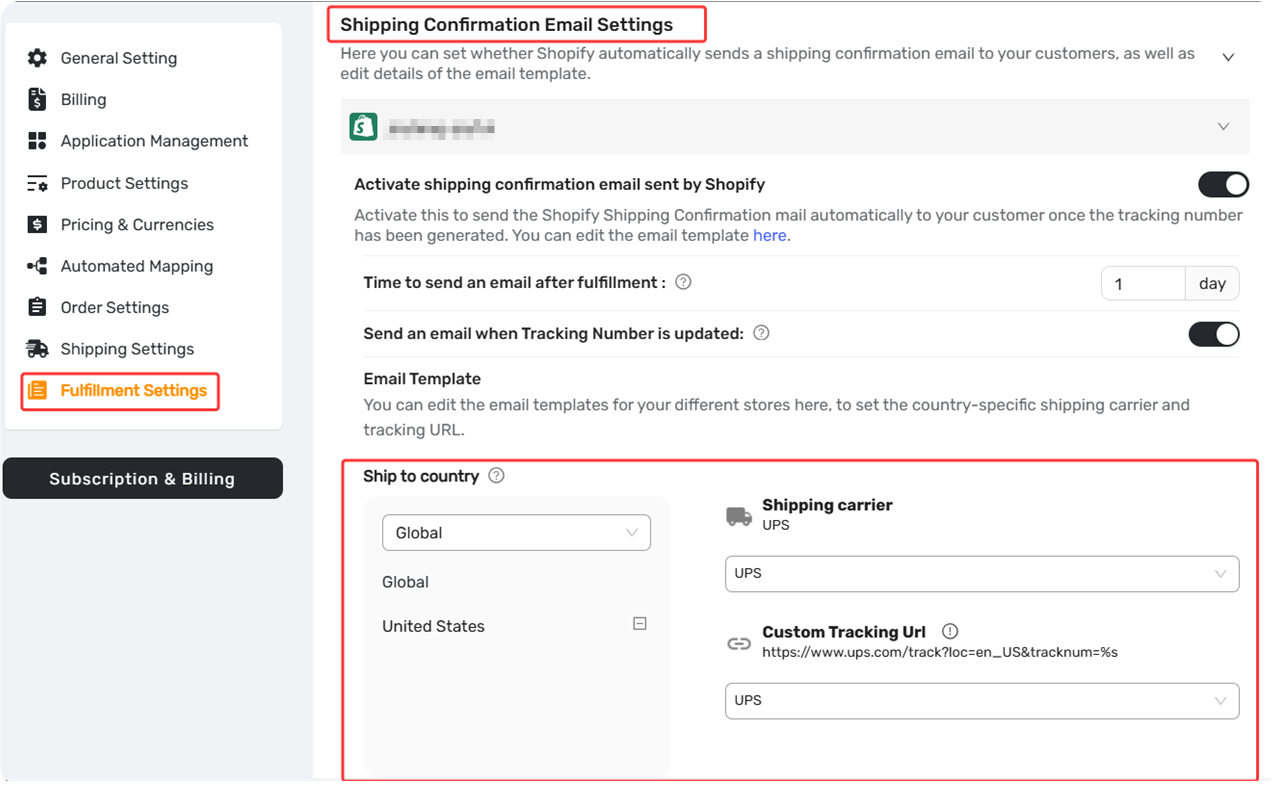
By default, it is Cainiao as the tracking URL in shipping confirmation email. But you can — and should — customize it to a carrier or service your customer is more familiar with, such as 17TRACK.
Go to: DSers Settings → Fufillment settings-Email setting-Custome Tracking URL
Set your preferred tracking website (e.g., 17TRACK, or UPS).
This small tweak gives your customer a much better post-purchase experience — and fewer “where is my order?” emails for you.
How you can track the order
You have two options to keep an eye on your shipments.
1. Manual tracking (free, always available)
Copy the tracking number from DSers and paste it into:
2. In-app tracking (DSers paid feature)
If you have a paid DSers plan, go to Tracking Status inside DSers.
You will see live tracking updates for any order that already has a Tracking number — no copy-pasting, no switching between tabs.
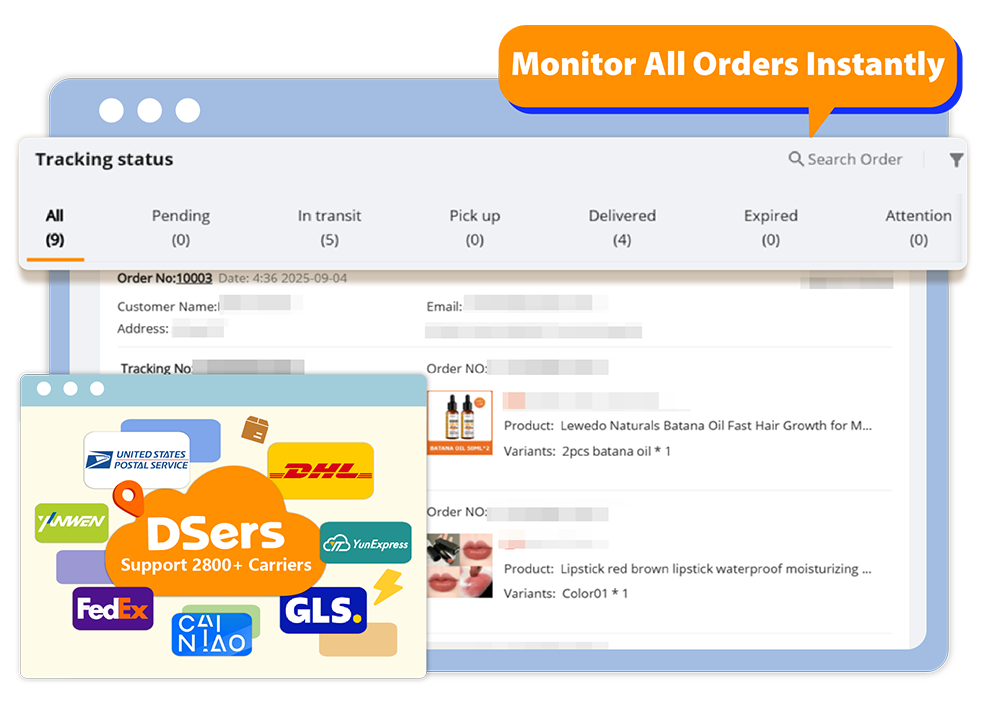
💡 This is especially useful when you have 20+ active orders. One glance tells you which packages are in transit, delayed, or delivered.
What to watch for after shipment
Even after DSers syncs the tracking number, smart dropshippers keep an eye on exception statuses, including:
- Return to sender
- Undliveried
- Customs hold
If something goes wrong, you can step in early:
- Message the supplier
- Refund or reorder the item
- Open an AliExpress dispute
That small proactive step is often the difference between a good dropshipper and a great one.
Click here to start dropshipping now with DSers
When is an order truly finished?
- From DSers’ perspective: after TN sync
- From Shopify’s perspective: when the order shows Fulfilled
- From a business perspective: when the customer receives the package and does not open a dispute
Most orders will reach the buyer without issues. Once an order shows Delivered and your customer doesn’t complain within a few days, you can safely consider it complete.
Related Articles
- Tracking Status Explained: Know Where Every Package Is
- Tracking Status FAQ: Troubleshooting Common Issues
- Why is my tracking number missing? Understanding the fulfillment workflow
- Auto-Sync Tracking Numbers to Your Store
- Customize Shipping Confirmation Email Settings
- How to Customize Shipping Carrier and Tracking URL for Shipping Confirmation Email
FAQ Section
Here are some common questions about tracking, delivery, and post-fulfillment workflows with DSers.
| Get Started Now to Grow Your Online Business with the Best AliExpress Dropshipping Tool - DSers! |
