

What is Auto-Place and how does it work with Alibaba?
Note
Note: This article introduces DSers' Auto-Place feature for Alibaba, including what it does and how it works. For troubleshooting guidance, please refer to our related article below.
What is Auto-Place?
Auto-Place is one of DSers' core automation features. When enabled, it automatically submits orders from your store to your suppliers on Alibaba as they sync into DSers, eliminating the need for manual order placement.
Key benefits:
- Saves time by removing manual order submission.
- Speeds up fulfillment by streamlining the workflow.
Where to find it?
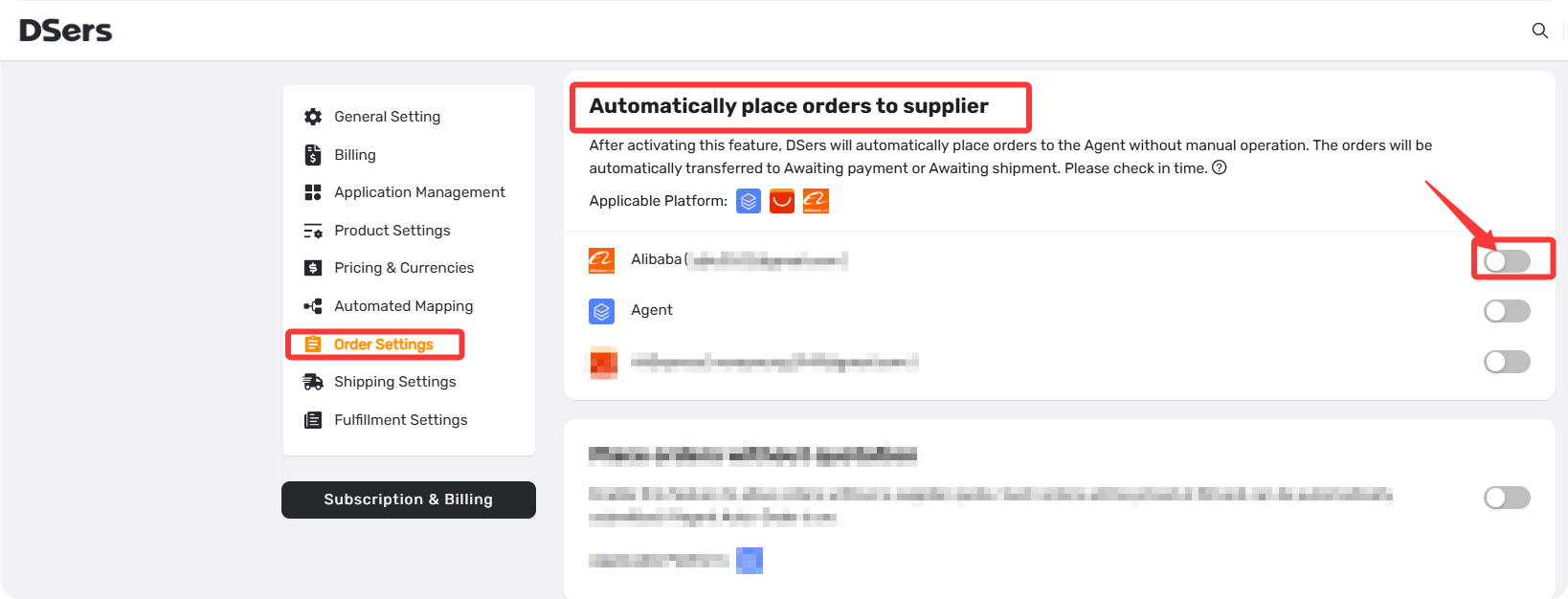
Auto-Place settings are located in Settings > Order Settings > Automatically place orders to supplier within your DSers dashboard.
How does it work?
For Auto-Place to work, three conditions must be met:
- Product is mapped to the correct Alibaba variant.
- Supplier is available and ships to the destination.
- A shipping method is selected based on your preset rules.
If all three are met, the order is placed automatically. If not, the order stays in "Awaiting Order" for you to review.
Important note: Auto-Place submits the order to Alibaba, but you still need to pay for it manually on Alibaba. Orders will move to "Awaiting Payment" for you to review and complete payment.
Other Supported platforms
- Agent orders – Supported.
Related Articles
- How to Connect Your Alibaba Account to DSers
- Alibaba Auto-Place Not Working: Orders Aren't Automatically Placed
- Supplier Optimizer: Find Better Suppliers in Seconds
- Fulfill Your First Order: A Step-by-Step Walkthrough
- Fulfilling Customer Orders: How to Place & Pay for Supplier Orders
- Tracking & After-Sales: What Happens Next
FAQ Section
Everything you need to know about Auto-Place and how it automates order submission from your store to suppliers.

Get Started Now to Grow Your Online Business with the DSers!