

Learn where to find the DSers Inbox and how to manage your messages.
Note
DSers Inbox is a built-in message center where DSers sends you feature announcements and growth tips.
It is available in both DSers SaaS and DSers AI Agent.
How to Check DSers Inbox
Note
The entry point depends on the interface you are using:
- In DSers SaaS: Click the Inbox icon in the bottom-right quick-entry toolbar.
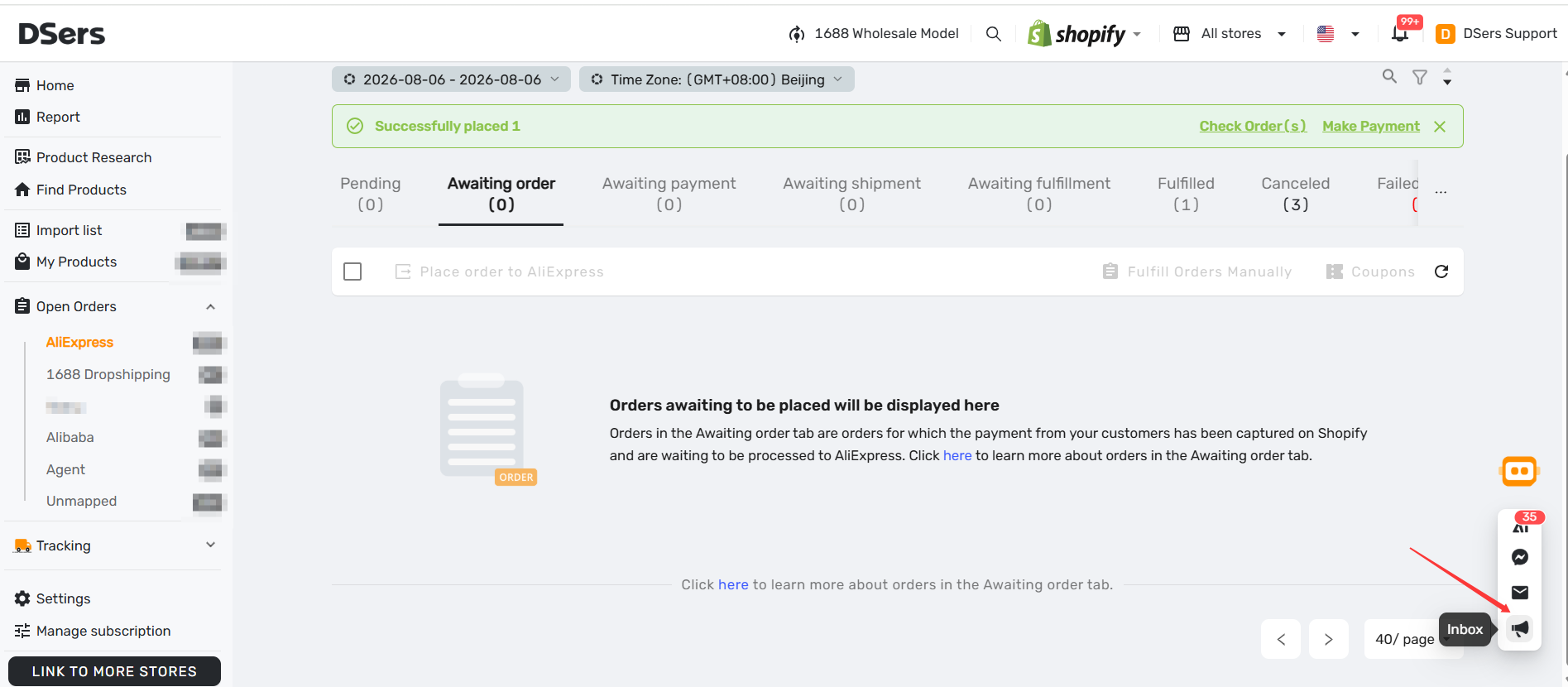
- In DSers AI Agent: Click Inbox in the side navigation on the left side of the page.
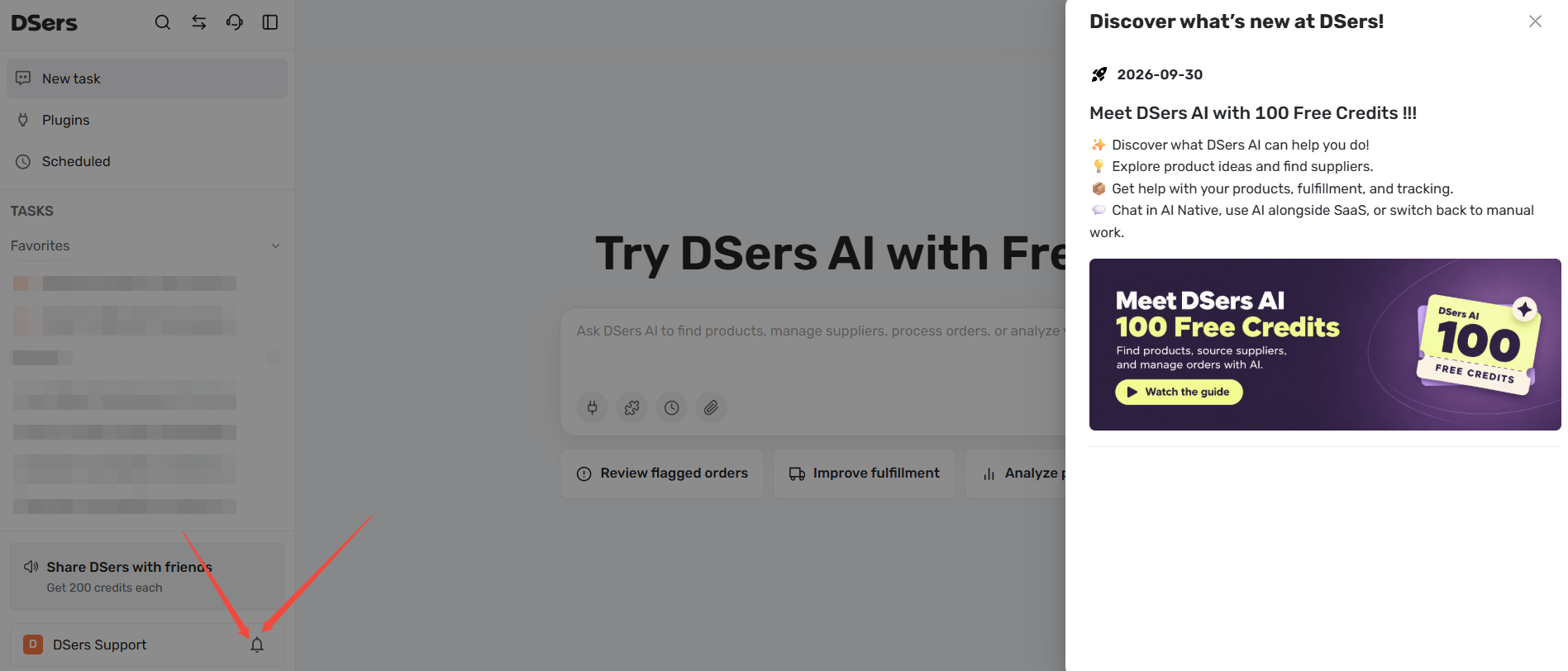
What Kinds of Messages You'll Receive
The Inbox is designed to keep you informed and help you grow your business. You will receive:
- Feature announcements: Learn about new DSers tools and features as soon as they launch. These messages often include a direct link so you can try the new feature immediately.
- Growth tips: Practical ideas and best practices to help you run and scale your dropshipping store more efficiently.
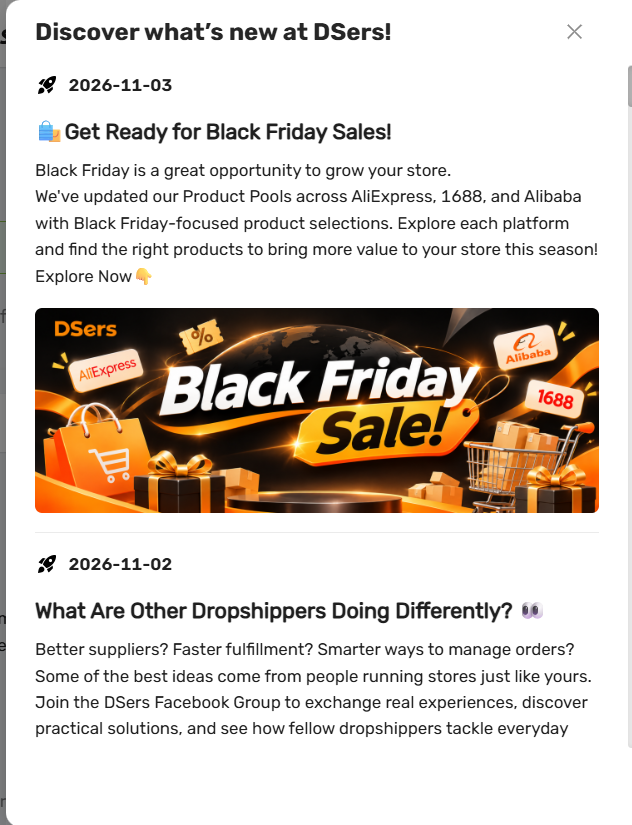
Important: Messages are tailored to your account's plan, activity, and current interface (SaaS vs. AI Agent). Because of this, the announcements you see may vary from other users or workspaces.
How to use and close Inbox
- Act on a message: Many messages include a link or button. Click it to go directly to the related feature, guide, or promotion.
- Close the drawer: Click the X at the top-right, or click any blank area outside the drawer.
Tip: Inbox vs. Notifications: Inbox is for DSers announcements and growth tips.
For supplier and order alerts, use Notifications instead.
Related Articles
SaaS
- DSers Profile Management: How to Update Your Email and Password
- DSers Plans and Billing: A Complete Overview
- How to Connect Multiple Stores to a Single DSers Account
- Notification Frequency: Get Alerts When You Need Them
- Notifications in DSers: How to Manage Them
AI Agent
- DSers AI Agent: Workspace and Core Features
- DSers AI Agent Task: Getting Things Done in Dropshipping
- How to Use Skills with DSers AI Agent?
FAQ
Here are some common questions about the DSers Inbox.

Get Started Now to Grow Your Online Business with the DSers!