

Install DSers, link it to your store, and start automating your dropshipping operations
Note
Before you can start importing products and fulfilling orders, you need to connect DSers to your online store. DSers integrates seamlessly with Shopify, WooCommerce, Wix, and eBay. No coding skills required—just a few clicks and you're ready to go.
This guide walks you through connecting your Shopify store to DSers. The entire process takes less than three minutes .
Click here to start dropshipping now with DSers
Connect DSers with your Shopify store
Follow these steps to get your store connected:
Step 1: Install DSers from the Shopify App Store
- Log into your Shopify Admin panel
- Click Apps in the sidebar navigation
- Search for "DSers and select DSers: Dropship+AliExpress+AI
- Click Install app
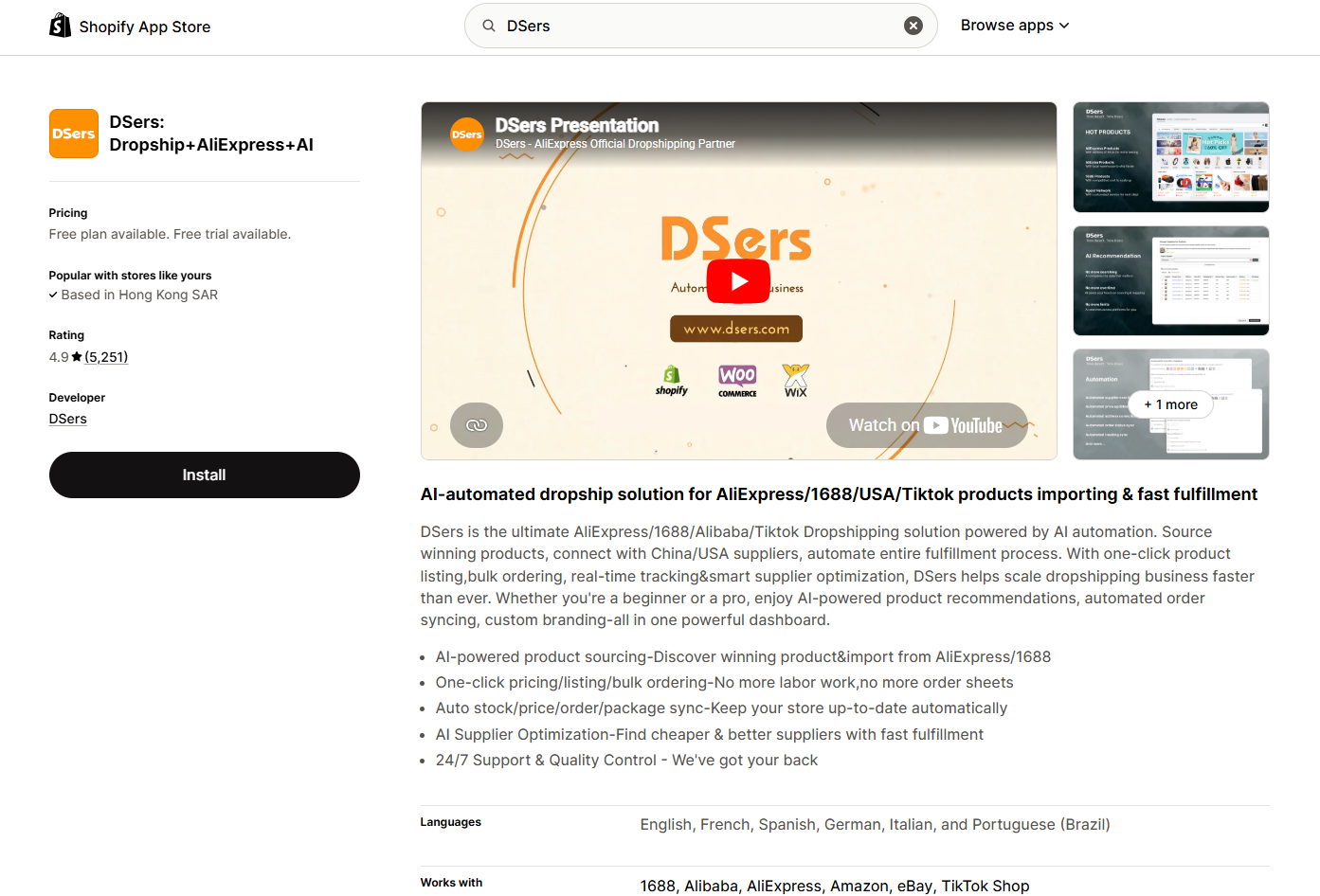
Shopify will ask for permission. Click Install to authorize the connection .
💡 Pro Tip: If you already have a DSers account, you can log in after installation. New users can create an account using your Shopify email.
Step 2: Create or Log In to Your DSers Account
After installation, you'll see two options:
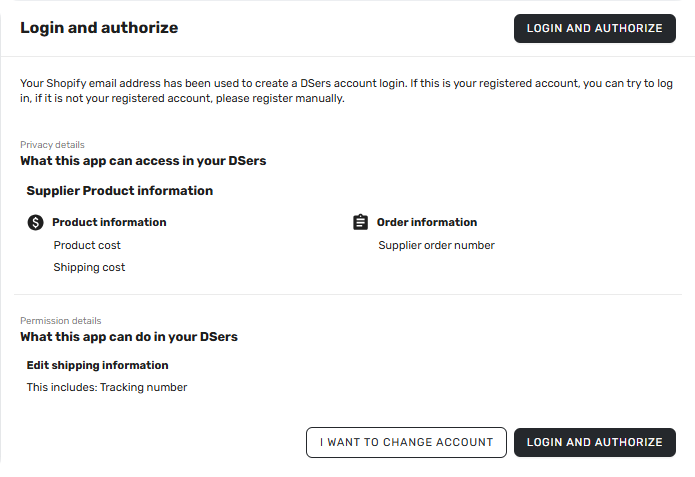
- CREATE AN ACCOUNT FOR YOU – DSers will create an account using your Shopify email
- REGISTER YOURSELF–Sign up with a different email address
- Already have an accounrt? Log in – Use your existing DSers account
- I WANT TO CHANGE ACCOUNT–Log into another DSers account
Choose the Free Plan to get started—it's enough for beginners and includes up to 3,000 products .
Step 3: Confirm Your Store Is Connected
Inside the DSers dashboard:
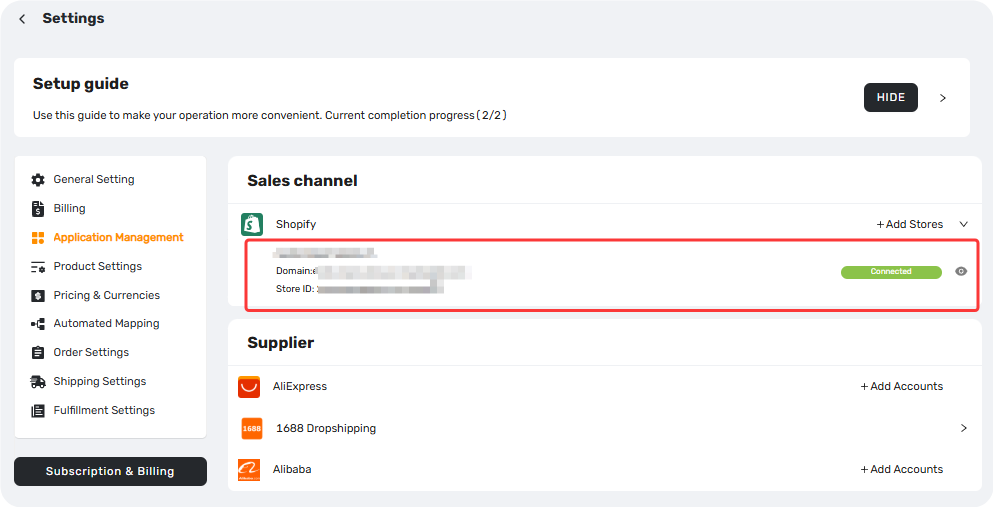
- Go to Settings → Application Management→Sales channel
- Check that your store shows:
- Store name (correct)
- Status = Connected
If the status shows Connected, your store is successfully linked .
Step 4: Connect Your AliExpress Account
DSers needs access to your AliExpress account to place orders on your behalf.
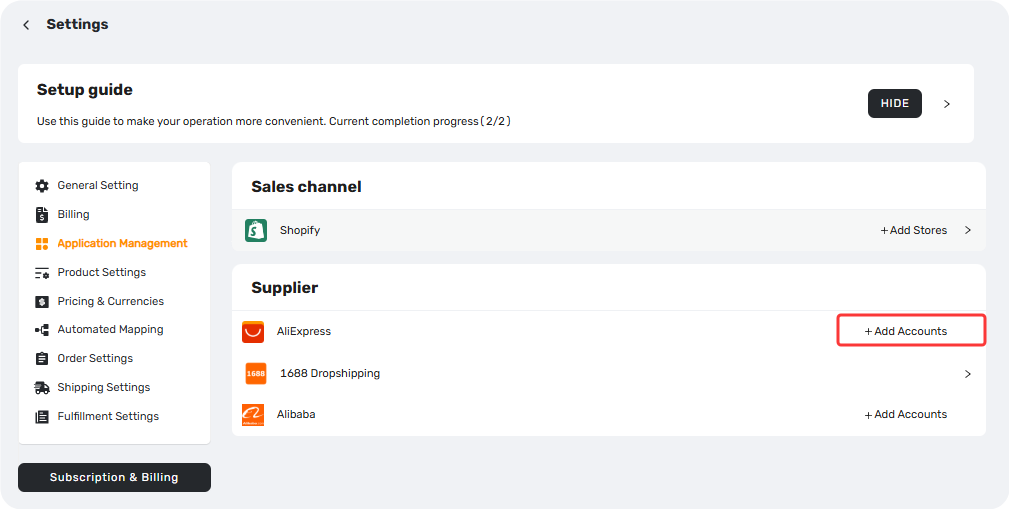
- In DSers, go to Settings → Application Management → AliExpress
- Click Add Accounts
- A new window opens—log into your AliExpress account
- Click Authorize to grant DSers permission
⚠️ Important: You need an AliExpress buyer account. If you don't have one, create it for free at aliexpress.com.
Step 5: Install the DSers Chrome Extension
For one-click product imports and faster order placement, install the DSers Chrome Extension:
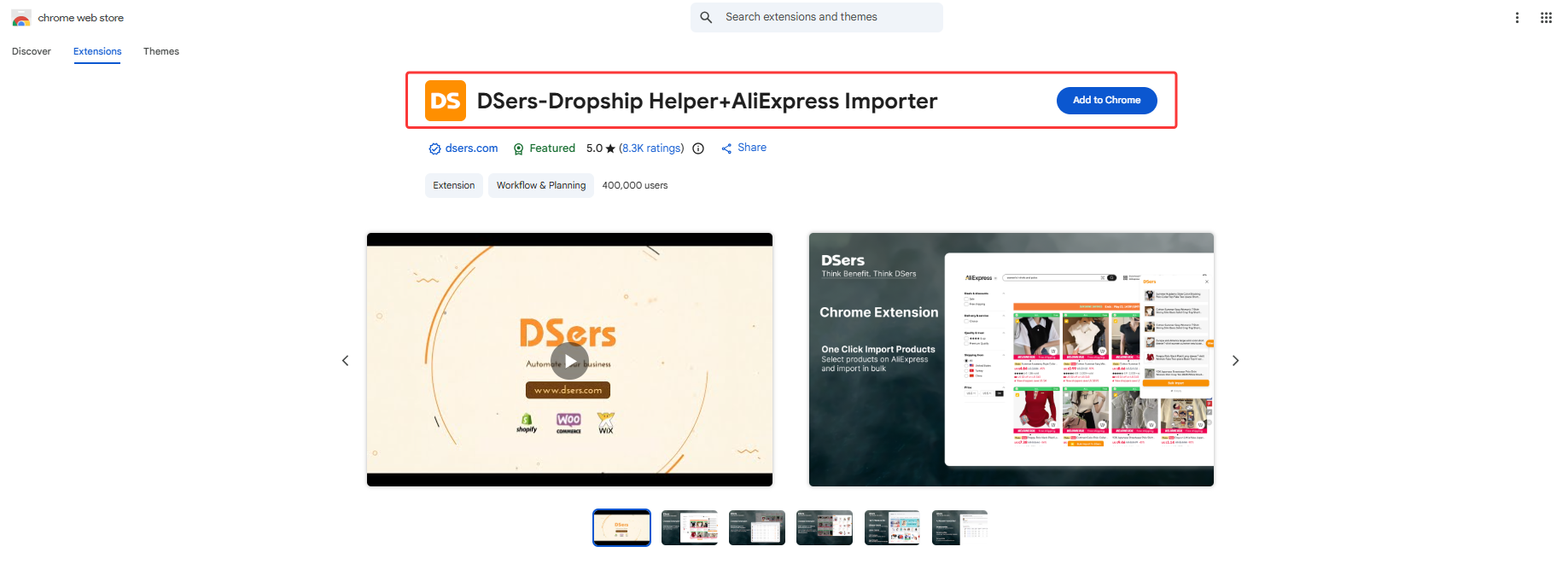
- Search "DSers Chrome Extension" in the Chrome Web Store
- Click Add to Chrome
- Log in with your DSers account
What to Check After Connecting
✅ Store shows Connected in DSers Settings
✅ AliExpress account shows Connected
✅ Chrome extension installed on Chrome
Related Articles
- Create Your DSers Account: Sign Up Step by Step
- WooCommerce Connection Guide: Website Verification, Authorization & Webhook Setup
- Wix Authorization: Connect Your Wix Store to DSers
- TikTok Shop Authorization: Connect Your TikTok Shop to DSers
- Amazon Authorization: Connect Your Amazon Store to DSers
- eBay Authorization: Connect Your eBay Store to DSers
- Store Binding: How to link with Shopline store
- DSers Doesn't Support Your Platform? Use CSV Upload to Connect Your Store
FAQ Section
Here are some common questions about connecting DSers and getting started with your store.

Get Started Now to Grow Your Online Business with the DSers!