

Daily variant creation limit reached — And How to Work Around It
Note
You've found the perfect product, set your pricing rules, and hit "Push." But instead of success, you're staring at an error about hitting a daily variant limit. Don't worry — this is one of the most common Shopify restrictions. You have several ways to work around it, and we'll walk you through every single one.
Click here to start dropshipping now with DSers
Shopify: Daily Variant Limit (1,000 Variants/Day)
The error message you will see:
"Daily variant creation limit reached. Please try again later. Click here for more information about variant creation limits”
Why This Happens
If your Shopify store has 50,000 or more total variants across all products, Shopify applies a daily rate limit for uploading new variants via any third-party app (including DSers) or CSV import. You can only add up to 1,000 new variants per day before reaching this limit.
Important: This is Shopify's rule — not a DSers limitation.
If You've Already Hit the Limit
You must wait 24 hours before pushing any new variants. Shopify resets the counter automatically after a full day.
Need to get a product live right now? Try manually creating the product directly in Shopify Admin — this bypasses the API limit. Or upgrade to Shopify Plus plan—this allows you to push more variants per day
If You Haven't Hit the Daily Limit Yet: Three Ways to Prevent It
Stay under the limit by pushing fewer SKUs at once. Here are three ways to reduce your SKU count before pushing:
Option 1: Delete Unnecessary Variants Before Pushing
Most AliExpress products come with dozens of variants you may never sell. Removing them before pushing reduces your variant count instantly.
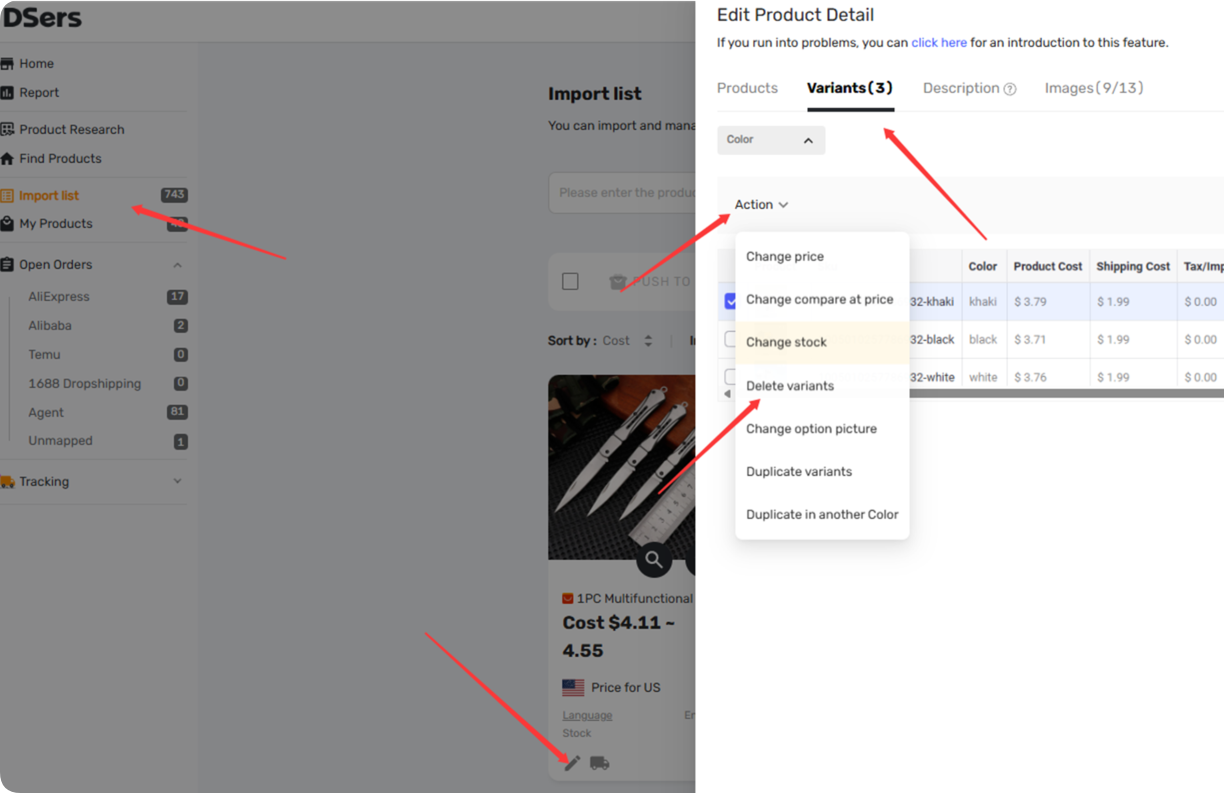
Step-by-step in DSers:
- Go to DSers > Import List
- Click on the Edit product button of the Product Card
- Click the Variants tab
- Click Delete variant next to each variant you don't need
- Click SAVE
- Push the product to your store as usual
Option 2: Split Products by Variant or Option
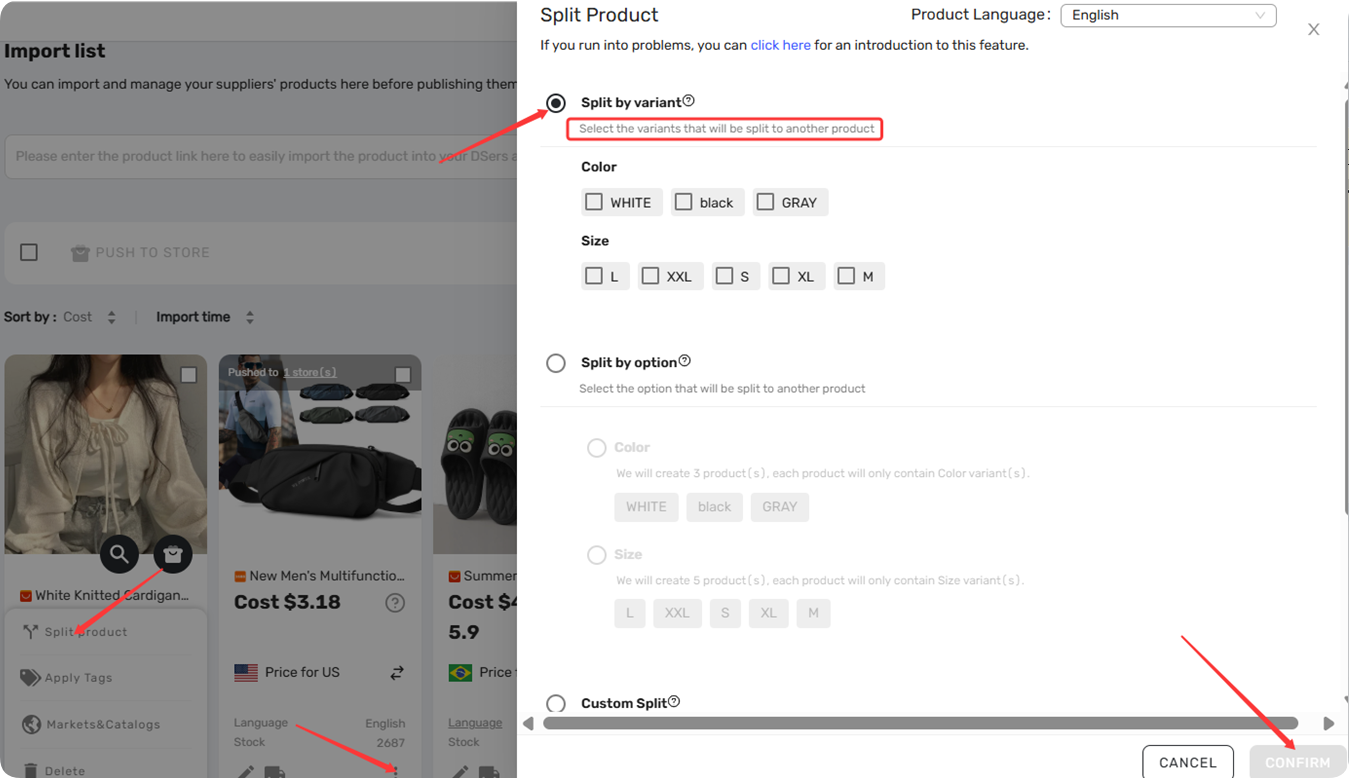
If you want to keep all variants but spread them across multiple products, use the Split feature.
Split by variant — Create a product with only specific variants (e.g., just the "Red" color in all sizes).
- Go to DSers > Import List
- Click on the Product Card> More Action button
- Click Split product>Split by variant
- Select the variants you want
- Click CONFIRM
Option 3: Push One Variant at a Time
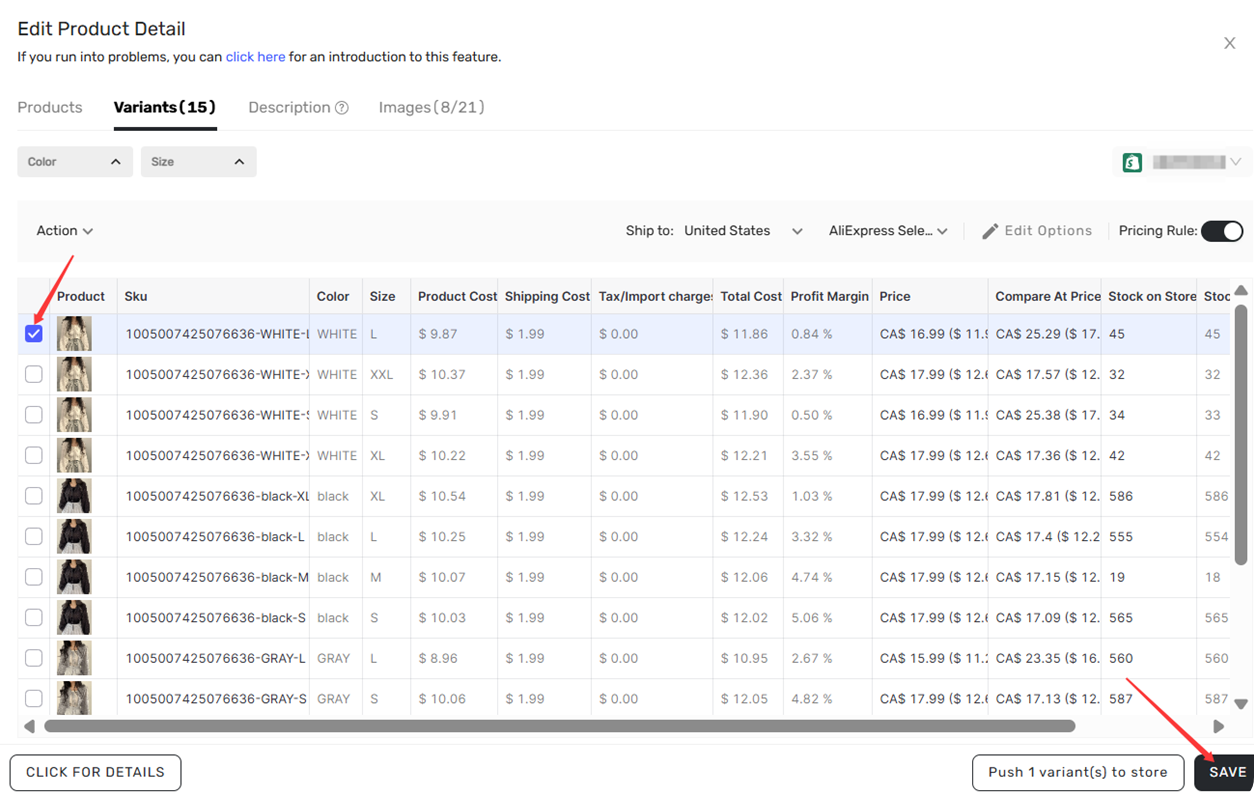
If you only need specific variants be pushed to your store:
- Go to DSers > Import List
- Click on the Edit product button of the Product Card
- Click the Variants tab
- In the Variants tab, check only the variants you want to push right now
- Click the Push x variant(s) to store button
- Complete the push process
Related Articles
- Edit & Push: Customize Products Before Publishing
- Split Products Before Push: 3 Methods and How to Do It
- Bulk Import & Edit: Add Products in Batches
- Push Product Failed to Wix? Causes and Fixes
- Push Product Failed to eBay? Causes and Fixes
- Import Errors: Why Can't I Import Products from AliExpress?
FAQ Section
Here are some common questions about Shopify variant limits, product pushing, and multi-channel publishing in DSers.
| Get Started Now to Grow Your Online Business with the DSers! |
