

Wrong account or can't log in? Here's how to get your orders back and reprocess them.
Note
When you place an order from DSers to AliExpress, it's tied to the AliExpress account currently connected to DSers. If something goes wrong with that account, you may need to roll the order back and reprocess it.Click here to start dropshipping now with DSers
Two Situations You May Run Into
1. The order was placed to the wrong AliExpress account.
The order needs to be reprocessed with the correct account. For help identifying which account an order went to, see [Order Not Showing in AliExpress Unpaid Tab – What to Do].
2. The AliExpress account has issues.
You can't log in, can't complete payment, or the account doesn't have the coupon/promotion you need. You'll need to switch to a different AliExpress account and place the order again.
If the old account is still accessible, note which orders have already been handled by a new order (no need to pay again) and which are still pending (cancel them on AliExpress).
What to Do
Both situations are resolved the same way, depending on whether you can still log in to the original account.
If you CANNOT log in to the original AliExpress account
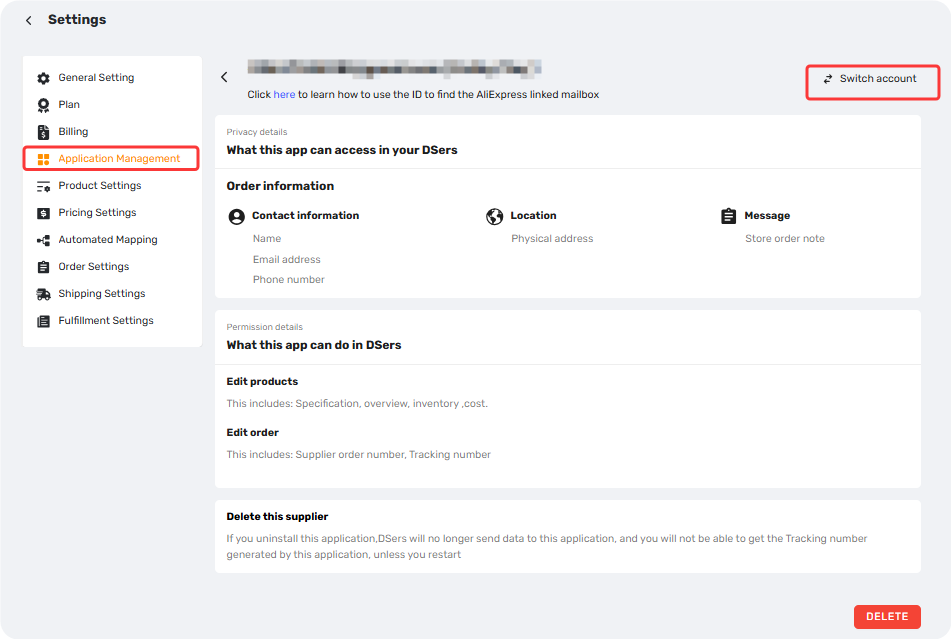
- Switch your AliExpress account in DSers —Settings>Application Management>Supplier>AliExpress. See [Supplier Account Limits and Switching Guidance] for pre-switch requirements.
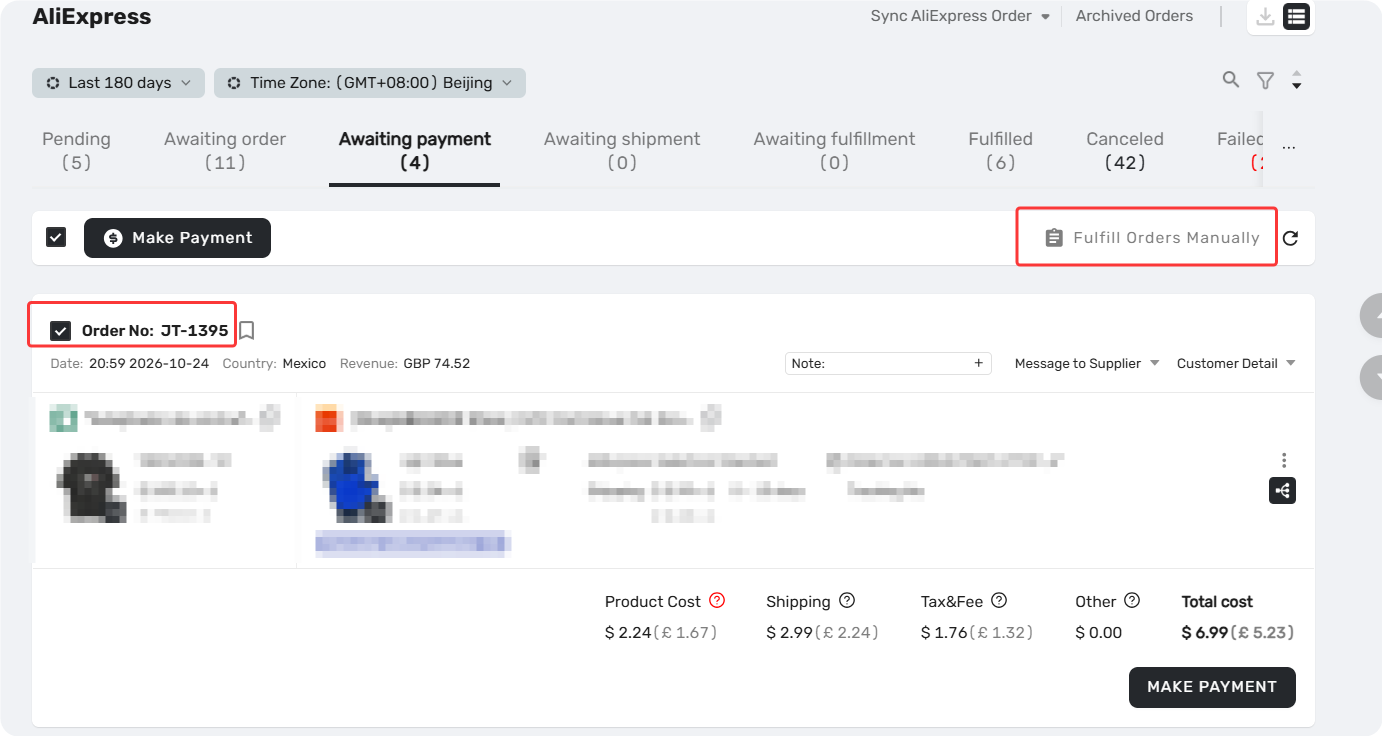
2. Manually fulfill the order. Go to Open Orders, find the order, and mark it as fulfilled.
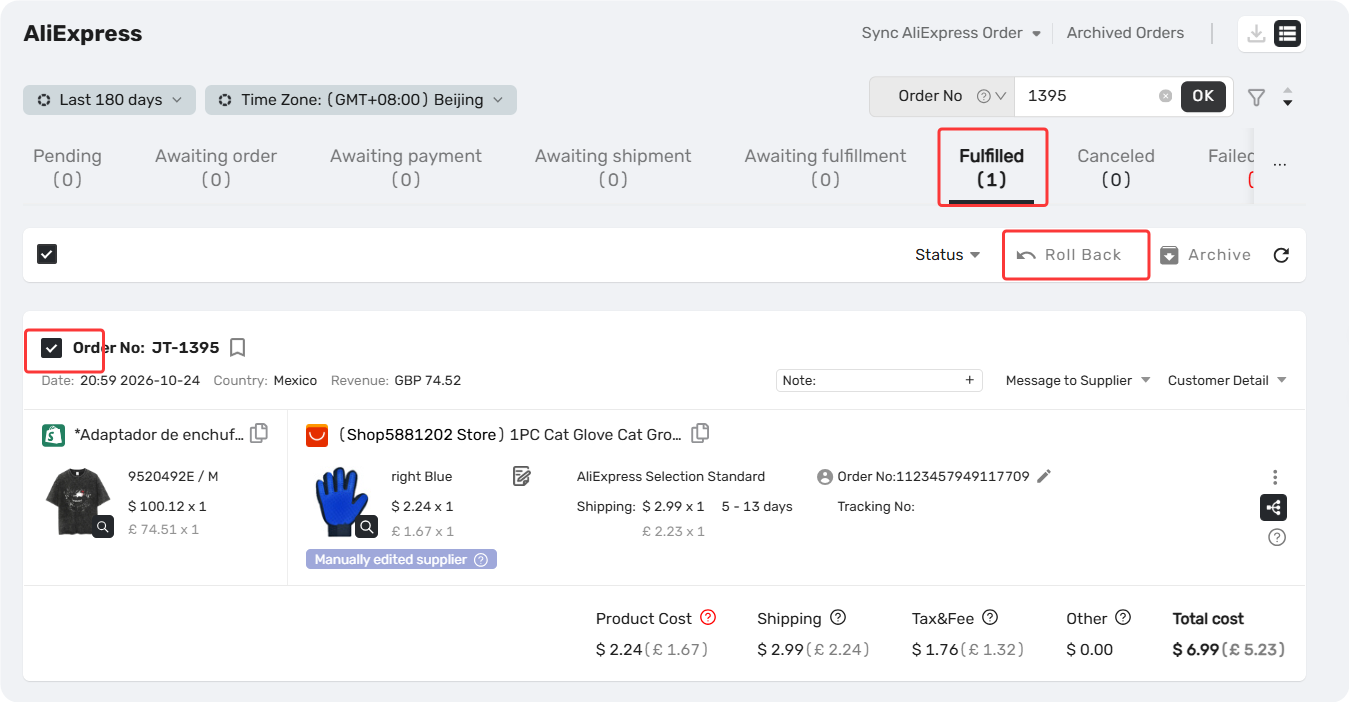
3. Roll it back. In the Fulfilled tab, click the order and select Roll back orders. It returns to Awaiting orders.
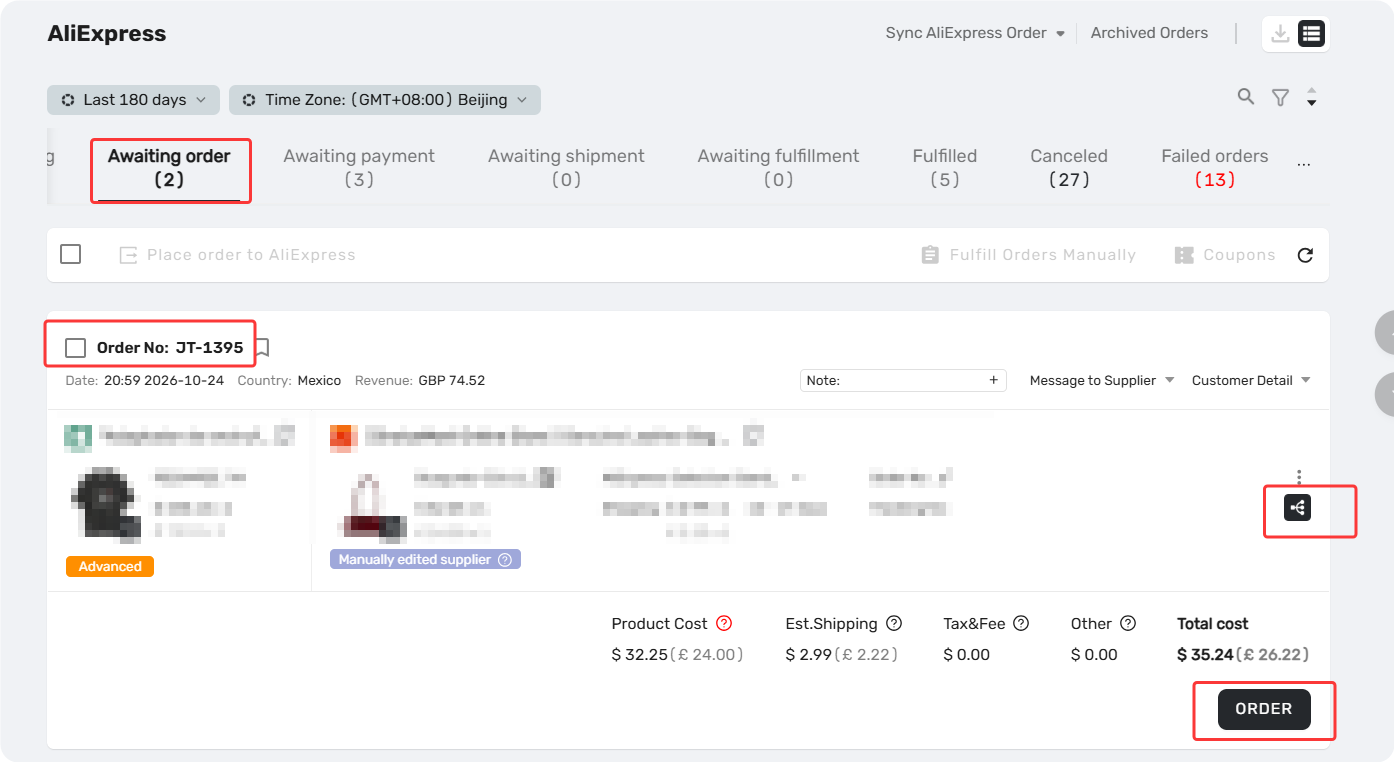
4. Reorder. Go to Awaiting orders and place the order again with your new account.
For detailed steps, see [How to Roll Back and Reorder Unfulfilled Orders].
If you CAN log in to the original AliExpress account
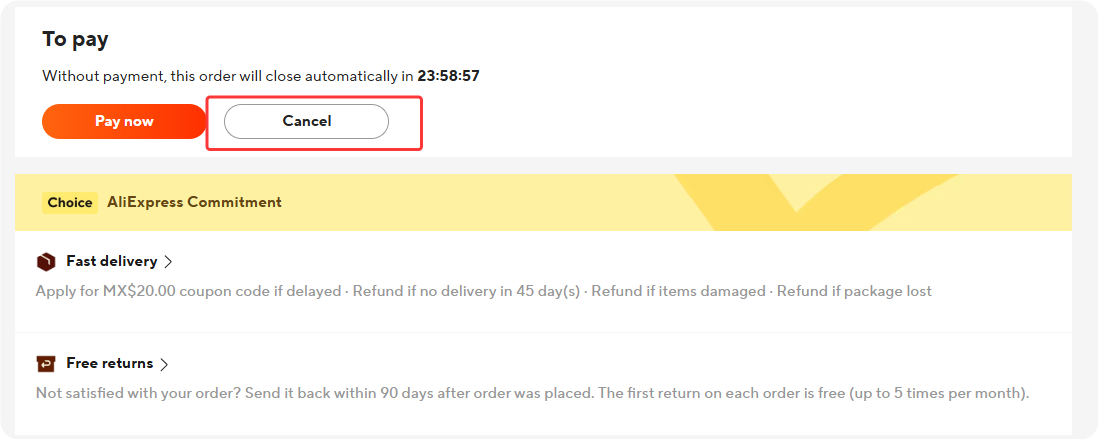
- Cancel the unpaid order on AliExpress directly.
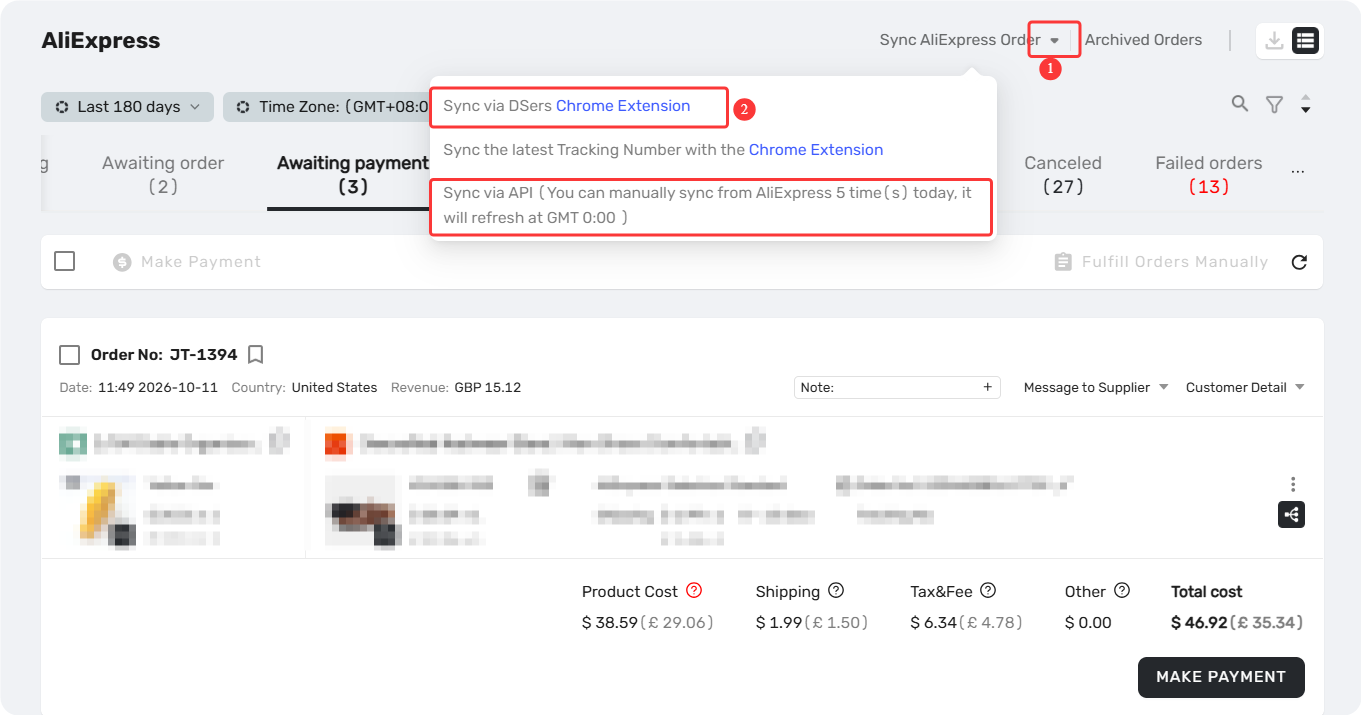
2. Sync the order status in DSers via "Sync AliExpress Order" so it moves to the Canceled tab.
3. Switch your AliExpress account in DSers.
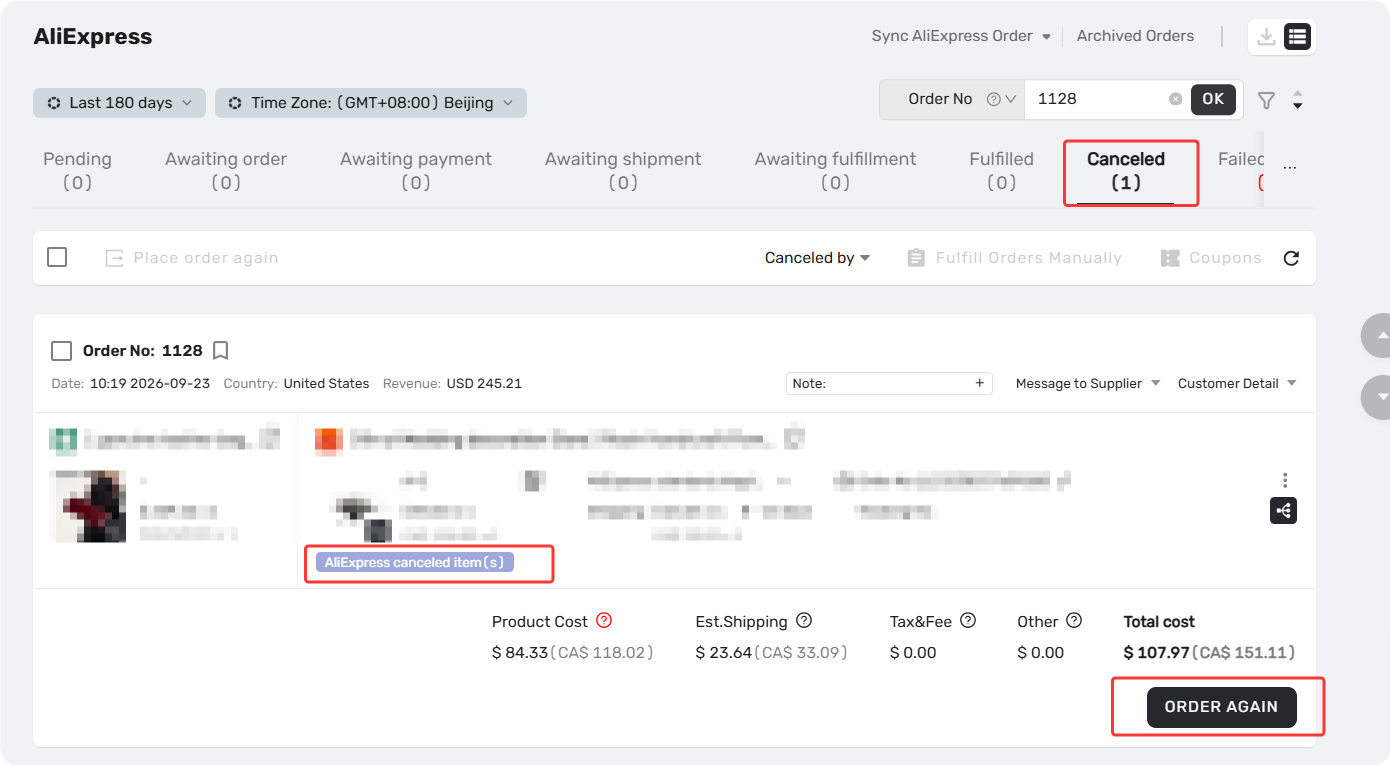
4. Reprocess from the Canceled tab. Find the order and place it again with your new account.
⚠️ Switching accounts won't change your order statuses. But once you switch to a new AliExpress account, DSers can no longer pull status updates for orders still tied to the old one — so it's best to switch only when orders are already fulfilled, or before placing any.
⚠️ Don't process the same order twice. If you've already reprocessed an order with your new AliExpress account, cancel the matching uncanceled order on the old account instead of processing it again.
Still Need Help?
If you've followed these steps and the order gets into issue, contact DSers Support with the following information ready via Email or Live Chat:
- Your DSers account email
- Store name
- DSers order number(s)
- Screenshot of the order showing its current status
Having these details on hand will help our support team resolve your issue much faster.
Related Articles
- Order Not Showing in AliExpress Unpaid Tab – What to Do
- How to Roll Back and Reorder Unfulfilled Orders
- Fulfilling Customer Orders: How to Place & Pay for Supplier Orders
- How to Change a Product's Supplier Mapping for Awaiting Orders
- How to Roll Back Orders Due to Supplier Shipping Delays
- How to Roll Back Orders Marked as Fulfilled by Mistake
Frequently Asked Questions (FAQ)
Common questions about rolling back unpaid orders and switching your AliExpress account in DSers.

Get Started Now to Grow Your Online Business with the DSers!