

Here's how to turn 100+ orders from “Awaiting orders” into “awaiting shipment” in a single batch.

Note
In dropshipping, the difference between a side hustle and a real brand is order volume. At 5 orders a day, manual placement works fine. At 50 or 100? That’s a part-time data entry job you didn’t sign up for.Click here to start dropshipping now with DSers
This guide walks you through DSers’ Place Order in Bulk feature — available on paid plans — built to turn hours of work into seconds. No fluff. Just the steps.
Before You Start
Make sure you’ve got these two things locked in:
- Product variants mapped — Each ordered product is linked to the correct AliExpress product SKU (size, color, etc.)
- Shipping method applied — Your shipping setting preference auto-selects the method if the supplier offers it.
Step-by-Step: Place Orders in Bulk
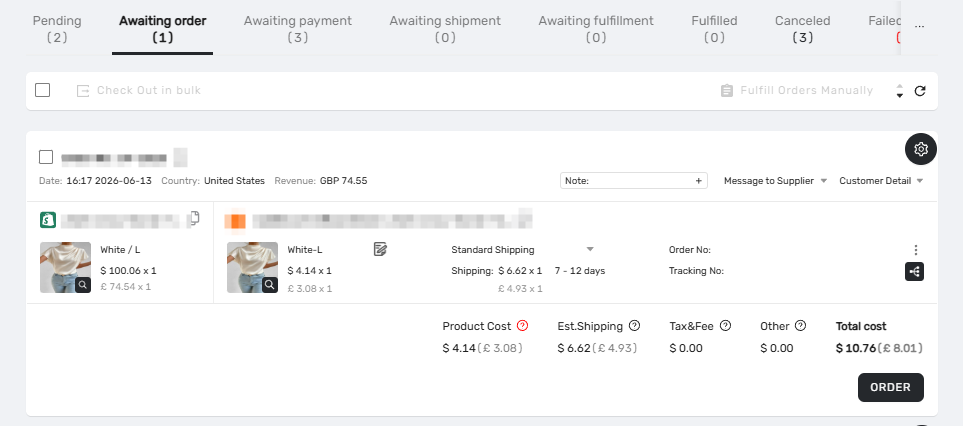
Step 1 — Navigate to Orders
DSers Dashboard → Open Orders → Awaiting Order tab.
This is your control tower. Every customer-paid, synced order lives here.
Step 2 — Select Orders
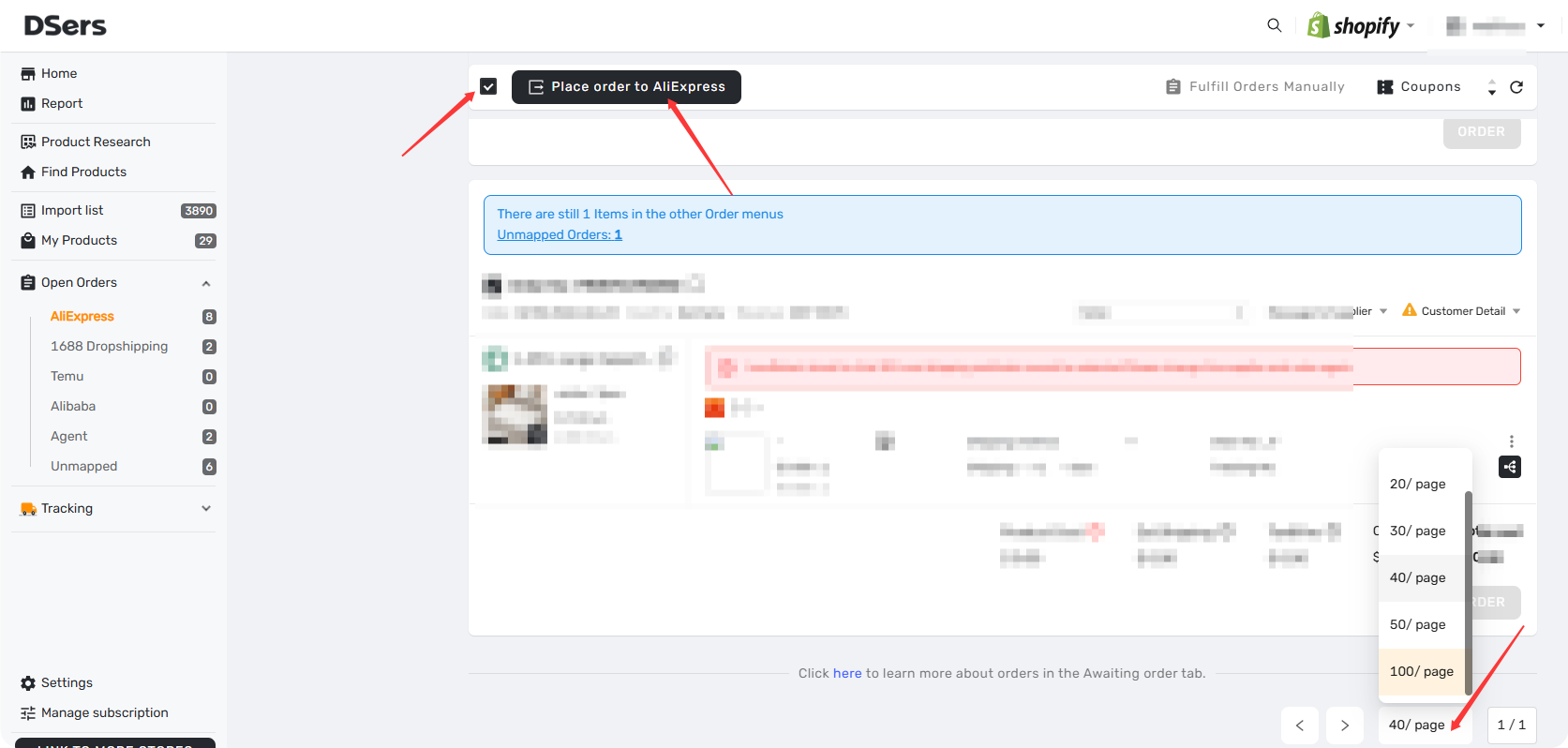
Here are three options to select your wanted orders.
- Adjust the number of orders displayed Per Page and Check the box at the top of the Order Cards to Select All on the current page
- Filter your wanted orders first and place the selected order range
- Or cherry-pick specific orders one by one
DSers shows your total selected count in real time.
Step 3 — Trigger the Bulk Action
Once you’ve selected at least 1 order, the Place Order to AliExpress button (stacked boxes icon) will be clickable on the Navigator Bar.
Step 4 — Choose Your placement option
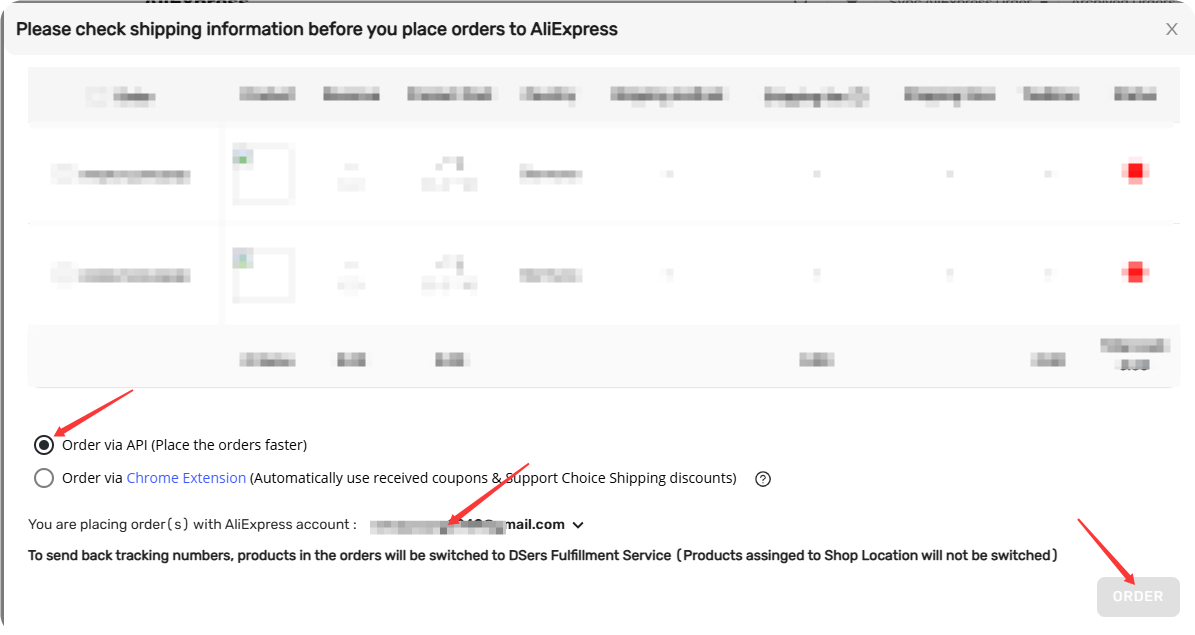
A pop-up gives you two paths:
Order via API (default) — Fastest for large batches.
Order via DSers Chrome Extension
— Slower for bulk orders, but automatically apply eligible AliExpress coupons which your AliExpress account have and shipping discounts along the way.
Step 5 — Launch
- Click ORDER
- Successfully placed → View in checkout, pay on AliExpress.
- Failed → Go to Failed Order tab, review the cause, fix, and retry.
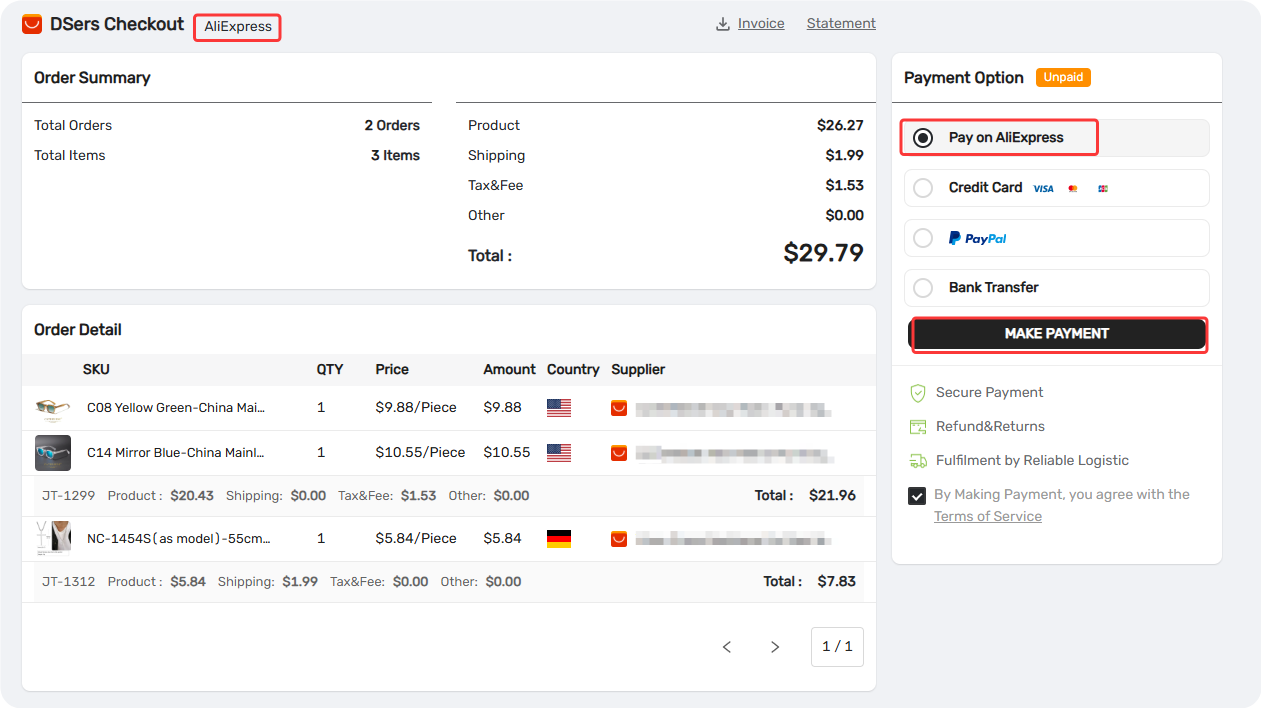
Important: Order details are available in your checkout, but payment is processed on AliExpress — you'll be redirected there to complete it. Prices shown in DSers are for reference only. For final payment info, check the order detail page on AliExpress.
Related Articles
- Understanding Your Dashboard: Orders Overview
- Fulfill Your First Order: A Step-by-Step Walkthrough
- Fulfilling Customer Orders: How to Place & Pay for Supplier Orders
- Tracking & After-Sales: What Happens Next
- AliExpress Coupon AutoGrab: Save Money on Every Order
- Supplier Optimizer: Find Better Suppliers in Seconds
- How to Change a Product's Supplier Mapping for Awaiting Orders
FAQ Section
Everything you need to know about Bulk Order Processing and how to streamline your fulfillment workflow.
| Get Started Now to Grow Your Online Business with the DSers! |
