

How to install the free DSers plugin on WordPress to send shipping confirmation emails to customers.
Click here to start dropshipping now with DSers
Note
The DSers Dropshipping WordPress Plugin is a free tool that acts as a lightweight bridge for email notifications, while your core products, orders, and fulfillment are securely managed within DSers and WooCommerce.
This guide walks you through installing the plugin, checking your store connection in the DSers dashboard, and troubleshooting if DSers shows the plugin as disconnected.
Before you start
- Connect your store first: Ensure your WooCommerce store is already connected to DSers. If not, see the [WooCommerce Connection Guide] (this covers prerequisites like SSL and permalinks).
- WordPress access: You need admin access to upload plugins.
How to install the plugin
Step 1: Download the plugin from DSers
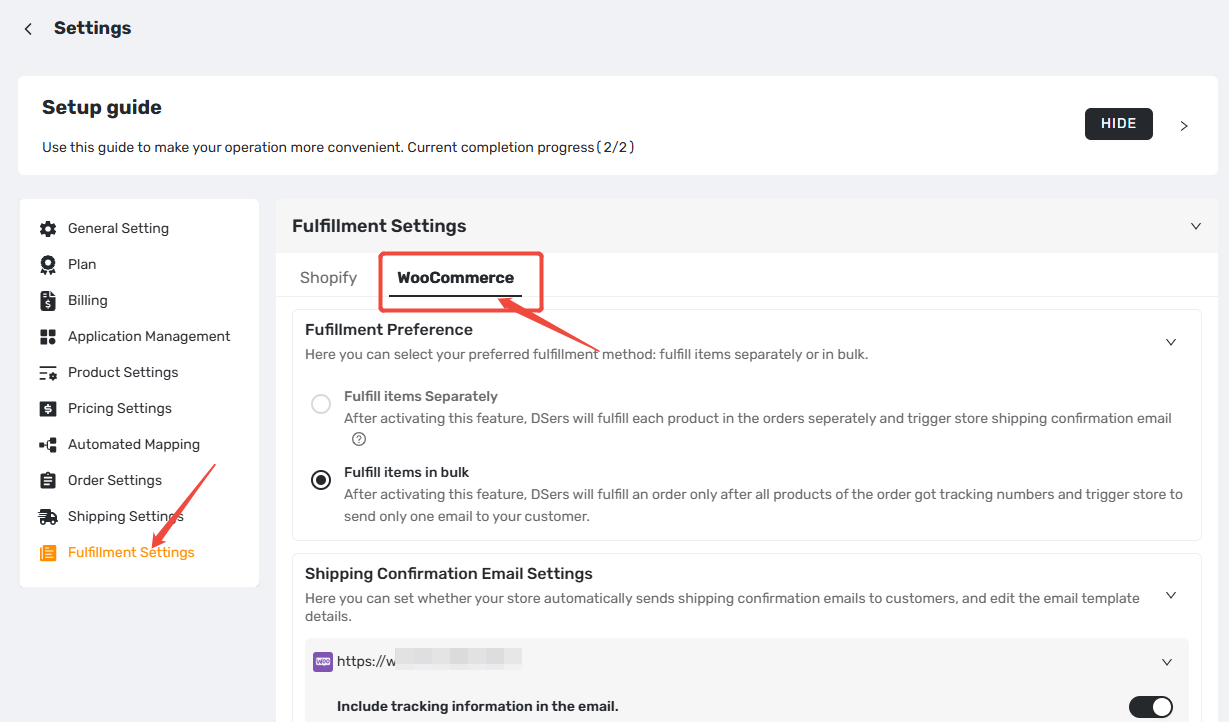
- Login to DSers > Settings > Fulfillment Settings.
- Click the WooCommerce tab.
- In the Shipping Confirmation Email Settings section, click Download Plugin or [download it directly here].
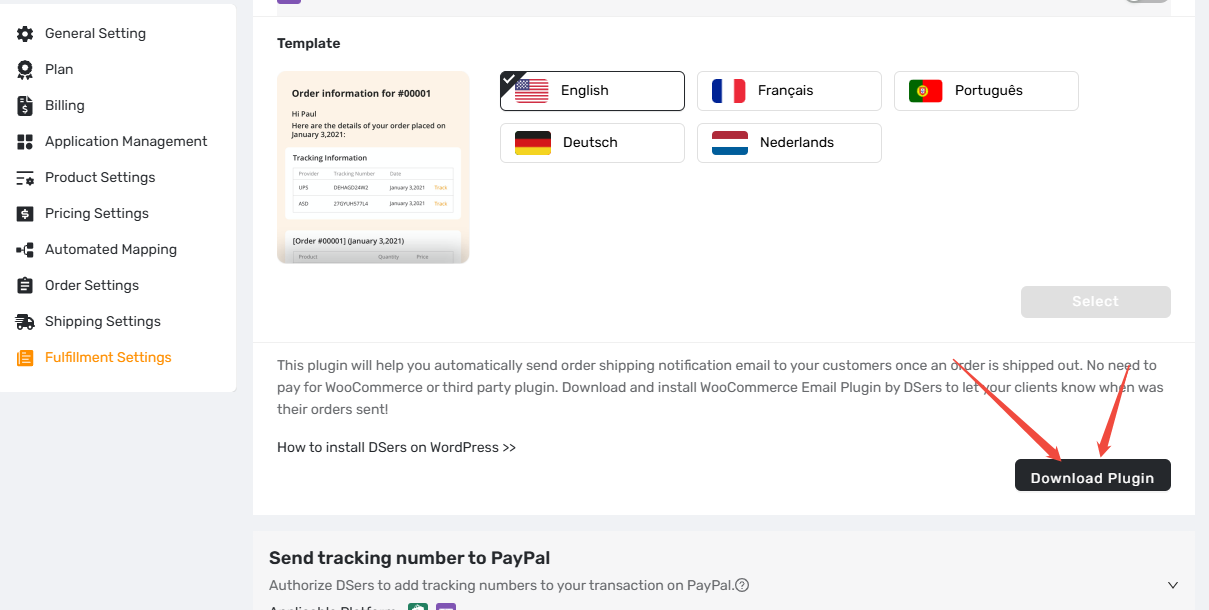
Step 2: Add Plugin on WordPress
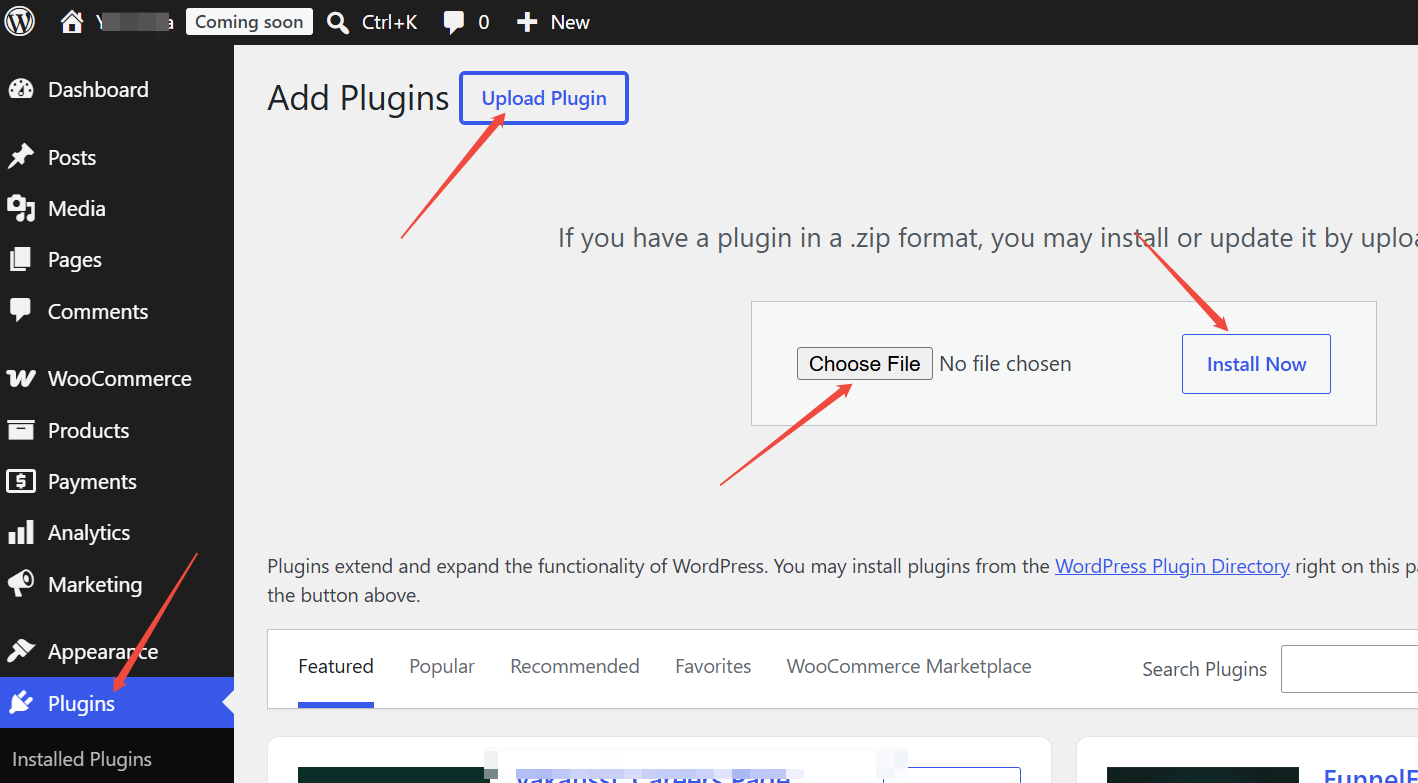
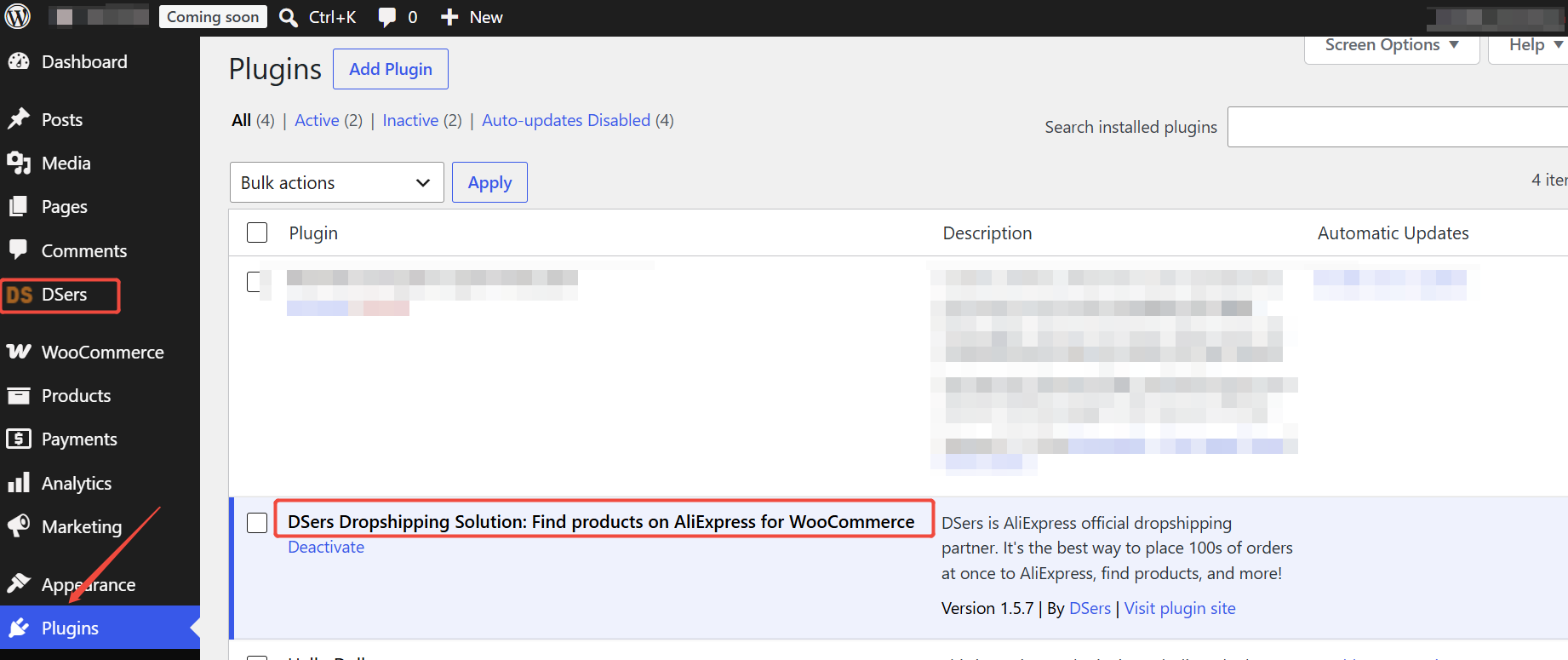
- Login to WordPress > Plugins > Add Plugin.
- Click Upload Plugin.
- Click Choose File and upload the file you just downloaded.
- Click Install Now.
- Click Activate Plugin.
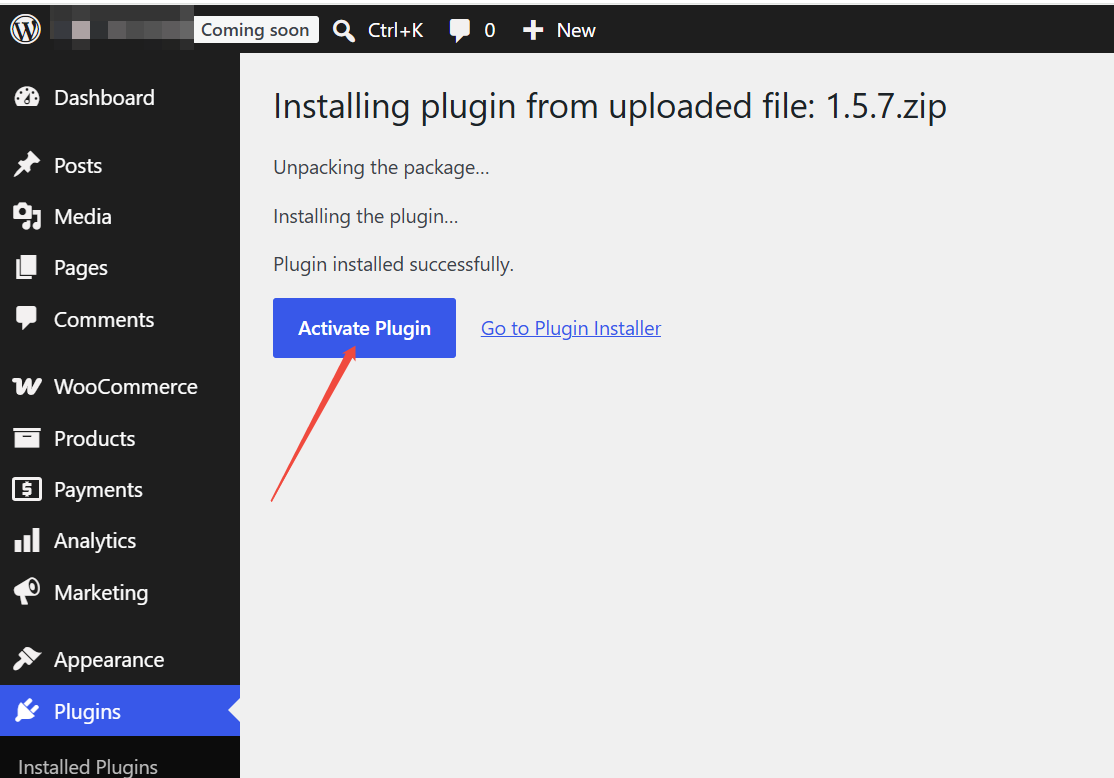
Once activated, a DSers menu will appear in your WordPress dashboard.
Why does it say "Connect" even when my store is linked?
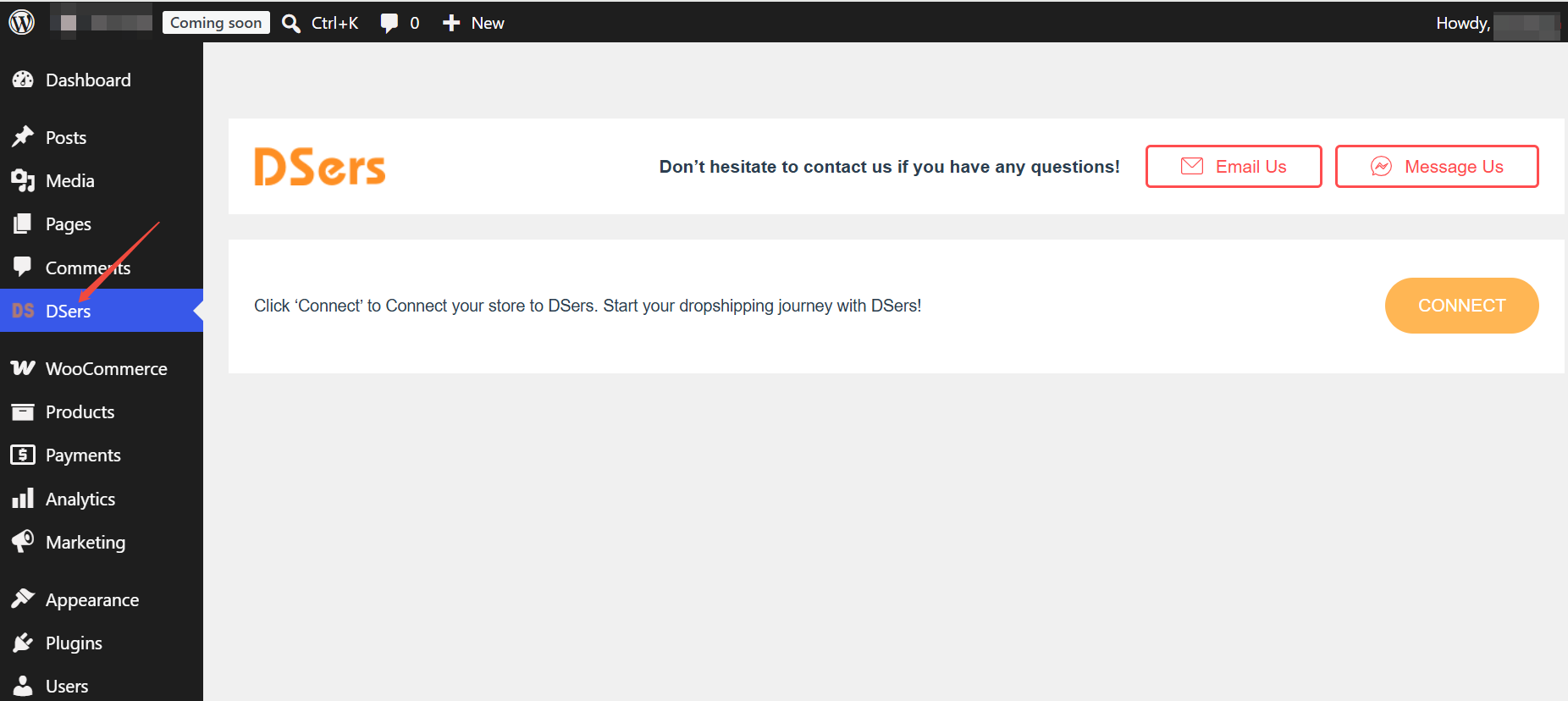
If you see the CONNECT button in your WordPress dashboard, this is normal—even for stores already linked to DSers.
Here is what you need to know:
- If your store is linked: Clicking CONNECT will simply take you to your connected DSers account.
- To verify your actual connection: You don't need to rely on this plugin page. Go to DSers > Settings > Application Management to check your store's real connection status (API and Webhook). As long as it's healthy there, your emails will send correctly once enabled.
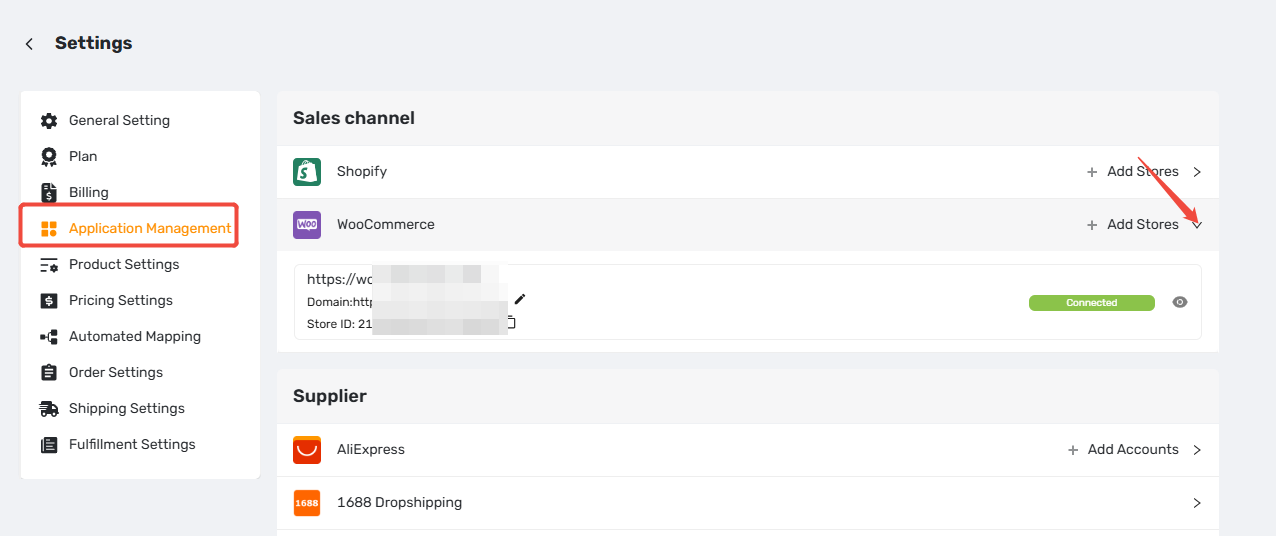
Related Articles
- WooCommerce Connection Guide: Website Verification, Authorization & Webhook Setup
- Customize Shipping Confirmation Email Settings
- How to Customize Shipping Carrier and Tracking URL for Shipping Confirmation Email
FAQ
Here are some common questions about installing the DSers Dropshipping Solution plugin on WordPress.

Get Started Now to Grow Your Online Business with the DSers!